
1. Introduction
About Your EWA A106Max Speaker
The EWA A106Max is a compact and powerful portable Bluetooth speaker designed to deliver high-quality audio with enhanced bass. Its robust metal construction ensures durability, while advanced Bluetooth 5.0 technology provides stable and fast wireless connectivity. This manual provides essential information for setting up, operating, and maintaining your speaker.
- High Quality Sound: Continually optimized audio processing unit structure, pumps up the bass power and enhances the clarity of the mids and highs for a more perfect sound.
- Louder Volume: 8W of audio power and passive subwoofer power ensures powerful sound and louder volume.
- Extra Deep Bass: Passive radiator at the bottom works with the monaural speaker, providing 360° shocking bass that is powerful and travels farther.
- Bluetooth 5.0: Advanced antenna design with Bluetooth 5.0 provides greater wireless range, ultra-stable connectivity, and faster Bluetooth connection.

Figure 1: Superior Sound Quality with 8W Driver and Passive Subwoofer
2. What's in the Box
Please check the package contents to ensure all items are present:
- 1x EWA A106Max Bluetooth Loud Speaker
- 1x Micro USB Charging Cable
- 1x User Manual
Video 1: Unboxing and Overview of the EWA A106Max Bluetooth Speaker, showing the speaker, charging cable, and user manual.
3. Product Overview
Components and Controls
The EWA A106Max speaker features a minimalist design with essential components for ease of use.
- Speaker Grille: Located on the top, protecting the speaker driver.
- LED Indicator: A small light on the side indicating power status, charging, and Bluetooth pairing.
- Power Button: Typically integrated into the design for simple on/off functionality.
- Micro USB Port: For charging the device.
- Passive Radiator: Located at the bottom, enhancing bass output.

Figure 2: Portable Design of the EWA A106Max Speaker

Figure 3: Passive Radiator for Enhanced Bass

Figure 4: EWA A106Max vs. A106 Pro Size Comparison
4. Setup
4.1. Charging the Speaker
- Locate the Micro USB charging port on the speaker.
- Connect the provided Micro USB charging cable to the speaker and a USB power source (e.g., wall adapter, computer USB port).
- The LED indicator will illuminate to show charging status.
- A full charge typically takes approximately 1.5 to 2 hours. The LED indicator will change or turn off once charging is complete.

Figure 5: Up to 12 Hours Playtime
4.2. Pairing with Bluetooth
- Power On: Press and hold the power button on the speaker until you hear an audible prompt or the LED indicator begins to flash, indicating it is in pairing mode.
- Activate Bluetooth: On your device (smartphone, tablet, laptop), go to the Bluetooth settings and ensure Bluetooth is enabled.
- Select Speaker: In the list of available Bluetooth devices, select "EWA A106Max".
- Confirm Connection: Once successfully paired, you will hear a confirmation sound from the speaker, and the LED indicator will typically turn solid blue.
- The speaker will automatically reconnect to the last paired device when powered on, if the device's Bluetooth is active and within range.
5. Operation
5.1. Power On/Off
- To Power On: Press and hold the power button until the LED indicator lights up and you hear a power-on sound.
- To Power Off: Press and hold the power button until the LED indicator turns off and you hear a power-off sound.
5.2. Volume Control
Volume is primarily controlled through your connected Bluetooth device. Adjust the volume on your smartphone, tablet, or computer to your desired level.
5.3. Playback Control
Music playback (play, pause, skip tracks) is controlled directly from your connected Bluetooth device.
5.4. Bass Performance
The EWA A106Max is engineered with an 8W audio driver and a passive subwoofer to deliver powerful sound and extra deep bass. For optimal bass response, ensure the speaker is placed on a flat, stable surface.
6. Maintenance
6.1. Cleaning
- Wipe the speaker with a soft, dry cloth.
- Do not use harsh chemicals, cleaning solvents, or strong detergents.
- Avoid getting moisture into any openings.
6.2. Storage
- Store the speaker in a cool, dry place away from extreme temperatures.
- Avoid prolonged exposure to direct sunlight or humidity.
6.3. Battery Care
- To prolong battery life, fully charge the speaker before first use.
- If the speaker will not be used for an extended period, charge it at least once every three months to prevent battery degradation.
7. Troubleshooting
Common Issues and Solutions
| Issue | Possible Cause | Solution |
|---|---|---|
| Speaker does not power on. | Low battery. | Charge the speaker using the provided Micro USB cable. |
| Unable to pair with Bluetooth device. | Speaker not in pairing mode; Bluetooth off on device; device too far. | Ensure speaker is in pairing mode (flashing LED). Turn on Bluetooth on your device. Move device closer to speaker (within 20 meters). |
| No sound or low volume. | Volume too low on speaker or device; speaker not connected. | Increase volume on both the speaker (via connected device) and the device. Re-pair the speaker if disconnected. |
| Poor sound quality or distortion. | Device too far; interference; audio source quality. | Move device closer. Avoid obstacles between speaker and device. Try a different audio source. |
| Short battery life. | High volume usage; aging battery. | Reduce volume for longer playtime. Ensure full charge. If battery life significantly degrades, contact customer service. |
8. Specifications
| Feature | Detail |
|---|---|
| Model Name | A106Max |
| Brand | EWA |
| Material | Metal, Plastic |
| Speaker Type | Wireless Bluetooth (Built-In) |
| Special Feature | Bass Boost |
| Recommended Uses | Home, Party, Outdoor, Travel |
| Compatible Devices | Smartphone, Tablet, Laptop |
| Unit Count | 1 Count |
| Color | Black |
| Product Dimensions | 1.02"D x 1.02"W x 0.98"H (2.65"D x 2.36"H) |
| Item Weight | 435 Grams (15.3 ounces) |
| Is Waterproof | FALSE |
| Control Method | Touch |
| Wireless Communication Technology | Bluetooth |
| Speaker Size | 5.9 Centimeters |
| Power Source | Battery Powered |
| Signal-to-Noise Ratio | 60 dB |
| Number of Batteries | 1 Lithium Polymer batteries required (included) |
| Audio Driver Type | Dynamic Driver |
| Bluetooth Range | 20 Meters |
| Speaker Maximum Output Power | 8 Watts |
| Connectivity Technology | Bluetooth |
| Audio Output Mode | Stereo |
| Mounting Type | Tabletop Mount |
| Charging Time | 2 Hours |
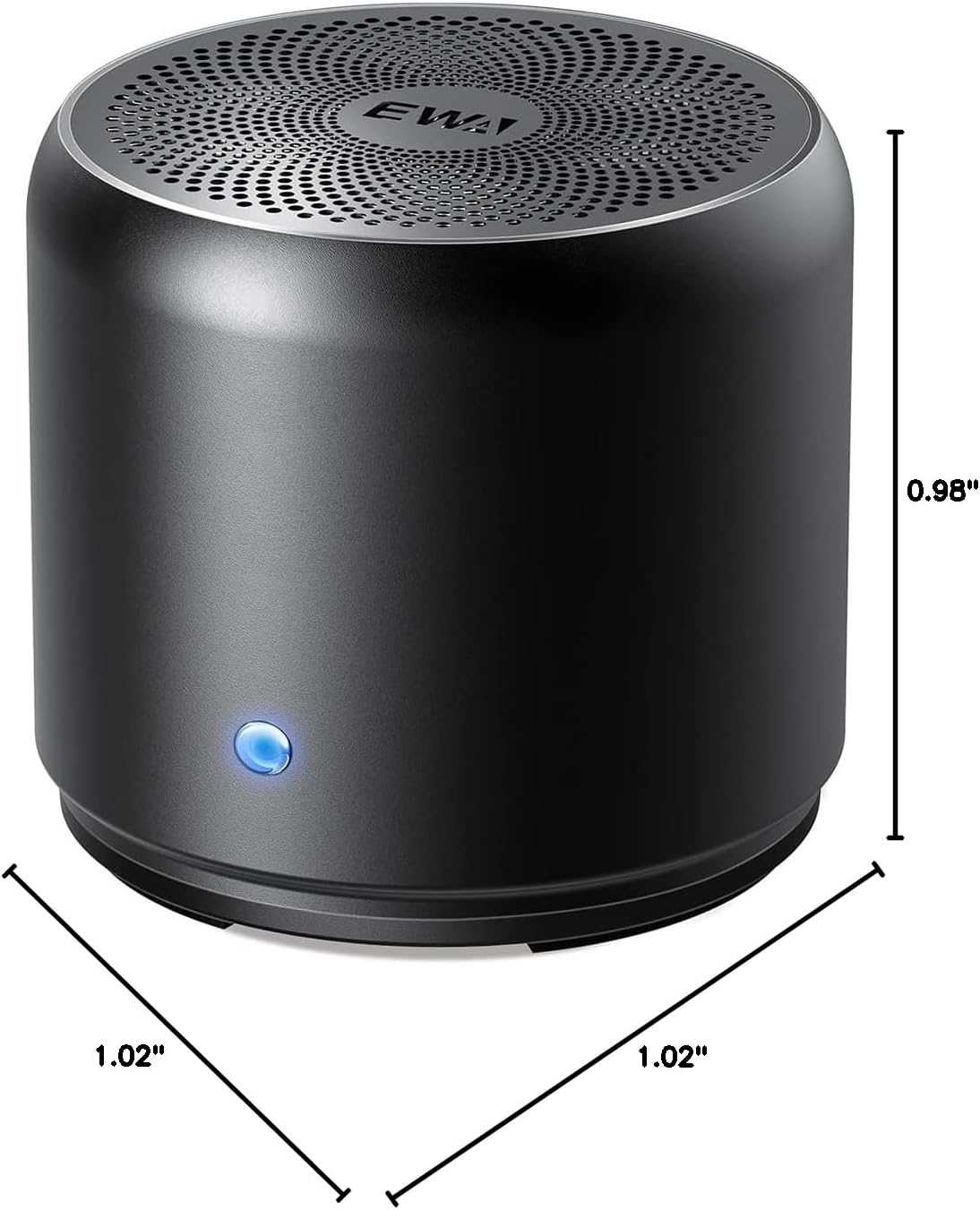
Figure 6: EWA A106Max Speaker Dimensions
9. Warranty & Support
Your EWA A106Max Bluetooth Speaker comes with a 12-month guarantee service from the date of purchase. EWA is committed to providing high-quality products and customer satisfaction.
For any questions, technical assistance, or warranty claims, please contact our customer service team. We offer 7*24h friendly customer service to assist you.
You can find more information and contact details on the official EWA store: EWA Official Store


