
Introduction
Thank you for purchasing the eKids PW-115 Paw Patrol Sing Along Boombox. This device is designed for children aged 3 and up, offering an interactive musical experience with a real working microphone, built-in music, and the ability to connect external audio devices. This manual provides essential information for safe and optimal use of your boombox.
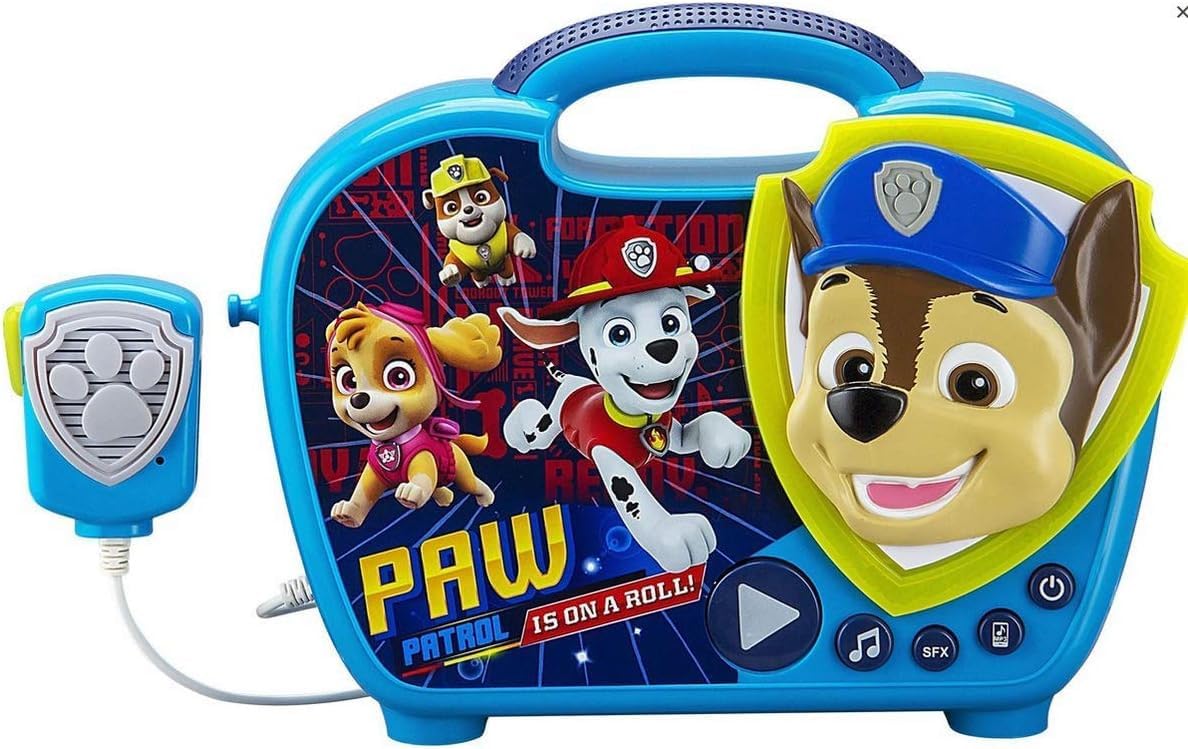
Image: The eKids PW-115 Paw Patrol Sing Along Boombox, showcasing its blue casing, integrated handle, microphone, and Paw Patrol character graphics.
Safety Information
This product is suitable for children aged 3 years and older. Please ensure adult supervision during use.
- Do not mix old and new batteries.
- Do not mix alkaline, standard (carbon-zinc), or rechargeable (nickel-cadmium) batteries.
- Remove batteries during long periods of non-use.
- Dispose of batteries properly.
- Keep the device away from water and excessive moisture.
Package Contents
Verify that all items are present in the package:
- 1 x eKids PW-115 Paw Patrol Sing Along Boombox
- 1 x Attached Microphone

Image: The eKids PW-115 boombox and its attached microphone, removed from its packaging.
Setup
Battery Installation/Replacement
The boombox typically comes with batteries included. If replacement is needed:
- Locate the battery compartment on the back or bottom of the unit.
- Using a screwdriver, open the battery compartment cover.
- Insert the required number of new batteries (e.g., 3 x AA batteries) ensuring correct polarity (+/-).
- Replace the battery compartment cover and secure it with the screw.
Connecting an External Audio Device (Aux-in)
You can connect an MP3 player or other audio device to play your own music.
- Locate the Aux-in jack on the boombox.
- Connect one end of a 3.5mm audio cable (not included) to the Aux-in jack on the boombox.
- Connect the other end of the audio cable to the headphone jack or audio output of your external device.
- Ensure your external device's volume is set to a moderate level before playing.
Operating Instructions
Power On/Off
- To turn the boombox ON, press the Power button (often marked with a circle and a vertical line).
- To turn the boombox OFF, press the Power button again.
Using the Microphone
- Ensure the microphone's ON/OFF switch is in the ON position.
- Speak or sing into the microphone. Your voice will be amplified through the boombox's speaker.
- Adjust the microphone volume if available (check for a dedicated knob or button).
Playing Built-in Music
- Press the Music button (often marked with a musical note) to play the pre-loaded songs.
- Press the SFX button (if available) for sound effects.
Playing Music from an External Device
- Ensure your external device is connected via the Aux-in jack (see Setup section).
- Start playing music on your external device.
- The audio will play through the boombox's speaker. Adjust volume on both the external device and the boombox for optimal sound.
Flashing Lights
- The boombox features flashing lights that activate during playback to enhance the experience. These lights are typically automatic.
Maintenance
Cleaning
- Wipe the surface of the boombox with a soft, dry cloth.
- Do not use abrasive cleaners or solvents.
- Avoid getting moisture into any openings.
Storage
- Store the boombox in a cool, dry place away from direct sunlight.
- If storing for an extended period, remove the batteries to prevent leakage.
Troubleshooting
| Problem | Possible Cause | Solution |
|---|---|---|
| No power | Batteries are dead or incorrectly installed. | Replace batteries, ensuring correct polarity. |
| No sound from microphone | Microphone switch is OFF. | Ensure microphone switch is ON. |
| No sound from external device | Aux cable not connected properly; external device volume too low. | Check Aux cable connection; increase volume on external device and boombox. |
| Flashing lights not working | This feature is automatic during playback. If not working, check power. | Ensure boombox is powered on and playing music. If issue persists, contact support. |
Specifications
| Model Number | PW-115 |
| Brand | eKids |
| Product Dimensions | 2.76 x 9.84 x 9.06 inches |
| Item Weight | 1.87 pounds |
| Recommended Age | 3 years and up |
| Special Feature | Portable |
| Color | Blue |
| Included Components | Paw Patrol Boombox with Microphone |
Warranty and Support
For warranty information or technical support, please contact eKids customer service. Refer to the product packaging or the eKids official website for the most current contact details.


