
Introduction
Thank you for choosing the OttLite Wellness Series Wide Area Dimmable LED Table Lamp. This manual provides essential information for the safe and efficient operation of your new lamp. Please read these instructions thoroughly before use and retain them for future reference.
Important Safety Information
- Always unplug the appliance from the electrical outlet before cleaning.
- Do not use with an extension cord unless the plug can be fully inserted.
- Do not alter the plug.
- To reduce the risk of fire, electric shock, or injury, do not expose to rain or moisture.
- Do not look directly into the light source.
- This lamp is for indoor use only.
Package Contents
Verify that all components are present:
- OttLite Wellness Series Wide Area Dimmable LED Table Lamp
- Power Adapter
- Instruction Manual
Setup Instructions
- Carefully remove the lamp from its packaging.
- Place the lamp on a stable, flat surface. The 8"x10" base provides stability.
- Connect the power adapter to the DC input port located on the back of the lamp base.
- Plug the power adapter into a standard electrical outlet.
- Adjust the flexible neck to your desired position. The height adjusts from 12 to 27 inches.

Image: OttLite Wellness Series Wide Area Dimmable LED Table Lamp in its upright position.

Image: The lamp's flexible neck can be adjusted to various heights and angles.
Operating Instructions
Power On/Off and Brightness Adjustment
The lamp features touch controls on its base for easy operation.
- To Power On/Off: Lightly touch the power button icon on the lamp base.
- To Adjust Brightness: Tap the brightness control area on the base to cycle through multiple brightness settings.

Image: Overview of the lamp's features, including touch controls for brightness.
ClearSun LED Technology
This lamp utilizes OttLite's exclusive ClearSun LED technology, designed to provide balanced, smooth lighting that reduces eyestrain by up to 51% and shows colors with unmatched accuracy (CRI of 95+).

Image: ClearSun LED technology provides optimal lighting for detailed tasks like embroidery.
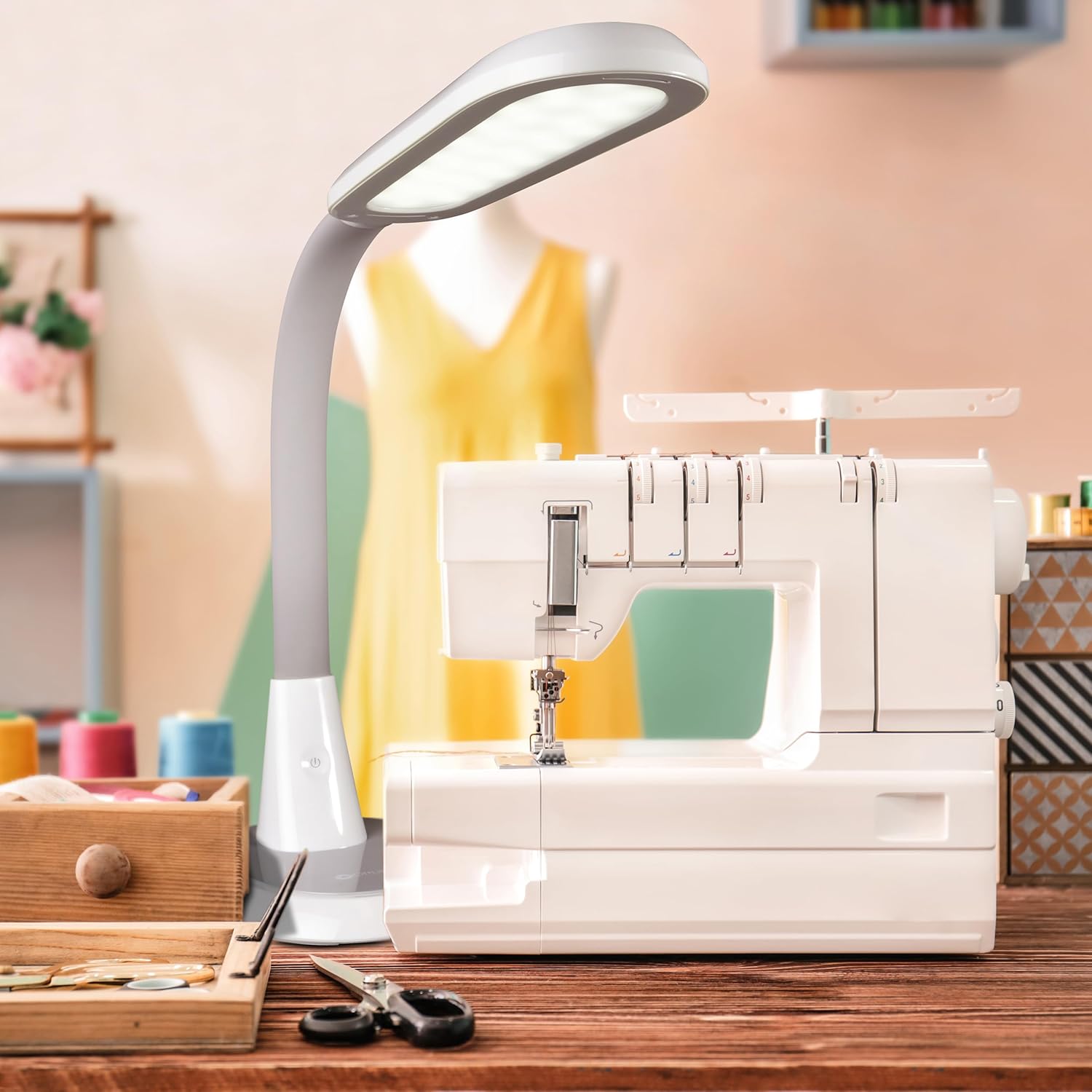
Image: The lamp's high Color Rendering Index (CRI) ensures accurate color perception.
Official Product Video: OttLite ClearSun Technology
Video: This official OttLite video explains the benefits of ClearSun LED technology, highlighting its ability to match the spectral output of natural daylight and reduce eyestrain.
Maintenance
- Cleaning: Ensure the lamp is unplugged before cleaning. Use a soft, dry cloth to wipe the lamp. Do not use abrasive cleaners or solvents.
- Bulb Replacement: The integrated LEDs are designed for long-term use and are not user-replaceable.
Troubleshooting
| Problem | Possible Cause | Solution |
|---|---|---|
| Lamp does not turn on. | Power cord not properly connected. | Check that the power adapter is securely plugged into the lamp and the electrical outlet. |
| Light is dim or flickering. | Incorrect brightness setting. | Tap the brightness control to cycle through available settings. |
| USB charging not working. | Device not compatible or cable faulty. | Ensure your device is compatible with USB charging. Try a different USB cable. |
Specifications
- Model Number: CSY34WGC-SHPR
- Product Dimensions: 12"D x 10"W x 27"H (adjustable height)
- Item Weight: 4.41 Pounds
- Base Material: Acrylonitrile Butadiene Styrene
- Bulb Type: Integrated LED (ClearSun Technology)
- USB Output: 5V, 2.1A
- Manufacturer: OttLite
- Date First Available: April 6, 2021
Warranty and Support
For warranty information or technical support, please refer to the official OttLite website or contact their customer service directly. Keep your purchase receipt for warranty claims.
Manufacturer: OttLite
Official Website: Visit the OttLite Store on Amazon


