
CHIQ CPC09PAP01
Contents
CHiQ 9000 BTU Mobile Air Conditioner User Manual
Model: CPC09PAP01 | Brand: CHIQ
1. Introduction
Thank you for choosing the CHiQ 9000 BTU Mobile Air Conditioner. This 4-in-1 unit provides fast cooling, dehumidification, fan operation, and an intelligent sleep mode, ensuring a comfortable indoor environment. This manual provides essential information for safe operation, installation, maintenance, and troubleshooting.

Figure 1: CHiQ 9000 BTU Mobile Air Conditioner with remote control.
2. Important Safety Information
Please read all safety warnings and instructions carefully before using this appliance to prevent injury or damage. Keep this manual for future reference.
- Always ensure the power supply matches the voltage specified on the appliance's rating label.
- Do not operate the unit with a damaged cord or plug.
- Keep the appliance away from heat sources and direct sunlight.
- Ensure proper ventilation and do not block air inlets or outlets.
- Do not insert objects into the air vents.
- Unplug the unit before cleaning or maintenance.
- This appliance is for indoor use only.
- Keep out of reach of children.
3. Product Overview and Components
Familiarize yourself with the main parts of your CHiQ Mobile Air Conditioner.

Figure 2: Included accessories for the CHiQ Mobile Air Conditioner, including the unit, remote control, exhaust hose, window sealing kit components, and drainage tube.
Key Features:
- 4-in-1 Functionality: Cooling, Dehumidifying, Fan, and Intelligent Sleep Mode.
- Fast Cooling: Designed for rapid temperature reduction.
- Wide Airflow: Cool air can reach up to 5 meters, covering a wide area.
- Self-Evaporating System: No need for manual drainage in most conditions due to automatic atomization of condensed water.
- Portable Design: Equipped with 360° rotating wheels for easy movement.
- User-Friendly Controls: Intuitive control panel and remote control.

Figure 3: Visual representation of the 4-in-1 functions: Cooling, Dehumidification, Air Supply (Fan), and Intelligent Sleep Mode.

Figure 4: The unit features 360-degree rotating wheels for easy portability and repositioning within your home.
4. Setup and Installation
Follow these steps to properly set up your mobile air conditioner for optimal performance.
4.1. Exhaust Hose Installation
Connect the exhaust hose to the unit and the window kit.
Video 1: Detailed installation guide for the exhaust hose and window sealing kit. This video demonstrates connecting the exhaust hose to the unit and preparing the window for the seal.
- Attach the exhaust hose adapter to one end of the exhaust hose by twisting it clockwise until secure.
- Attach the window kit adapter to the other end of the exhaust hose.
- Insert the exhaust hose assembly into the designated port on the back of the air conditioner unit.
4.2. Window Sealing Kit Installation
The window sealing kit helps to prevent hot air from re-entering the room.
- Clean the window frame thoroughly where the Velcro tape will be applied.
- Apply the self-adhesive Velcro tape around the inner perimeter of your window frame. Ensure it adheres firmly.
- Attach the window sealing cloth to the Velcro tape on the window frame. Make sure it is taut and covers the entire opening.
- Open the zipper on the window sealing cloth and insert the window kit adapter of the exhaust hose through the opening.
- Close the zipper around the exhaust hose to create a tight seal.

Figure 5: Diagram illustrating the connection of the exhaust hose from the air conditioner to the window sealing kit.
5. Operating Instructions
Your CHiQ Mobile Air Conditioner offers multiple modes and settings for personalized comfort.
5.1. Control Panel and Remote Control
The unit can be operated via the touch control panel on top or the included remote control.
Figure 6: The air conditioner unit with its remote control, showing the user interface for operation.
5.2. Operating Modes
- Cooling Mode: Provides powerful cooling with adjustable temperature settings (16-32°C).
- Dehumidifying Mode: Reduces humidity in the air, ideal for damp environments.
- Fan Mode: Circulates air without cooling, offering three fan speeds.
- Intelligent Sleep Mode: Adjusts temperature and fan speed for quiet, comfortable sleep, reducing noise development.
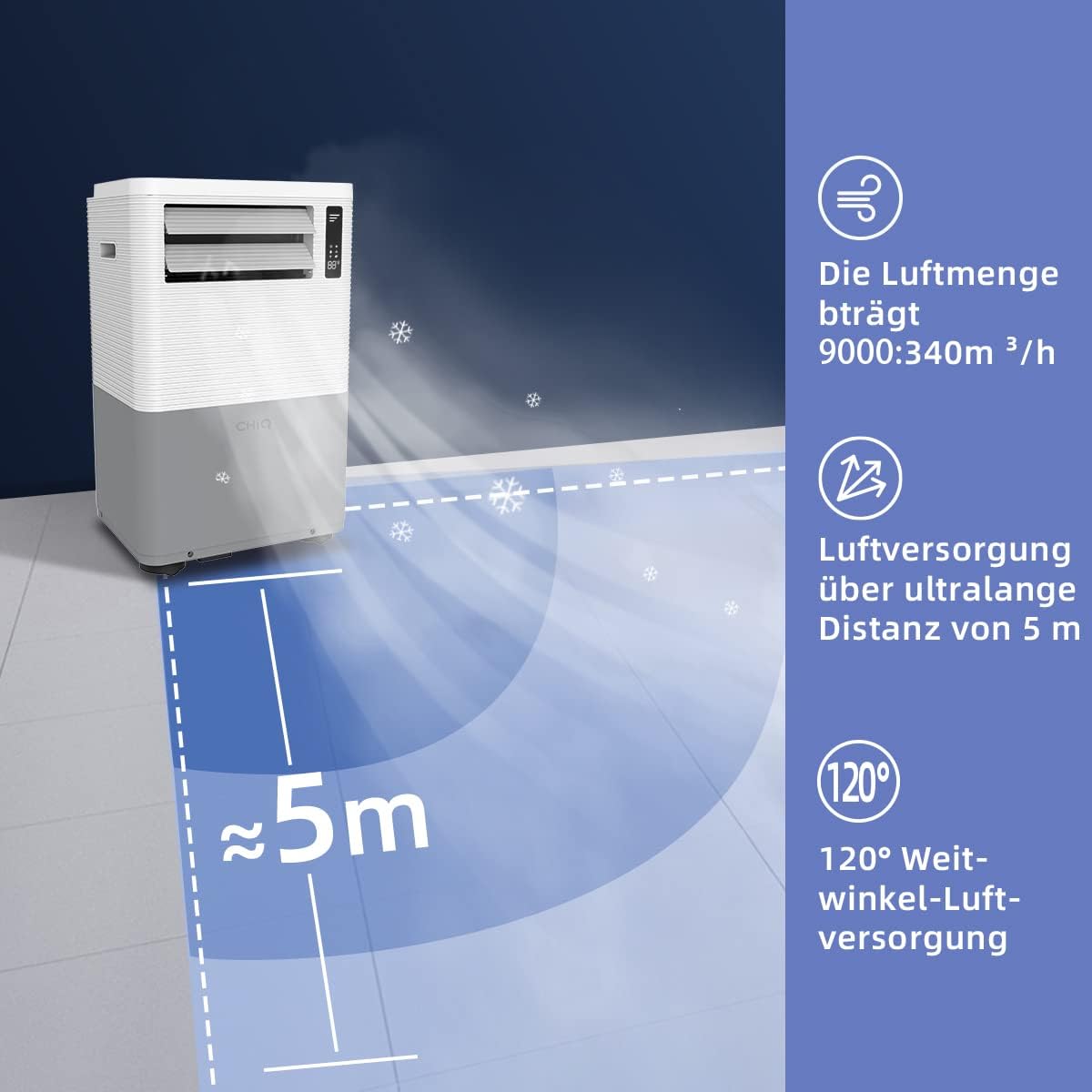
Figure 7: The unit provides powerful airflow, capable of reaching up to 5 meters to cool every corner of the room effectively.
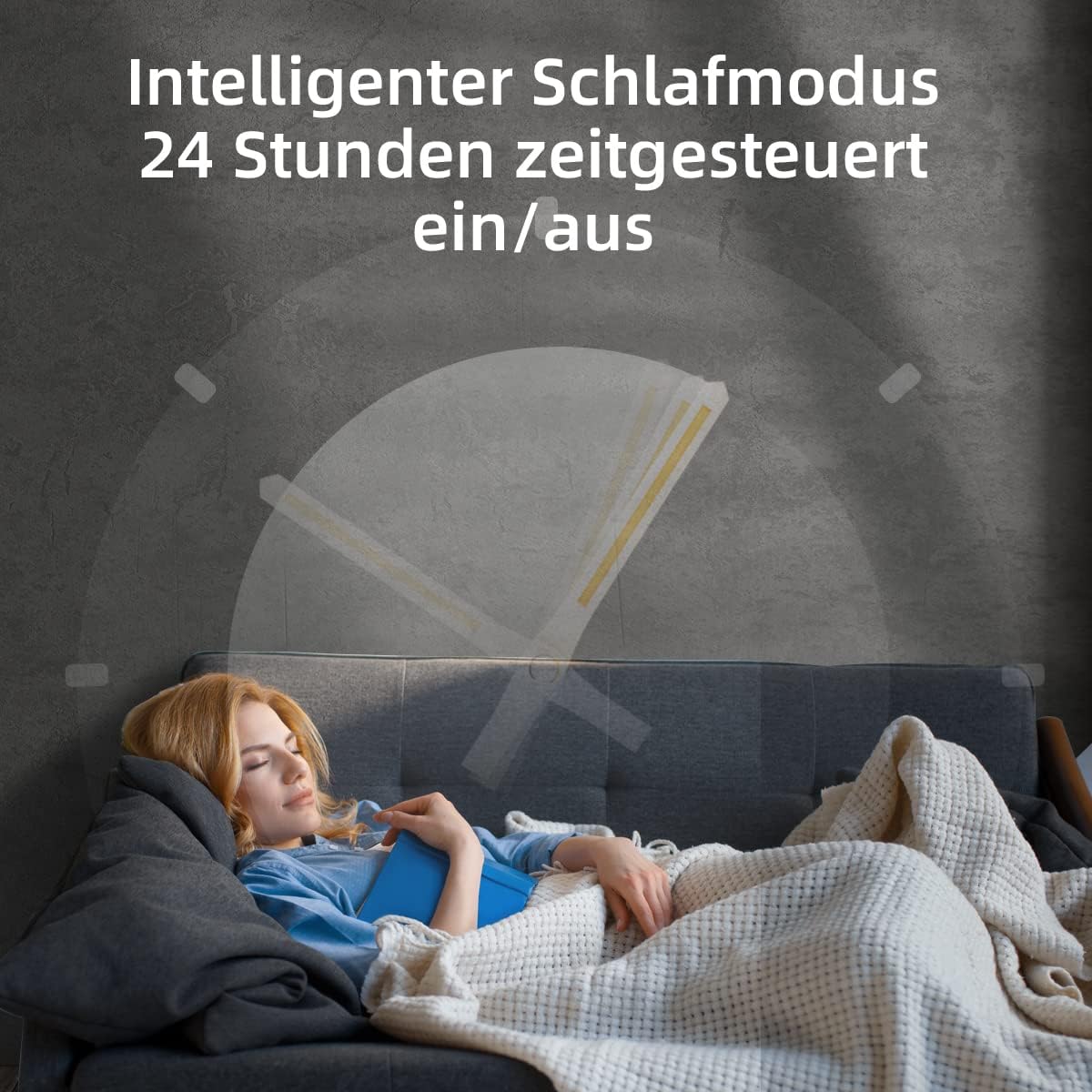
Figure 8: The intelligent sleep mode allows for 24-hour timed operation, ensuring comfort throughout the night.
Video 2: This video highlights the various features and modes of the CHiQ PAC 2B2C, including cooling, fan, and dehumidification, as well as the intelligent sleep mode and wide-angle air supply.
5.3. Additional Functions
- Timer: Program the unit to turn on or off automatically within a 24-hour period.
- Swing Function: Activates the automatic vertical swing of the air louvers for wider air distribution (120° wide-angle air supply).
- Temperature Display: Shows the current room temperature or set temperature.

Figure 9: Illustration of the compressor cooling system, which provides excellent cooling without requiring ice.
6. Maintenance and Cleaning
Regular maintenance ensures efficient operation and extends the lifespan of your air conditioner.
6.1. Cleaning the Air Filter
The air filter should be cleaned regularly (every two weeks or more often depending on usage) to maintain optimal performance.
- Unplug the air conditioner from the power outlet.
- Locate the air filter cover on the back of the unit.
- Remove the filter by gently pulling it out.
- Wash the filter under running water to remove dust and debris. For heavy dirt, use a mild detergent.
- Allow the filter to air dry completely before reinserting it into the unit.
- Replace the filter cover.

Figure 10: The easily removable filter can be cleaned simply by rinsing it under water to remove accumulated dirt and dust.
6.2. Unit Cleaning
Wipe the exterior of the unit with a soft, damp cloth. Do not use harsh chemicals or abrasive cleaners.
7. Troubleshooting
If you encounter issues with your air conditioner, refer to the following common problems and solutions.
| Problem | Possible Cause | Solution |
|---|---|---|
| Unit does not turn on. | No power, power cord unplugged, circuit breaker tripped. | Check power connection, plug in securely, reset circuit breaker. |
| Insufficient cooling. | Dirty air filter, blocked air vents, room too large, windows/doors open. | Clean air filter, clear obstructions, ensure room size is appropriate, close windows/doors. |
| Unit is noisy. | Unit not on a flat surface, fan obstruction. | Place on a flat, stable surface. Check for and remove any obstructions. |
| Water leakage. | Drain plug not properly sealed, unit tilted. | Ensure drain plug is secure. Place unit on a level surface. |
8. Technical Specifications
| Feature | Specification |
|---|---|
| Brand | CHIQ |
| Model Number | CPC09PAP01 |
| Cooling Capacity | 9000 BTU / 2.55 KW |
| Product Dimensions | 33 x 44 x 70 cm (D x W x H) |
| Energy Efficiency Class | 2.6 (SEER) |
| Noise Level | 64 dB |
| Installation Type | Portable |
| Voltage | 230 Volt (AC) |
| Wattage | 980 Watt |
| Filter Type | Pre-filter |
| Special Feature | Fast Cooling |
9. Warranty and Support
For warranty information, technical support, or service inquiries, please refer to the warranty card included with your product or contact CHIQ customer service directly. Keep your purchase receipt as proof of purchase.
Documents and downloads
Ask a question about this manual
Ask about setup, troubleshooting, compatibility, parts, safety, or missing instructions. Manuals+ will review the question and use this page’s manual context to help answer it.