
CLEVAST CL-D35
CLEVAST Dehumidifier User Manual
Model: CL-D35
1. Introduction
This manual provides essential information for the safe and efficient operation of your CLEVAST Dehumidifier. This appliance is designed to remove excess moisture from the air, helping to maintain a comfortable and healthy indoor environment. It is suitable for areas up to 3,000 square feet and can collect up to 35 pints of water per day.
Key features include automatic restart after power interruption, auto defrost to prevent ice buildup, automatic shut-off when the water tank is full, and a filter cleaning alert for optimal performance.

Image: High-Efficiency Dehumidifier in a living room setting, demonstrating its coverage capacity.
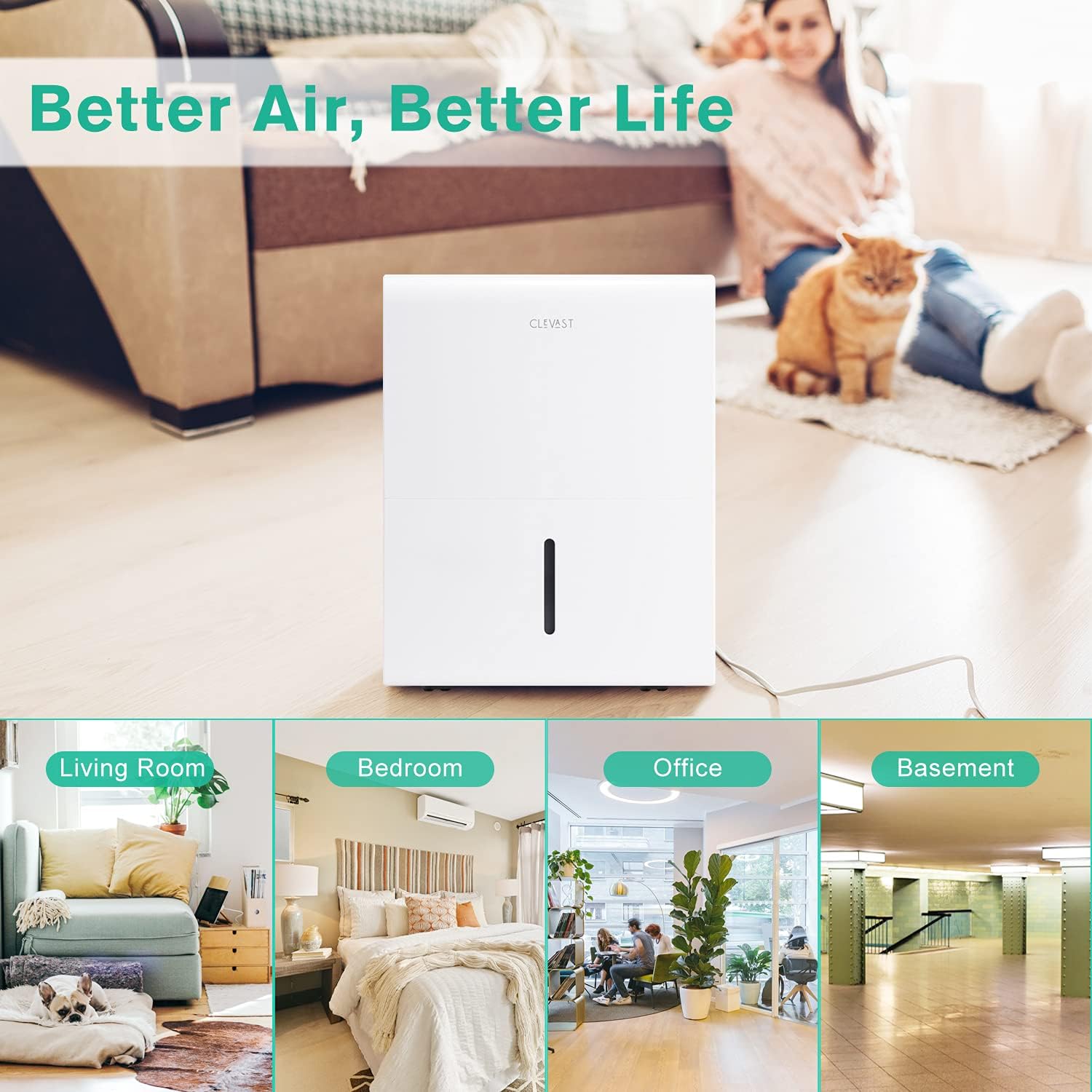
Image: The dehumidifier placed in different environments, highlighting its adaptability for various room types.
2. Safety Information
Please read all instructions carefully before using the dehumidifier. Failure to follow these instructions may result in electric shock, fire, or serious injury.
- Always plug the unit into a grounded electrical outlet.
- Do not operate the unit if the power cord or plug is damaged.
- Ensure the air inlet and outlet are not obstructed. Maintain at least 8 inches (20 cm) of space around the unit.
- Unplug the dehumidifier before cleaning, moving, or performing any maintenance.
- Do not use the unit near water or in excessively wet environments.
- This appliance is not intended for use by persons (including children) with reduced physical, sensory or mental capabilities, or lack of experience and knowledge, unless they have been given supervision or instruction concerning use of the appliance by a person responsible for their safety.
- Do not insert fingers or foreign objects into the air inlet or outlet.
- Always empty the water tank before moving the unit.
3. Product Overview
Familiarize yourself with the components of your CLEVAST Dehumidifier.

Image: Main product view of the CLEVAST Dehumidifier.

Image: Detail of the rotating wheels for easy mobility.
Components:
- Control Panel: Located on the top, with LED digital display and various function buttons.
- Air Inlet: Located on the side, where air is drawn into the unit.
- Air Outlet: Located on the top/front, where dehumidified air is expelled.
- Removable Water Tank: Collects condensed water. Features a handle for easy removal.
- Continuous Drain Outlet: Port for connecting a drain hose for continuous drainage.
- Reusable Air Filter: Located at the back, filters dust and particles from the air.
- 360° Rotational Wheels: For easy movement of the unit.
4. Setup
Follow these steps for initial setup of your dehumidifier.
- Unpacking: Carefully remove the dehumidifier from its packaging. Retain the packaging for future storage or transport.
- Placement: Place the unit upright on a flat, stable surface. Ensure there is at least 8 inches (20 cm) of clear space around all sides of the unit for proper airflow. Avoid placing it near heat sources or in direct sunlight.
- Power Connection: Plug the power cord into a grounded 120V/60Hz electrical outlet.
- Initial Operation: The unit is ready for operation. It is recommended to let the unit stand upright for at least 2 hours before plugging it in if it was transported on its side.

Image: Control panel layout, indicating ease of setup and operation.
5. Operating Instructions
The control panel allows you to manage various functions of your dehumidifier.
Image: Control panel with labeled functions.
Control Panel Functions:
- Power Button: Press to turn the unit ON or OFF.
- Comfort Mode: Press to activate or deactivate the comfort dehumidification mode, which aims for an optimal humidity level.
- Filter Alert: An indicator light reminds you to clean the air filter for efficient operation. Pressing the button may reset the alert after cleaning.
- CONT (Continuous) Mode: Activates continuous dehumidification, regardless of the set humidity level.
- Turbo Mode: Controls the fan speed, increasing it for faster dehumidification.
- Timer: Use the Up/Down buttons to set the Auto Start and Auto Stop time from 0 to 24 hours.
- Up/Down Buttons: Adjust humidity settings, timer settings, and other numerical values.
- LED Display: Shows current humidity level, timer settings, and error codes.
Operating Modes and Features:
- Humidity Setting: In normal mode, use the Up/Down buttons to set your desired humidity level (typically between 35% and 85%). The unit will operate until the set humidity is reached, then cycle on and off to maintain it.
- Auto Defrost: When frost builds up on the evaporator coils, the compressor will automatically cycle off, and the fan will continue to run until the frost disappears. This protects the unit and ensures efficient operation.
- Auto Shut-off (Full Tank): The unit will automatically shut off when the water collection tank is full. An indicator light will illuminate, and the unit may beep. Empty the tank to resume operation.
- Auto Restart: If the unit loses power unexpectedly (e.g., power outage), it will automatically restart with the previous function settings once power is restored.
6. Maintenance
Regular maintenance ensures optimal performance and longevity of your dehumidifier.
Emptying the Water Tank:
When the water tank is full, the unit will stop operating, and the 'Full' indicator light will illuminate. Carefully pull out the water tank using its handle, empty the collected water, and slide the tank back into place until it clicks securely. The unit will then resume operation.
Continuous Draining:
For continuous operation without emptying the tank, you can connect a drain hose (not included) to the continuous drain outlet. Ensure the hose is sloped downwards to allow gravity-fed drainage into a suitable floor drain or container. Refer to the diagram below for connection.

Image: Illustration of two-way water draining options.
Cleaning the Air Filter:
The reusable air filter should be cleaned regularly (approximately every two weeks or when the filter alert illuminates) to maintain efficiency. A dirty filter can reduce airflow and dehumidification performance.
- Turn off the dehumidifier and unplug it from the power outlet.
- Remove the air filter from the back of the unit.
- Wash the filter with warm, soapy water. Rinse thoroughly.
- Allow the filter to air dry completely before reinstalling it. Do not use a dryer or direct heat.
- Once dry, reinsert the filter into its slot.
Cleaning the Unit Exterior:
Wipe the exterior of the dehumidifier with a soft, damp cloth. Do not use harsh chemicals, abrasives, or solvents, as these can damage the surface.
Storage:
If storing the unit for an extended period, ensure the water tank is empty and clean. Clean the air filter. Cover the unit to protect it from dust and store it in a cool, dry place.
7. Troubleshooting
Before contacting customer support, please refer to the following troubleshooting guide for common issues.
| Problem | Possible Cause | Solution |
|---|---|---|
| Unit does not turn on. | No power supply; Power cord not plugged in; Circuit breaker tripped. | Ensure unit is plugged into a working outlet; Check circuit breaker; Try a different outlet. |
| No dehumidification or insufficient dehumidification. | Air filter clogged; Room temperature too low; Humidity setting too high; Air inlet/outlet blocked; Room too large. | Clean the air filter; Dehumidifiers operate best above 5°C (41°F); Lower the humidity setting; Clear obstructions; Ensure unit is sized appropriately for the room. |
| Unit is noisy. | Unit not on a level surface; Air filter clogged; Fan obstruction. | Place unit on a flat, stable surface; Clean the air filter; Check for any foreign objects in the fan area (unplug first). |
| Water tank full indicator is on, but tank is not full. | Float switch stuck or misaligned. | Remove and reinsert the water tank, ensuring the float switch moves freely. |
| Frost on coils. | Room temperature too low. | The unit has an auto-defrost function. If frost persists, the room temperature may be too low for effective operation. |
8. Specifications
Technical specifications for the CLEVAST Dehumidifier Model CL-D35.

Image: Dimensions and key specifications of the dehumidifier.
| Feature | Detail |
|---|---|
| Brand | CLEVAST |
| Model Number | CL-D35 |
| Colour | White |
| Product Dimensions (L x W x H) | 28.19 x 39.12 x 61.98 cm (11.1 x 15.4 x 24.3 inches) |
| Water Tank Capacity | 0.8 gallons (1.6 gallons / 6 liters) |
| Dehumidification Capacity | 35 Pints/Day (50 Pint 2012 DOE Standard) |
| Coverage Area | Up to 3,000 sq. ft. |
| Power/Wattage | 27 watts |
| Auto Shut-off | Yes (when tank is full) |
| Special Features | Portable, Auto-Restart, Auto Defrost, Reusable Air Filter |
| Item Weight | 1 kg |
| Certifications | UL Listed, Energy Star Certified |
9. Warranty & Support
CLEVAST offers a 12-month warranty for this dehumidifier, ensuring peace of mind regarding product quality and performance. Additionally, lifetime support is provided to assist you with any questions or issues you may encounter during the product's lifespan.
Customer satisfaction is our top priority. If you have any questions, require technical assistance, or need to make a warranty claim, please contact CLEVAST customer support directly through the contact information provided on the product packaging or the official CLEVAST website.
Related documentsCL-D35


Ask a question about this manual
Ask about setup, troubleshooting, compatibility, parts, safety, or missing instructions. Manuals+ will review the question and use this page’s manual context to help answer it.