
Introduction
The meross MDL110HK Smart LED Desk Lamp is designed to provide versatile and eye-caring illumination for various environments, including home offices, bedrooms, and living rooms. This lamp integrates smart home compatibility with Apple HomeKit, Amazon Alexa, Google Assistant, and SmartThings, allowing for convenient voice and app control. It features adjustable brightness and color temperature settings to suit different tasks and preferences.

Image Description: An overview of the meross Smart LED Desk Lamp highlighting its key features: Eye Caring, Flicker-Free, Warm & Cool White, Touch Control, Voice Control, Remote Control, Timer & Schedule, and Foldable Design. The lamp is shown in a sleek black finish on a wooden desk.
Package Contents
- meross Smart LED Desk Lamp (MDL110HK)
- Power Cable
- User Manual
Setup Instructions
- Unpack the Device: Carefully remove all components from the packaging.
- Connect Power: Plug the provided power cable into the lamp's power port and then into a standard wall outlet.
- Download the meross App: Search for "meross" in your smartphone's app store (iOS or Android) and download the official meross app.
- Register/Login: Open the meross app and register for a new account or log in if you already have one.
- Add Device: Follow the in-app instructions to add your Smart LED Desk Lamp. Ensure your smartphone is connected to a 2.4GHz Wi-Fi network during the setup process. The lamp only supports 2.4GHz networks.
- HomeKit Integration (Optional): For Apple HomeKit users, you may need to scan the HomeKit setup code located on the lamp or in the manual. An Apple TV or HomePod is required for remote control via HomeKit.

Image Description: A white card with a QR code and text "If You Can't Pair with HomeKit - Scan the QR code". This QR code leads to solutions for HomeKit pairing issues. Scan for HomeKit pairing details.
Operating Instructions
Touch Controls
The lamp features built-in touch controls on its base for direct operation:
- ON/OFF Button: Tap to turn the lamp on or off.
- Mode Button: Cycle through different preset lighting modes (e.g., reading, working, sleeping).
- Brightness Adjustment: Use the '+' and '-' buttons to increase or decrease the brightness level.
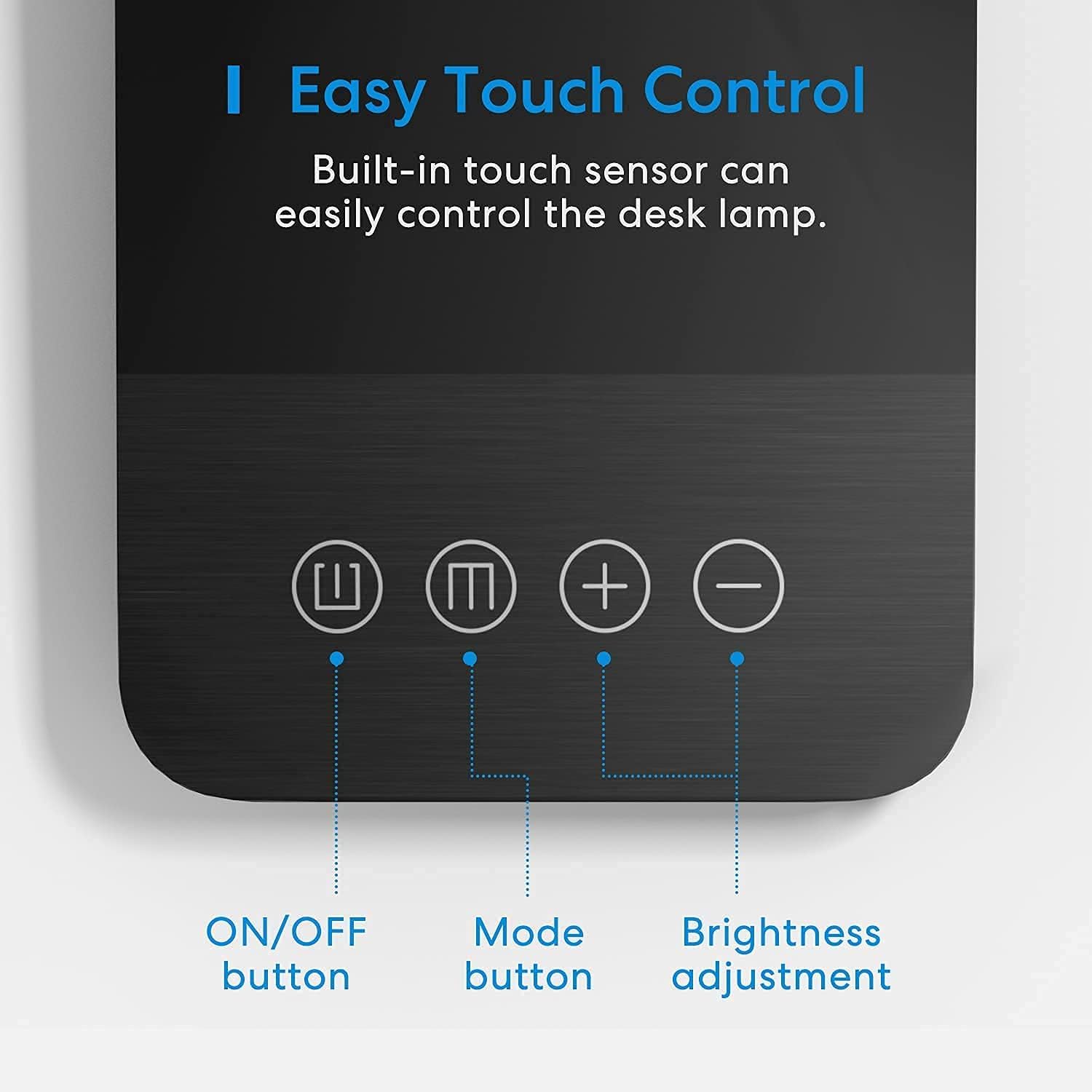
Image Description: A close-up view of the lamp's base, illustrating the touch-sensitive controls: an ON/OFF button, a Mode button, and plus/minus buttons for brightness adjustment.
App Control
Utilize the meross app for comprehensive control over your lamp:
- Stepless Dimming: Adjust brightness from 1% to 100%.
- Tunable White: Select color temperature from 2800K (warm white) to 6000K (cool white).
- Scene Creation: Create custom lighting scenes with preferred brightness and color temperature.
- Schedule & Timer: Set schedules to automatically turn the lamp on/off or create an auto-off timer.

Image Description: A visual representation of the lamp's dimmable and tunable white features, showing light output at 2800K, 4000K, and 6000K color temperatures, and at 1%, 50%, and 100% brightness levels.

Image Description: The meross desk lamp is shown with graphics illustrating its timer and schedule capabilities, such as automatic turn-off at 22:00 and turn-on at sunset.
Voice Control
Integrate your meross lamp with your preferred voice assistant:
- Apple HomeKit: Use Siri commands (e.g., "Hey Siri, turn on the desk lamp").
- Amazon Alexa: Use Alexa commands (e.g., "Alexa, set desk lamp to warm white").
- Google Assistant: Use Google commands (e.g., "Hey Google, dim the desk lamp to 50%").
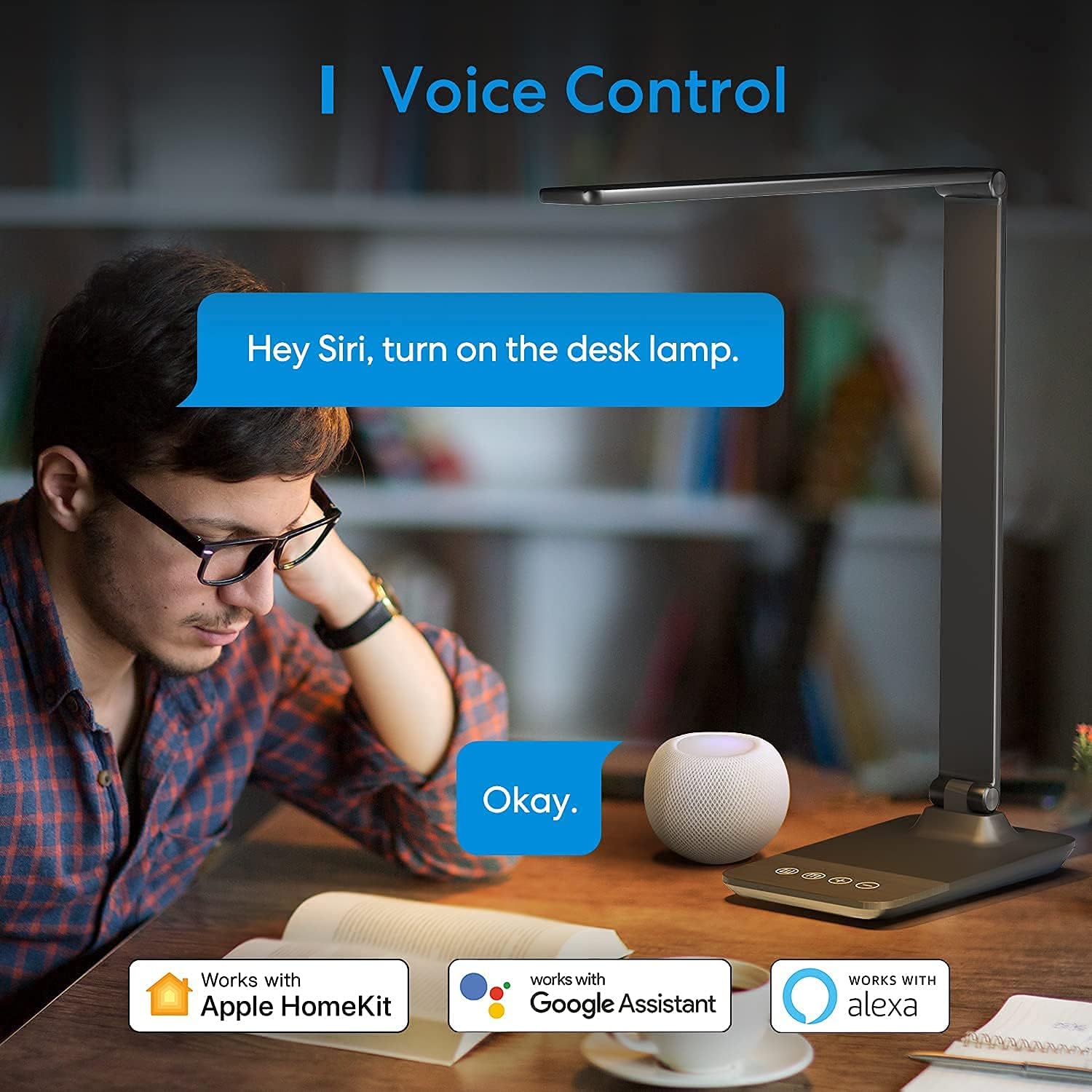
Image Description: A user interacting with the meross desk lamp via voice command, demonstrating its compatibility with Apple HomeKit, Google Assistant, and Amazon Alexa.
Adjustable Design
The lamp's design allows for flexible positioning to direct light precisely where needed:
- Lamp Head Rotation: The lamp head can rotate vertically up to 180°.
- Light Arm Tilt: The light arm can be tilted up to 90°.
- Foldable: The lamp can be folded for compact storage or portability.
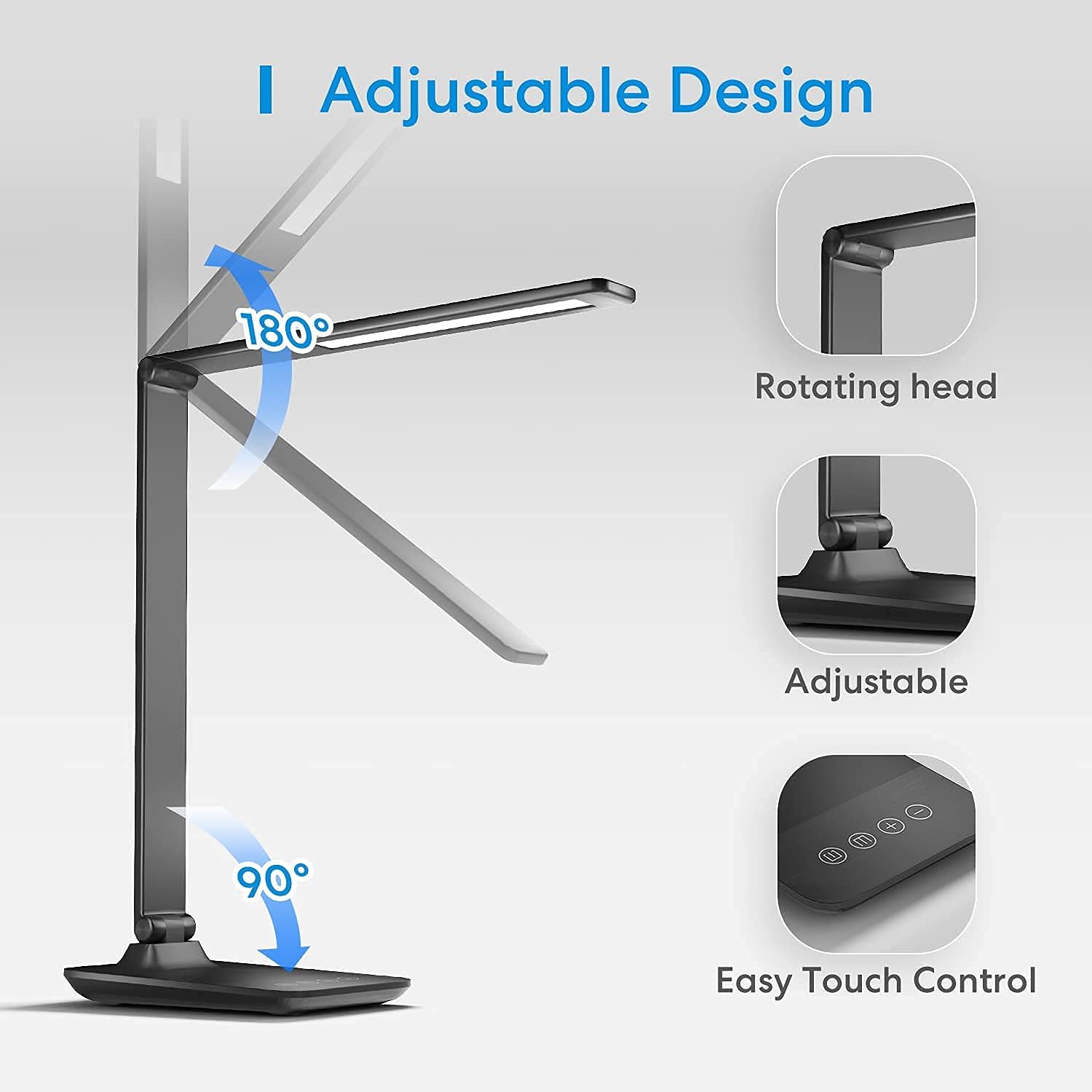
Image Description: The meross desk lamp is shown with arrows indicating its adjustable features: the lamp head rotates 180 degrees, and the arm tilts 90 degrees, allowing for versatile light positioning.
Eye-Caring Features
Designed with user comfort in mind, the meross MDL110HK lamp incorporates features to reduce eye strain:
- Flicker-Free Lighting: Equipped with 54 LED beads, it provides soft, consistent illumination without flickering.
- Reduced Blue Light: The lamp is designed to minimize blue light hazards, contributing to eye comfort during extended use.
- Optimal Light Distribution: The light output is engineered to reduce harsh shadows and glare.

Image Description: The meross desk lamp illuminates a workspace, with insets showing its suitability for different activities such as learning, working, sleeping, and reading, emphasizing its eye-care benefits.
Specifications
| Feature | Detail |
|---|---|
| Model Name | MDL110HK |
| Brand | meross |
| Light Source Type | LED (54 beads) |
| Color Temperature | 2800-6000K (Tunable White) |
| Brightness | 1%-100% (Dimmable) |
| Control Method | Touch, App (meross), Voice (HomeKit, Alexa, Google Assistant, SmartThings) |
| Connectivity | 2.4GHz Wi-Fi (IEEE 802.11 b/g/n) |
| Material | Metal (Aluminum Alloy head and arm) |
| Product Dimensions | 3.58"D x 16.97"W x 6.38"H |
| Item Weight | 2.66 pounds (1.21 Kilograms) |
| Power Source | Corded Electric (127 Volts, 12 watts) |
| Lifespan | Over 40,000 hours |
| Special Features | Dimmable, Adjustable, Eye-Caring, Timer, Schedule |

Image Description: A technical diagram illustrating the dimensions of the meross desk lamp, including the length of the light bar (345mm/13.6 inches), overall height (400mm/15.7 inches), and base dimensions (190mm/7.48 inches deep, 120mm/4.72 inches wide).
Troubleshooting
Connectivity Issues (HomeKit/Wi-Fi)
- 2.4GHz Network: Ensure your lamp is connected to a 2.4GHz Wi-Fi network. It does not support 5GHz networks.
- Firmware Update: If experiencing issues after a firmware update, contact meross customer service. Some users have reported needing to roll back firmware versions for proper functionality.
- Reset Device: If the lamp is unresponsive or pulsing, try resetting it by unplugging and replugging, then attempt to re-pair with the app.
- HomeKit Setup Code: Keep your HomeKit setup code accessible for re-pairing or troubleshooting.
Light Brightness/Color Issues
- Dimness: If the lowest brightness setting is still too bright for nighttime use, this is a design characteristic.
- App vs. Touch Control: The app offers stepless adjustment (1%-100% brightness, 2800-6000K color temperature), while touch controls offer 4 brightness levels and 3 tunable white settings.
Maintenance
- Cleaning: Wipe the lamp with a soft, dry cloth. Avoid abrasive cleaners or solvents.
- Placement: Place the lamp on a stable, flat surface to prevent tipping.
- Power Source: Use only the provided power adapter.
- Indoor Use: This product is designed for indoor use only. Avoid exposure to moisture or extreme temperatures.
Warranty & Support
The meross MDL110HK Smart LED Desk Lamp comes with a 1-year manufacturer's warranty.
For technical support, warranty claims, or further assistance, please visit the official meross website or contact their customer service directly.
meross Customer Service: www.meross.com
Product Video
Watch this official product video from meross for a visual overview of the Smart LED Desk Lamp's features and functionality.
Video Description: An official meross video showcasing the Smart Desk Lamp, demonstrating its compatibility with HomeKit and its use in a home office setting. The video highlights various features and benefits of the lamp.


