
meross STYLE-450
meross Smart Table Lamp STYLE-450 User Manual
Model: MSL450HK
Introduction
The meross Smart Table Lamp STYLE-450 is a versatile smart lighting solution designed for various indoor environments such as bedrooms, living rooms, and offices. This lamp offers a wide range of lighting options, including 16 million colors and tunable white light (2000-5700K), with adjustable brightness from 1% to 100%. It supports multiple control methods including touch, voice commands via Apple HomeKit, Amazon Alexa, and SmartThings, and app control through the meross application. The lamp is designed for ease of use and integration into smart home ecosystems, providing both functional illumination and ambient lighting.

Figure 1: meross Smart Table Lamp STYLE-450 with app control interface.
Setup Guide
1. Unboxing and Physical Placement
Carefully remove the meross Smart Table Lamp from its packaging. Ensure all components, including the lamp unit and the power cable, are present. Place the lamp on a stable, flat surface in your desired location. The lamp's dimensions are approximately 4 inches (D) x 4 inches (W) x 7 inches (H), making it suitable for nightstands, desks, or shelves.
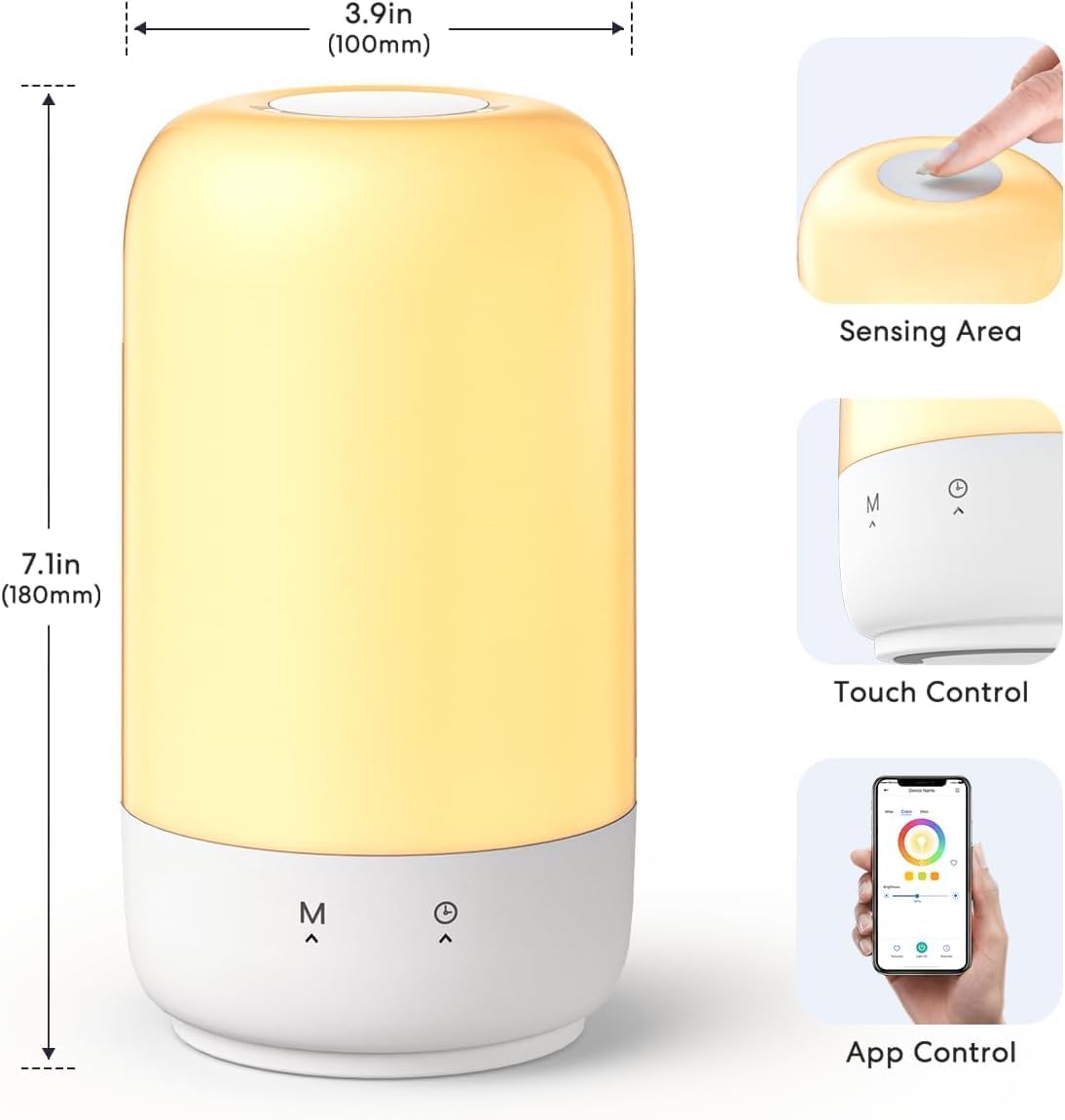
Figure 2: Product dimensions and control areas.
2. Power Connection
Connect the provided power cable to the lamp's power input port and then plug it into a standard electrical outlet. The lamp requires a 120-volt power source.
3. Meross App Installation and Device Pairing
To utilize the smart features of your lamp, download the official meross app from your device's app store (available for iOS and Android). Follow the in-app instructions to create an account and add your new meross Smart Table Lamp. During the pairing process, ensure your smartphone is connected to a 2.4GHz Wi-Fi network, as the lamp only supports this frequency band. If you have a dual-band router, temporarily disable the 5GHz band or ensure your phone is connected to the 2.4GHz SSID.
4. HomeKit Integration (Optional)
For Apple HomeKit remote control functionality, you will need an Apple device such as an Apple TV 4K, Apple TV HD, or an iPad configured as a HomeKit bridge. Set up one of these devices in your home and connect it to your home Wi-Fi network. Once configured, you can control the lamp remotely via the Home app. If you do not have these devices, the meross app provides full control without distance limitations.
Operating Instructions
Touch Control
The meross Smart Table Lamp features intuitive touch controls located on the top and bottom of the unit. These controls allow for basic operation without needing your smartphone.
- Short Press Once: Tap the sensing area once to turn the lamp on or to cycle through different colors.
- Quickly Press Twice: Double-tap the sensing area rapidly to turn the lamp off.
- Long Press: Press and hold the sensing area to adjust the brightness level. The brightness will cycle from 1% to 100%.

Figure 3: Touch control functions.
Voice Control
Integrate your meross Smart Table Lamp with popular voice assistants for hands-free control. The lamp is compatible with Apple HomeKit (Siri), Amazon Alexa, and SmartThings.
- Siri (Apple HomeKit): After HomeKit setup, use commands like "Hey Siri, turn on the lamp," "Hey Siri, set the lamp to purple," or "Hey Siri, dim the lamp to 50%."
- Amazon Alexa: Enable the meross skill in the Alexa app. Use commands such as "Alexa, turn on the bedroom lamp," "Alexa, change the lamp color to blue," or "Alexa, brighten the lamp."
- SmartThings: Connect your meross account to SmartThings for integrated control.
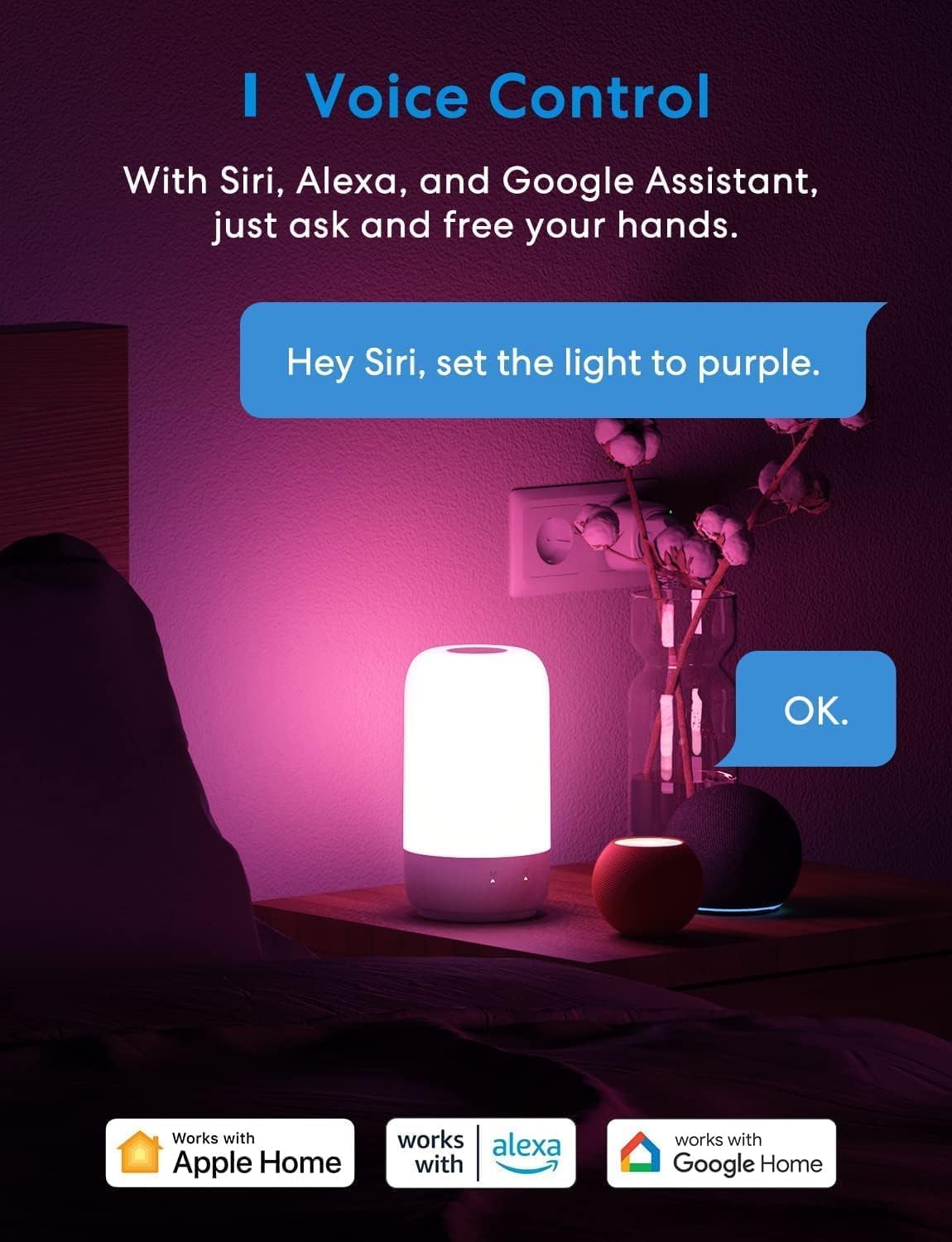
Figure 4: Voice control integration with smart assistants.
Meross App Control
The meross app provides comprehensive control over your smart lamp, allowing for detailed customization of lighting settings.
- Color and Brightness Adjustment: Choose from 16 million colors and adjust the white light temperature between 2000K (warm white) and 5700K (cool white). Fine-tune brightness from 1% to 100%.
- Lighting Effects: Select from various preset effects suitable for different moods and activities, such as Night lights, Reading, Working, Relaxing, or Party.
- Scheduling and Timer: Set custom schedules for the lamp to turn on or off automatically at specific times. Utilize sunrise and sunset settings for automated lighting transitions, aiding in sleep and wake cycles.

Figure 5: Dimmable and eye-caring features.
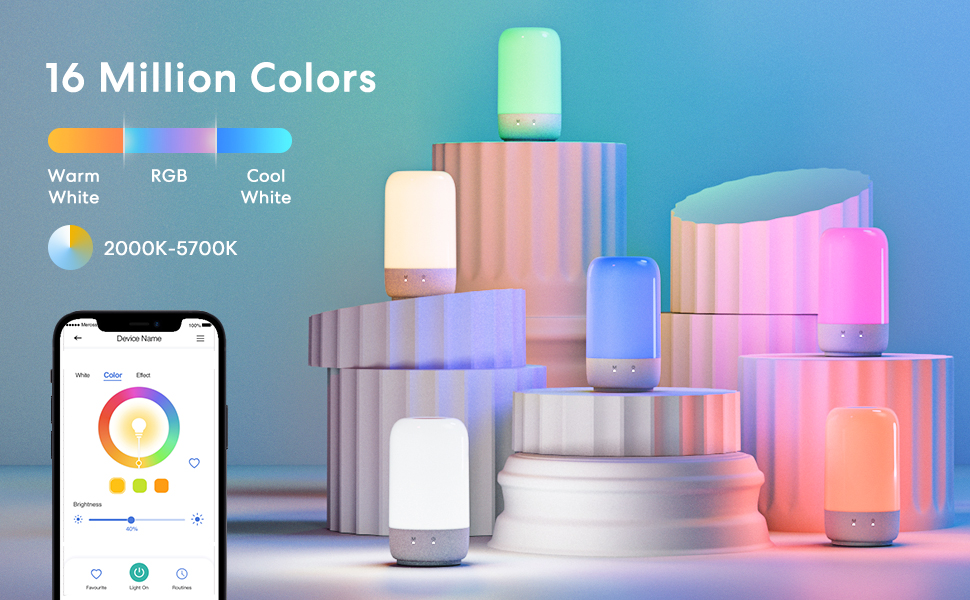
Figure 6: 16 Million Colors and Tunable White options.
Maintenance
To ensure the longevity and optimal performance of your meross Smart Table Lamp, follow these simple maintenance guidelines:
- Cleaning: Gently wipe the lamp's exterior with a soft, dry cloth. Avoid using abrasive cleaners, solvents, or excessive moisture, as these can damage the finish or internal components.
- Environment: This lamp is designed for indoor use only and is not water resistant. Avoid exposing it to water, high humidity, or extreme temperatures.
- Power: Always disconnect the lamp from the power source before cleaning or performing any maintenance.
Troubleshooting
If you encounter issues with your meross Smart Table Lamp, refer to the following common troubleshooting steps:
Connectivity Issues
- Wi-Fi Connection: Ensure your lamp is connected to a 2.4GHz Wi-Fi network. The lamp does not support 5GHz Wi-Fi. If you have a dual-band router, make sure your phone is connected to the 2.4GHz band during setup, or temporarily disable the 5GHz band.
- Signal Strength: Verify that the lamp is within range of your Wi-Fi router and has a strong signal. Obstructions can interfere with connectivity.
- Router Settings: Check your router's settings for any MAC address filtering or other security features that might be blocking new devices.
- HomeKit Remote Control: If HomeKit remote control is not working, confirm that your Apple HomeKit bridge (Apple TV or iPad) is powered on, connected to the same Wi-Fi network, and properly configured in the Home app.
Lamp Not Responding to Touch Control
- Power Check: Ensure the lamp is properly plugged in and receiving power.
- Correct Touch Area: Make sure you are touching the designated sensing area on the top of the lamp.
- Touch Sensitivity: For turning off, remember to quickly press twice. For brightness adjustment, a long press is required.
Incorrect Colors or Brightness
- App Settings: Verify the color and brightness settings within the meross app. Ensure no schedules or automations are overriding your desired settings.
- Reset: If the lamp behaves unexpectedly, try unplugging it from the power outlet for 10 seconds and then plugging it back in to perform a soft reset.
Specifications
| Feature | Detail |
|---|---|
| Model Name | MSL450HK |
| Style | STYLE-450 |
| Product Dimensions | 4"D x 4"W x 7"H |
| Item Weight | 1.19 Pounds |
| Lamp Type | Table Lamp |
| Light Source Type | LED |
| Wattage | 7.5 watts |
| Voltage | 120 Volts |
| Connectivity Technology | Wi-Fi (2.4GHz only) |
| Controller Type | Amazon Alexa, Apple HomeKit, SmartThings, Touch, App Control |
| Color Options | Multicolor (16 Million RGB), Tunable White (2000-5700K) |
| Material | Plastic |
| Indoor/Outdoor Usage | Indoor use only |
| Water Resistance Level | Not Water Resistant |
| Included Components | Power Cable |
Warranty and Support
The meross Smart Table Lamp STYLE-450 comes with a 1-year manufacturer's warranty. For warranty claims, technical assistance, or further inquiries, please refer to the support section within the meross app or visit the official meross website. Regular firmware updates may be available through the meross app to enhance performance and add new features.
Related documentsSTYLE-450


Ask a question about this manual
Ask about setup, troubleshooting, compatibility, parts, safety, or missing instructions. Manuals+ will review the question and use this page’s manual context to help answer it.