
DRONEEYE F10
DRONEEYE F10 Foldable Drone User Manual
Model: F10
Brand: DRONEEYE
1. Introduction
The DRONEEYE F10 is a versatile and user-friendly foldable drone designed for both beginners and experienced pilots. Equipped with a 1080P HD FPV camera, it offers real-time video transmission and high-quality aerial photography. Its compact and portable design makes it ideal for capturing moments on the go. Key features include Altitude Hold, Headless Mode, 3D Flips, Trajectory Flight, and App Control, ensuring a stable and enjoyable flight experience.
2. Safety Precautions
- Always operate the drone in open areas, away from people, animals, buildings, and obstacles.
- Do not fly in strong winds, rain, or other adverse weather conditions.
- Ensure the drone's battery and remote control battery are fully charged before each flight.
- Keep hands and face away from rotating propellers.
- Adhere to local regulations and laws regarding drone operation.
- Supervise children when they are operating the drone.
3. Package Contents
Verify that all items are present in your package:
- DRONEEYE F10 Foldable Drone
- Remote Control
- 2 x Lithium Ion Batteries
- Carrying Case
- Spare Propellers
- USB Charging Cable
- User Manual (this document)

Image: Complete package contents of the DRONEEYE F10 drone, showing the drone, remote, batteries, and carrying case.
4. Product Overview
The DRONEEYE F10 features a sleek, foldable design for easy transport. Its integrated 1080P HD camera provides clear visuals for FPV flying and recording. The drone is equipped with durable propellers and landing gear for stable operation.

Image: The collapsible design of the DRONEEYE F10 drone, highlighting its compact folded size (15x10x8cm) and unfolded dimensions (34x34x8cm).

Image: Detail of the drone's 1080P HD camera, emphasizing its 90-degree remote adjustable feature for versatile filming.
5. Setup
5.1. Battery Installation and Charging
- Insert the provided Lithium Ion batteries into the drone and remote control.
- Connect the batteries to the USB charging cable and plug into a suitable USB power source.
- Charge until the indicator light shows full charge.

Image: Illustration of battery installation into the drone, highlighting the inclusion of two batteries for longer flight duration.
5.2. Remote Control and App Connection
- Power on the drone and the remote control.
- Download the official DRONEEYE app from your device's app store.
- Connect your smartphone to the drone's Wi-Fi network (usually named 'DRONEEYE-F10-XXXX').
- Open the app and follow the on-screen instructions to pair the drone.
6. Operating the Drone
6.1. Basic Flight Controls
- One Key Start/Landing: Press the designated button on the remote or app for automatic take-off or landing.
- Altitude Hold: The drone will maintain a stable height, making it easier for beginners to control.
- Headless Mode: In this mode, the drone's orientation is relative to the pilot, simplifying control regardless of the drone's front direction.
- Speed Control: Adjust between 3 speed modes (low, medium, high) to suit your skill level and environment.

Image: Visual representation of the drone's beginner-friendly features, including One Key Take Off/Landing, Altitude Hold, and Headless Mode for simplified operation.
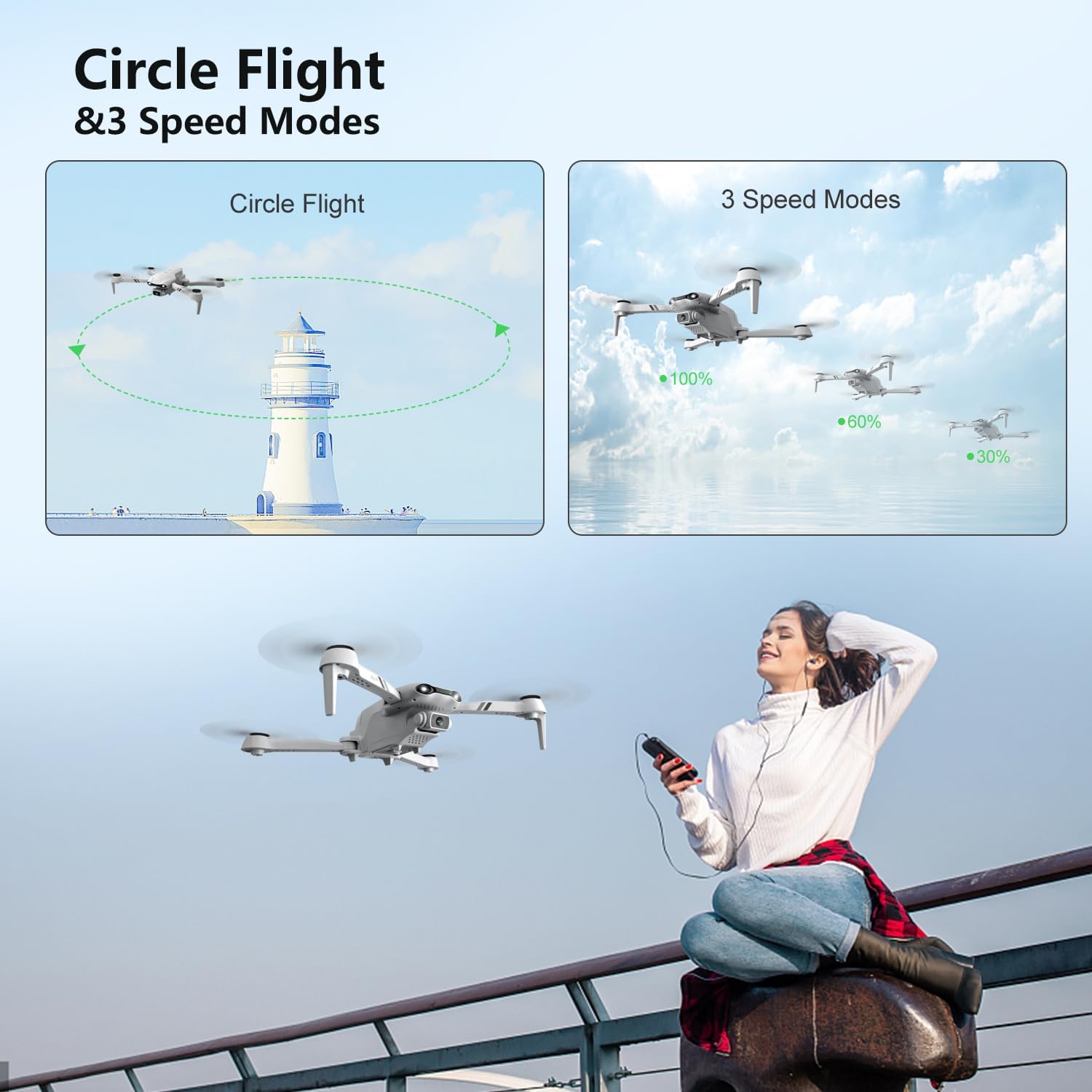
Image: The drone demonstrating its Circle Flight capability and the three available speed modes, allowing for adaptable flight control.
6.2. Advanced Flight Features
- 3D Flips: Execute impressive 360-degree flips with a single button press.
- Trajectory Flight: Draw a flight path on the app screen, and the drone will automatically follow it.
- Gesture Control: Use hand gestures to command the drone for photos or videos.
- Voice Control: Control the drone using simple voice commands through the app.
- FPV Live Video: Experience real-time first-person view from the drone's camera directly on your smartphone.

Image: Depiction of the drone's intelligent functions, including Trajectory Flight, Gesture Control for photos/videos, and Gravity Sensor control.

Image: The drone's FPV real-time transmission capability, showing the live video feed on a smartphone with indicated transmission ranges.
6.3. Official Product Video
Video: An official product video showcasing the DRONEEYE F10 drone, its 1080P camera, and various flight features. This video demonstrates the drone's capabilities and ease of use for adults.
7. Maintenance
- Clean the drone regularly with a soft, dry cloth. Avoid using harsh chemicals.
- Inspect propellers for damage before each flight. Replace any damaged propellers immediately.
- Store the drone and batteries in a cool, dry place, away from direct sunlight and extreme temperatures.
- Do not overcharge or over-discharge the batteries to prolong their lifespan.

Image: The drone's low voltage reminder feature, which alerts the user when the battery is low and requires charging or maintenance.
8. Troubleshooting
- Drone not responding: Ensure both drone and remote are powered on and properly paired. Check battery levels.
- Unstable flight/Drifting: Perform gyroscope calibration as per the app instructions. Avoid flying in windy conditions.
- No FPV video: Confirm your smartphone is connected to the drone's Wi-Fi network. Restart the app and drone if necessary.
- Short flight time: Ensure batteries are fully charged. Battery performance can degrade over time; consider replacing old batteries.
- Drone flew away/Lost control: This can occur due to strong winds, out-of-range signal, or low battery. Always fly within visual range and in calm conditions. Utilize the One Key Return function in emergencies.
9. Specifications
| Feature | Detail |
|---|---|
| Brand | DRONEEYE |
| Model Name | F10 |
| Video Capture Resolution | 1080p |
| Connectivity Technology | Wi-Fi |
| Included Components | Battery, Carrying Case |
| Skill Level | Beginner |
| Item Weight | 100 Grams (3.53 ounces) |
| Battery Capacity | 1200 Amp Hours |
| Maximum Range | 0.09 Kilometers |
| Material | Plastic |
| Product Dimensions | 13.5"L x 13.5"W x 3.5"H |
| Recommended Age | 14 years and up |
10. Warranty and Support
DRONEEYE is committed to providing high-quality products and excellent customer service. While specific warranty details are not provided in this manual, technical support is always available to assist with any inquiries or issues you may encounter with your F10 drone. Please refer to the product packaging or the official DRONEEYE website for the most up-to-date warranty information and contact details for support.
For technical assistance, please visit the DRONEEYE Store on Amazon or contact their customer support directly.
Ask a question about this manual
Ask about setup, troubleshooting, compatibility, parts, safety, or missing instructions. Manuals+ will review the question and use this page’s manual context to help answer it.