Introduction
This manual provides essential instructions for the setup, operation, and maintenance of your Karlsson KA5768GY Modern Cuckoo Wall Clock. Please read this guide thoroughly before use to ensure proper functionality and longevity of your product.

Image: Front view of the Karlsson KA5768GY Modern Cuckoo Wall Clock. This image displays the clock's modern design, featuring a grey finish, minimalist clock hands, and the small bird figure positioned above the clock face.
Setup
1. Unpacking
Carefully remove all components from the packaging. Verify that all parts are present: the clock unit and the pendulum.
2. Battery Installation
The Karlsson KA5768GY clock requires 3 AA batteries (not included). Follow these steps:
- Locate the battery compartment on the back of the clock.
- Open the battery compartment cover.
- Insert 3 AA batteries, ensuring correct polarity (+/-).
- Close the battery compartment cover securely.

Image: Rear view of the clock, illustrating the battery compartment and the designated hanging point for wall mounting.
3. Setting the Time
To set the time:
- Gently turn the minute hand clockwise using the small dial on the back of the clock until the correct time is displayed.
- Avoid turning the hands counter-clockwise, as this may damage the mechanism.
4. Attaching the Pendulum
Carefully attach the pendulum to the hook located at the bottom of the clock unit. Ensure it swings freely.
5. Wall Mounting
The clock is designed for wall mounting. Use a suitable screw or hook (not included) in your desired location. The clock features a hanging hole on the back for secure placement.
Operating Instructions
Timekeeping
The Karlsson KA5768GY features an analog display with a silent timekeeping mechanism, ensuring quiet operation throughout the day and night.
Cuckoo Feature
The clock includes an hourly bird feature. A small bird emerges from its opening and emits a chirping sound at the top of each hour. This is a distinct bird sound, not a traditional 'cuckoo' call.
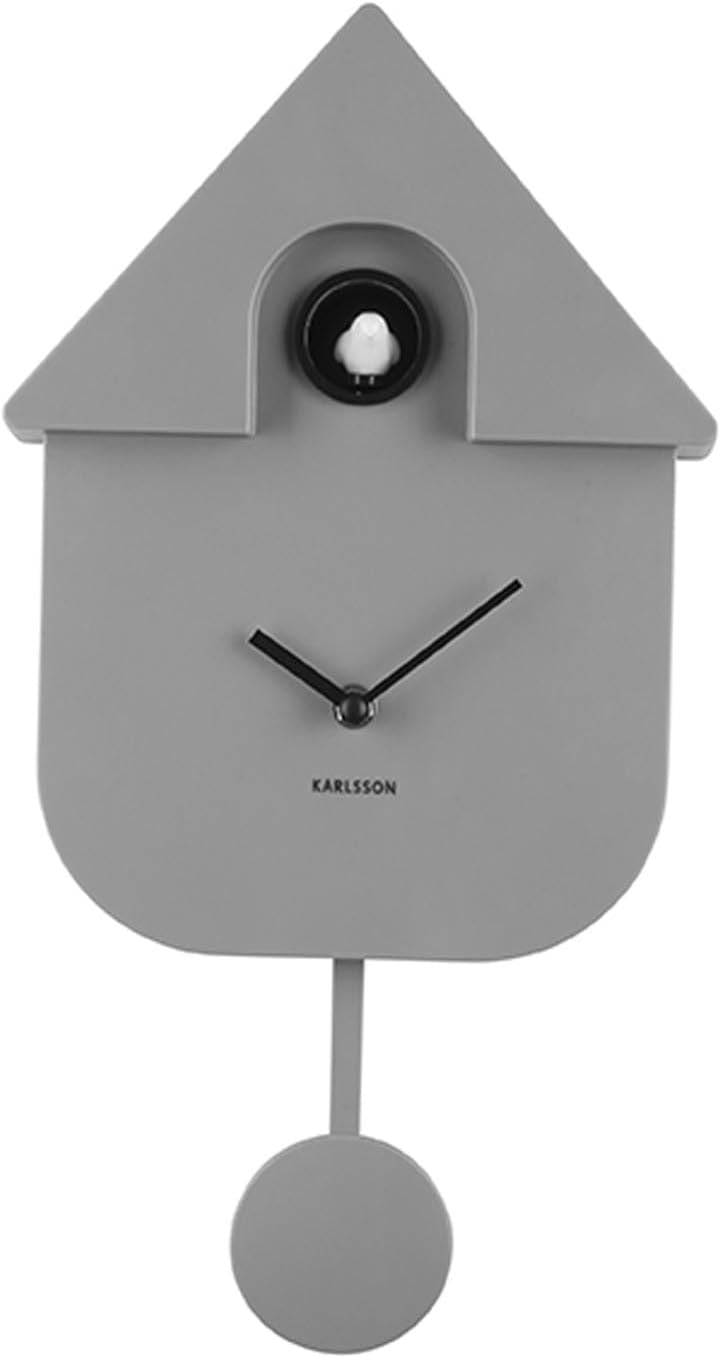
Image: Detailed view of the clock's upper section, highlighting the bird figure in its housing, which activates hourly.
Night Mode (Automatic Shut-off)
The clock is equipped with an automatic night mode feature. The hourly bird chirping sound will automatically cease during nighttime hours to prevent disturbance. The exact duration of the silent period is pre-programmed and cannot be adjusted manually.
Maintenance
Cleaning
To clean your clock, gently wipe the surface with a soft, dry cloth. Avoid using abrasive cleaners, solvents, or chemical sprays, as these can damage the ABS material and finish.
Battery Replacement
When the clock hands slow down, the bird feature becomes inconsistent, or the sound weakens, it is time to replace the batteries. Refer to the 'Battery Installation' section for instructions. Always replace all three batteries simultaneously with new, high-quality AA batteries.
Troubleshooting
- Clock not keeping accurate time:
Check if the batteries are fresh and correctly installed. If the issue persists, replace the batteries. Ensure the hands are not obstructed. - Bird feature not working or inconsistent:
Verify that the batteries are fresh. The bird feature may not operate during the automatic night mode. If the problem occurs during daytime, replace the batteries. - No sound from the bird:
Confirm that the clock is not in its automatic night mode. Ensure batteries are fresh. - Pendulum not swinging:
Ensure the pendulum is correctly attached and has enough clearance to swing freely without obstruction.
Specifications
| Brand | Karlsson |
| Model Number | KA5768GY (Manufacturer Model: PTG-KA5768GY) |
| Color | Grey |
| Dimensions (L x W x H) | 30.8 x 3.81 x 24 cm |
| Weight | 560 grams |
| Material | Acrylonitrile Butadiene Styrene (ABS) |
| Power Source | 3 x AA Batteries (not included) |
| Display Type | Analog |
| Special Features | Silent timekeeping mechanism, Hourly bird chirping, Automatic night mode for sound. |
Warranty and Support
Warranty Information
Specific warranty details for the Karlsson KA5768GY clock are typically provided by your retailer at the time of purchase or can be found on the official Karlsson website. Please retain your proof of purchase for any warranty claims.
Spare Parts
Information regarding the availability of spare parts for this product is currently unavailable. For any repair or replacement inquiries, please contact your retailer or Karlsson customer service.
Customer Support
For further assistance, technical support, or inquiries not covered in this manual, please refer to the contact information provided by your retailer or visit the official Karlsson website.


