
North Bayou 757-L400 / DF600
North Bayou TV Wall Mount Instruction Manual
Models: 757-L400 / DF600
1. Introduction
Thank you for choosing the North Bayou Full Motion TV Wall Mount. This product is designed to securely hold your television while providing flexible viewing angles. Please read this manual thoroughly before installation and use to ensure safe operation and to maximize the lifespan of your mount and television.
Package Contents
Please verify that all components are present and undamaged before beginning installation. If any parts are missing or defective, do not proceed with installation and contact customer support.
- Wall Mount Assembly (Main Arm and TV Plate)
- Mounting Hardware Kit (screws, anchors, washers for wall and TV)
- Installation Template (if included)
- Instruction Manual
2. Important Safety Information
WARNING: Failure to read and follow all instructions may result in personal injury, property damage, or voiding of your warranty. Improper installation can lead to serious injury or damage.
- Weight Capacity: The maximum weight capacity for this mount is not explicitly provided in the product data. It is crucial to verify your television's weight and ensure it is compatible with the mount's structural integrity. Consult the product packaging or manufacturer's website for the exact weight capacity. Do NOT exceed this limit to prevent serious injury or property damage.
- Screen Size: This mount is compatible with screens from 17 to 70 inches. Always verify your TV's VESA pattern and weight against the mount's specifications.
- Wall Type: This mount is intended for installation on solid concrete walls, brick walls, or wood stud walls. Do not install on drywall alone.
- Tools: Ensure you have all necessary tools before installation.
- Assistance: For larger or heavier televisions, it is recommended to have at least two people for installation.
- Check Connections: Periodically check all screws and connections to ensure they remain secure.
- Children: Keep children away from the installation area.
3. Setup and Installation
3.1 Pre-Installation Checks
- Verify TV Weight and Size: Confirm your TV's weight is within the mount's capacity (refer to packaging) and its size is between 17 and 70 inches.
- Check VESA Pattern: Locate the four mounting holes on the back of your TV. Measure the horizontal and vertical distance between these holes (VESA pattern). This mount supports VESA patterns from 100x100mm to 400x400mm.
- Identify Wall Type: Determine if your wall is solid concrete, brick, or wood stud. This will dictate the type of anchors and drilling required.
3.2 Mounting the Wall Plate
Tools Required: Drill, stud finder (for wood studs), level, pencil, measuring tape.
- Mark Drilling Locations: Use the provided template or the wall plate itself to mark the desired drilling locations on the wall. Ensure the mount is level.
- Drill Pilot Holes:
- For Wood Studs: Drill pilot holes (e.g., 5.5mm / 7/32 inch) into the center of the studs.
- For Concrete/Brick Walls: Drill pilot holes (e.g., 10mm / 3/8 inch) and insert concrete anchors flush with the wall surface.
- Attach Wall Plate: Secure the wall plate to the wall using the appropriate screws and washers. Tighten all screws firmly, but do not overtighten.
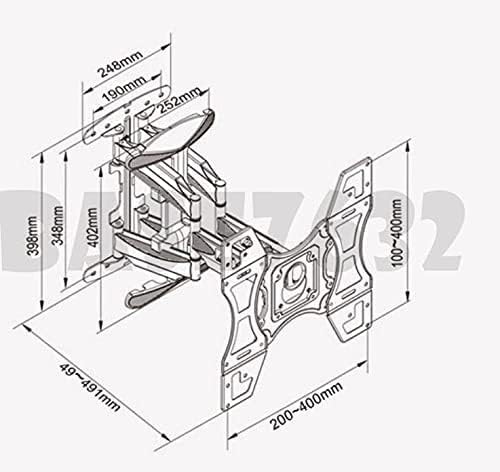
Image 1: Dimensional diagram of the TV wall mount, illustrating various measurements and mounting hole patterns (VESA 100-400mm).
3.3 Attaching TV Brackets to TV
- Select TV Screws: Choose the correct diameter and length of screws that fit your TV's mounting holes. Use washers if necessary to prevent overtightening damage.
- Attach Brackets: Carefully attach the TV brackets to the back of your television. Ensure they are securely fastened and evenly spaced.
3.4 Hanging the TV on the Wall Mount
- Lift TV: With assistance, carefully lift the television with the attached brackets.
- Hook onto Wall Plate: Align the TV brackets with the arms of the wall mount and carefully hook the TV onto the mount.
- Secure TV: Engage any locking mechanisms or tighten security screws to prevent the TV from accidentally disengaging from the mount.

Image 2: Side view of the North Bayou TV wall mount, highlighting its articulating arm and integrated cable management features.
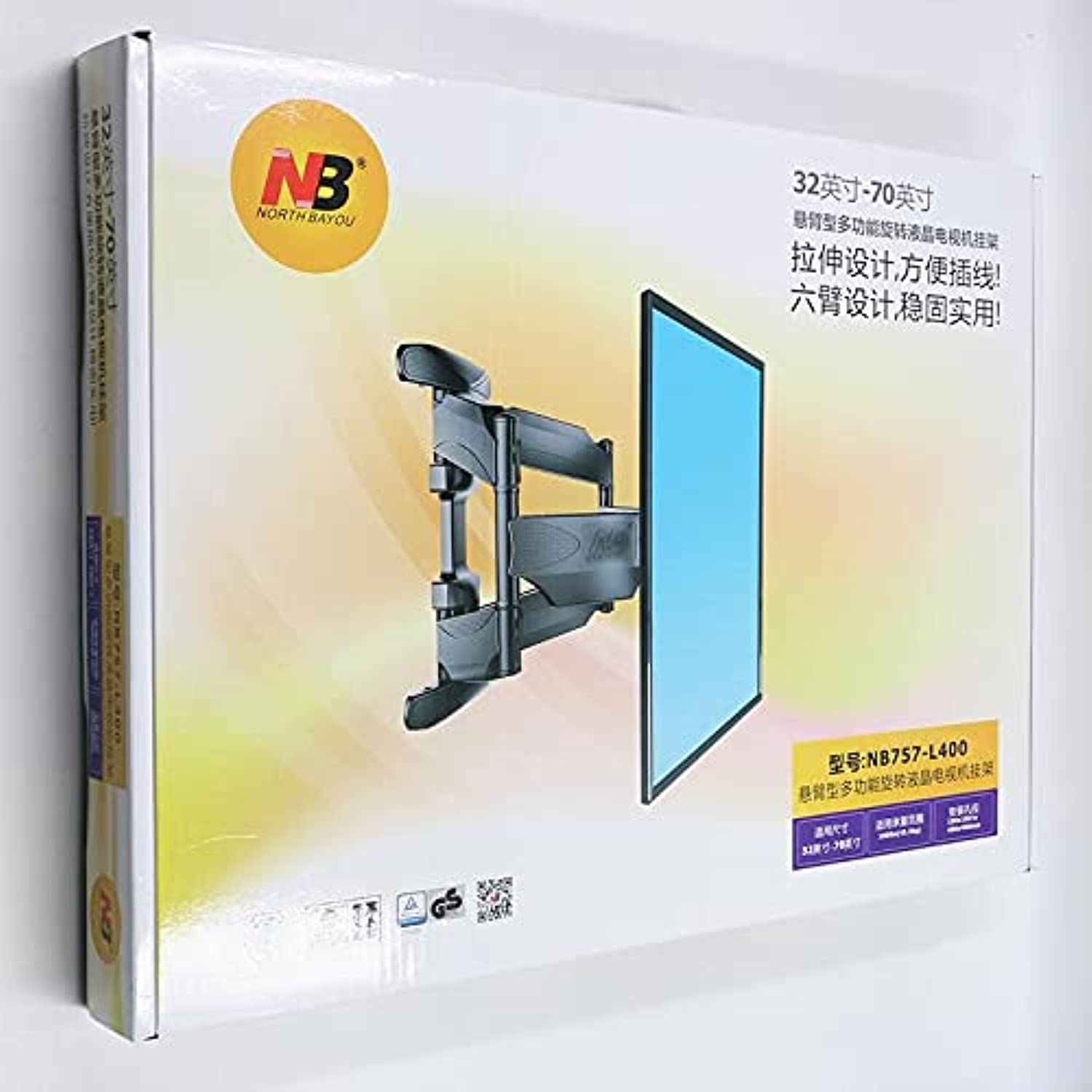
Image 3: Front view of the North Bayou TV wall mount, showing the VESA plate and the robust arm structure.
4. Operating the TV Mount
This full-motion mount allows for various adjustments to achieve optimal viewing angles.
- Extension/Retraction: Gently pull or push the TV screen to extend or retract the arm from the wall.
- Swivel: Rotate the TV horizontally to the left or right to adjust the viewing angle. The mount supports 360-degree rotation.
- Tilt: Adjust the vertical tilt of the screen up or down. Some mounts may require loosening and re-tightening tilt screws.
- Level Adjustment: If your TV is slightly unlevel after installation, some mounts allow for minor rotational adjustment of the TV plate.
- Cable Management: Utilize the integrated cable management channels or clips on the mount arm to route and organize your TV cables for a tidy appearance.
5. Maintenance
- Regular Checks: Periodically (e.g., every 6 months) inspect all mounting hardware and connections to ensure they are secure and have not loosened over time.
- Cleaning: Clean the mount with a soft, dry cloth. Avoid abrasive cleaners or solvents that could damage the finish.
- Lubrication: The moving parts of the mount are generally maintenance-free. Do not apply lubricants unless specifically instructed by the manufacturer.
6. Troubleshooting
| Problem | Possible Cause | Solution |
|---|---|---|
| TV is not level. | Wall plate not level during installation; minor rotational adjustment needed. | Check the level of the wall plate. If the mount allows, perform a minor rotational adjustment on the TV plate. Re-level the wall plate if necessary. |
| Difficulty adjusting TV position. | Screws too tight; mechanism stiff. | Check if any adjustment screws are overtightened. Loosen slightly if needed. Ensure the TV weight is within the specified range. |
| Mount feels unstable. | Improper installation; loose screws; wall not suitable. | Immediately remove the TV. Re-check all wall mounting screws and TV bracket screws for tightness. Verify the wall type is appropriate for the mount. Consult a professional installer if unsure. |
7. Product Specifications
| Feature | Detail |
|---|---|
| Brand | North Bayou |
| Model Numbers | 757-L400 / DF600 |
| Mount Type | Wall Mount |
| Movement Type | Full Motion (Articulating Arm) |
| Material | Metal |
| Compatible Devices | LED TVs |
| Minimum Screen Size | 17 inches |
| Maximum Screen Size | 70 inches |
| Item Weight (Mount Only) | 3 kg |
| Maximum Load Capacity | Not explicitly provided. Refer to product packaging. |
| VESA Compatibility | 100x100mm to 400x400mm |
| Rotation | 360 degrees |
8. Warranty Information
North Bayou products are manufactured to high-quality standards. For specific warranty details, including coverage period and terms, please refer to the warranty card included with your product or visit the official North Bayou website. Keep your purchase receipt as proof of purchase for any warranty claims.
9. Customer Support
If you have any questions regarding the installation, operation, or maintenance of your North Bayou TV Wall Mount, please contact North Bayou customer support. Contact information can typically be found on the product packaging or the official North Bayou website.
Related documents757-L400 / DF600


Ask a question about this manual
Ask about setup, troubleshooting, compatibility, parts, safety, or missing instructions. Manuals+ will review the question and use this page’s manual context to help answer it.