
Introduction
This manual provides essential information for the safe and effective operation, maintenance, and troubleshooting of your DWT WS22-230 CTN 9-inch 2200W Angle Grinder. Please read these instructions carefully before using the tool and keep them for future reference.
The DWT WS22-230 CTN is a powerful corded electric angle grinder designed for grinding and cutting tasks. It features a 2200W motor and accommodates 9-inch discs, making it suitable for demanding applications.
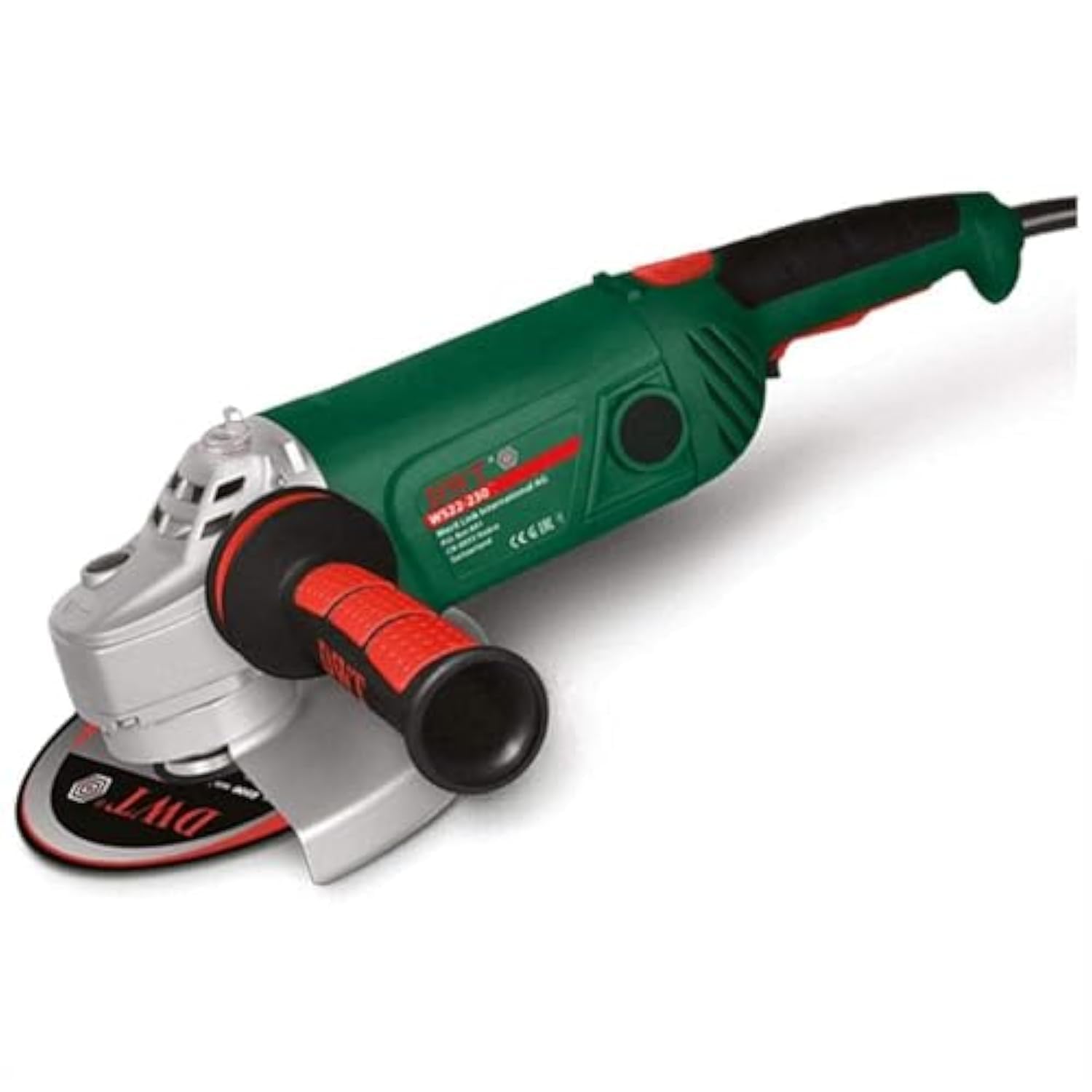
Figure 1: DWT WS22-230 CTN 9-inch 2200W Angle Grinder. This image shows the main body of the angle grinder with its side handle and disc guard.
Safety Instructions
Always follow basic safety precautions to reduce the risk of fire, electric shock, and personal injury when using power tools.
- Wear appropriate personal protective equipment (PPE): Always wear safety glasses, hearing protection, and gloves. A dust mask is recommended for dusty operations.
- Secure the workpiece: Ensure the material being worked on is stable and cannot move during operation.
- Maintain a firm grip: Always hold the grinder firmly with both hands.
- Keep guards in place: Never operate the grinder without the disc guard properly installed.
- Use correct accessories: Only use grinding and cutting discs that are rated for the grinder's speed and size.
- Inspect the tool: Before each use, check for damaged parts, loose connections, or any other condition that may affect safe operation.
- Disconnect power: Always unplug the tool before changing accessories, making adjustments, or performing maintenance.
- Avoid accidental starting: Ensure the switch is in the OFF position before plugging in the tool.
- Work in a well-ventilated area: Grinding and cutting can produce sparks and dust.
- Keep bystanders away: Maintain a safe distance from the work area for all persons.
Package Contents
Verify that all items are present upon unpacking:
- DWT WS22-230 CTN Angle Grinder
- Side Handle
- Disc Guard
- Spanner Wrench (for disc changes)
- Instruction Manual
Setup
Follow these steps to prepare your angle grinder for use:
- Attach the Side Handle: Screw the side handle into one of the threaded holes on the gear housing. Choose the position that offers the best control and comfort for your task.
- Install the Disc Guard: Position the disc guard over the spindle housing. Ensure it is securely fastened and adjusted to protect against sparks and debris, covering as much of the disc as possible. Tighten any screws or levers to fix its position.
- Mount the Grinding/Cutting Disc:
- Press and hold the spindle lock button.
- Place the inner flange onto the spindle.
- Place the desired grinding or cutting disc onto the inner flange, ensuring it is centered.
- Screw the outer flange (locking nut) onto the spindle.
- Use the spanner wrench to firmly tighten the outer flange while still holding the spindle lock button.
- Release the spindle lock.
- Power Connection: Ensure the grinder's switch is in the OFF position before plugging the power cord into a suitable electrical outlet.
Operating Instructions
Before operating, ensure you have read and understood all safety instructions.
- Starting the Grinder: With a firm two-handed grip, switch the grinder ON. Allow the disc to reach full speed before making contact with the workpiece.
- Grinding: Apply light, even pressure. Move the grinder smoothly across the surface of the workpiece. Avoid excessive pressure, which can damage the disc and motor. Maintain an angle of approximately 15-30 degrees between the disc and the workpiece for optimal grinding.
- Cutting: For cutting, hold the grinder so the disc is perpendicular to the workpiece. Make shallow passes, gradually increasing the depth of the cut. Do not twist or bind the disc in the cut.
- Stopping the Grinder: Release the ON/OFF switch. Wait for the disc to come to a complete stop before setting the tool down.
- Cooling Down: For prolonged use, allow the grinder to run freely for a few minutes after heavy use to cool the motor.
Maintenance
Regular maintenance ensures optimal performance and extends the life of your tool.
- Cleaning: Regularly clean the ventilation openings to prevent dust buildup, which can cause overheating. Use a soft brush or compressed air.
- Disc Inspection: Before each use, inspect grinding and cutting discs for cracks, chips, or wear. Replace damaged discs immediately.
- Carbon Brushes: The carbon brushes may need replacement after extended use. Consult a qualified service technician for this procedure.
- Power Cord: Inspect the power cord for any damage. If damaged, have it replaced by a qualified electrician to avoid electrical hazards.
- Storage: Store the grinder in a dry, secure place, out of reach of children.
Troubleshooting
Refer to this section for common issues and their solutions.
| Problem | Possible Cause | Solution |
|---|---|---|
| Grinder does not start | No power supply; Faulty switch; Worn carbon brushes | Check power outlet and cord; Test switch; Replace carbon brushes (professional service recommended) |
| Excessive vibration | Damaged or improperly mounted disc; Loose components | Replace disc; Ensure disc is correctly mounted and flanges are tight; Check for loose screws |
| Overheating | Blocked ventilation; Overloading the motor | Clean ventilation slots; Reduce pressure on workpiece; Allow tool to cool |
| Sparks from motor | Normal during operation; Worn carbon brushes | If excessive, replace carbon brushes (professional service recommended) |
Specifications
Key technical specifications for the DWT WS22-230 CTN Angle Grinder:
| Specification | Value |
|---|---|
| Manufacturer | DWT |
| Model Number | DWT WS22-230 CTN |
| Type | Angle Grinder |
| Power Source Type | Corded Electric |
| Wattage | 2200 Watts |
| Item Weight | 6.39 Kilograms |
| Product Dimensions (L x W x H) | 54.7 x 17 x 12 cm |
| Color | Multi-color |
| Style | Angle |
| Material | Multiple |
| Batteries Required? | No |
| Date First Available | April 1, 2021 |
Warranty and Support
For warranty information, service, or technical support, please refer to the documentation included with your purchase or contact DWT customer service. You can also visit the official DWT store on Amazon for more details: DWT Amazon Store.
Extended protection plans may be available from third-party providers. Please check your purchase details for options such as 1-year or 2-year extended warranties and accidental damage protection.


