
Introduction
Welcome to the user manual for your MSI Stealth 15M Gaming Laptop, Model A11UEK-009. This document provides essential information for setting up, operating, maintaining, and troubleshooting your device. The MSI Stealth 15M is engineered for performance and portability, featuring an Intel Core i7-11375H processor, NVIDIA GeForce RTX 3060 graphics, a 15.6-inch 144Hz Full HD display, 16GB of RAM, and a 512GB SSD. This manual will help you maximize your laptop's capabilities.
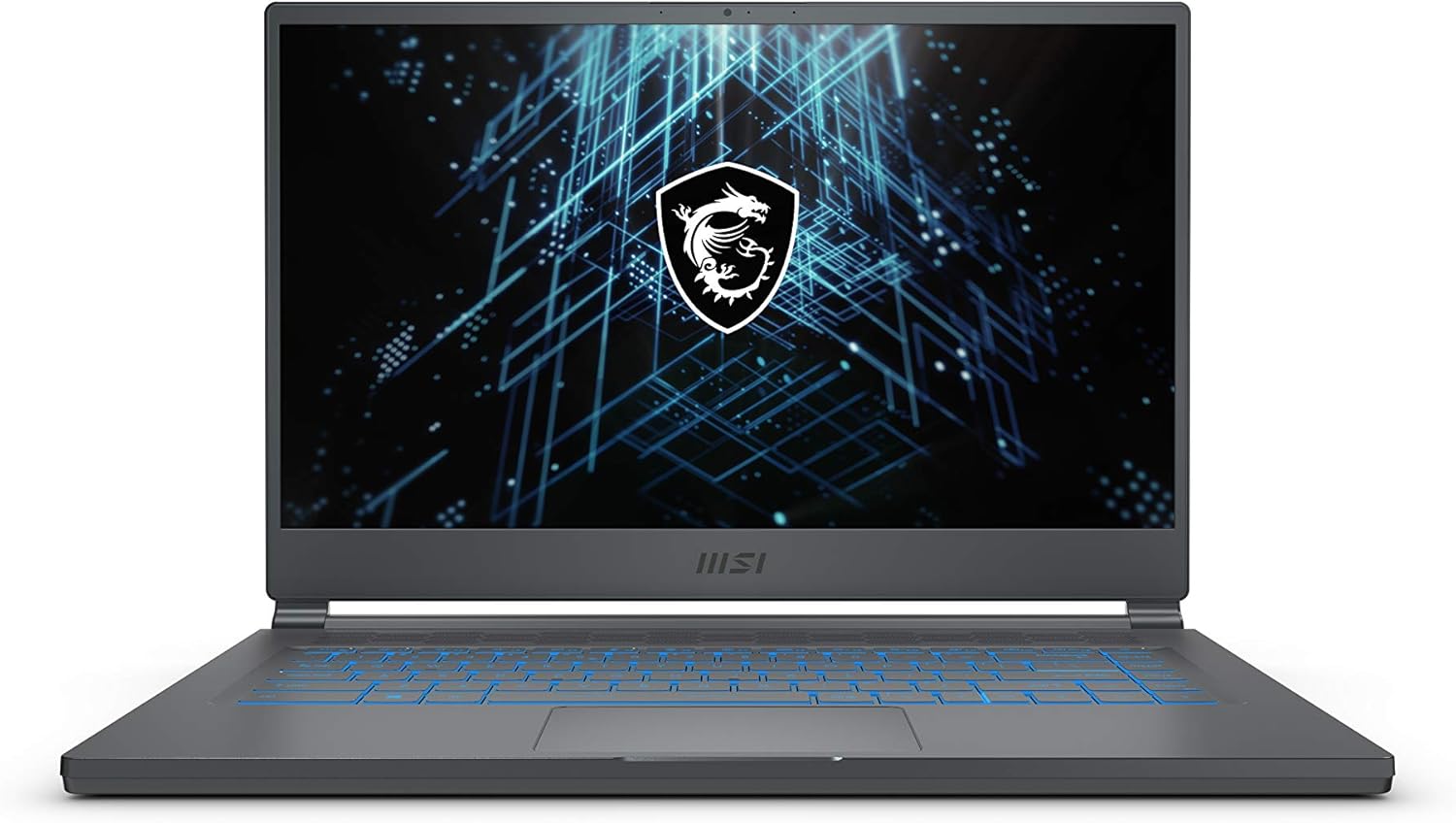
Image: Front view of the MSI Stealth 15M Gaming Laptop with its display open.
Product Overview
The MSI Stealth 15M combines advanced hardware with a sleek, lightweight design, making it suitable for both gaming and productivity on the go.
Key Features:
- Processor: 11th Gen Intel Core i7-11375H for high performance.
- Graphics: NVIDIA GeForce RTX 3060 for enhanced visual fidelity and gaming.
- Display: 15.6-inch Full HD (1920x1080) display with a 144Hz refresh rate for smooth visuals.
- Memory & Storage: 16GB DDR4 RAM and a 512GB NVMe SSD for fast loading and multitasking.
- Connectivity: Thunderbolt 4, USB 3.2 Type-C, USB 3.2 Type-A, HDMI, Micro SD Card Reader, and Wi-Fi 6.
- Cooling: MSI's Cooler Boost Technology with dual fans and multiple heat pipes.
- Design: Thin and light chassis, weighing approximately 3.73 pounds.

Image: The MSI Stealth 15M laptop highlighting its Intel Core i7 processor for ultralight power.

Image: The MSI Stealth 15M laptop showcasing its NVIDIA GeForce RTX 3060 graphics card.

Image: The MSI Stealth 15M display demonstrating its 144Hz refresh rate for speed and clarity.

Image: An internal view of the MSI Stealth 15M showing the Cooler Boost 5 thermal solution with dual fans and heat pipes.
Official Product Video
Video: An official product video showcasing the features and design of the MSI Stealth 15M Gaming Laptop.
Setup
1. Unpacking
Carefully remove the laptop and all accessories from the packaging. Ensure all components listed in the 'What's in the Box' section are present.
2. Connecting Power
- Connect the AC adapter to the power jack on the laptop.
- Plug the power cord into an electrical outlet.
- The battery will begin charging automatically. It is recommended to fully charge the battery before initial use.
3. Initial Boot and Windows Setup
- Open the laptop lid and press the power button, typically located above the keyboard.
- Follow the on-screen instructions to complete the Windows 10 Home setup process. This includes selecting your region, language, and setting up your user account.
- Connect to a Wi-Fi network when prompted to ensure your system can download necessary updates.
Operating Instructions
Keyboard Functions
The MSI Stealth 15M features a backlit keyboard with customizable RGB lighting and dedicated function keys for quick access to system controls.
- RGB Backlighting: Customize keyboard lighting effects and colors using the pre-installed MSI Dragon Center software.
- Function Keys (Fn): Combine the 'Fn' key with F1-F12 keys to access features like screen brightness, volume control, touchpad toggle, and display output options.
Touchpad Usage
The precision touchpad supports multi-touch gestures for intuitive navigation. Refer to Windows settings for customizing touchpad gestures.
Connecting External Devices
Your laptop offers a variety of ports for connecting peripherals:
- Thunderbolt 4: Supports power delivery and data transfer up to 40Gbps.
- USB 3.2 Type-C with DP: For data transfer and display output.
- USB 3.2 Type-A: For standard USB devices.
- HDMI (4K @ 60Hz): Connect to external monitors or TVs.
- Micro SD Card Reader: For accessing data from memory cards.
- Audio Combo Jack: For headphones or headsets.

Image: Side view of the MSI Stealth 15M showing its various connectivity ports including Thunderbolt 4, USB, HDMI, and audio jack.
Network Connectivity
The laptop supports 802.11ax Wi-Fi 6 and Bluetooth 5.1 for wireless connections. Configure your Wi-Fi network through Windows settings.
Maintenance
Cleaning the Laptop
- Use a soft, lint-free cloth to clean the screen and chassis. Avoid abrasive materials or harsh chemicals.
- For the keyboard, use compressed air to remove dust and debris.
Battery Care
- Avoid fully discharging the battery frequently.
- Store the laptop in a cool, dry place if not used for extended periods.
- For optimal battery longevity, avoid exposing the laptop to extreme temperatures.
Cooling System Maintenance
The Cooler Boost Technology is designed to keep your laptop cool. To ensure optimal performance:
- Ensure the fan vents are not obstructed.
- Periodically clean the fan vents with compressed air to remove dust buildup.
Software Updates
Regularly update your operating system, drivers, and MSI software (e.g., Dragon Center) to ensure stability, security, and optimal performance.
Troubleshooting
No Power / Laptop Not Turning On
- Ensure the AC adapter is securely connected to both the laptop and a working power outlet.
- Check if the power outlet is functional by plugging in another device.
- If the battery is completely drained, it may take a few minutes for the laptop to respond after connecting the AC adapter.
Display Issues (No Image, Flickering)
- If using an external monitor, ensure the cable connection is secure and the monitor is powered on.
- Try adjusting the display brightness using the function keys.
- Update your graphics drivers through MSI Dragon Center or NVIDIA's official website.
Performance Slowdown
- Close unnecessary background applications.
- Ensure the laptop's cooling system is clean and unobstructed. Overheating can lead to performance throttling.
- Check for and install any available system or driver updates.
Wi-Fi Connectivity Problems
- Ensure Wi-Fi is enabled on your laptop (check function keys or Windows settings).
- Restart your router and modem.
- Update your wireless network adapter drivers.
Specifications
| Feature | Detail |
|---|---|
| Brand | MSI |
| Model Name | Stealth 15M A11UEK-009 |
| Screen Size | 15.6 Inches |
| Screen Resolution | 1920 x 1080 pixels (FHD) |
| Refresh Rate | 144Hz |
| Processor | Intel Core i7-11375H (3.3 GHz) |
| RAM | 16 GB DDR4 (3200 MHz) |
| Hard Drive | 512 GB SSD (Solid State) |
| Graphics Coprocessor | NVIDIA GeForce RTX 3060 |
| Graphics Card RAM Size | 6 GB |
| Operating System | Windows 10 Home |
| Wireless Type | 802.11ax Wi-Fi 6, Bluetooth 5.1 |
| USB Ports | 2x USB 3.0, Thunderbolt 4, USB 3.2 Type-C with DP |
| HDMI Port | 1x HDMI (4K @ 60Hz) |
| Card Reader | Micro SD Card Reader |
| Item Weight | 3.73 pounds |
| Product Dimensions | 0.63 x 14.1 x 9.76 inches |
| Color | Gray |
| Average Battery Life | 8 Hours (usage dependent) |
Warranty and Support
Your MSI Stealth 15M Gaming Laptop comes with a manufacturer's warranty. For detailed information regarding warranty terms, conditions, and duration, please refer to the warranty card included with your product or visit the official MSI support website. For technical assistance, driver downloads, and further support, please visit www.msi.com and navigate to the support section for your specific model.