1. Setup
1.1 Unboxing and Initial Inspection
Carefully remove your NIXON Siren watch from its packaging. Inspect the watch for any visible damage or defects. Ensure all protective films are removed from the display and caseback.
1.2 Setting Time and Date
Your NIXON Siren watch features a digital display. To set the time and date:
- Press and hold the MODE button (usually on the left side) until the time display begins to flash.
- Use the UP and DOWN buttons (usually on the right side) to adjust the hours, minutes, and seconds.
- Press the MODE button again to cycle through setting the date (month, day, year).
- Once all settings are correct, press the MODE button one last time to exit the setting mode.
1.3 Adjusting the Band
The NIXON Siren watch features a comfortable silicone band with a buckle clasp. Adjust the band by selecting the appropriate hole for a snug yet comfortable fit on your wrist. The band is designed with a double locking looper system for extra security during active use.
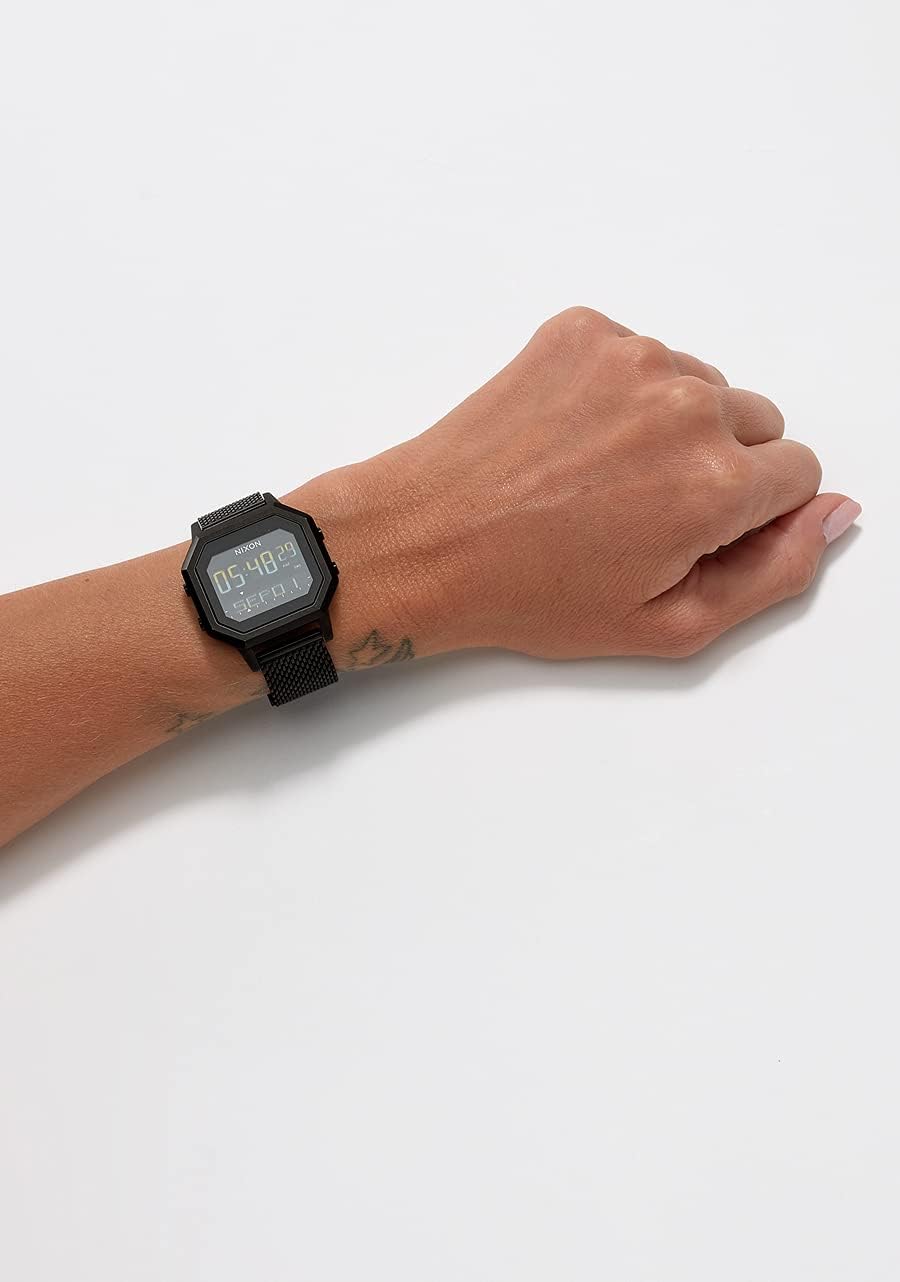
Image: The NIXON Siren watch worn on a wrist, showcasing its fit and design.
2. Operating Your NIXON Siren Watch
The NIXON Siren watch offers various functions accessible through its intuitive button layout.
2.1 Basic Functions
- Time Display: The main screen displays the current time (12 or 24-hour format) and date.
- Date Display: The date can be displayed in numeral or weekday format.
- Backlight: Press the LIGHT button (top left) to illuminate the display in low-light conditions.
2.2 Mode Navigation
Press the MODE button to cycle through the different functions of your watch, including:
- Time/Date
- Tide Information
- Chronograph (Stopwatch)
- Timer
2.3 Tide Function
The Siren watch is equipped with a tide function, providing information relevant to surfing and water activities. Consult the detailed manual for specific instructions on setting and utilizing the tide data for your location.
2.4 Chronograph and Timer
The watch includes a chronograph (stopwatch) for timing events and a timer function with preset options and custom settings. The timer features a 60-second 'SEND IT' notification for critical countdowns.
Video: An overview of the NIXON Siren watch, demonstrating its features and design.
3. Care and Maintenance
3.1 Cleaning Your Watch
To maintain the appearance and longevity of your NIXON Siren watch, clean it regularly with a soft, damp cloth. For silicone bands, mild soap and water can be used. Avoid harsh chemicals or abrasive materials that could damage the watch.
3.2 Water Resistance
The NIXON Siren watch is water-resistant up to 100 meters (10 ATM). This makes it suitable for swimming, surfing, and snorkeling. However, it is not recommended for scuba diving. Ensure all buttons are not pressed while the watch is submerged in water to prevent water ingress.
3.3 Battery Replacement
The watch is powered by a product-specific battery (included). When the battery needs replacement, it is recommended to take the watch to an authorized NIXON service center or a professional watch repair shop to ensure proper sealing and maintain water resistance.
3.4 Storage
When not in use, store your watch in a cool, dry place away from direct sunlight and extreme temperatures. Avoid exposing the watch to strong magnetic fields.
4. Troubleshooting
4.1 Display Issues
If the display appears dim or unreadable, ensure the backlight function is working correctly. If the issue persists, the battery may need replacement. Refer to section 3.3 for battery replacement recommendations.
4.2 Time/Date Inaccuracy
If the time or date is incorrect, follow the steps in section 1.2 to reset them. If the watch consistently loses time, it may indicate a low battery or an internal issue requiring professional service.
4.3 Buttons Not Responding
Ensure the buttons are clean and free from debris. If a button is stuck or unresponsive, do not force it. Contact customer support for assistance.
5. Product Specifications
| Feature | Specification |
|---|---|
| Model Name | Siren |
| Model Number | A1311 |
| Case Material | TR90 |
| Case Diameter | 38 Millimeters |
| Case Thickness | 16 Millimeters |
| Band Material | Silicone |
| Band Width | 16 Millimeters |
| Water Resistance Depth | 100 Meters (10 ATM) |
| Movement Type | Quartz |
| Display Type | Digital |
| Power Source | Battery Powered (1 Product Specific battery included) |
| Item Weight | 0.4 Pounds |
| Product Dimensions | 4 x 6 x 5 inches |
6. Warranty and Support
6.1 Warranty Information
This NIXON watch comes with a manufacturer's warranty. Please refer to the warranty card included with your purchase for specific terms, conditions, and duration. The warranty typically covers manufacturing defects but may not cover damage from misuse or normal wear and tear.
6.2 Customer Support
For further assistance, technical support, or warranty claims, please visit the official NIXON website or contact their customer service department. You can also visit the NIXON Store on Amazon for more information.


