
HOTT HA09
HOTT MP3 Player HA09 User Manual
Model: HA09
Introduction
This user manual provides detailed instructions for the operation and maintenance of your HOTT MP3 Player, model HA09. Please read this manual thoroughly before using the device to ensure proper functionality and to prevent damage.
Safety Information
- Do not expose the device to extreme temperatures, direct sunlight, or high humidity.
- Avoid dropping or subjecting the device to strong impacts.
- Do not disassemble or attempt to repair the device yourself. Contact qualified service personnel for assistance.
- Keep the device away from water and other liquids.
- Use only the specified charging accessories.
Package Contents
Please check the package for the following items:
- HOTT MP3 Player (HA09)
- USB Charging Cable
- Earphones
- User Manual (this document)
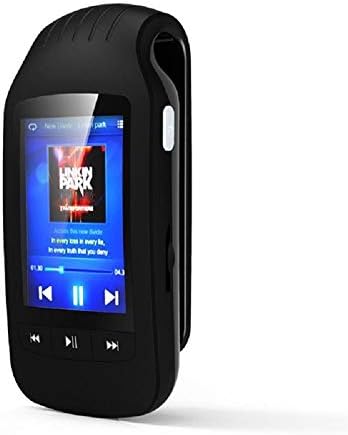
Figure 1: HOTT MP3 Player HA09 with its standard accessories, including charging cables and earphones.
Product Overview
The HOTT MP3 Player HA09 features a compact design with a 1.8-inch screen and intuitive controls for easy navigation.
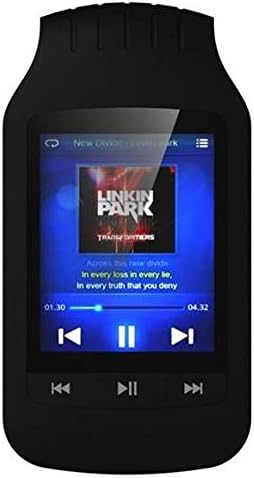
Figure 2: Front view of the HOTT MP3 Player HA09, showing the display and control buttons.
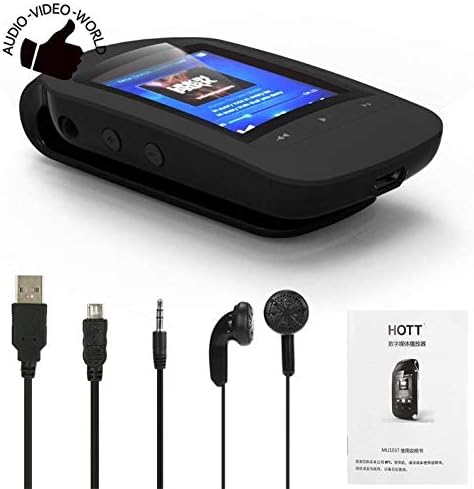
Figure 3: Side view of the HOTT MP3 Player HA09, illustrating its clip design for portability.
Key Components:
- 1.8-inch Display: For navigating menus, viewing track information, e-books, and images.
- Control Buttons: Play/Pause, Next/Previous Track, Volume Up/Down, Menu, Back.
- USB Port: For charging and data transfer.
- Headphone Jack: For connecting earphones.
- Integrated Clip: Allows for easy attachment to clothing or bags.
Setup
Charging the Device:
- Connect the small end of the USB charging cable to the USB port on the MP3 player.
- Connect the other end of the USB cable to a USB power adapter (not included) or a computer's USB port.
- The battery indicator on the screen will show charging status. A full charge typically takes approximately 2-3 hours.
Powering On/Off:
- To power on, press and hold the Power button until the screen lights up.
- To power off, press and hold the Power button until the "Power Off" prompt appears, then confirm.
Transferring Files:
- Connect the MP3 player to your computer using the USB cable.
- The device will appear as a removable disk drive on your computer.
- Drag and drop your desired audio files (MP3, WMA, WAV, APE, FLAC), e-books (TXT), or images into the appropriate folders on the device.
- Safely eject the device from your computer before disconnecting the USB cable.
Operating Instructions
Music Playback:
Navigate to the "Music" menu to browse and play your audio files. The player supports MP3, WMA, WAV, APE, and FLAC formats.
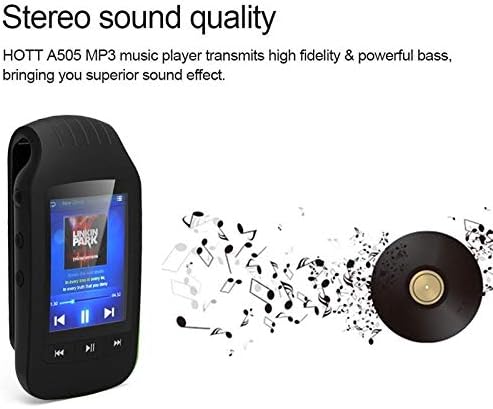
Figure 4: The HOTT MP3 Player HA09 delivers high-fidelity stereo sound for an enhanced listening experience.
- Use the navigation buttons to select a song or album.
- Press the Play/Pause button to start or pause playback.
- Use the Next/Previous buttons to skip tracks.
- Adjust volume using the dedicated volume buttons.
Bluetooth Connectivity:
The device supports Bluetooth for wireless audio streaming to compatible headphones or speakers.
- Go to the "Bluetooth" menu in the settings.
- Turn Bluetooth on.
- Search for available devices and select your Bluetooth headphones/speaker to pair.
FM Radio:
Connect your earphones (which act as an antenna) to use the built-in FM radio.
- Access the "FM Radio" option from the main menu.
- Use the auto-scan function to find and save available stations.
- Manually tune to specific frequencies if desired.
Voice Recorder:
Record audio using the integrated microphone. Recordings are saved in MP3 or WAV format.
- Select "Recorder" from the main menu.
- Press the record button to start recording.
- Press the stop button to end and save the recording.
E-book Reader:
View TXT format e-books directly on the device.
- Transfer TXT files to the "E-book" folder on the device.
- Open the "E-book" application and select your desired book.
Pedometer and Stopwatch:
Track your steps and exercise duration with the built-in pedometer and stopwatch functions.
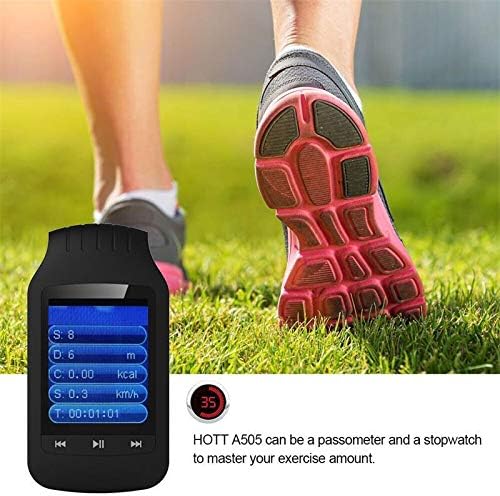
Figure 5: The HOTT MP3 Player HA09 functions as a pedometer and stopwatch, helping users monitor their exercise.
- Access these features from the main menu.
- Follow on-screen prompts to start, pause, and reset tracking.
Image Viewer:
View images stored on the device.
- Transfer image files to the "Pictures" folder.
- Open the "Image Viewer" application to browse your photos.
Maintenance
- Cleaning: Use a soft, dry cloth to clean the device. Do not use liquid cleaners or aerosols.
- Storage: Store the device in a cool, dry place away from direct sunlight and extreme temperatures.
- Battery Care: To prolong battery life, avoid fully discharging the battery frequently. Charge the device regularly, even if not in use for extended periods.
Troubleshooting
| Problem | Possible Cause | Solution |
|---|---|---|
| Device does not power on. | Battery is depleted. | Charge the device for at least 30 minutes. |
| Cannot transfer files. | Incorrect USB connection or driver issue. | Ensure the USB cable is securely connected. Try a different USB port or computer. |
| No sound from earphones. | Earphones not properly connected or volume too low. | Check earphone connection. Increase volume. Test with different earphones. |
| Bluetooth device not pairing. | Device not in pairing mode or too far. | Ensure the Bluetooth device is in pairing mode and within range. Restart both devices. |
Specifications
| Feature | Detail |
|---|---|
| Model Number | HA09 |
| Brand | HOTT |
| Screen Size | 1.8 inches |
| Internal Storage | 8 GB |
| External Storage Support | Up to 64 GB (MicroSD card, not included) |
| Body Material | Plastic |
| Audio Formats | MP3, WMA, WAV, APE, FLAC |
| Recorder Formats | MP3, WAV |
| E-book Format | TXT |
| Signal-to-Noise Ratio | ≥89dB |
| Connectivity | Bluetooth, USB |
| Additional Functions | FM Radio, Stopwatch, Pedometer, Image Viewer |
| Supported Languages | 24 languages (e.g., English, German, French, Italian, Dutch, Portuguese, Spanish, Russian) |
| Color | Black |
Warranty and Support
For warranty information and technical support, please refer to the warranty card included with your product or visit the official HOTT website. Keep your purchase receipt as proof of purchase for warranty claims.
Note: Specific warranty terms and conditions may vary by region.
Related documentsHA09


Ask a question about this manual
Ask about setup, troubleshooting, compatibility, parts, safety, or missing instructions. Manuals+ will review the question and use this page’s manual context to help answer it.