
1. Introduction
This manual provides essential information for the safe and effective operation, maintenance, and setup of your Makita XGT 40V Max Brushless Cordless 4-Speed Impact Driver (Model GDT01Z). Please read this manual thoroughly before using the tool to ensure proper handling and to prevent injury or damage.

Figure 1: Makita XGT 40V Max Impact Driver GDT01Z (tool only).
2. Safety Information
Always observe basic safety precautions to reduce the risk of fire, electric shock, and personal injury. Keep this manual for future reference.
- Work Area Safety: Keep the work area clean and well-lit. Cluttered or dark areas invite accidents. Do not operate power tools in explosive atmospheres, such as in the presence of flammable liquids, gases, or dust.
- Electrical Safety: Power tool plugs must match the outlet. Never modify the plug in any way. Avoid body contact with earthed or grounded surfaces.
- Personal Safety: Always wear eye protection. Use hearing protection when operating power tools for extended periods. Dress properly; avoid loose clothing or jewelry. Secure long hair.
- Tool Use and Care: Do not force the power tool. Use the correct power tool for your application. Disconnect the battery pack from the power tool before making any adjustments, changing accessories, or storing power tools.
- Battery Tool Use and Care: Recharge only with the charger specified by the manufacturer. Use power tools only with specifically designated battery packs.
3. Components and Features
The Makita GDT01Z Impact Driver is designed for demanding fastening applications. Key components and features include:
- Brushless Motor: Delivers high power and efficiency.
- 1/4" Hex Chuck: For quick bit changes.
- Variable Speed Trigger: Provides precise control over fastening speed.
- 4-Speed Power Selector Button: Located under the chuck for easy speed adjustment.
- Digital Control Modes: Includes two tightening modes (T-mode), one assist mode (A-mode), and three forward/reverse auto-stop modes.
- LED Work Lights: Illuminates the work area.
- XPT (Extreme Protection Technology): Enhanced dust and water resistance.

Figure 2: The Makita GDT01Z Impact Driver shown with a compatible XGT 40V Max battery and charger (sold separately).

Figure 3: Close-up view of the 1/4" hex chuck and integrated LED work lights.
4. Setup
4.1 Battery Installation and Removal
The GDT01Z is a bare tool and requires a Makita 40V max XGT Lithium-Ion battery (sold separately).
- To Install: Align the battery pack with the grooves in the tool's housing and slide it in until it locks into place with a click.
- To Remove: Press the release button on the battery pack and slide the battery out of the tool.
4.2 Bit Installation and Removal
- To Install: Pull the chuck sleeve forward and insert the bit into the hex chuck. Release the sleeve to lock the bit in place. Ensure the bit is securely seated.
- To Remove: Pull the chuck sleeve forward and pull the bit out.
5. Operating Instructions
5.1 Powering On/Off and Variable Speed Control
- To start the tool, pull the trigger switch. The tool speed increases with increased trigger pressure.
- To stop the tool, release the trigger switch.
5.2 Speed Settings
The tool features 4 speed settings, adjustable via a one-touch button located under the chuck.
- Press the speed selector button to cycle through the four available speeds (1, 2, 3, 4).
- The selected speed will be indicated on the digital display.
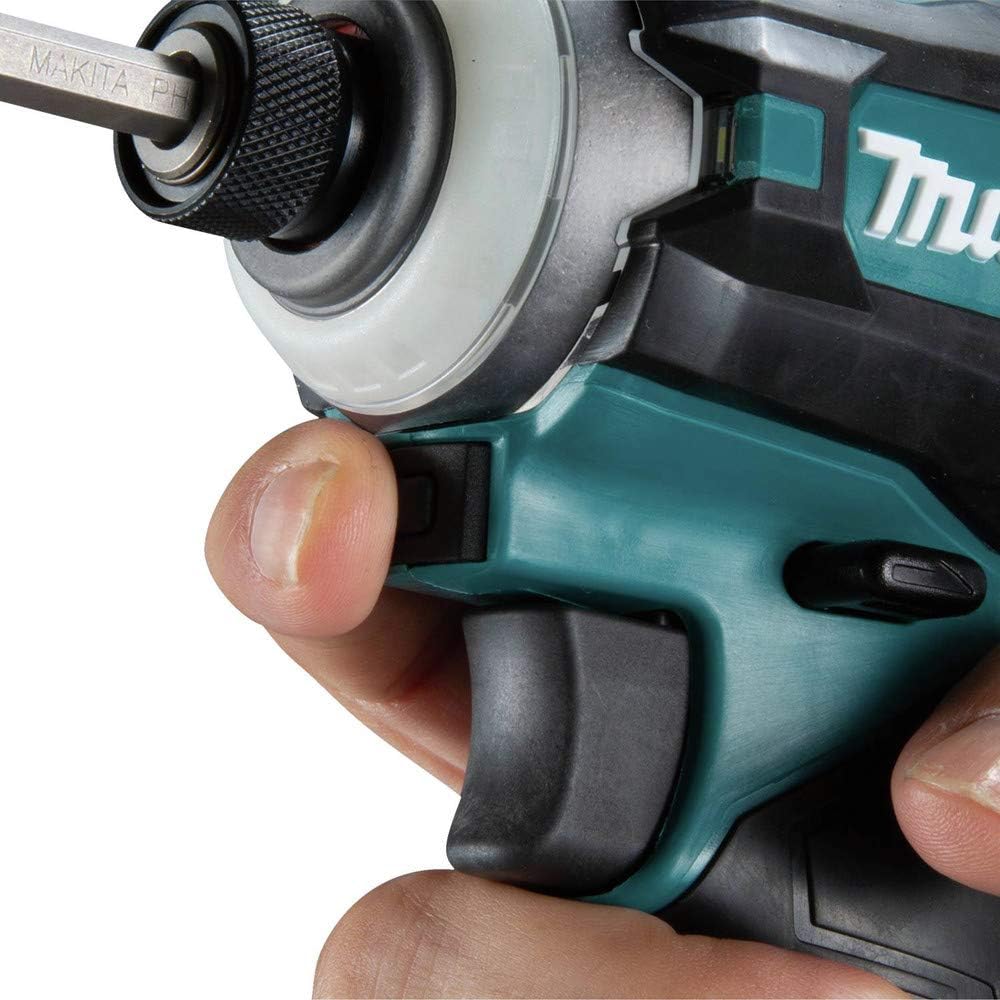
Figure 4: Location of the one-touch 4-speed power selector button.
5.3 Operating Modes
The GDT01Z offers various modes for optimized performance across different applications. These modes are selected via the control panel.

Figure 5: Digital control panel showing speed and mode indicators.
- T-Mode (Tightening Mode): Two settings for faster tightening of self-drilling screws in thick or thin gauge metal, helping to prevent damage to the screw or workpiece.
- A-Mode (Assist Mode): Drives at a low speed until tightening begins, which helps eliminate screw cam-out and cross-threading.
- Auto-Stop Modes: Three forward and three reverse auto-stop modes provide increased efficiency by automatically stopping the tool once a certain fastening resistance is met.

Figure 6: The impact driver in use for heavy-duty fastening applications.
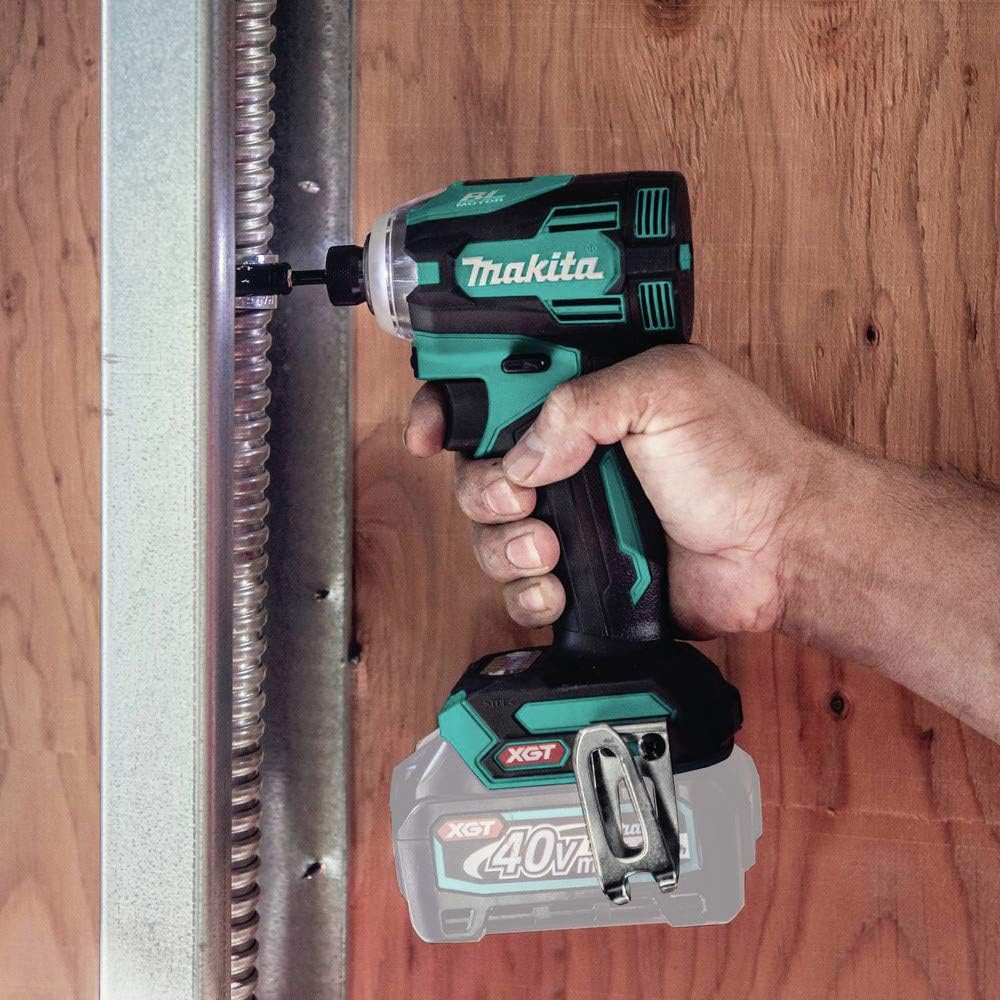
Figure 7: Demonstrating the impact driver's capability for fastening screws.

Figure 8: The impact driver can also be used for drilling tasks with appropriate bits.
6. Maintenance
Regular maintenance ensures optimal performance and extends the tool's lifespan.
- Cleaning: Regularly clean the tool's ventilation openings to prevent dust accumulation. Use a soft, dry cloth. Do not use harsh chemicals or abrasive cleaners.
- Inspection: Periodically inspect the chuck for wear and ensure it operates smoothly. Check the power cord (if applicable to charger) for damage.
- Storage: Store the tool and battery in a cool, dry place, away from direct sunlight and moisture. Ensure the battery is removed from the tool before storage.
- Lubrication: This tool is designed for maintenance-free operation. Do not attempt to lubricate internal components.
7. Troubleshooting
If you encounter issues with your impact driver, refer to the following common troubleshooting steps:
- Tool Not Starting: Ensure the battery is fully charged and properly inserted. Check if the trigger switch is functioning correctly.
- Reduced Power/Performance: The battery may be low on charge. Recharge the battery. Ensure the correct speed setting and mode are selected for the task.
- Bit Not Holding: Ensure the chuck sleeve is fully released after inserting the bit. Inspect the chuck for any debris or damage.
- Overheating: Allow the tool to cool down. Ensure ventilation slots are clear of obstructions. Avoid continuous heavy-load operation.
For persistent issues or repairs, contact Makita authorized service centers.
8. Specifications
| System | 40V max XGT® |
| Hex Shank | 1/4" |
| Speed Power Selection | 4 |
| No Load Speed (var. 4 spd.) | 0 - 1,100 / 0 - 2,100 / 0 - 3,200 / 0 - 3,700 RPM |
| Impacts Per Minute (var. 4 spd.) | 0 - 1,100 / 0 - 2,600 / 0 - 3,600 / 0 - 4,400 IPM |
| Maximum Torque | 1,950 in.lbs. |
| Overall Length | 4-3/4" |
| Net Weight (tool only) | 2.55 lbs (without battery) |
| Model Number | GDT01Z |
| UPC Code | 088381-896061 |
9. Warranty and Support
The Makita XGT 40V Max Impact Driver GDT01Z comes with a 3-year limited warranty from the date of original purchase. This warranty covers defects in materials and workmanship under normal use.
For warranty claims, technical support, or to locate an authorized service center, please visit the official Makita website or contact Makita customer service. Ensure you have your proof of purchase and the tool's model number (GDT01Z) available.
Note: The warranty does not cover damage caused by misuse, abuse, normal wear and tear, or unauthorized repairs.
For more information, visit the Makita Store.


