
OEMTOOLS 23969
OEMTOOLS 23969 5300 CFM Portable Evaporative Cooler User Manual
Model: 23969
1. Introduction
This manual provides essential instructions for the safe and efficient operation, setup, and maintenance of your OEMTOOLS 23969 5300 CFM Portable Evaporative Cooler. This unit is designed to cool areas up to 1600 square feet, making it suitable for various environments including workshops, garages, and outdoor spaces. Please read this manual thoroughly before using the product and retain it for future reference.

Image 1.1: The OEMTOOLS 23969 5300 CFM Portable Evaporative Cooler. This image shows the full unit from an angled front view, highlighting its gray body with green accents and casters.
2. Important Safety Information
Always follow basic safety precautions when using electrical appliances to reduce the risk of fire, electric shock, and injury to persons.
- Read all instructions before using this appliance.
- Ensure the power supply matches the voltage requirements (115 Volts AC).
- Do not operate any appliance with a damaged cord or plug, or after the appliance malfunctions or has been dropped or damaged in any manner.
- Always unplug the cooler from the power outlet before filling with water, cleaning, or performing any maintenance.
- Do not allow children to operate or play with the evaporative cooler.
- This unit is equipped with a Ground Fault Circuit Interrupter (GFCI) plug for enhanced safety, especially during outdoor use. Do not bypass or modify the GFCI plug.
- Do not immerse the unit in water or other liquids.
- Position the cooler on a stable, level surface to prevent tipping.
- Proposition 65 Warning: This product may contain chemicals known to the State of California to cause cancer and birth defects or other reproductive harm.

Image 2.1: Close-up of the GFCI plug and power cord. The GFCI plug provides an added layer of electrical safety, particularly important for units used in environments where water is present.
3. Product Features
The OEMTOOLS 23969 Evaporative Cooler is designed with several features to provide efficient and convenient cooling:
- High Airflow Capacity: Delivers 5300 CFM (Cubic Feet Per Minute) of airflow, capable of cooling areas up to 1600 square feet.
- Energy Efficient: Operates with lower energy consumption compared to traditional air conditioning units.
- Portable Design: Equipped with large casters for easy mobility, allowing the unit to be moved between indoor and outdoor locations.
- Advanced Cooling Technology: Utilizes three high-density media panels, providing an 80% larger evaporation surface for enhanced cooling.
- 3-Speed Motor: Offers adjustable fan speeds (Low, Medium, High) to customize cooling intensity.
- Oscillating Function: Provides broad coverage by distributing cooled air across a wider area.
- Built-in Tool Tray: A molded tray on top of the unit provides convenient storage for small tools, parts, or cups.
- GFCI Plug: Integrated Ground Fault Circuit Interrupter plug for increased electrical safety.
- Automatic Shutoff Valve: Prevents overfilling when connected to a continuous water supply.
- Front Door Panel: Allows for quick and easy manual water addition.
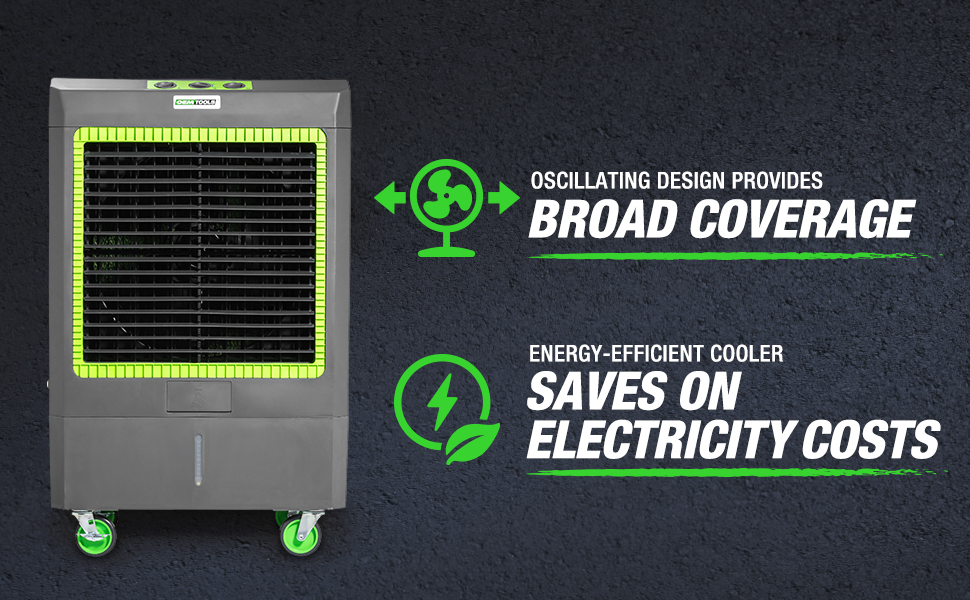
Image 3.1: Visual representation of the oscillating design for broad coverage and the energy-efficient operation of the cooler.
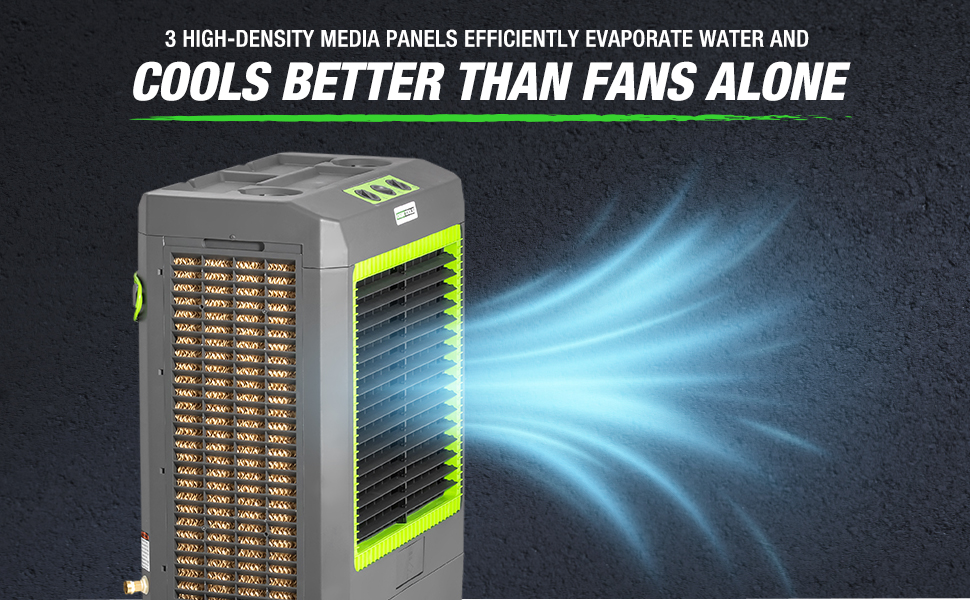
Image 3.2: The evaporative cooler demonstrating airflow, highlighting the three high-density media panels that enhance cooling efficiency.
4. Setup
4.1 Unpacking and Placement
- Carefully remove the evaporative cooler from its packaging.
- Inspect the unit for any signs of damage. If damaged, do not operate and contact customer support.
- Place the cooler on a firm, level surface. Ensure there is adequate space around the unit for proper airflow (at least 12 inches from walls or other obstructions).
- The unit is equipped with casters for easy movement. Lock the casters once the unit is in its desired position to prevent accidental movement.

Image 4.1: The evaporative cooler with its dimensions indicated: 45 inches high, 28 inches wide, and 17 inches deep. This helps in planning placement.
4.2 Filling the Water Reservoir
The OEMTOOLS 23969 has a 14.6-gallon water reservoir and can be filled manually or connected to a continuous water supply.
- Manual Fill: Open the front door panel located at the bottom front of the unit. Pour clean water into the reservoir until the water level indicator reaches the "MAX" line. Do not overfill.
- Continuous Water Supply: Connect a standard garden hose to the water inlet valve located on the side of the unit. The automatic shutoff valve will prevent overfilling. Ensure the hose connection is secure to prevent leaks.

Image 4.2: Close-up of the front door panel, which opens to allow manual filling of the water reservoir.

Image 4.3: The automatic shutoff valve with a connected hose, illustrating how the unit prevents overfilling when using a continuous water supply.
4.3 Power Connection
Plug the GFCI power cord into a grounded 115V AC electrical outlet. Ensure the GFCI plug is functioning correctly by pressing the "TEST" and "RESET" buttons before initial use.
5. Operating Instructions
The control panel is conveniently located on the top of the cooler.

Image 5.1: Close-up of the control panel located on the top of the unit, featuring three rotary knobs for various functions.

Image 5.2: The molded tray on the top surface of the cooler, designed to hold small tools, parts, or beverages.
5.1 Control Panel Functions
- Left Knob (Pump):
- OFF: Turns off the water pump. The unit will operate as a fan only.
- ON: Activates the water pump for evaporative cooling. Ensure the water reservoir is filled.
- Middle Knob (Fan Speed):
- OFF: Turns off the fan.
- L (Low): Sets the fan to low speed.
- M (Medium): Sets the fan to medium speed.
- H (High): Sets the fan to high speed for maximum airflow.
- Right Knob (Oscillation):
- OFF: Stops the oscillation function.
- ON: Activates the internal mechanism to oscillate the air output for wider coverage.
5.2 Cooling Operation
- Ensure the water reservoir is filled.
- Turn the Middle Knob (Fan Speed) to your desired setting (L, M, or H).
- Turn the Left Knob (Pump) to "ON" to activate the evaporative cooling function.
- For wider air distribution, turn the Right Knob (Oscillation) to "ON".
- To stop cooling, turn the Left Knob (Pump) to "OFF". To turn off the unit completely, turn the Middle Knob (Fan Speed) to "OFF".
6. Maintenance
Regular maintenance ensures optimal performance and extends the lifespan of your evaporative cooler.
6.1 Cleaning the Water Reservoir
- Unplug the unit from the power outlet.
- Drain any remaining water from the reservoir. This can typically be done via a drain plug located at the bottom or back of the unit (refer to specific unit design).
- Clean the reservoir with a soft cloth and mild detergent. Rinse thoroughly to remove any residue.
- Allow the reservoir to air dry completely before refilling or storing.
6.2 Cleaning/Replacing Media Panels
The high-density media panels should be inspected periodically for mineral buildup or debris. Frequency depends on water quality and usage.
- Unplug the unit.
- Remove the back panel(s) to access the media panels.
- Gently rinse the media panels with clean water to remove dust and mineral deposits. Do not use harsh chemicals.
- If the panels are heavily clogged or damaged, they may need to be replaced. Refer to OEMTOOLS for replacement parts.
- Ensure media panels are fully dry before reassembling the unit.
6.3 Exterior Cleaning
- Wipe the exterior surfaces of the cooler with a soft, damp cloth.
- Do not use abrasive cleaners or solvents.
6.4 Storage
- Before storing, ensure the water reservoir is completely drained and dry.
- Clean the media panels and exterior.
- Store the unit in a cool, dry place, away from direct sunlight and extreme temperatures.
7. Troubleshooting
Review the following common issues and their solutions before contacting customer support.
| Problem | Possible Cause | Solution |
|---|---|---|
| Unit does not turn on. | No power supply; GFCI tripped; Power knob is OFF. | Check power cord connection; Reset GFCI plug; Turn Fan Speed knob to L, M, or H. |
| No cooling effect. | Water reservoir empty; Pump is OFF; Media panels are dry or clogged. | Fill water reservoir; Turn Pump knob to ON; Clean or replace media panels. |
| Weak airflow. | Fan speed set too low; Air inlet/outlet blocked; Media panels clogged. | Increase fan speed; Clear obstructions; Clean media panels. |
| Water leakage. | Overfilled reservoir; Loose hose connection; Damaged drain plug. | Do not overfill; Tighten hose connection; Inspect and secure drain plug. |
| Unpleasant odor. | Stagnant water; Dirty media panels. | Drain and clean reservoir; Clean or replace media panels. Use fresh water. |
8. Specifications
- Brand:
- OEMTOOLS
- Model Number:
- 23969
- Mounting Type:
- Freestanding
- Special Feature:
- Portable
- Color:
- Gray
- Air Flow Capacity:
- 5300 Cubic Feet Per Minute (CFM)
- Controls Type:
- Knob
- Reservoir Capacity:
- 14.6 Gallons
- Floor Area Coverage:
- Up to 1600 Square Feet
- Recommended Uses:
- Commercial, Workshop, Garage, Outdoor
- Included Components:
- 5300 CFM Evaporative Cooler Unit
- Noise Level:
- 68 dB
- Number of Speeds:
- 3
- Product Dimensions (D x W x H):
- 17"D x 28"W x 45"H
- Voltage:
- 115 Volts (AC)
- Item Weight:
- 57 pounds
- Power Source:
- Corded Electric
- UPC:
- 076812239693
9. Warranty and Customer Support
9.1 Warranty Information
The OEMTOOLS 23969 Evaporative Cooler comes with a Limited 1 Year Warranty from the date of purchase. This warranty covers defects in materials and workmanship under normal use. It does not cover damage resulting from misuse, abuse, accident, alteration, or improper maintenance.
Please retain your proof of purchase for warranty claims.
9.2 Customer Support
For technical assistance, warranty claims, or to inquire about replacement parts, please contact OEMTOOLS customer support. Refer to the product packaging or the official OEMTOOLS website for the most current contact information.
When contacting support, please have your model number (23969) and date of purchase readily available.
Related documents23969

Ask a question about this manual
Ask about setup, troubleshooting, compatibility, parts, safety, or missing instructions. Manuals+ will review the question and use this page’s manual context to help answer it.