1. Product Overview
The Engino QBOIDZ Farm Tractor building set (Model QB50) is designed for children aged 4 and up. This set allows for the construction of a farm tractor and 9 additional bonus models, totaling 10 unique designs. It features the QBOIDZ "stack & click" system, combining traditional block stacking with multi-directional rod connections to enhance creativity and develop fine motor skills and spatial awareness. The set includes 81 parts and provides 670 connection points.
This product supports STEM (Science, Technology, Engineering, and Mathematics) learning through engaging activities and educational facts provided for each model. It is fully compatible with the Engino Toy System, allowing for expanded building possibilities.
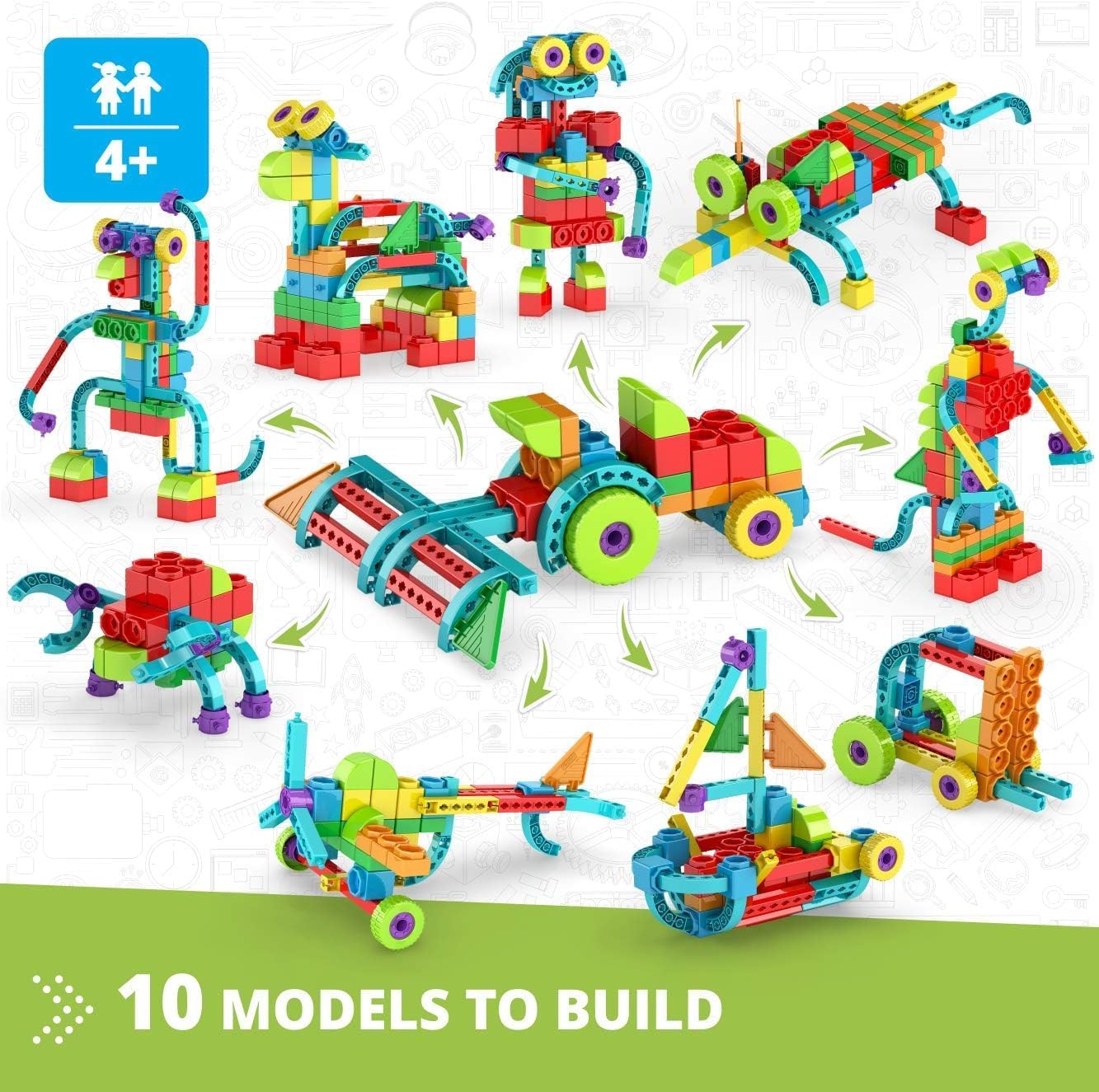
Image 1.1: The Engino QBOIDZ Farm Tractor set allows for building 10 different models, including the farm tractor shown in the center.
2. Setup and Assembly
2.1 Unboxing and Part Identification
Carefully open the product packaging. The set contains 81 building parts and a printed instruction booklet. Before beginning assembly, it is recommended to sort the pieces by type and color to facilitate easier identification during the building process.

Image 2.1: The set includes various colorful QBOIDZ blocks and a printed instruction manual for one model.
2.2 Building Instructions
The set includes printed instructions for building one primary model. For the remaining 9 bonus models, 3D interactive instructions are available through the official Engino app. This app can be downloaded from the Google Play Store or Apple App Store on your smart device.
- Printed Instructions: Follow the step-by-step diagrams in the included booklet for the main model.
- 3D Interactive Instructions: Download the Engino kidCAD (3D Viewer) app. Within the app, you can select your QBOIDZ set and view detailed 3D models. The app allows you to zoom, rotate, and explode/implode models to understand each connection point clearly.

Image 2.2: The Engino kidCAD app provides interactive 3D building instructions for all models.
3. Operating the Building System
3.1 The QBOIDZ Stack & Click System
The QBOIDZ system allows for both traditional stacking of blocks and enhanced creativity through connecting bricks with rods in any direction. This patented design increases dexterity and perception of 3D space.
- Stacking: Blocks can be stacked vertically like traditional building bricks.
- Clicking: Use the rods to connect blocks sideways, allowing for more complex and versatile structures.
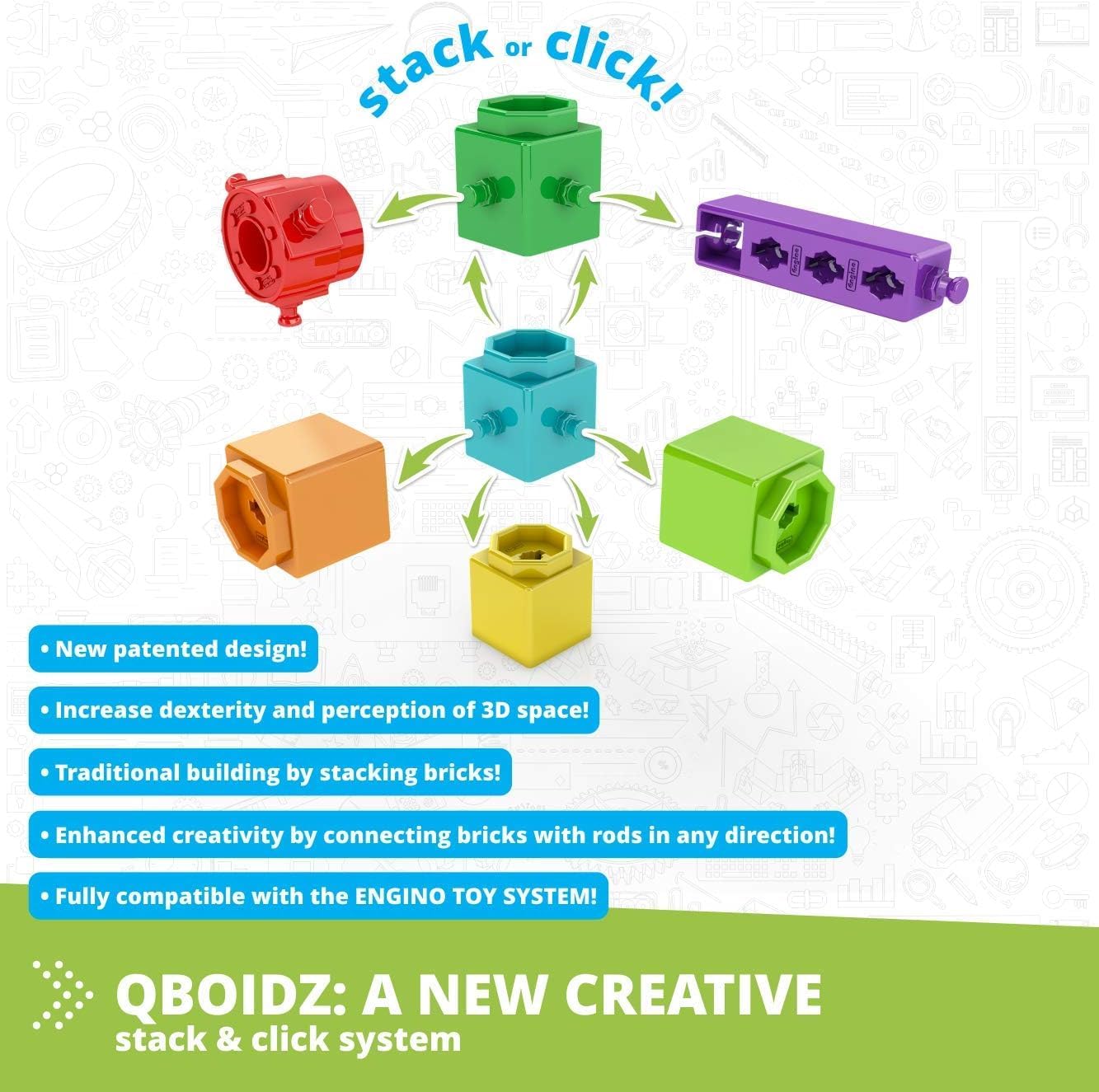
Image 3.1: The QBOIDZ system allows for both stacking and multi-directional connections using rods.
3.2 Multi-Level Building
The Engino QBOIDZ system is part of a multi-level building system designed to grow with the user. It progresses from simple stacking to complex 3D constructions:
- 1st Level: Stacking Vertically - Basic stacking of blocks.
- 2nd Level: Connecting Blocks to the Side - Introduces sideways connections for two-dimensional thinking.
- 3rd Level: Combining Blocks with Beams - Develops three-dimensional thinking by using beams for more detailed constructions.
- 4th Level: Compatible with Engino Toy System - QBOIDZ parts share geometries with the standard Engino system, allowing for integration with sets for older children (aged 6+).

Image 3.2: The multi-level building system progresses from simple stacking to complex integration with other Engino sets.
3.3 Educational Activities
Beyond building, the set includes additional activities such as coloring pages, number recognition tasks, and educational facts for each model. These activities are designed to make learning fun and hands-on, connecting play with real-world knowledge.

Image 3.3: The set includes supplementary activities like coloring and number recognition to enhance learning.
4. Maintenance
4.1 Cleaning Instructions
To clean the Engino QBOIDZ blocks, use a soft cloth dampened with mild soap and water. Wipe each piece gently and allow them to air dry completely before storage. Avoid using harsh chemicals or abrasive cleaners, as these may damage the plastic or fade the colors.
4.2 Storage
Store the building blocks in their original packaging or a designated storage container to prevent loss of pieces. Keep the set in a cool, dry place away from direct sunlight and extreme temperatures to maintain the integrity of the plastic components.
5. Troubleshooting
5.1 Difficulty Connecting Pieces
- Check Alignment: Ensure the pieces are correctly aligned before attempting to connect them. Some pieces may have specific orientations.
- Apply Gentle Pressure: QBOIDZ pieces are designed for a secure "snap-fit." Apply firm but gentle pressure until you hear or feel a click. Do not force pieces together, as this may cause damage.
- Verify Part Selection: Double-check the instructions (printed or app) to confirm you are using the correct pieces for the current step. Some pieces may look similar but have slight differences.
5.2 Missing Pieces
If you discover any missing pieces upon opening the set, please contact Engino customer support. Refer to the "Warranty and Support" section for contact information.
5.3 App Issues (3D Viewer)
- Internet Connection: Ensure your smart device has a stable internet connection to download the app and model instructions.
- App Updates: Check for any available updates for the Engino kidCAD app in your device's app store.
- Device Compatibility: Confirm your device meets the minimum system requirements for the app.
- Restart App/Device: If the app is unresponsive, try closing and reopening it, or restarting your smart device.
6. Specifications
| Feature | Detail |
|---|---|
| Model Number | QB50 |
| Product Dimensions | 16.14 x 11.02 x 2.32 inches |
| Item Weight | 2.11 pounds |
| Recommended Age | 4 years and up |
| Number of Parts | 81 |
| Number of Models | 10 (1 printed, 9 via app) |
| Manufacturer | ENGINO-NET LIMITED |
| Compatibility | Fully compatible with Engino Toy System |
7. Warranty and Support
7.1 Warranty Information
Specific warranty details for the Engino QBOIDZ Farm Tractor set are typically provided by the manufacturer at the time of purchase or within the product packaging. Please refer to any documentation included with your product for comprehensive warranty terms and conditions. For further inquiries regarding warranty, please contact Engino customer service directly.
7.2 Customer Support
For technical assistance, missing parts, or general inquiries about your Engino QBOIDZ set, please visit the official Engino website or contact their customer support. The Engino app also provides a resource for building instructions and product information.
- Official Engino Website: www.engino.com (Please note: This is a placeholder URL as the exact support URL was not provided in the JSON. Users should refer to product packaging for precise contact details.)
- Engino kidCAD App: Available on Google Play Store and Apple App Store for 3D interactive instructions.
8. Product Video
Video 8.1: Official Engino QBOIDZ product video demonstrating the building system and various models. This video highlights the "stack & click" functionality and the range of creations possible with QBOIDZ sets.


