
1. Introduction
Thank you for choosing Monster Persona Noise Cancelling Wireless Headphones. These headphones are designed to provide a superior audio experience with advanced noise cancellation, Hi-Fi stereo sound, and deep bass. This manual will guide you through the setup, operation, and maintenance of your new headphones to ensure optimal performance and longevity.

Image: Monster Persona Noise Cancelling Wireless Headphones, showcasing their sleek gray design.
2. What's in the Box
Upon unboxing your Monster Persona headphones, please ensure all the following components are present:
- Monster Persona Wireless Headphones
- 3.5mm AUX Cable
- USB-C Cable
- Flight Adapter
- Storage Bag
Video: A detailed unboxing of the Monster Persona headphones, showing all included accessories and the headphones themselves.
3. Product Overview
3.1. Controls and Features
The Monster Persona headphones feature intuitive controls for easy management of audio and calls. Key features include:
- Active Noise Cancellation (ANC): Reduces ambient noise for an immersive listening experience.
- Ambient Sound Mode: Allows you to hear your surroundings while listening to audio.
- Volume Control: Adjust audio levels directly from the headphones.
- Multi-function Button: Manages calls, music playback, and voice assistant activation.
- USB-C Charging Port: For fast and convenient charging.
- 3.5mm Audio Jack: For wired connection.

Image: A visual representation highlighting the adjustable headband, 90-degree rotatable earcups, and foldable design for portability.
Video: A detailed overview of the Monster Persona headphones, showcasing their design and various features.
Video: Demonstrates the foldable design of the Monster Persona Over-Ear Wireless Headphones, highlighting their portability.
4. Setup
4.1. Charging the Headphones
Before first use, fully charge your headphones. Connect the supplied USB-C cable to the charging port on the headphones and the other end to a USB power source. The LED indicator will show charging status.
- A full charge takes approximately 1 hour.
- A 5-minute quick charge provides up to 2.5 hours of playtime.
- Fully charged, the headphones offer over 30 hours of playtime.
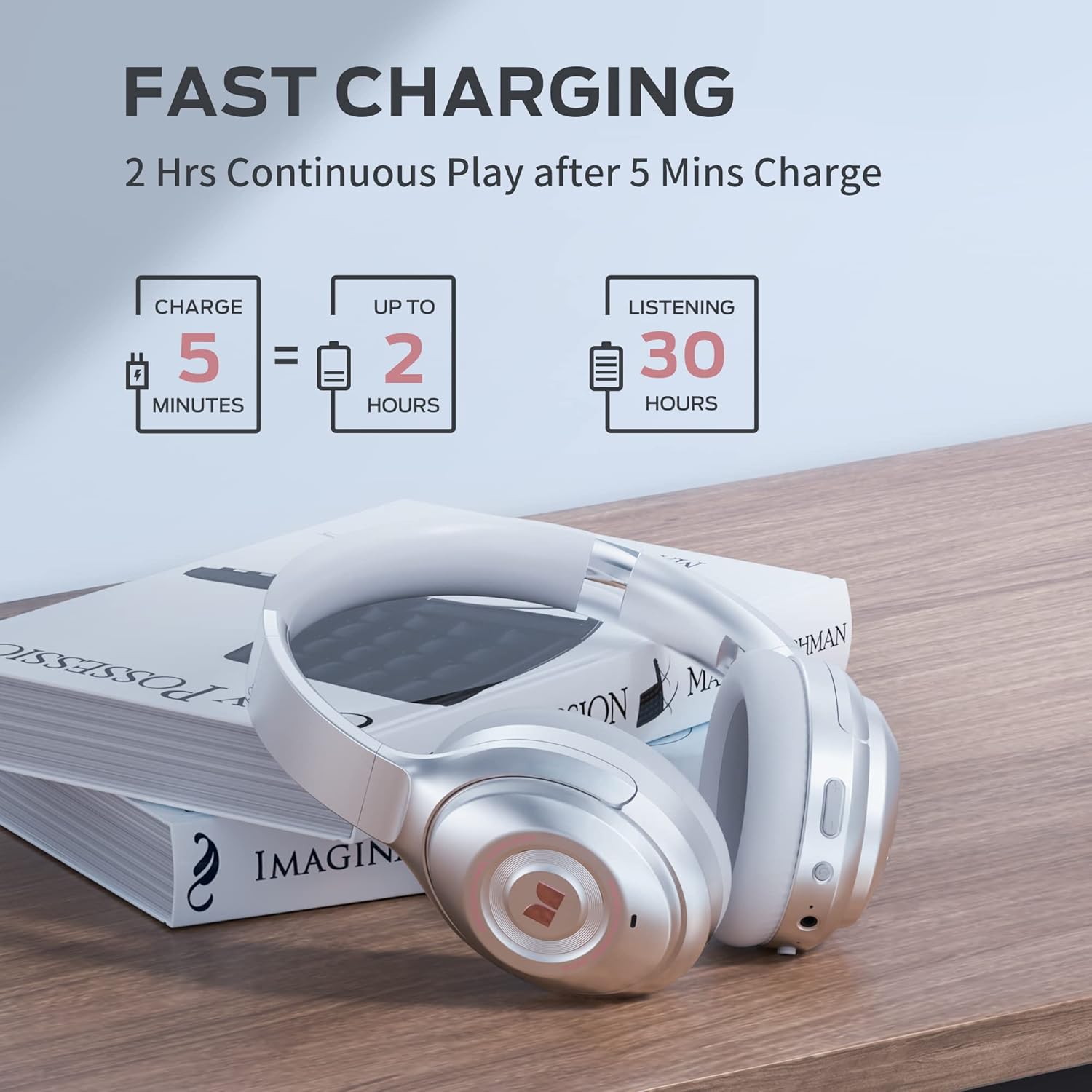
Image: Visual guide to the fast charging feature, showing charge times and playtime.
4.2. Power On/Off
- To Power On: Press and hold the Power button for 2 seconds. The LED indicator will light up.
- To Power Off: Press and hold the Power button for 3 seconds. The LED indicator will turn off.
4.3. Bluetooth Pairing
To connect your headphones to a Bluetooth-enabled device:
- Ensure the headphones are powered off.
- Press and hold the Power button for 5 seconds until the LED indicator flashes blue and red, indicating pairing mode.
- On your device, go to Bluetooth settings and select "Monster Persona" from the list of available devices.
- Once connected, the LED indicator will turn solid blue.

Image: A visual guide demonstrating how to easily pair your Monster Persona headphones via Bluetooth.
Video: A step-by-step tutorial on how to pair your Monster Persona headphones with a Bluetooth device.
5. Operating the Headphones
5.1. Active Noise Cancellation (ANC)
The headphones feature advanced active noise cancellation to minimize external distractions.
- To Activate ANC: Press the ANC button located on the earcup. You will hear an audible confirmation.
- To Deactivate ANC: Press the ANC button again.

Image: Illustration of the Active Noise Cancellation feature, demonstrating how external noise is reduced.
Video: Demonstrates the active noise cancelling feature of the Monster Persona Wireless Headphones.
5.2. Ambient Sound Mode
This mode allows you to hear important sounds around you without removing your headphones.
- To Activate Ambient Sound Mode: Press the Ambient Sound button (often the same as ANC button, or a dedicated button depending on model).
- To Deactivate Ambient Sound Mode: Press the button again.

Image: A visual explanation of the Ambient Sound feature, allowing users to remain aware of their surroundings.
5.3. Music Playback Control
- Play/Pause: Press the Multi-function button once.
- Next Track: Press and hold the Volume Up button.
- Previous Track: Press and hold the Volume Down button.
5.4. Call Management
- Answer/End Call: Press the Multi-function button once.
- Reject Call: Press and hold the Multi-function button for 2 seconds.
- Activate Voice Assistant: Double-press the Multi-function button.
6. Maintenance
To ensure the longevity and optimal performance of your Monster Persona headphones, follow these maintenance guidelines:
- Cleaning: Use a soft, dry cloth to clean the earcups and headband. Do not use abrasive cleaners or solvents.
- Storage: When not in use, store the headphones in the provided storage bag to protect them from dust and scratches. The foldable design makes them compact for storage.
- Avoid Moisture: The headphones are not water resistant. Avoid exposure to water, rain, or excessive humidity.
- Temperature: Do not expose the headphones to extreme temperatures (hot or cold).
7. Troubleshooting
If you encounter any issues with your headphones, refer to the following common problems and solutions:
| Problem | Possible Cause | Solution |
|---|---|---|
| Headphones do not power on | Low battery | Charge the headphones fully. |
| Cannot pair via Bluetooth | Headphones not in pairing mode / Device Bluetooth off | Ensure headphones are in pairing mode (flashing blue/red LED). Turn Bluetooth on your device. Forget previous pairings and try again. |
| No sound | Volume too low / Not connected / Wired mode issue | Increase volume on headphones and device. Ensure successful Bluetooth connection. If using 3.5mm cable, ensure it's fully inserted. |
| ANC not working effectively | ANC not activated / Improper fit | Press the ANC button to activate. Adjust headphones for a snug fit over your ears. |
8. Specifications
| Feature | Detail |
|---|---|
| Model Name | MH31902 |
| Connectivity Technology | Bluetooth 5.0 |
| Headphones Jack | 3.5 mm Jack |
| Noise Control | Active Noise Cancellation |
| Battery Life | 30 Hours |
| Charging Time | 1 Hour |
| Audio Driver Type | Dynamic Driver |
| Audio Driver Size | 40 Millimeters |
| Frequency Range | 10 Hz - 30,000 Hz |
| Earpiece Shape | Over Ear |
| Item Weight | 291 Grams (10.3 ounces) |
| Product Dimensions | 7.87 x 6.3 x 3.15 inches |
| Water Resistance Level | Not Water Resistant |
| Manufacturer | JONTER |
| UPC | 810079709892 |
9. Warranty and Support
For warranty information and customer support, please refer to the documentation included with your purchase or visit the official Monster website. You may also contact your point of purchase for assistance.
For further inquiries or technical support, please reach out to Monster customer service through their official channels.


