
1. Introduction
The Arcchio Walisa Ceiling Light (Model 9626306) is a modern and versatile lighting solution designed for both residential and commercial spaces. It features a sleek, geometric design with both direct and indirect light effects. The downward-facing light source is adjustable, allowing for flexible light direction to suit various needs and environments.

Figure 1: Arcchio Walisa Ceiling Light
2. Safety Information
Please read all safety instructions carefully before installation and use. Keep this manual for future reference.
- Ensure the power supply is disconnected before installation, maintenance, or cleaning.
- Installation should be performed by a qualified electrician in accordance with local wiring regulations.
- Do not expose the product to water or excessive moisture (IP20 rating indicates protection against solid objects larger than 12.5mm, no protection against water).
- Do not touch the light source immediately after operation as it may be hot.
- This product contains a light source of energy efficiency class F.
- For information on recycling and disposal of broken or damaged lamps, please refer to local regulations and guidelines.
3. Package Contents
Verify that all components are present and undamaged upon unpacking:
- 1x Arcchio Walisa Ceiling Light fixture (Aluminum, White RAL 9003)
- 1x 5.5W LED (integrated, for uplight)
- Mounting hardware (screws, anchors)
- User Manual
Note: The GU10 ES111 bulb for the downlight is not included and must be purchased separately.
4. Setup and Installation
Follow these steps for proper installation of your Arcchio Walisa Ceiling Light:
- Preparation: Ensure the main power supply to the installation area is turned off at the circuit breaker.
- Mounting Bracket: Attach the mounting bracket securely to the ceiling using appropriate screws and anchors for your ceiling type.
- Wiring: Connect the electrical wires from the ceiling to the terminal block inside the fixture. Ensure correct polarity (Live, Neutral, Earth).

Figure 2: Wiring connections
- Attach Fixture: Secure the light fixture to the mounting bracket.
- Install GU10 Bulb: Insert the GU10 ES111 bulb (not included) into the downlight socket.
- Power On: Restore power to the circuit.
5. Operation
The Arcchio Walisa Ceiling Light provides both direct and indirect illumination, offering versatile lighting options for your space.
- Direct Light: The downward-facing GU10 ES111 spot provides direct, focused illumination. This spot can be adjusted in its inclination to direct light precisely where needed.
- Indirect Light: The integrated 5.5W LED provides an uplight effect, casting light onto the ceiling for a softer, ambient glow.

Figure 3: Indirect light effect
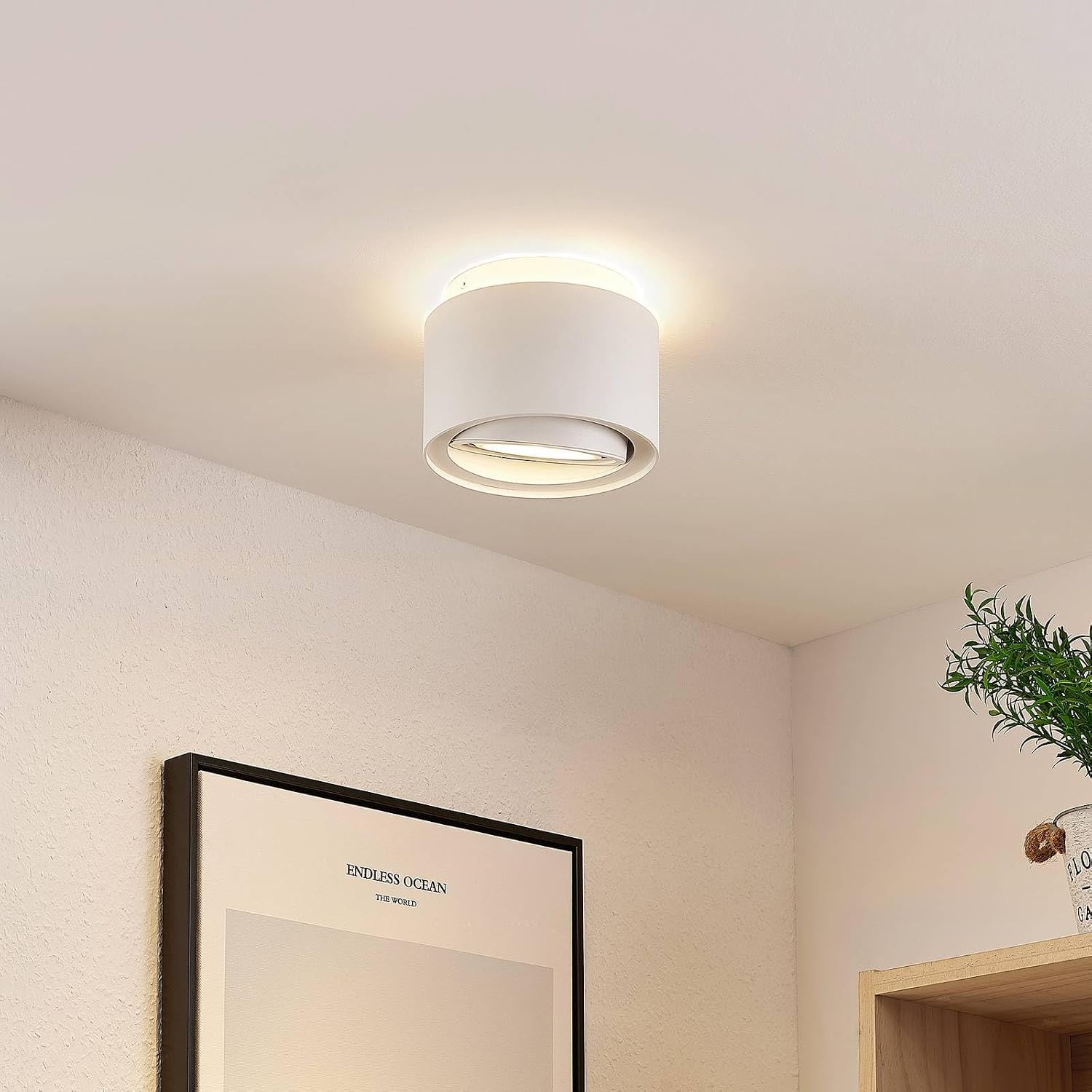
Figure 4: Direct light effect

Figure 5: Adjustable spot mechanism
The light can be switched on/off using a standard wall switch. If connected to a compatible dimmer switch, the light may be dimmable (depending on the installed GU10 bulb and dimmer compatibility).
6. Maintenance
To maintain the appearance and functionality of your ceiling light:
- Always disconnect power before cleaning.
- Wipe the fixture with a soft, dry cloth.
- Do not use abrasive cleaners or solvents, as these may damage the finish.
- Regularly check for any loose connections or damage.
7. Troubleshooting
If you encounter issues with your Arcchio Walisa Ceiling Light, refer to the table below for common problems and solutions:
| Problem | Possible Cause | Solution |
|---|---|---|
| Light does not turn on. | No power supply. Loose wiring. Faulty bulb (GU10). Integrated LED failure. | Check circuit breaker. Verify wiring connections. Replace GU10 bulb. Contact customer support if integrated LED fails. |
| Light flickers. | Loose wiring. Incompatible dimmer switch. Faulty bulb (GU10). | Check wiring connections. Ensure dimmer is compatible with LED bulbs. Replace GU10 bulb. |
| Only one light source works (direct or indirect). | GU10 bulb not installed/faulty. Integrated LED failure. | Install or replace GU10 bulb. Contact customer support if integrated LED fails. |
8. Technical Specifications
Detailed specifications for the Arcchio Walisa Ceiling Light:
| Feature | Specification |
|---|---|
| Brand | Arcchio |
| Model Number | 9626306 |
| Dimensions (Diameter x Height) | 15.35 cm x 12 cm (approx. Ø155mm x 119mm) |
| Weight | 890 grams |
| Material | Aluminum |
| Color | White (RAL 9003) |
| Socket (Downlight) | GU10 ES111 (max. 20W, bulb not included) |
| Light Source (Uplight) | Integrated 5.5W LED (included) |
| Operating Voltage | 230V |
| Protection Class | I |
| IP Rating | IP20 |
| Application Area | Indoor |
| Special Features | Energy efficient, Dimmable (with compatible GU10 bulb and dimmer) |

Figure 6: Product Dimensions

Figure 7: Energy Efficiency Label
For more details, refer to the EPREL database: https://eprel.ec.europa.eu/qr/744400
9. Warranty and Support
Arcchio products are manufactured to high quality standards. For warranty information and customer support, please refer to the terms and conditions provided at the point of purchase or visit the official Arcchio brand store.
Visit the Arcchio Brand Store: Arcchio Store on Amazon.de


