1. Introduction
Thank you for choosing the PRIOS Odia LED Cabinet Lighting. This manual provides essential information for the safe and efficient installation, operation, and maintenance of your new lighting system. Please read these instructions carefully before use and retain them for future reference.
The PRIOS Odia LED cabinet lighting system consists of two interconnected lamps designed to illuminate furniture or specific areas. These units feature warm-white LEDs and are controlled via a motion sensor for convenience and energy efficiency. The system includes a power supply and offers flexible installation due to its cable length.
2. Safety Instructions
- Read all instructions before installation and use.
- Ensure power is disconnected at the main switch before any installation, maintenance, or cleaning.
- Do not modify the product in any way. Unauthorized modifications may void the warranty and pose safety risks.
- This product is designed for indoor use only (IP20 rating). Do not expose to moisture or extreme temperatures.
- Installation should be performed by a qualified professional if you are unsure about electrical connections.
- Keep packaging materials out of reach of children.
- Do not look directly into the LED light source when illuminated.
3. Package Contents
Verify that all components are present and undamaged:
- 2 x PRIOS Odia LED Lighting Units
- 1 x Power Adapter (Euro plug)
- Connection Cables
- Mounting Accessories (screws/adhesive pads, if included)

Image: All components included in the PRIOS Odia LED Cabinet Lighting package, showing two triangular LED units, connecting cables, and a power adapter.
4. Product Overview
The PRIOS Odia LED Cabinet Lighting features a modern, triangular design with a stainless steel finish. Each unit integrates warm-white LEDs and a motion sensor for convenient operation.
- Design: Triangular, compact units.
- Material: Stainless steel and plastic.
- Light: Warm white (3000 Kelvin) LED illumination.
- Control: Integrated motion sensor for gesture control (on/off and dimming).
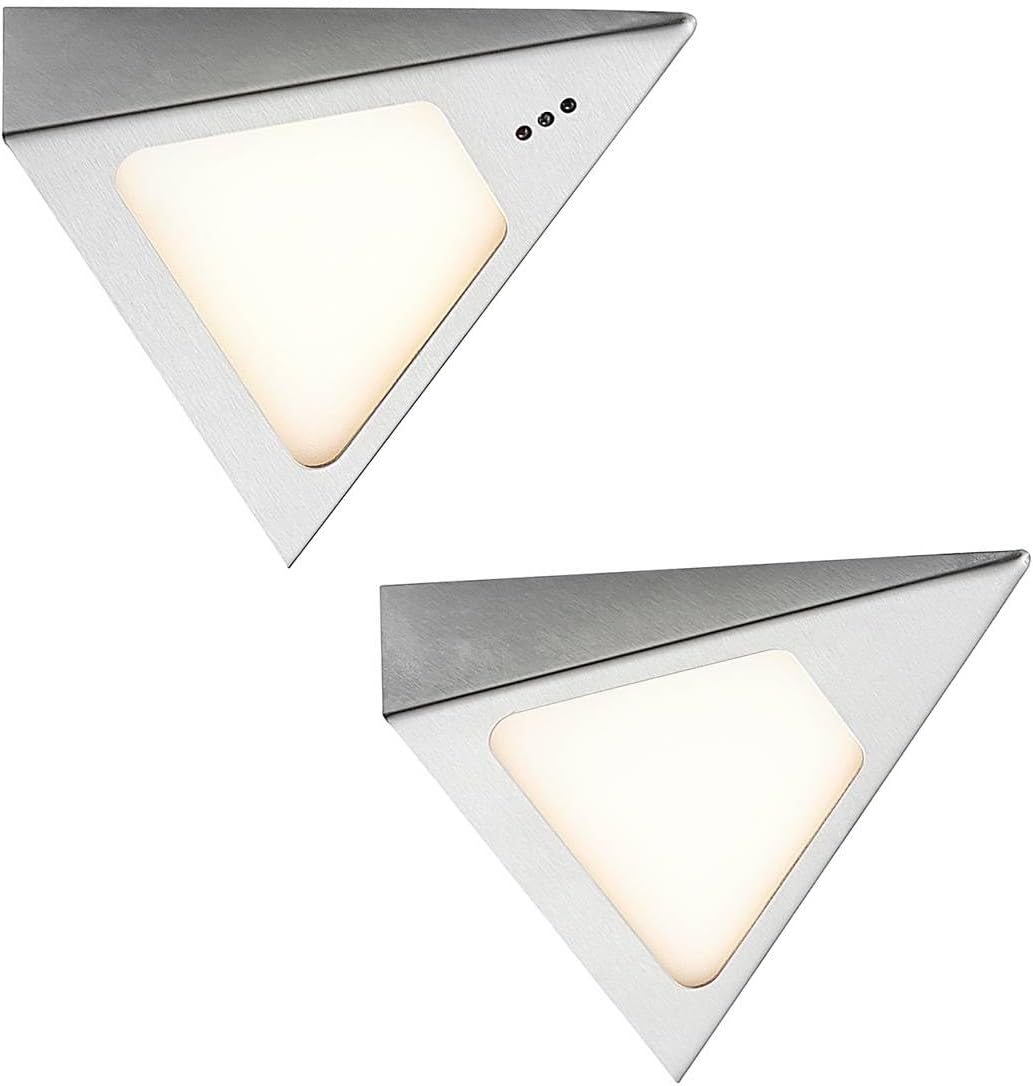
Image: Two individual PRIOS Odia LED lighting units, showcasing their triangular shape and stainless steel finish.

Image: A close-up view of one PRIOS Odia LED unit, highlighting the light panel and the three small dots indicating the motion sensor area.
5. Setup and Installation
Follow these steps for proper installation:
- Choose Location: Select a suitable location under a cabinet or shelf where you desire illumination. Ensure the surface is clean, dry, and flat.
- Mount Units: Securely mount the two LED units to the chosen surface. Use appropriate mounting hardware (e.g., screws or strong adhesive pads, not explicitly detailed but typically included or required for such installations). Ensure the motion sensor on one of the units is facing an accessible direction for gesture control.
- Connect Units: Connect the two LED units to each other using the provided connection cable.
- Connect Power: Connect the power adapter to the first LED unit. The power adapter is designed to be flat for discreet placement behind cabinets.
- Power On: Plug the power adapter into a standard 230V electrical outlet.
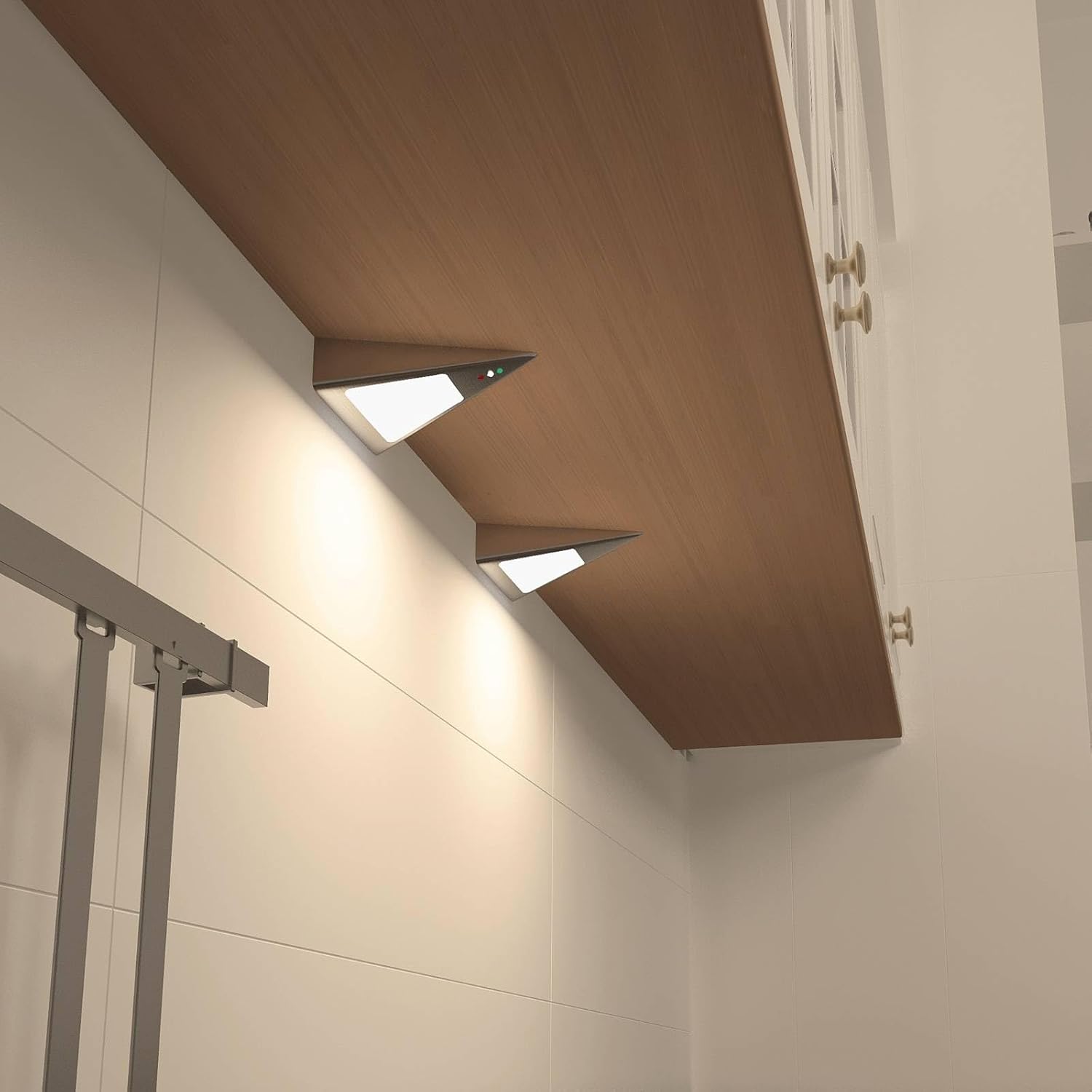
Image: Two PRIOS Odia LED units installed and illuminated under a wooden kitchen cabinet, demonstrating their practical application.

Image: Two PRIOS Odia LED units installed under a wooden kitchen cabinet, shown in an unlit state, highlighting their discreet design.

Image: A diagram illustrating the dimensions of the PRIOS Odia LED unit, showing a length of 135mm, width of 127mm, and height of 40mm.
6. Operating Instructions
The PRIOS Odia LED lighting system features intuitive gesture control via its integrated motion sensor.
- Turning On/Off: To switch the lights on or off, briefly wave your hand in front of the motion sensor.
- Dimming: To adjust the brightness, hold your hand steadily in front of the motion sensor. The light will gradually dim or brighten. Release your hand when the desired brightness level is achieved.

Image: A hand positioned near the PRIOS Odia LED unit, demonstrating the gesture control feature for operation.
7. Maintenance
To ensure the longevity and optimal performance of your PRIOS Odia LED Cabinet Lighting, follow these simple maintenance guidelines:
- Cleaning: Clean the exterior of the units with a soft, dry, or slightly damp cloth. Do not use abrasive cleaners, solvents, or harsh chemicals, as these can damage the finish or electronic components.
- Sensor Area: Ensure the motion sensor area is kept clean and free from obstructions (e.g., dust, grease, objects) for optimal detection and response.
- No User Serviceable Parts: The LED units contain no user-serviceable parts. Do not attempt to open or repair the units yourself. Contact qualified personnel for any repairs.
8. Troubleshooting
If you encounter any issues with your PRIOS Odia LED Cabinet Lighting, refer to the following troubleshooting guide:
- Lights not turning on:
- Check if the power adapter is securely plugged into a working electrical outlet.
- Ensure all connection cables between the units and the adapter are properly seated.
- Verify that the motion sensor is not obstructed and is clean.
- Try waving your hand in front of the sensor again.
- Lights not dimming:
- Ensure you are holding your hand steadily in front of the sensor for the dimming function, rather than a quick wave.
- Check for any obstructions near the sensor.
- Lights flickering:
- Check the stability of your electrical power supply.
- Ensure all connections are secure.
If the problem persists after attempting these solutions, please contact customer support.
9. Specifications
| Feature | Specification |
|---|---|
| Brand | PRIOS |
| Model Number | 9934040 |
| Product Dimensions (each unit) | 13.5 x 12.75 x 4 cm |
| Weight | 284 g (total) |
| Material | Plastic, Stainless steel |
| Color | Stainless steel |
| Number of Lamps | 2 |
| Light Source | 2 x 3W LED |
| Voltage | 230 Volt |
| IP Code | IP20 (Indoor use only) |
| Luminous Flux | 480 Lumen |
| Color Temperature | 3000 Kelvin (Warm White) |
| Special Features | Dimmable, Motion Sensor (Gesture Control) |
| Energy Efficiency Class | F |
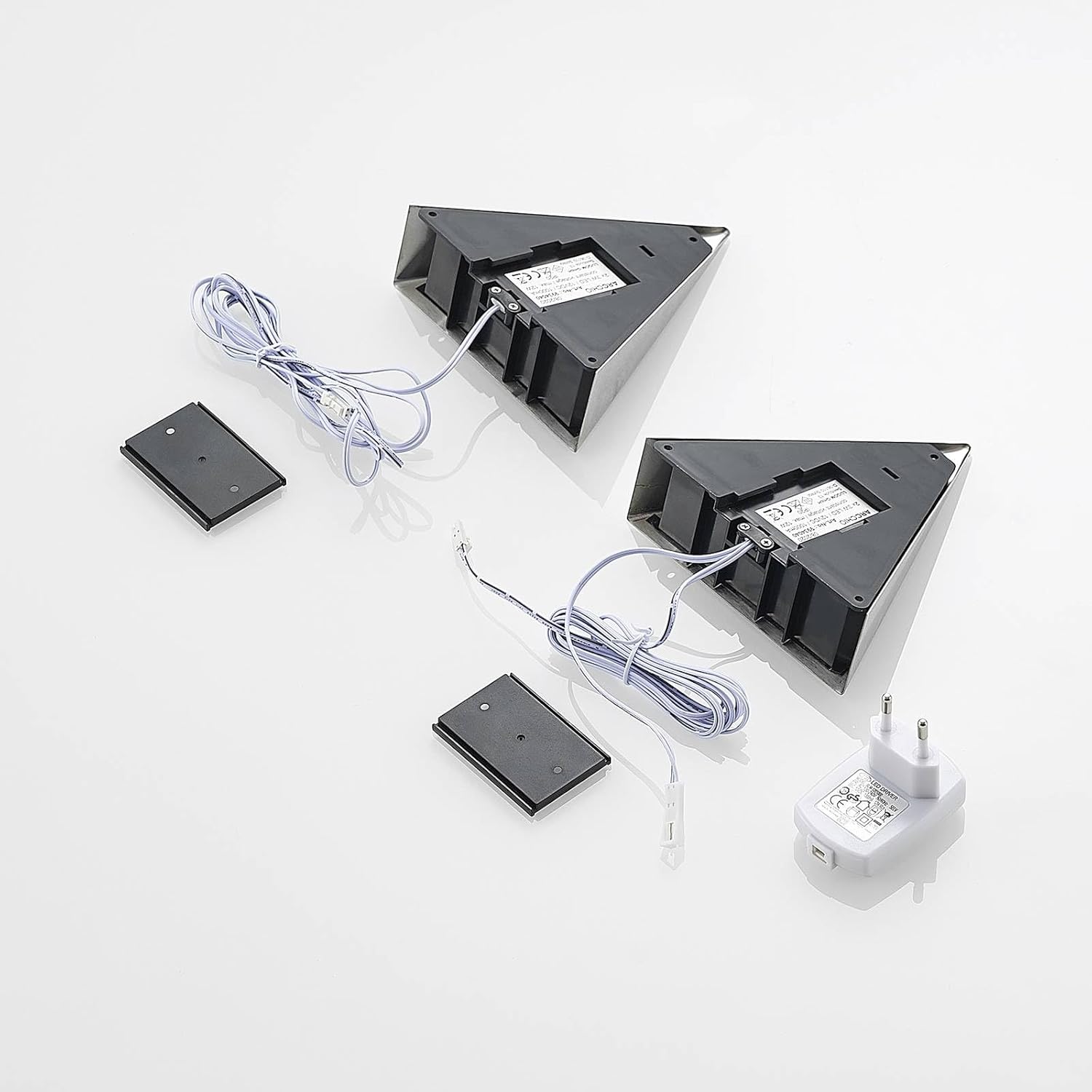
Image: EU Energy Label for Prios L9002100, indicating an energy efficiency class of F and 3 kWh/1000h consumption. For more details, visit the EU EPREL database.
10. Warranty and Support
For warranty information regarding your PRIOS Odia LED Cabinet Lighting, please refer to the documentation provided at the time of purchase or contact your retailer directly.
For technical support, assistance with installation, or any other inquiries, please contact PRIOS customer service through their official channels.