
1. Introduction
Thank you for purchasing the Weehom Reversible L Shaped Desk with Shelves. This manual provides detailed instructions for assembly, operation, maintenance, and troubleshooting to ensure safe and efficient use of your new desk. Please read this manual thoroughly before beginning assembly and retain it for future reference.
2. Safety Information
- Read All Instructions: Before assembly and use, carefully read and understand all instructions provided in this manual.
- Keep Children Away: Keep children and pets away from the assembly area. Small parts can be a choking hazard.
- Use Correct Tools: Ensure you have the necessary tools and use them correctly to avoid damage or injury.
- Assemble on a Soft Surface: Assemble the desk on a soft, clean surface (e.g., carpet or cardboard) to prevent scratching the desk components.
- Two-Person Assembly: Assembly is recommended for two people to ensure safety and ease.
- Do Not Overtighten: Do not overtighten screws during assembly, as this may damage the material. Tighten securely but gently.
- Check Stability: After assembly, ensure the desk is stable and all connections are secure before use.
- Weight Capacity: Do not exceed the maximum weight capacity of 450 lbs (204 kg) for the desk surface and shelves.
- Level Surface: Place the desk on a level surface to prevent wobbling and ensure stability. Use the adjustable leg pads to fine-tune stability on uneven floors.
3. Setup and Assembly
This section guides you through the assembly process for your Weehom L Shaped Desk. Please ensure all parts are present before you begin.
3.1. Package Contents
Verify that all components listed in your product's included parts list are present. If any parts are missing or damaged, please contact customer support.
3.2. Tools Required
- Phillips Head Screwdriver (not always included, may be required for some fasteners)
- Allen Wrench (usually included)
3.3. Assembly Steps
- Unpack Components: Carefully unpack all parts and hardware. Lay them out on a soft, clean surface to prevent scratches.
- Assemble Frame Sections: Begin by assembling the main metal frame sections according to the diagrams in your included instruction manual. Ensure all screws are finger-tightened initially.
- Attach Desk Panels: Secure the main desk panels to the assembled frame. The desk features reversible panels, allowing you to configure the longer side to either the left or right to suit your space.
- Install Storage Shelves: Attach the 2-tier storage shelves to the designated frame section. The top shelf can be removed if space is needed for a computer tower.
- Install CPU Stand: Place the mobile CPU stand in your desired location under the desk.
- Final Tightening: Once all components are in place and the desk is in its desired configuration, fully tighten all screws with the provided tools. Do not overtighten.
- Adjust Leveling Feet: Adjust the leg pads at the bottom of each leg to ensure the desk is stable and level on your floor.

Image: Detailed dimensions of the Weehom L Shaped Desk, showing overall length (68.9" and 53.1"), depth (22"), height (30"), and shelf dimensions. The weight capacity is indicated as 450 lbs.
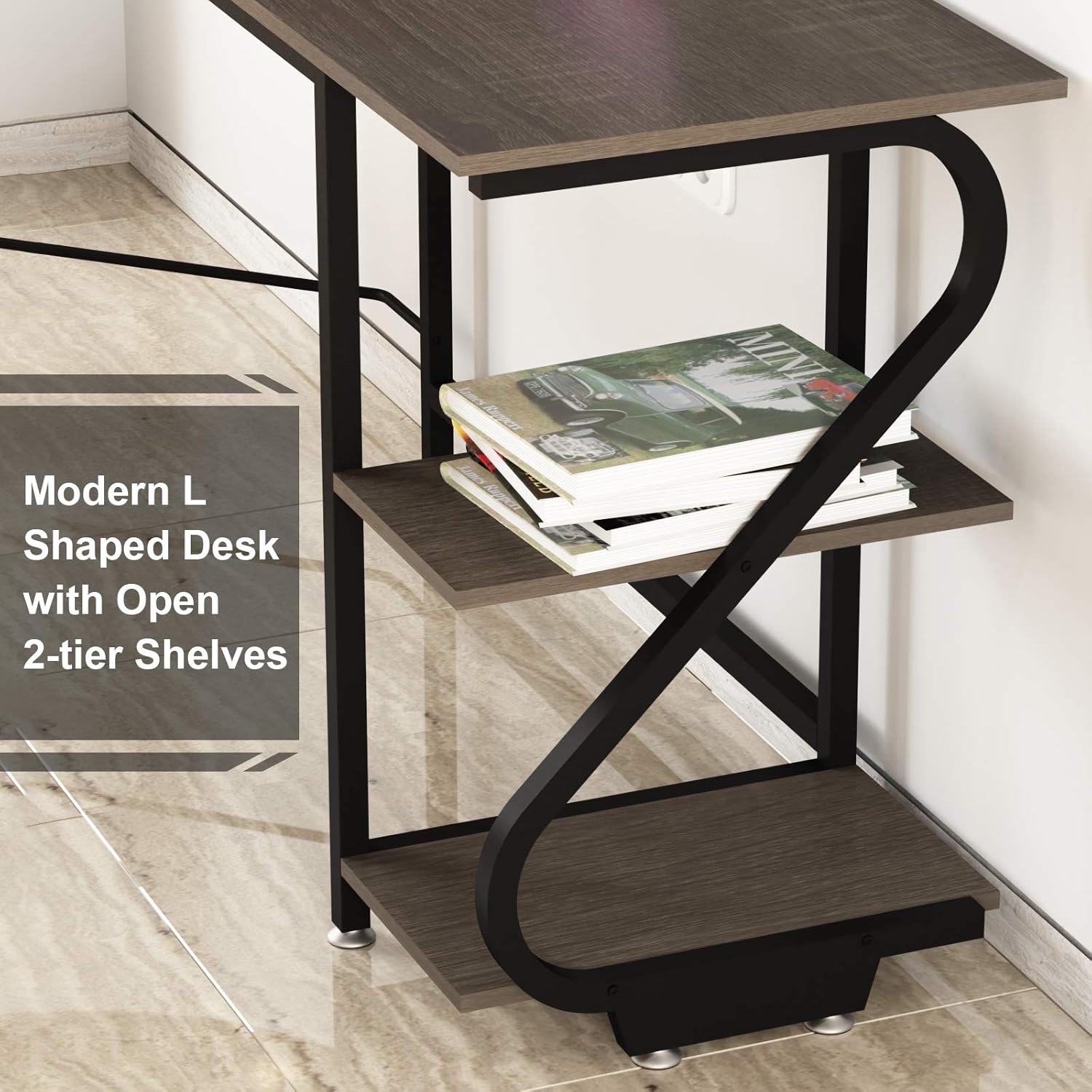
Image: Illustration showing the reversible design of the L-shaped desk, with arrows indicating how the two main sections can be switched to form either a left-hand or right-hand configuration.

Image: Close-up view of the modern L-shaped desk's open 2-tier shelves, showing books placed on them. The shelves are integrated into the desk's design.

Image: Detail showing a compatible hole on the desk surface designed for installing a monitor mount. An arrow indicates where the monitor arm would be inserted.
3.4. Assembly Video
Video: An official seller video demonstrating the features and potentially the assembly process of the L Shaped Desk with Shelves. This video provides a visual guide to understanding the product's design and functionality.
4. Operating Instructions
Your Weehom L Shaped Desk is designed for versatility and comfort in various settings, including home offices, gaming setups, and study areas.
- Utilizing Desk Space: The spacious 22-inch deep double desk tops provide ample room for multiple monitors, laptops, keyboards, and other office essentials.
- Storage Shelves: Use the integrated 2-tier open shelves to store books, documents, office supplies, or decorative items. For users requiring space for a computer tower, the top shelf can be removed.
- Reversible Configuration: The desk can be assembled with the longer section on either the left or right side, allowing it to fit perfectly into various room layouts and corners.
- Monitor Mount Compatibility: The desk includes a pre-drilled hole (0.39 inches diameter) compatible with most monitor stands, allowing for an ergonomic setup.
- Leg Room: The 30-inch high design ensures ample leg room, promoting comfort during extended periods of use.
4.1. Product Overview Video
Video: An official seller video showcasing the Weehom L Shaped Computer Desk with Shelves, highlighting its design, features, and potential uses in a home or office environment.
5. Maintenance
Proper care and maintenance will extend the life and appearance of your Weehom desk.
- Cleaning Surfaces: Wipe the desk surfaces with a soft, damp cloth. Avoid using harsh chemicals, abrasive cleaners, or furniture polish that may damage the finish.
- Spills: Immediately wipe up any spills to prevent staining or damage to the engineered wood.
- Avoid Direct Sunlight: Prolonged exposure to direct sunlight can cause fading or discoloration of the desk surface.
- Heat Protection: Use coasters or protective pads under hot items to prevent heat damage.
- Regular Check-ups: Periodically check all screws and fasteners to ensure they remain tight. Retighten if necessary, but do not overtighten.
- Avoid Heavy Impact: Do not place excessively heavy items on the desk or shelves, and avoid dropping heavy objects onto the surface.
6. Troubleshooting
If you encounter any issues with your desk, refer to the following common problems and solutions.
- Desk is Wobbly:
- Ensure the desk is on a flat, level surface.
- Adjust the leveling feet on each leg until the desk is stable.
- Check all assembly screws and ensure they are securely tightened.
- Parts Do Not Align During Assembly:
- Loosen all screws slightly, adjust the parts into alignment, and then retighten.
- Ensure you are following the assembly instructions precisely. Sometimes parts may appear similar but are designed for specific orientations.
- Missing or Damaged Parts:
- Carefully check all packaging materials to ensure no small parts were overlooked.
- If parts are genuinely missing or damaged, contact Weehom customer support with your purchase details and the specific part number (if available from your parts list).
7. Specifications
| Feature | Detail |
|---|---|
| Brand | Weehom |
| Model | B0912RYPR3 |
| Shape | L-Shape |
| Desk Design | Computer Desk |
| Product Dimensions (D x W x H) | 68.9" x 53.1" x 30" |
| Item Depth | 22 inches |
| Color | Grey Brown |
| Style | Modern |
| Base Material | Engineered Wood |
| Frame Material | Alloy Steel |
| Finish Type | Wooden |
| Special Features | 2 Tiers Storage Shelf, Durable & Sturdy, Ergonomic, Reversible, With CPU Stand |
| Item Weight | 66.1 pounds |
| Weight Capacity | 450 LBS |
| Number of Shelves | 2 (open) |
| Monitor Stand Hole Diameter | 0.39 inches |
| Recommended Assembly Persons | 2 |
8. Warranty Information
For specific warranty details, please refer to the warranty card included with your product or visit the official Weehom website. Typically, warranties cover manufacturing defects under normal use. Keep your proof of purchase for any warranty claims.
9. Customer Support
If you have any questions, require assistance with assembly, or need to report missing/damaged parts, please contact Weehom customer support. Refer to your product packaging or the official Weehom website for contact information.