
Product Overview
The KitchenAid 13-Cup Food Processor (Model KFP1318) is designed to simplify food preparation tasks. With its powerful motor and versatile attachments, it can efficiently chop, shred, precision slice, knead, mix, and puree a wide range of ingredients. The appliance features an all-in-one storage solution, an externally adjustable Exact Slice disc, and a convenient 3-in-1 feed tube to accommodate various food sizes.
Setup and Assembly
Before initial use, ensure all components are clean. Place the motor base on a stable, dry surface. Position the work bowl onto the motor base, aligning the handle with the front. Insert the desired blade or disc onto the drive adapter in the work bowl. Secure the lid onto the work bowl, ensuring the lid handle aligns with the work bowl handle and latches securely. The 3-in-1 feed tube should be in place on the lid.

The KitchenAid 13-Cup Food Processor comes with a base, work bowl, lid, 3-in-1 feed tube, multi-purpose blade, adjustable slicing disc, reversible shredding disc, dough blade, and a storage caddy.
This video illustrates the step-by-step assembly of the food processor, including attaching the work bowl to the base, inserting the blades/discs, and securing the lid.
Operating Instructions
Controls
The food processor features intuitive controls: 'Low' for gentle processing, 'High' for faster tasks, and 'Off/Pulse' for intermittent bursts of power. Ensure the lid is properly latched for the unit to operate.

The control panel features easy-press paddles for Low, High, and Off/Pulse settings, allowing precise control over processing tasks.
Using the Exact Slice Disc
The adjustable slicing disc allows you to customize the thickness of your slices. Simply turn the external lever on the lid to select your desired thickness, from thin to thick, before processing ingredients like vegetables or fruits.
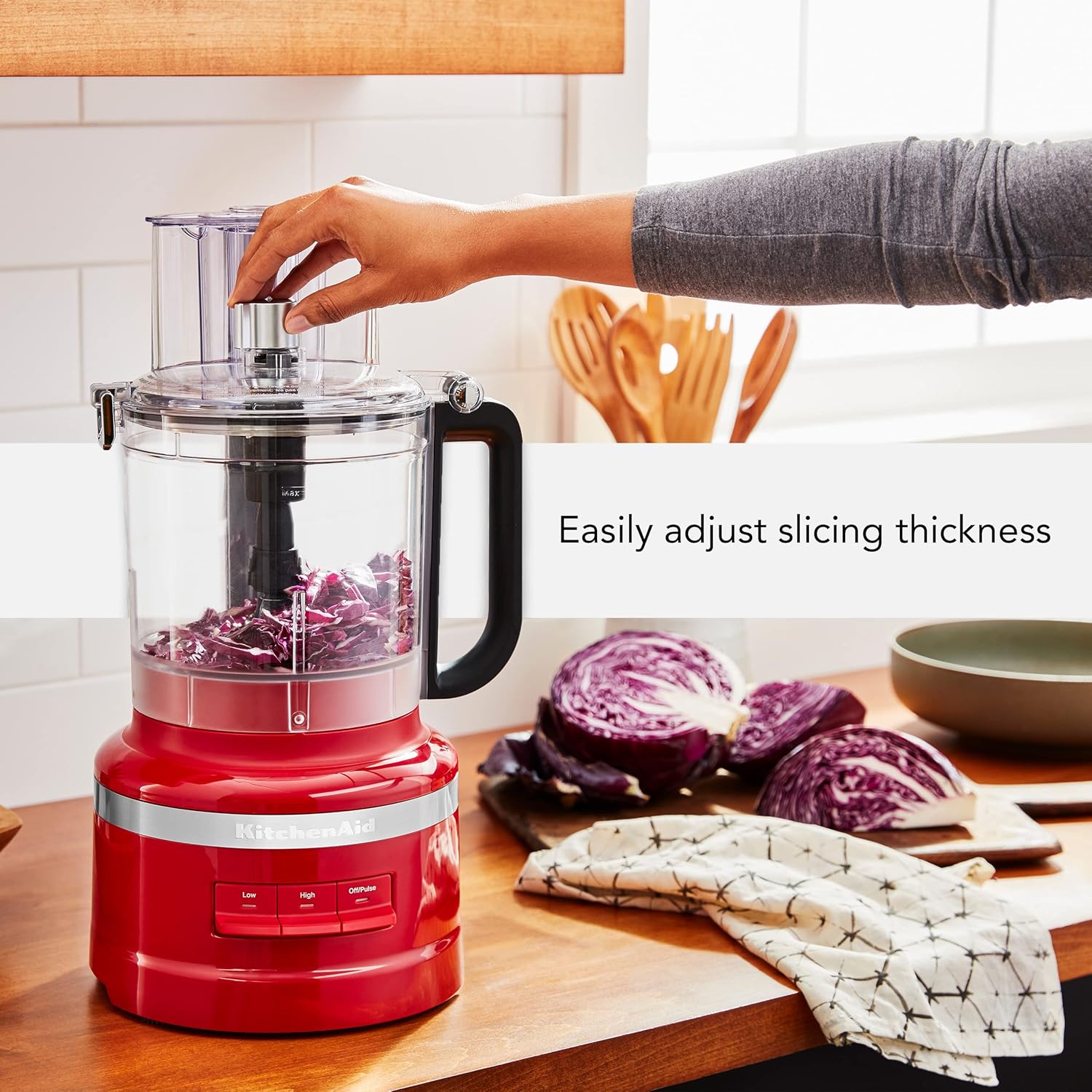
A hand adjusts the Exact Slice lever on the KitchenAid Food Processor to change slicing thickness, demonstrating its ease of use.
Using the Reversible Shredding Disc
The reversible shredding disc provides options for fine or coarse shredding. Install the disc with the desired shredding side facing up. This is ideal for preparing cheeses, carrots, or other vegetables.

The reversible shredding disc offers options for fine or coarse shredding, ideal for cheeses or vegetables.
Using the Multi-Purpose Blade and Dough Blade
The multi-purpose blade is used for chopping, mixing, and pureeing tasks, from fresh vegetables to sauces. For kneading dough, use the specialized dough blade. Always ensure the correct blade is securely in place before operating.

The multi-purpose blade is designed for chopping, mixing, and pureeing a wide range of ingredients, as shown with red cabbage.
3-in-1 Feed Tube
The 3-in-1 feed tube is designed to accommodate various ingredient shapes and sizes, minimizing the need for pre-cutting. Use the appropriate opening for your ingredients and the food pusher to guide them through.
This video demonstrates the various operating functions, including slicing, shredding, and chopping, showcasing the versatility of the food processor.
Care and Cleaning
For easy cleaning, the work bowl and blades are designed to be quickly cleaned by adding warm water and 1-2 drops of dish soap, then processing. Most components, including the work bowl, lid, and accessories, are dishwasher safe (top rack recommended). The motor base should be wiped clean with a damp cloth.
This video demonstrates the easy cleaning process of the KitchenAid Food Processor. Simply add warm water and a few drops of dish soap, then process to clean. Most components are dishwasher safe.
Storage
The KitchenAid 13-Cup Food Processor features an all-in-one storage solution. All blades and discs, along with the dough blade, can be stored directly in the in-bowl storage caddy, which then nests neatly inside the 13-cup work bowl. This compact design helps save counter and cabinet space.
This video shows how the various blades and discs can be efficiently stored within the work bowl using the dedicated caddy, promoting space-saving organization.
Troubleshooting
- Unit Does Not Turn On: Ensure the work bowl is correctly assembled onto the motor base and the lid is securely latched. The safety interlock system requires proper assembly for operation.
- Inconsistent Slicing/Shredding: Verify that the correct disc is installed and the Exact Slice lever is set to the desired thickness. Ensure ingredients are fed evenly through the feed tube.
- Motor Overheating: If the motor stops during operation, it may be due to overheating. Turn off the unit, unplug it, and allow it to cool down for at least 30 minutes before resuming use. Avoid overloading the work bowl.
Product Specifications
| Brand | KitchenAid |
| Model Name | 13-Cup Food Processor |
| Model Number | KFP1318ER |
| Color | Empire Red |
| Bowl Capacity | 13 Cups |
| Wattage | 500 watts |
| Number of Speeds | 3 (Low, High, Off/Pulse) |
| Blade Material | Stainless Steel |
| Product Dimensions | 8.75"D x 10.25"W x 17.44"H |
| Item Weight | 9.7 pounds |
| Special Feature | Cord Storage |
| Product Care Instructions | Dishwasher Safe, Hand Wash |
Warranty and Support
KitchenAid products are known for their quality and durability. For specific warranty information, please refer to the documentation included with your product or visit the official KitchenAid website. For customer support, contact KitchenAid directly through their official channels.


