
Introduction
The SOAR Shockbox LED Wireless Bluetooth Speaker is designed for portability and durability, making it ideal for outdoor activities like tailgating or camping. It features Bluetooth 5.0 technology for seamless wireless connectivity and can be paired with another Shockbox speaker for stereo sound. The speaker is built with shockproof and water-resistant materials and includes multicolor LED lights that sync with your music.
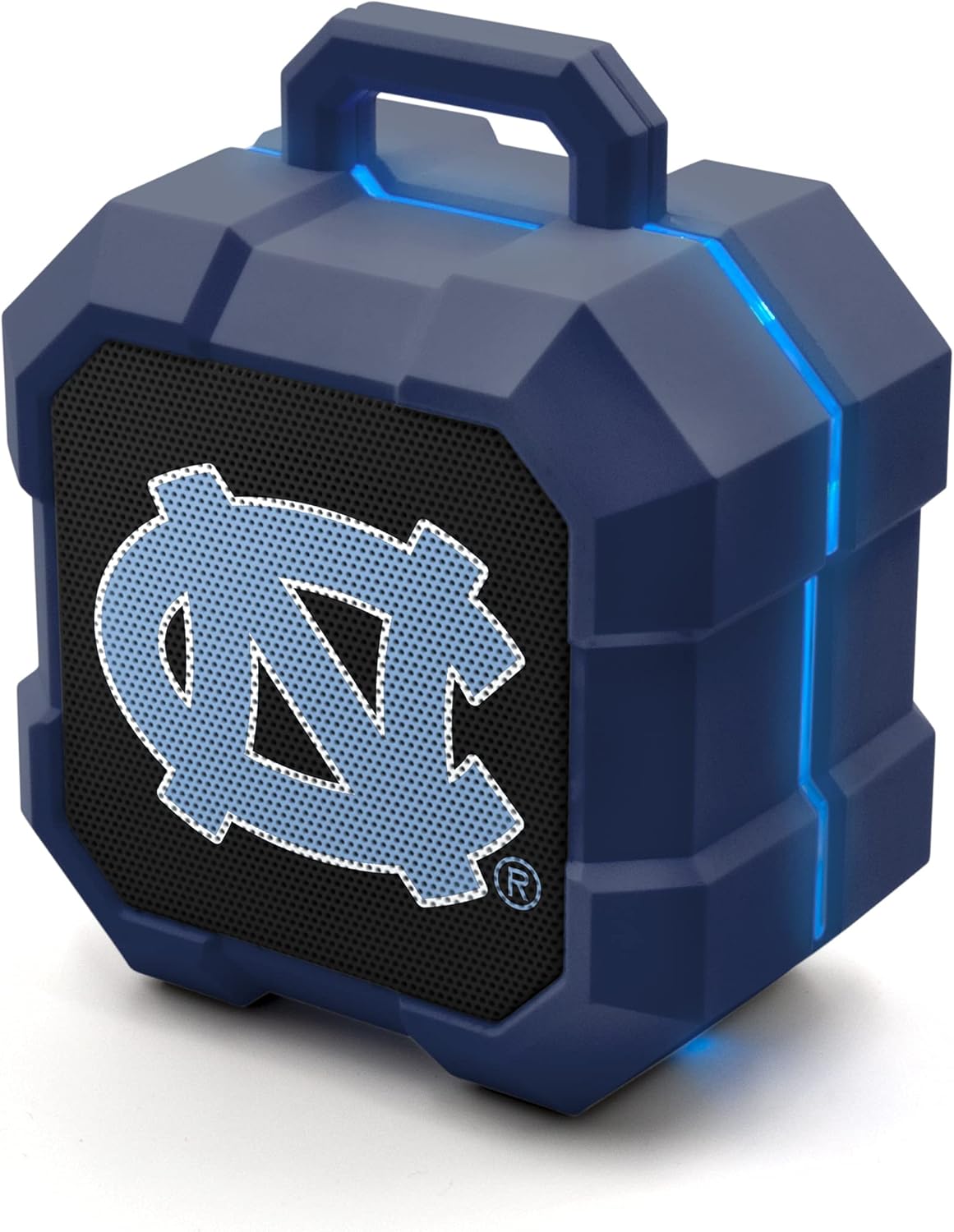
Image: Front view of the SOAR Shockbox LED Wireless Bluetooth Speaker, featuring the North Carolina Tar Heels logo and illuminated LED light strips.
Setup
Charging the Speaker
Before first use, fully charge your SOAR Shockbox speaker. A micro-USB cable is included for charging. The speaker provides over 5 hours of playtime on a full charge.
- Locate the charging port on the back of the speaker, protected by a rubber flap.
- Carefully lift the rubber flap to expose the micro-USB port.
- Insert the micro-USB cable into the speaker's port and connect the other end to a USB power source (e.g., computer, wall adapter).
- The LED indicator will show charging status.
Power On/Off
To power on or off the speaker, use the dedicated switch located under the protective rubber flap on the back of the device. Ensure the flap is securely closed after operation to maintain water resistance.
Bluetooth Pairing
The speaker utilizes Bluetooth 5.0 technology for a stable connection up to 30 feet. Follow these steps to pair your device:
- Ensure the speaker is powered on and in pairing mode (indicated by a flashing LED).
- On your mobile device, navigate to Bluetooth settings and search for available devices.
- Select "SOAR Shockbox" from the list.
- Once connected, the speaker will provide an audible confirmation.
Syncing Two Speakers for Stereo Sound
For an enhanced audio experience, two SOAR Shockbox speakers can be synced together to provide stereo sound.

Image: Two SOAR Shockbox speakers demonstrating the ability to sync for stereo sound, with a smartphone displaying a music playlist.
Operating Instructions
Audio Playback
Once paired, audio playback is controlled directly from your connected Bluetooth device. The speaker itself does not feature volume controls, so adjust the volume on your phone or tablet.
LED Light Features
The SOAR Shockbox speaker includes multicolor LED lights that illuminate and move to the beat of the music, adding a dynamic visual element to your listening experience.
Portability and Durability
Designed for active use, the speaker is lightweight and features a convenient top handle for easy carrying. Its shockproof and water-resistant construction ensures durability in various environments.

Image: A SOAR Shockbox speaker with its approximate dimensions of 4.5 inches in height and 3.6 inches in width, highlighting its compact size.

Image: An illustration emphasizing the 3W speaker driver, indicating powerful sound from a compact unit.
Official Product Video
Video: An official product video showcasing the SOAR BTX2 Officially Licensed Bluetooth Speaker, highlighting its compact size, wireless capabilities, streaming features, party lights, and 3-watt power output.
Maintenance
- Keep the charging port flap securely closed when not charging to maintain water resistance.
- Clean the speaker with a soft, damp cloth. Avoid using harsh chemicals or abrasive cleaners.
- Store the speaker in a cool, dry place when not in use.
- For optimal battery life, avoid fully discharging the battery frequently.
Troubleshooting
| Problem | Possible Cause | Solution |
|---|---|---|
| Speaker does not turn on. | Low battery or power switch off. | Charge the speaker using the micro-USB cable. Ensure the power switch under the flap is in the 'On' position. |
| Cannot pair with Bluetooth device. | Speaker not in pairing mode, device too far, or previous connection interference. | Ensure speaker is on and flashing (pairing mode). Move device closer (within 30ft). Turn off Bluetooth on other nearby devices. Forget previous pairings on your device and try again. |
| No sound or low volume. | Volume on connected device is low, or speaker is facing away. | Increase volume on your connected phone/tablet. Ensure the speaker's front (with the logo) is facing towards the listener for optimal sound projection. |
| "Device... CONNECTED!!!!" voice prompt is too loud. | This is a fixed volume alert. | There is no direct way to mute or lower the volume of this specific voice prompt on the speaker itself. Be aware of this when powering on in quiet environments. |
Specifications
- Model: NCAA-BTX2-TXT
- Bluetooth Version: 5.0
- Wireless Range: Up to 30 feet
- Playtime: Over 5 hours per charge
- Power Output: 3W
- Dimensions: Approximately 4.5 inches (Height) x 3.6 inches (Width)
- Features: Shockproof, Water-resistant, Multicolor LED lights (sync to music), Convenient top handle, Stereo sound pairing (with another Shockbox speaker)
- Charging: Micro-USB (cable included)
- Manufacturer: Prime Brands Group Inc.
