1. Introduction
The Microlife BP B1 Classic is an automatic blood pressure monitor designed for accurate and comfortable home blood pressure measurement. This device incorporates advanced technologies to ensure reliable readings and provide essential health insights. Please read this manual thoroughly before using the device to ensure correct operation and to understand all safety precautions.
2. Safety Information
Important Warnings:
- The product packaging may contain information different from what is shown on our website. Always read the label, warnings, and instructions provided on the product before use or consumption.
- Consult your doctor before using this device if you have any medical conditions or are taking medication.
- Do not use this device on infants, children, or individuals unable to express consent.
- Avoid taking measurements in a moving vehicle or during strenuous activity.
- Do not attempt to repair or modify the device yourself. Contact authorized service personnel for any issues.
3. Product Overview
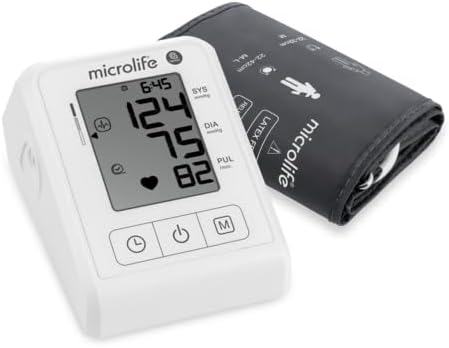
The Microlife BP B1 Classic blood pressure monitor is designed for ease of use and accuracy. Below are the main components and key features of the device.
3.1 Components Included
- Microlife BP B1 Classic Blood Pressure Monitor Unit
- Universal M-L Arm Cuff (22-42 cm)
- 4 x AAA Batteries
- Instruction Manual
3.2 Key Features
- Clinically Accurate: Tested and validated according to BIHS standards, ensuring reliable and medical-grade readings.
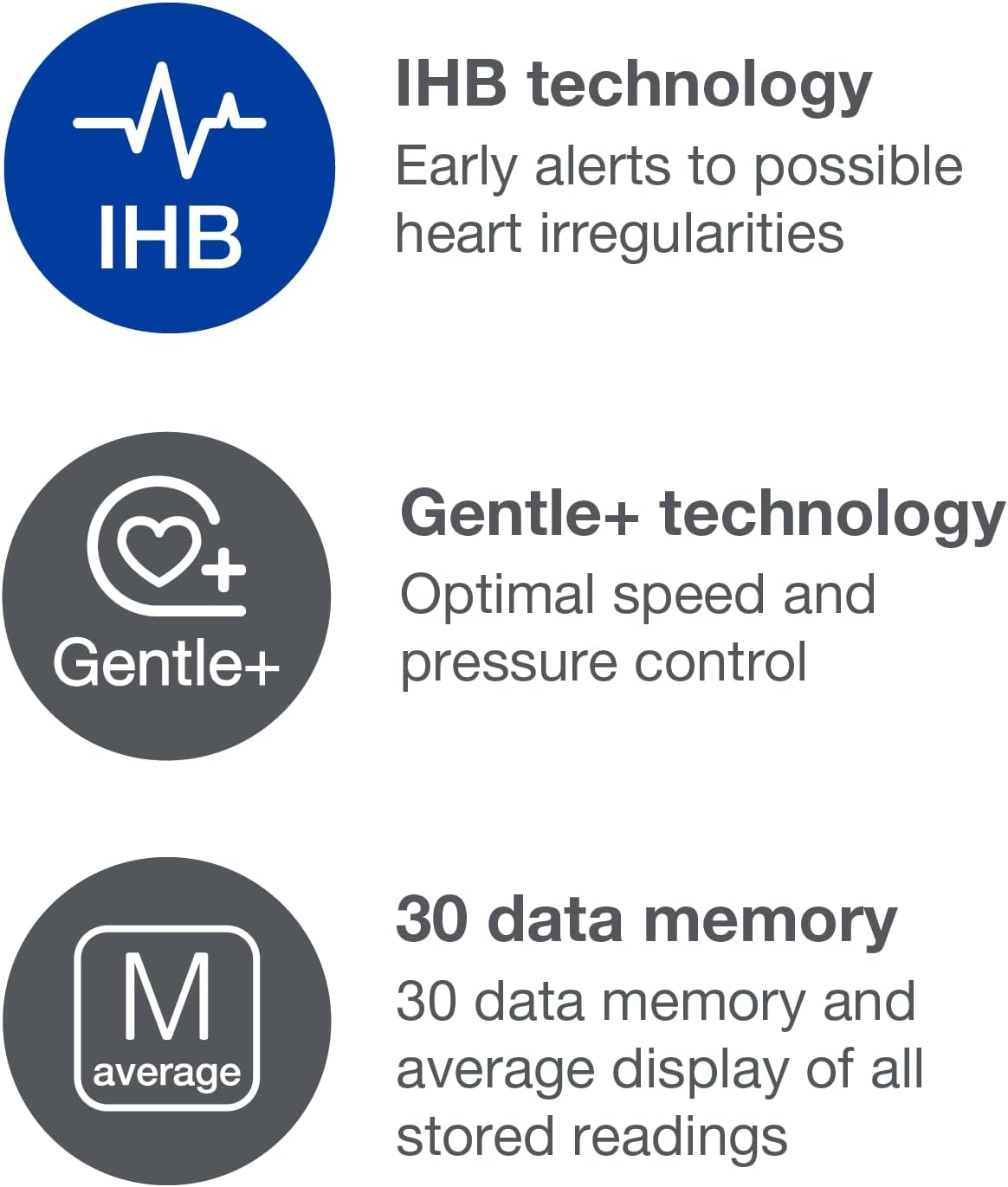
- Irregular Heartbeat Detection (PAD Technology): Alerts users to potential irregular heart rhythms during measurements, providing early indication of possible health concerns.
- Gentle+ Technology: Adjusts inflation speed and pressure for a more comfortable and precise measurement experience.
- Intuitive Memory Function: Stores 30 readings and displays the average for easy monitoring over time.
- Wide Cuff Fit: The adjustable cuff accommodates most arm sizes (22-42 cm) for greater flexibility.
3.3 Device Views


4. Setup
4.1 Battery Installation
- Open the battery compartment cover on the back of the device.
- Insert four (4) AAA batteries, ensuring correct polarity (+/-).
- Close the battery compartment cover securely.
4.2 Cuff Placement
- Ensure the cuff tube is securely connected to the monitor.
- Slide the cuff onto your bare upper arm, 1-2 cm above the elbow joint. The artery mark on the cuff should align with your brachial artery.
- Tighten the cuff so it is snug but not uncomfortably tight. You should be able to insert two fingers between the cuff and your arm.
- Rest your arm on a table so the cuff is at heart level.
5. Operating Instructions
5.1 Taking a Measurement
- Sit comfortably with your back supported and feet flat on the floor. Avoid talking or moving during the measurement.
- Press the START/STOP button to turn on the device. The cuff will automatically inflate using Gentle+ technology, adjusting to your individual blood pressure level for optimal comfort.
- Once the measurement is complete, the systolic pressure, diastolic pressure, and pulse rate will be displayed on the screen.
- If an irregular heartbeat is detected, the PAD symbol will appear on the display.
- The measurement will be automatically stored in the device's memory.
- Press the START/STOP button again to turn off the device, or it will automatically shut off after approximately 1 minute of inactivity.

5.2 Irregular Heartbeat (PAD) Detection
The Microlife BP B1 Classic features PAD (Pulse Arrhythmia Detection) technology. If an irregular heartbeat is detected during the measurement, the PAD symbol (♥) will flash on the display. If this symbol appears frequently, it is recommended to consult a doctor for further evaluation.
5.3 Memory Function
The device automatically stores the last 30 measurement values. To view stored readings:
- With the device off, press the 'M' (Memory) button. The average of all stored readings will be displayed first.
- Press the 'M' button repeatedly to scroll through individual past measurements, from most recent to oldest.
6. Maintenance and Care
- Clean the device and cuff with a soft, dry cloth. Do not use abrasive cleaners or immerse the device in water.
- Store the device in a cool, dry place, away from direct sunlight and extreme temperatures.
- Remove batteries if the device will not be used for an extended period.
7. Troubleshooting
| Problem | Possible Cause | Solution |
|---|---|---|
| No display when powered on | Batteries are dead or incorrectly inserted. | Check battery polarity or replace with new AAA batteries. |
| Error message (e.g., 'Err') | Cuff is not correctly placed or movement during measurement. | Re-apply the cuff correctly and remain still during measurement. |
| Inconsistent readings | Improper measurement technique or external factors. | Ensure proper posture, rest for 5 minutes before measuring, and avoid caffeine/smoking. |
8. Specifications
- Product Dimensions: 17 x 10 x 10 cm
- Item Weight: 251 Grams
- Power Source: Battery (4 AAA batteries included)
- Display Type: Digital
- Cuff Size: Universal M-L (22-42 cm)
- Age Range Description: Adult
- Model Number: BPM B1 CLASSIC
9. Warranty and Support
The Microlife BP B1 Classic Blood Pressure Monitor comes with a 5-year guarantee, ensuring long-term reliability and peace of mind. For technical support, warranty claims, or any questions regarding your device, please refer to the contact information provided in the product packaging or visit the official Microlife website.