1. Introduction
This manual provides detailed instructions for the assembly, safe operation, and proper maintenance of your Teamson Home Mercer Freestanding Cabinet. Please read all instructions carefully before beginning assembly and retain this manual for future reference.

Image 1.1: Front-angle view of the assembled Teamson Home Mercer Freestanding Cabinet. This cabinet features a single drawer at the top and double doors below, all in a grey finish with brass-toned hardware.
2. Important Safety Information
To ensure safe use and prevent damage, please adhere to the following guidelines:
- Always assemble according to the provided instructions.
- Do not overload the cabinet, as it may tip over.
- Be cautious of moving parts, such as doors and drawers, to prevent injury.
- Keep the cabinet away from water sources to prevent damage and maintain safety.
- Ensure the cabinet is placed on a stable, level surface.
3. Package Contents
Before assembly, verify that all components are present and undamaged. The package should contain:
- 1 x Mercer Freestanding Cabinet (unassembled components)
- Assembly Hardware Kit (screws, dowels, cam locks, etc.)
- Detailed Assembly Instructions (separate document)
If any parts are missing or damaged, please contact Teamson Home customer support before proceeding with assembly.
4. Setup and Assembly
Assembly of the Mercer Freestanding Cabinet requires careful attention to the included step-by-step instructions provided in your product packaging. The following is a general overview of the assembly process:
- Prepare the Area: Clear a spacious, clean, and level work area. Lay out all components and hardware.
- Assemble the Frame: Connect the side panels to the base and top panels using the provided hardware. Ensure all connections are secure.
- Install Back Panel: Attach the back panel to stabilize the cabinet structure.
- Assemble and Install Drawer: Follow the specific instructions for assembling the drawer box and installing the drawer slides. Insert the assembled drawer into its designated slot.
- Attach Doors: Mount the double doors to the cabinet frame using the hinges. Adjust as necessary for proper alignment.
- Install Shelf: Place the adjustable shelf supports at the desired height and insert the shelf.
- Attach Hardware: Securely attach the drawer pull and door handles.
- Final Check: Ensure all screws are tightened and the cabinet is stable.

Image 4.1: Detailed dimensions of the Mercer Freestanding Cabinet, showing overall height, width, depth, and internal measurements for the drawer and lower cabinet section.

Image 4.2: Interior view of the lower cabinet section, highlighting the adjustable shelf and shelf pin holes for customizable storage.
5. Operating Instructions
The Mercer Freestanding Cabinet is designed for straightforward use.
- Drawer Operation: Gently pull the brass-toned handle to open the top drawer. Push to close. Avoid forcing the drawer, especially if it feels stiff.
- Door Operation: Use the brass-toned handles to open and close the double doors. Ensure doors are fully closed to protect contents and maintain appearance.
- Adjusting Shelf: To adjust the internal shelf, remove all items from the shelf. Carefully lift the shelf and reposition the shelf pins to the desired height. Ensure all four pins are securely in place before replacing the shelf.
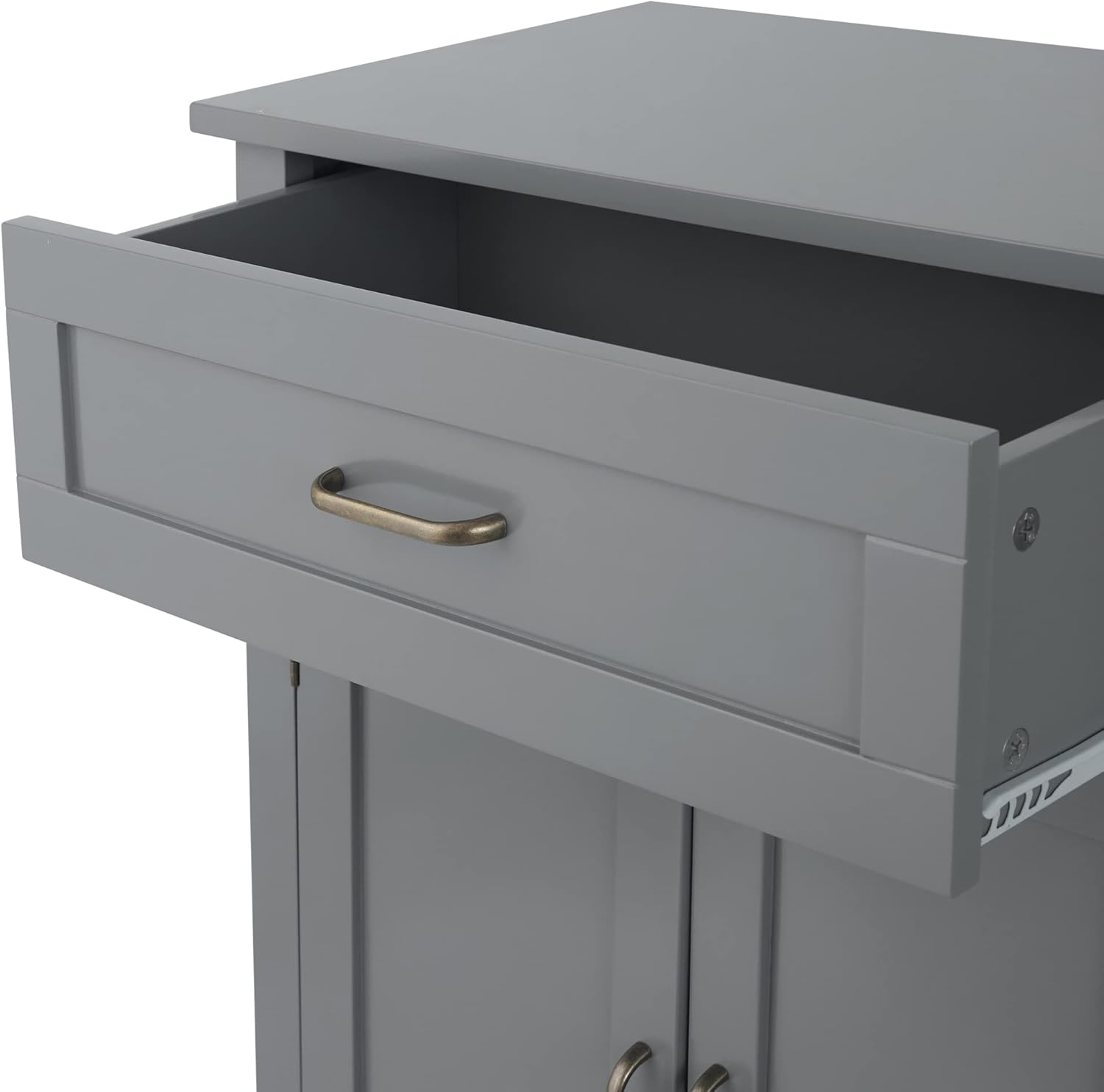
Image 5.1: The top drawer of the cabinet shown in an open position, revealing its storage capacity.
6. Maintenance
Proper care will extend the life and appearance of your cabinet:
- Cleaning: Wipe the cabinet surfaces with a dry, soft cloth. Avoid abrasive cleaners or harsh chemicals, which can damage the finish.
- Spills: Immediately wipe up any spills with a dry cloth to prevent water damage or staining.
- Hardware: Periodically check all screws and fasteners to ensure they are tight. Retighten if necessary.
- Environment: Avoid placing the cabinet in direct sunlight or near heat sources, which can cause fading or warping.
7. Troubleshooting
If you encounter any issues with your cabinet, refer to the following common solutions:
| Problem | Possible Cause | Solution |
|---|---|---|
| Cabinet is wobbly or unstable. | Uneven floor; loose fasteners. | Ensure cabinet is on a level surface. Check and tighten all assembly screws. |
| Drawer does not slide smoothly. | Drawer slides misaligned; obstruction. | Verify drawer slides are correctly installed and aligned. Check for any objects obstructing the drawer path. |
| Doors do not close properly or are misaligned. | Hinges improperly adjusted or installed. | Refer to the assembly instructions for hinge adjustment. Ensure hinges are securely fastened. |
If the issue persists, please contact Teamson Home customer support for further assistance.
8. Specifications
- Brand:
- Teamson Home
- Model Name:
- Mercer
- Item Model Number:
- EHF-F0018
- Color:
- Grey
- Product Dimensions (D x W x H):
- 12.99" x 25.96" x 33.46" (33cm x 66cm x 85cm)
- Material:
- Wood
- Item Weight:
- 35 Pounds
- Mounting Type:
- Floor Mount (Freestanding)
- Number of Shelves:
- 1 (adjustable)
- Assembly Required:
- Yes
- Care Instructions:
- Wipe with Dry Cloth
- UPC:
- 810014817491
9. Warranty and Support
Warranty: This product comes with a 30-day warranty against manufacturer defects. This warranty covers defects in materials and workmanship under normal use.
Customer Support: For any questions, missing parts, or warranty claims, please contact Teamson Home customer support. Refer to the contact information provided in your product packaging or visit the official Teamson Home website for assistance.
Please have your model number (EHF-F0018) and purchase date ready when contacting support.


