
Introduction
This manual provides essential instructions for the JustFine replacement remote control. This remote is designed to be compatible with a range of Pioneer AV Receiver models, offering a direct replacement solution without the need for complex programming. Please read this manual thoroughly to ensure proper setup and operation.
Setup: Battery Installation
The remote control requires two AAA batteries (not included) for operation. Follow these steps to install the batteries:
- Locate the battery compartment on the back of the remote control.
- Slide the battery compartment cover downwards or press the latch and lift to open.
- Insert two AAA batteries, ensuring the positive (+) and negative (-) terminals align correctly with the markings inside the compartment.
- Replace the battery compartment cover by sliding it back into place until it clicks securely.
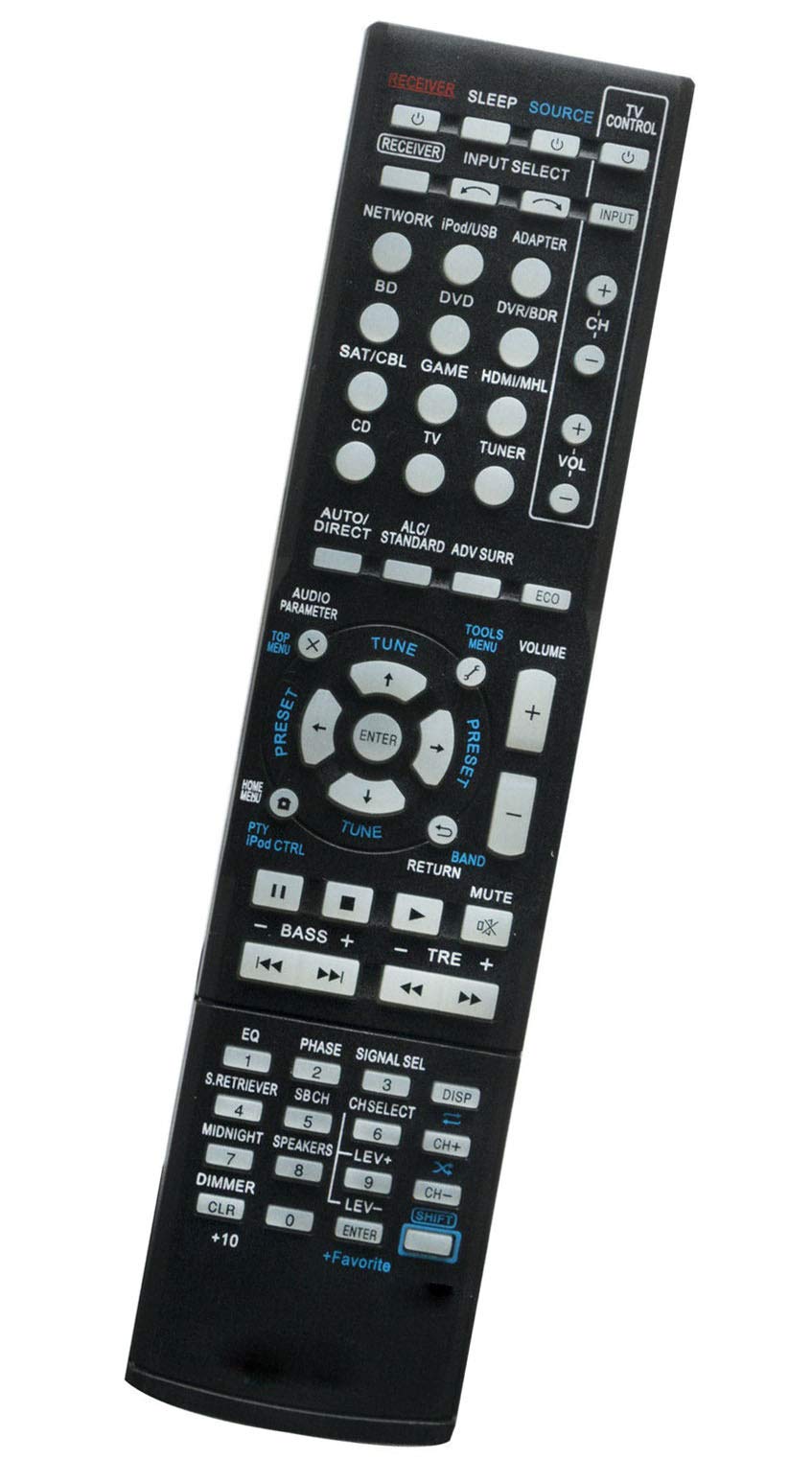
Image: Back of the remote control with the battery cover removed, illustrating the correct orientation for AAA battery insertion.
Note: Always use fresh batteries and replace both batteries at the same time. Do not mix old and new batteries or different types of batteries.
Operating Instructions
This JustFine replacement remote control is pre-programmed and does not require any additional setup or programming. Once batteries are installed, it is ready for immediate use with your compatible Pioneer AV Receiver.
- Point and Use: Aim the remote control directly at your Pioneer AV Receiver.
- Line of Sight: Ensure there are no obstructions between the remote control and the AV Receiver's infrared sensor.
- Functionality: All standard functions of your original Pioneer AV Receiver remote should be accessible through this replacement unit.
Maintenance
- Cleaning: To clean the remote control, use a soft, dry cloth. Do not use liquid cleaners or abrasive materials, as these may damage the surface or internal components.
- Battery Replacement: If the remote control's range decreases or buttons become unresponsive, replace the batteries. Refer to the "Setup: Battery Installation" section for instructions.
- Storage: If the remote control will not be used for an extended period, remove the batteries to prevent leakage and potential damage.
Troubleshooting
- Remote Not Responding:
- Check if the batteries are inserted correctly with the correct polarity (+/-).
- Replace the batteries with new ones.
- Ensure there is a clear line of sight between the remote and the AV Receiver.
- Verify that the AV Receiver is powered on.
- Limited Range:
- Replace the batteries.
- Ensure no strong light sources (like direct sunlight or fluorescent lights) are interfering with the infrared signal.
If you continue to experience issues after following these troubleshooting steps, please contact customer support.
Specifications
| Brand | JustFine |
| Model Number (Remote) | fb4299b1-fe52-4c89-bc9b-7eb391e8e7a9 |
| Compatible Devices | Pioneer AV Receivers (VSX823, VSX-828, VSX324, VSX-8231, VSX430, VSX-324KP, VSX522, VSX-519V, VSX820K, VSX-530, VSX821K, VSX-920-K) |
| Connectivity Technology | Infrared |
| Battery Type | 2 x AAA (not included) |
| Maximum Range | 10 Meters |
| Item Weight | 75 Grams |
| UPC | 783746845059 |
Warranty and Support
This product is sold with a money-back guarantee and hassle-free return policy, including 30 days of quality assurance. For any problems or inquiries, please contact us via email. Our customer support team is available to assist you with any questions or issues you may encounter.