1. Introduction
This manual provides detailed instructions for the installation, operation, and maintenance of your RED WOLF Front View Camera. This camera is designed to enhance visibility, particularly during off-road driving, by providing a clear forward-facing view of obstacles.
Key Features:
- Wide 150° viewing angle to eliminate blind spots.
- IP68 waterproof rating for reliable performance in various weather conditions.
- CMOS digital fill light image sensor for clear image quality.
- Compatibility with stock 8.4-inch U-Connect systems and Stinger Heigh10 via included adapters or RCA video cable.
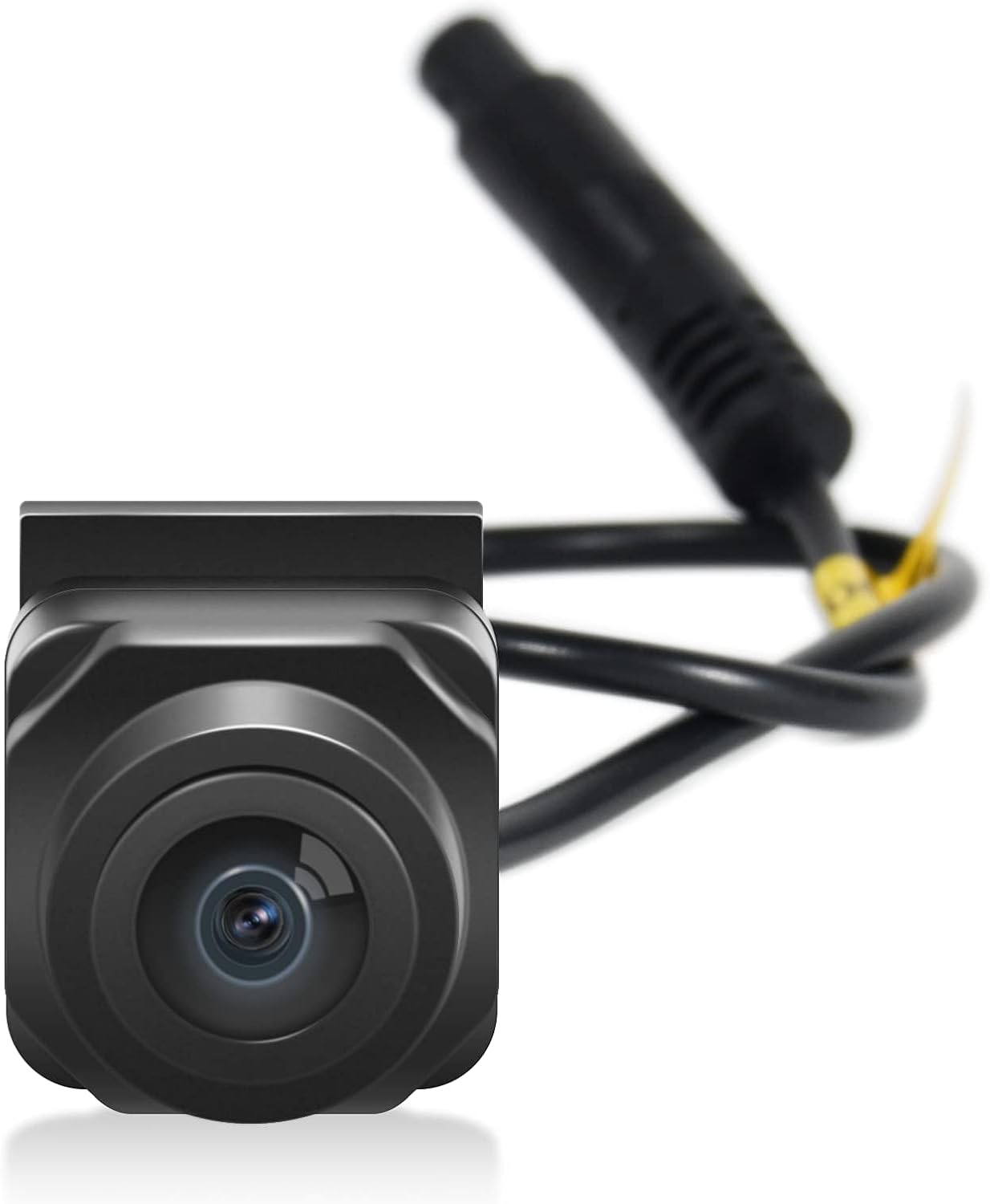
Image 1.1: The RED WOLF Front View Camera unit with its connecting cable.
2. Compatibility
The RED WOLF Front View Camera is compatible with the following vehicle models:
- 2018-2021 Jeep Wrangler JL/JLR/JLU/JT/Rubicon
- 2018-2022 Jeep Gladiator JT
It is designed for integration with the stock 8.4-inch U-Connect system (requires activation of "cargo camera" input) and can also connect to aftermarket units like the Stinger Heigh10 via RCA video cable.

Image 2.1: A Jeep Wrangler crossing a body of water, demonstrating the vehicle types compatible with the camera system.
3. Package Contents
Please verify that all items listed below are included in your package:
- Front View Camera
- RCA Plug
- Power Outlet 12 Volt Power Adapter
- Installation Instruction Manual
- Extension Cable
- Mounting Bracket
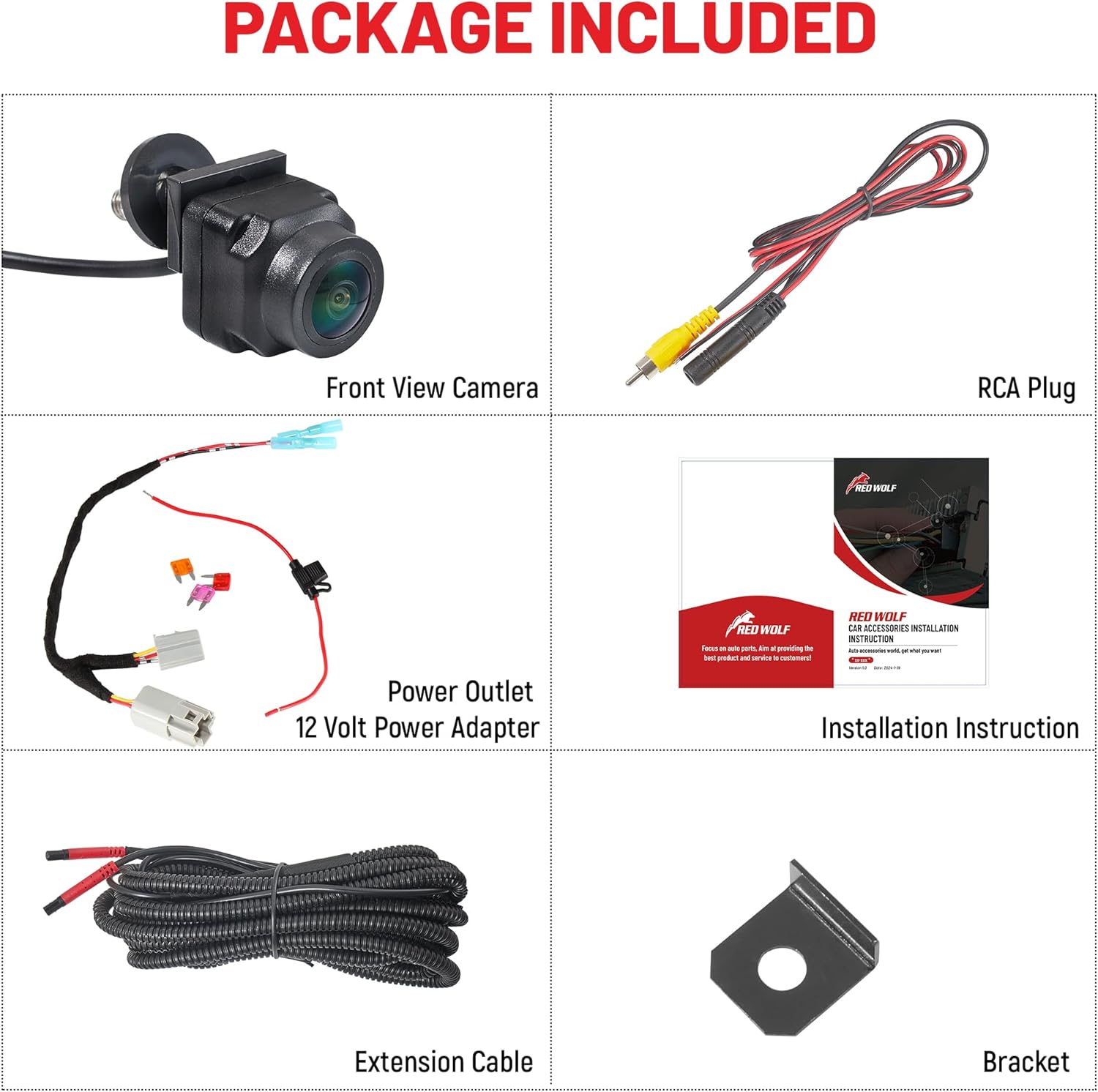
Image 3.1: All components included in the RED WOLF Front View Camera package, laid out for inspection.
4. Setup and Installation
The installation process is designed to be straightforward. Refer to the included detailed installation instruction manual for specific steps and diagrams.
4.1. Camera Placement
The camera is typically housed in the middle slot of the vehicle's front grille. For Jeep Gladiator models, this is often exclusive to the Rubicon trim.
4.2. Wiring
Connect the camera to your vehicle's electrical system using the provided power adapter and extension cable. Ensure all connections are secure and properly insulated.
4.3. System Activation
For vehicles with the stock 8.4-inch U-Connect system, activation of the "cargo camera" input is required. This can often be done by pressing a button on the U-connect Off-road pages. Alternatively, third-party tools such as Tazer or JSCAN can be used to activate the cargo camera feature.

Image 4.1: A Jeep Gladiator with the front view camera visibly installed in the grille, demonstrating typical placement.
5. Operating Instructions
Once installed and activated, the front view camera provides a live feed to your vehicle's display, assisting with navigation and obstacle avoidance.
5.1. Activating the Camera View
Access the camera feed through your vehicle's infotainment system. If using the U-Connect system, navigate to the Off-road pages and select the option to view the cargo camera or front-facing camera. For aftermarket systems, select the appropriate video input.
5.2. Utilizing the View
The camera provides a wide-angle view of the area directly in front of your vehicle. This is particularly useful for identifying potential obstacles such as rocks, logs, or sudden drop-offs when off-roading. The display may also feature dynamic guidelines to assist with navigation.

Image 5.1: A visual representation of the forward view camera's perspective, showing how it helps identify obstacles like rocks on an off-road trail.

Image 5.2: A clear display of the camera's output on a vehicle's screen, showing dynamic guidelines for navigation.
6. Maintenance
The RED WOLF Front View Camera is designed for durability and minimal maintenance, featuring an IP68 waterproof rating.
- Cleaning: Periodically clean the camera lens with a soft, damp cloth to ensure a clear view. Avoid abrasive cleaners that could scratch the lens.
- Inspection: Regularly check the camera and its wiring for any signs of damage or loose connections, especially after off-road excursions.

Image 6.1: A visual representation highlighting the IP68 waterproof capability of the camera, showing it functioning in wet conditions.
7. Troubleshooting
If you encounter issues with your RED WOLF Front View Camera, refer to the following common problems and solutions:
| Problem | Possible Cause | Solution |
|---|---|---|
| No image or black screen on display. | Loose or incorrect wiring connection. Camera not activated in vehicle system. Power supply issue. | Check all wiring connections for security and proper installation. Ensure the "cargo camera" input is activated in your U-Connect system or that the correct video input is selected on aftermarket units. Verify power supply to the camera. |
| Poor image quality (blurry, distorted, low resolution). | Dirty lens. Damaged cable or sensor. Incompatible display resolution. | Clean the camera lens with a soft, damp cloth. Inspect the cable for any damage. While the camera provides 576p resolution, ensure your display is capable of rendering it clearly. |
| Camera not recognized by third-party activation tools (e.g., Tazer, JSCAN). | Incorrect tool usage. Vehicle system not properly configured. | Consult the specific instructions for your third-party activation tool. Ensure your vehicle's firmware is up to date if applicable. |
8. Specifications
| Feature | Specification |
|---|---|
| Model Number | CT-QS1001 |
| Manufacturer | RED WOLF |
| Item Weight | 8.1 ounces |
| Package Dimensions | 6.57 x 4.37 x 2.13 inches |
| Country of Origin | China |
| Voltage | 12 Volts |
| Compatible Screen Size (U-Connect) | 8.4 Inches |
| Lux Rating | 0.1 |
| Compatible Devices | 2018-2021 Jeep Wrangler JL/JLR/JLU/JT/Rubicon, 2018-2022 Gladiator JT |
| Installation Type | Facing, Surface Mount |
| Video Capture Resolution | 576p |
| Optical Sensor Technology | CMOS |
| Effective Still Resolution | 720 x 480 Pixels |
| Lens Type | Wide Angle (150°) |
| Waterproof Rating | IP68 |

Image 8.1: Diagram illustrating the advanced lens technology and components of the camera.
9. Warranty and Support
For warranty information and technical support, please contact RED WOLF directly through their official channels. Keep your purchase receipt as proof of purchase.


