
BONECO F225
BONECO F225 Pedestal Fan Air Circulator
User Manual
1. Introduction
Thank you for choosing the BONECO F225 Pedestal Fan Air Circulator. This device is engineered to provide powerful and efficient air circulation, enhancing comfort in your living or working space. With its innovative design, adjustable features, and smart control options, the BONECO F225 offers a superior air experience.
Key features include a 270° manually rotatable airflow, 32 adjustable speed levels, and convenient control via the BONECO App. The integrated display provides clear operational feedback. This manual will guide you through the setup, operation, maintenance, and troubleshooting of your new air circulator.

Image 1.1: The BONECO F225 Pedestal Fan Air Circulator, showcasing its sleek design and adjustable head.
2. Safety Instructions
Please read all safety instructions carefully before operating the BONECO F225. Failure to follow these instructions may result in electric shock, fire, or serious injury.
- Always ensure the fan is placed on a stable, level surface to prevent tipping.
- Do not insert fingers or any objects into the fan grille when the fan is operating.
- Unplug the fan from the power outlet before cleaning, performing maintenance, or when not in use.
- Keep the power cord away from heated surfaces and do not place it under carpets or in high-traffic areas.
- This appliance is not intended for use by persons (including children) with reduced physical, sensory or mental capabilities, or lack of experience and knowledge, unless they have been given supervision or instruction concerning use of the appliance by a person responsible for their safety.
- Do not operate the fan with a damaged cord or plug. If the cord or plug is damaged, it must be replaced by the manufacturer, its service agent, or similarly qualified persons to avoid a hazard.
- Do not use the fan in wet or damp locations, such as bathrooms or laundry areas.
- Ensure proper ventilation around the fan to prevent overheating.
3. Package Contents
Carefully unpack your BONECO F225 and check that all components are present and in good condition. The package should contain the following items:
- BONECO F225 Fan Head Unit
- Pedestal Pole (adjustable height sections)
- Base Unit with integrated power cord
- User Manual (this document)
If any items are missing or damaged, please contact BONECO customer support immediately.
4. Setup
Follow these steps to assemble and prepare your BONECO F225 for first use:
- Assemble the Pedestal Pole: Connect the sections of the pedestal pole firmly. Ensure they click into place if applicable.
- Attach Pole to Base: Insert the assembled pedestal pole into the designated slot on the base unit. Ensure it is securely seated.
- Attach Fan Head: Mount the fan head unit onto the top of the pedestal pole. Align the connectors and push down until it locks into position.
- Positioning: Place the assembled fan on a flat, stable surface. Ensure there is adequate space around the fan for optimal air circulation.
- Power Connection: Plug the power cord into a suitable electrical outlet.

Image 4.1: Illustration of the pole and base connection during assembly.

Image 4.2: The BONECO F225 can be adjusted in height by adding or removing pole sections.
5. Operating Instructions
The BONECO F225 offers intuitive controls for a customized air circulation experience.
5.1 Power On/Off and Speed Control
The fan is controlled via a rotational knob located on the base. Rotate the knob to turn the fan on and adjust through its 32 speed levels. The built-in display on the base will show the current operating level.
5.2 Airflow Direction Adjustment
The fan head can be manually rotated up to 270° to direct airflow precisely where needed. This allows for both direct cooling and indirect air circulation, such as pointing towards the ceiling for an 'air shower' effect.

Image 5.1: Overview of BONECO F225 features, including the 270° rotatable head.
5.3 Smart Functions (BONECO App Control)
For enhanced control, download the BONECO App and connect your F225 via Bluetooth. The app allows you to:
- Turn the fan on/off remotely.
- Adjust speed levels.
- Set timer functions.
- Adjust the display dim levels.

Image 5.2: Controlling the BONECO F225 using the dedicated BONECO smartphone application.
5.4 Placement for Optimal Air Circulation
The BONECO F225 is designed to circulate air effectively throughout a room. Consider these placement tips:
- Air Shower Effect: Point the fan towards the ceiling to create an indirect air current that gently circulates air throughout the room, reducing hot spots.
- Direct Cooling: For immediate relief, direct the airflow towards yourself.
- Multi-floor Circulation: Position the fan near stairwells to help move air between different levels of your home.
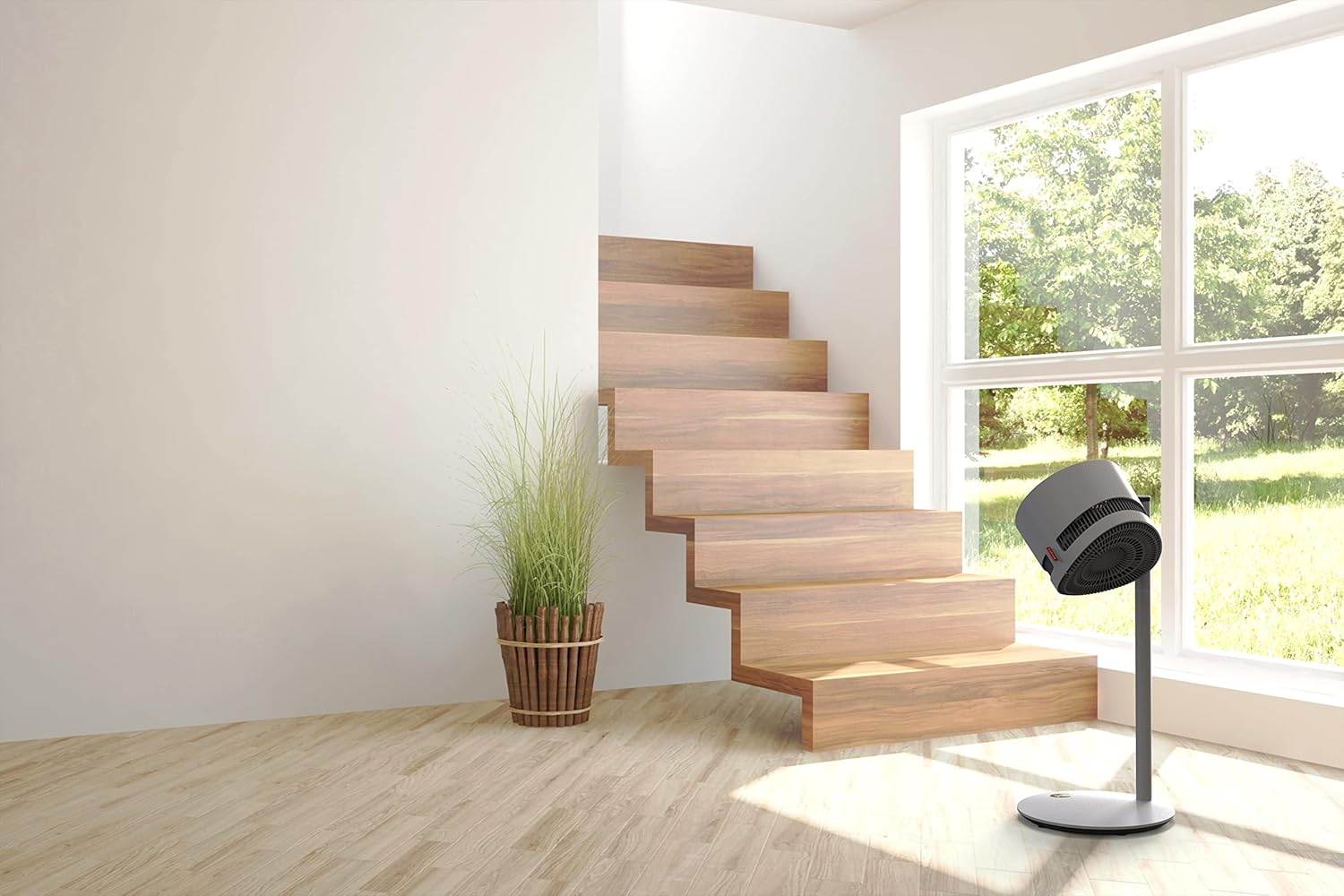
Image 5.3: The BONECO F225 positioned in a living space, illustrating its discreet presence.

Image 5.4: Another view of the BONECO F225 in a living room, highlighting its ability to blend with home decor.
6. Maintenance
Regular cleaning and maintenance will ensure the longevity and optimal performance of your BONECO F225.
6.1 Cleaning the Fan
The BONECO F225 is designed for easy cleaning. Always unplug the fan before cleaning.
- Exterior: Wipe the exterior surfaces of the fan, pole, and base with a soft, damp cloth. Do not use abrasive cleaners or solvents.
- Fan Grille and Blades: The front grille can be removed for thorough cleaning of the fan blades. Refer to the diagram in Image 5.1 for guidance on accessing the fan interior. Use a soft brush or vacuum cleaner to remove dust and debris from the blades and grilles. Ensure all parts are dry before reassembling and operating the fan.
6.2 Storage
When storing the fan for extended periods, ensure it is clean and dry. Disassemble the pole sections if desired for more compact storage. Store in a cool, dry place, away from direct sunlight and extreme temperatures.
7. Troubleshooting
If you experience issues with your BONECO F225, please consult the following table before contacting customer support.
| Problem | Possible Cause | Solution |
|---|---|---|
| Fan does not turn on. | No power supply. Power knob not turned sufficiently. | Ensure the power cord is securely plugged into a working outlet. Rotate the power knob clockwise until the display illuminates and the fan starts. |
| Weak airflow. | Fan speed set too low. Grille or blades are dirty. | Increase the fan speed using the rotational knob or BONECO App. Clean the fan grille and blades as described in the Maintenance section. |
| Unusual noise or rattling. | Fan not assembled correctly. Debris caught in fan blades. Fan placed on an uneven surface. | Check all assembly points to ensure they are secure. Unplug the fan and carefully inspect for any foreign objects. Clean if necessary. Move the fan to a flat, stable surface. |
| Cannot connect to BONECO App. | Bluetooth is off on your device. Fan is out of Bluetooth range. App needs to be restarted. | Ensure Bluetooth is enabled on your smartphone or tablet. Move your device closer to the fan. Close and reopen the BONECO App. |
8. Specifications
| Brand | BONECO |
| Model Number | F225 |
| Colour | Grey |
| Product Dimensions | 37 x 37 x 85 cm |
| Item Weight | 6 kg |
| Power / Wattage | 22 watts |
| Voltage | 24 Volts |
| Noise Level | 64 dB |
| Special Features | 270° manually rotatable airflow, Bluetooth App Control, 32 Speed Levels |

Image 8.1: Detailed dimensions of the BONECO F225.
9. Warranty and Support
BONECO products are manufactured to the highest quality standards. For information regarding warranty coverage, please refer to the warranty card included with your product or visit the official BONECO website.
If you require further assistance, have questions not covered in this manual, or need to report a defect, please contact BONECO customer support. Contact details can typically be found on the BONECO website or on your product packaging.
Online Resources: For the latest information, FAQs, and support, please visit the official BONECO website: www.boneco.com
Related documentsF225


Ask a question about this manual
Ask about setup, troubleshooting, compatibility, parts, safety, or missing instructions. Manuals+ will review the question and use this page’s manual context to help answer it.