
4DRC V8
Contents
4DRC Mini Drone (Model V8) Instruction Manual
Your Guide to Safe and Enjoyable Flight
1. Introduction
Thank you for choosing the 4DRC Mini Drone (Model V8). This compact and feature-rich drone is designed for both beginners and experienced pilots, offering an exciting flight experience with its 720P HD camera, FPV capabilities, and various intelligent flight modes. Please read this manual thoroughly before operating the drone to ensure proper use, safety, and optimal performance.
2. Safety Information
Always prioritize safety during operation. Failure to follow these guidelines may result in injury or damage to the drone.
- Age Restriction: This product is recommended for users aged 14 years and above.
- Pre-Flight Check: Before each flight, ensure all parts are securely attached, propellers are undamaged, and batteries are fully charged.
- Environment: Fly in open, clear areas, away from people, animals, buildings, and obstacles. Avoid flying in strong winds or adverse weather conditions.
- Line of Sight: Always maintain visual line of sight with the drone during flight.
- Battery Safety: Use only approved charging cables and batteries. Do not overcharge or short-circuit batteries. Discontinue use if batteries show signs of damage or swelling.
- Low Battery Warning: The drone is equipped with a low battery warning system. Land the drone immediately when this warning is activated to prevent uncontrolled descent.
- Emergency Stop: The emergency stop function can halt the drone's operation in critical situations. Use this feature cautiously as it may cause the drone to drop suddenly.
- Propeller Guards: The upgraded propeller guards are designed to enhance safety. Ensure they are properly installed before flight.
- Choking Hazard: Small parts. Not for children under 3 years.
3. Package Contents
Verify that all items are present in your package:
- 4DRC Mini Drone (Model V8)
- Remote Controller
- Rechargeable Batteries (2 included)
- USB Charging Cable
- Spare Propellers (quantity may vary)
- User Manual
- Storage Case (if included with your specific package)

Image: Complete package contents of the 4DRC Mini Drone, showing the drone, remote controller, two rechargeable batteries, and a compact storage case.
4. Product Overview
The 4DRC Mini Drone V8 is engineered with several features to enhance your flying experience:
- 720P HD Camera & FPV Function: Capture high-quality videos and clear aerial photos. Experience real-time video transmission to your smartphone via Wi-Fi for an immersive First Person View (FPV).

Image: The 4DRC Mini Drone equipped with its 720P HD camera, demonstrating the FPV capability with a smartphone displaying a live feed.
- Multifunction & Fun: Enjoy features like Custom Path Flight, Gravity Sensor Control, and 360° Flips. Draw a flight route on your app screen, and the drone will follow it automatically. Perform impressive aerobatics with the 360° Flip function.

Image: Illustration of the drone executing 3D flips, showcasing its acrobatic capabilities.
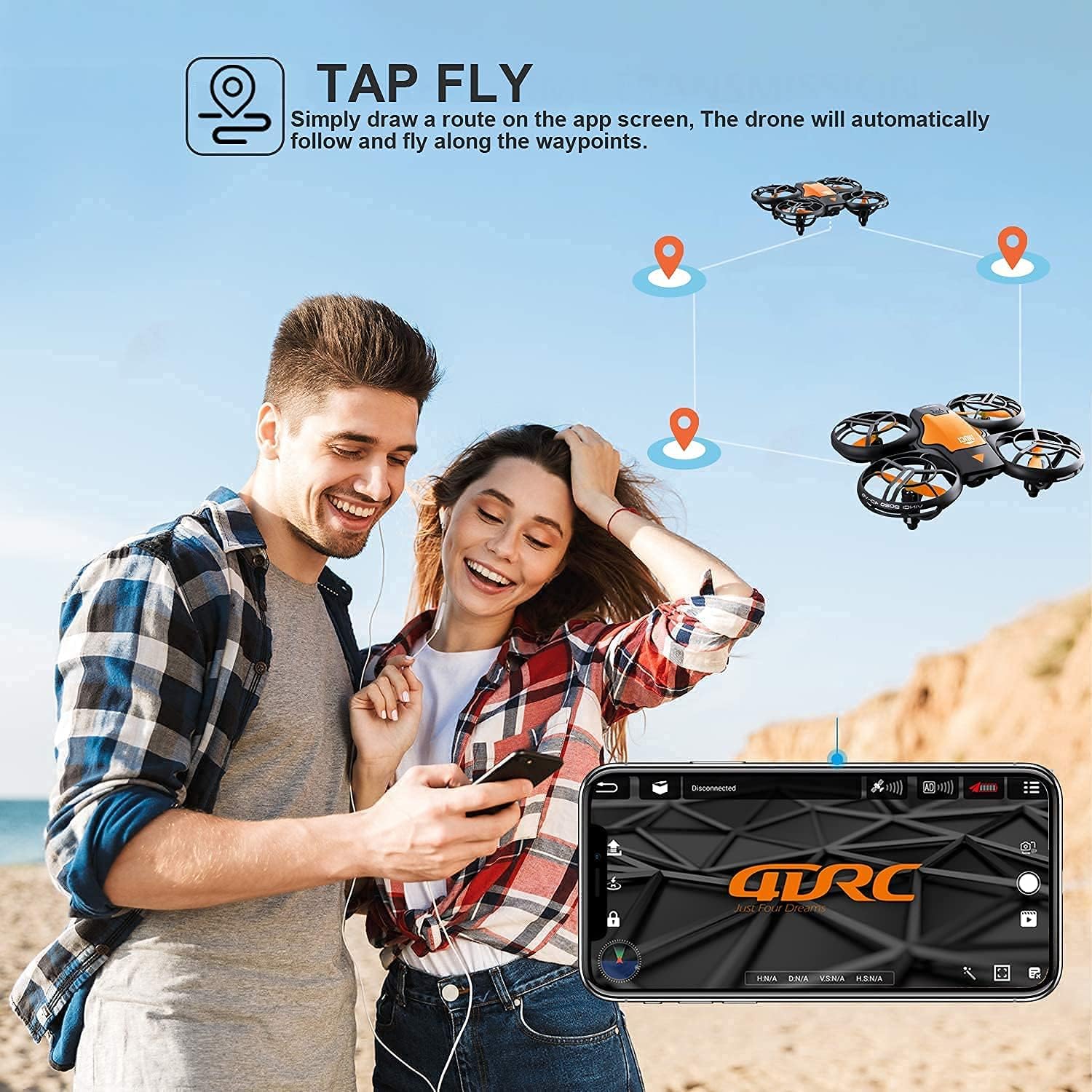
Image: The 'Tap Fly' feature in action, where users can draw a flight path on their smartphone, and the drone will automatically follow the designated route.
- Easy to Use: Features include Gravity Sensor Mode, Altitude Hold Mode, Headless Mode, One Key Start/Landing/Return, Emergency Stop, and 3 Speed Mode Adjustment. Ideal for beginners and children.

Image: Visual representation of key drone functions: One-Key Start for easy take-off, Headless Mode for simplified control, and Emergency Stop for immediate halting of flight.

Image: The drone's 3-speed adjustment feature, illustrating options for High, Middle, and Low speeds suitable for different skill levels.
- Safe and Long Fly Time: Comes with 2 rechargeable batteries providing up to 20 minutes of flight time. Each propeller has an updated protection guard for enhanced safety.
- Auto Obstacle Avoidance: The drone can sense and avoid obstacles in its path, improving flight safety and reducing collisions.

Image: The drone's auto obstacle avoidance system, showing it sensing and navigating around objects in its environment.
5. Setup Guide
5.1 Charging the Batteries
- Connect the drone battery to the provided USB charging cable.
- Plug the USB cable into a 5V/1A USB power adapter (not included) or a computer USB port.
- The charging indicator light will show the charging status (refer to the charging cable's specific indicator behavior).
- Once fully charged, disconnect the battery. Charging typically takes approximately 60-90 minutes.
5.2 Installing Batteries
- Drone Battery: Insert the charged drone battery into the battery compartment on the drone, ensuring it clicks into place securely.
- Remote Controller Batteries: Open the battery cover on the back of the remote controller. Insert 3 AAA batteries (not included) according to the polarity markings (+/-). Close the battery cover.
5.3 App Installation (for FPV Function)
- Scan the QR code provided in the quick start guide or search for the official 4DRC drone app in your smartphone's app store (e.g., Apple App Store or Google Play Store).
- Download and install the app.
5.4 Pairing the Drone and Remote
- Place the drone on a flat, level surface.
- Turn on the drone by pressing the power button. The drone's indicator lights will flash.
- Turn on the remote controller.
- Push the left joystick (throttle) all the way up and then all the way down. The drone's lights will stop flashing and become solid, indicating successful pairing.
6. Operating Instructions
6.1 Basic Flight Controls
- One Key Take-Off/Landing: After pairing, press the One Key Take-Off button (usually indicated by an arrow pointing up) to automatically lift the drone to a stable hovering height. Press the One Key Landing button (arrow pointing down) to land the drone gently.
Image: The One-Key Start function, simplifying the drone's take-off process with a single button press.
- Altitude Hold Mode: The drone will automatically maintain its current altitude, allowing for easier control of horizontal movement.
- Headless Mode: In Headless Mode, the drone's orientation is relative to the pilot, regardless of the drone's actual front direction. This simplifies control, especially for beginners. Activate/deactivate via the remote controller button.
- 3 Speed Modes: Adjust the drone's speed (Low, Medium, High) to suit your skill level and flying environment. Press the speed switch button on the remote to cycle through modes.
Image: The drone's 3-speed adjustment feature, illustrating options for High, Middle, and Low speeds suitable for different skill levels.
6.2 Advanced Flight Functions
- 3D Flip: Press the 3D Flip button on the remote, then move the right joystick in any direction to perform a 360° flip in that direction. Ensure sufficient altitude before attempting.
Image: Illustration of the drone executing 3D flips, showcasing its acrobatic capabilities.
- Custom Path Flight (Tap Fly): Open the app on your smartphone. In the flight interface, draw a desired flight path on the screen. The drone will automatically follow the drawn route.
Image: The 'Tap Fly' feature in action, where users can draw a flight path on their smartphone, and the drone will automatically follow the designated route.
- Gravity Sensor Control: Enable this mode in the app. Tilt your smartphone to control the drone's direction of flight.
- Emergency Stop: In an emergency, press the Emergency Stop button on the remote controller to immediately cut power to the motors. Use with caution as the drone will drop.
Image: The Emergency Stop function, providing an immediate halt to the drone's flight in critical situations.
7. Maintenance
- Cleaning: Use a soft, dry cloth to clean the drone and remote controller. Do not use harsh chemicals or solvents.
- Propeller Inspection: Regularly check propellers for any damage (cracks, bends). Replace damaged propellers immediately using the spare parts provided.
- Storage: When not in use, store the drone and its components in a cool, dry place, away from direct sunlight and extreme temperatures. Remove batteries from the remote controller if storing for extended periods.
- Battery Care: Do not leave batteries fully discharged for long periods. Charge them periodically if not in use.
8. Troubleshooting
| Problem | Possible Cause | Solution |
|---|---|---|
| Drone does not respond to remote. | Not paired; low battery (drone/remote); out of range. | Re-pair drone and remote; charge batteries; ensure within operating range. |
| Drone drifts during flight. | Not calibrated; uneven surface at take-off; wind interference. | Calibrate the drone on a flat surface; fly in calm conditions. |
| Poor camera feed/FPV lag. | Weak Wi-Fi signal; too far from drone; interference. | Ensure strong Wi-Fi connection; fly closer to drone; avoid areas with strong signal interference. |
| Short flight time. | Battery not fully charged; old battery; aggressive flying. | Fully charge battery; consider replacing old batteries; fly more conservatively. |
| Drone crashes frequently. | Lack of experience; flying in confined spaces; obstacle avoidance not active. | Practice in open areas; utilize obstacle avoidance; adjust speed mode. |
| Propellers not spinning. | Damaged propeller; motor issue; low battery. | Check and replace damaged propellers; ensure battery is charged. |
9. Specifications
- Brand: 4DRC
- Model: V8
- Product Dimensions: 13 x 11 x 4 cm
- Item Weight: 350 g
- Camera: 720P HD
- Connectivity: 2.4G WiFi (FPV), USB (charging)
- Drone Battery: 2 C batteries required (included)
- Remote Controller Battery: 3 AAA batteries required (not included)
- Flight Time: Up to 20 minutes (with 2 batteries)
- Special Features: Rechargeable, Altitude Hold, Headless Mode, 3 Speed Modes, 3D Flips, One Key Take-Off/Landing, Gravity Sensor Control, Custom Path Flight, Obstacle Avoidance.
- Skill Level: Beginner
- First Available Date: 20 March 2021
10. Warranty & Support
For any product inquiries, technical support, or warranty claims, please contact 4DRC customer service through the retailer's platform where you purchased the drone. Please have your purchase details and model number (V8) ready when contacting support.
While specific warranty details are not provided in this manual, 4DRC is committed to customer satisfaction. Refer to your purchase receipt or the retailer's return policy for information regarding returns, refunds, or replacements.
Ask a question about this manual
Ask about setup, troubleshooting, compatibility, parts, safety, or missing instructions. Manuals+ will review the question and use this page’s manual context to help answer it.