
1. Introduction
This manual provides essential instructions for using your OPPO A54 CPH2239 smartphone. Please read this guide thoroughly to understand the device's features, setup procedures, operational guidelines, and maintenance recommendations.
2. Device Overview
Familiarize yourself with the physical components of your OPPO A54 CPH2239.
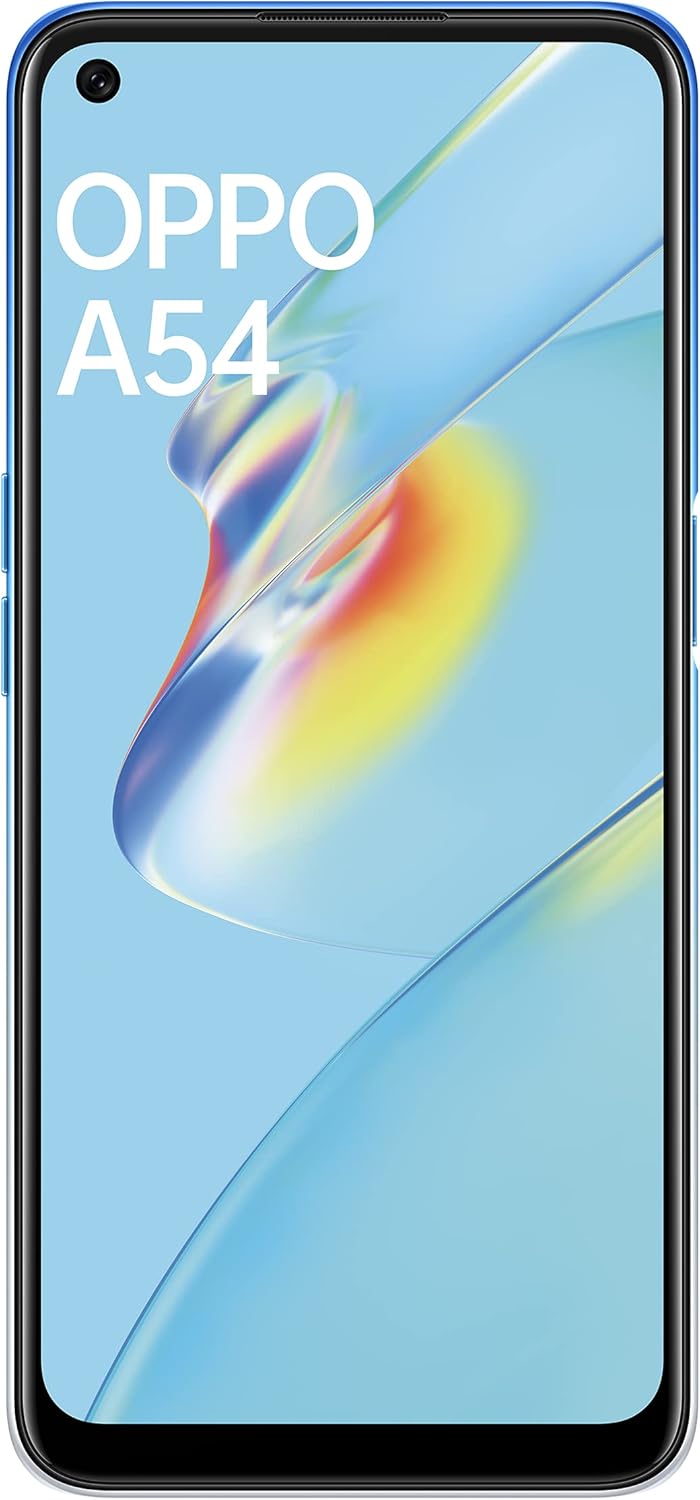
Figure 2.1: Front view of the OPPO A54 CPH2239, showing the display and front camera.

Figure 2.2: Rear view of the OPPO A54 CPH2239, highlighting the triple camera module and OPPO branding.

Figure 2.3: Side view of the OPPO A54 CPH2239, showing the power button with integrated fingerprint sensor.
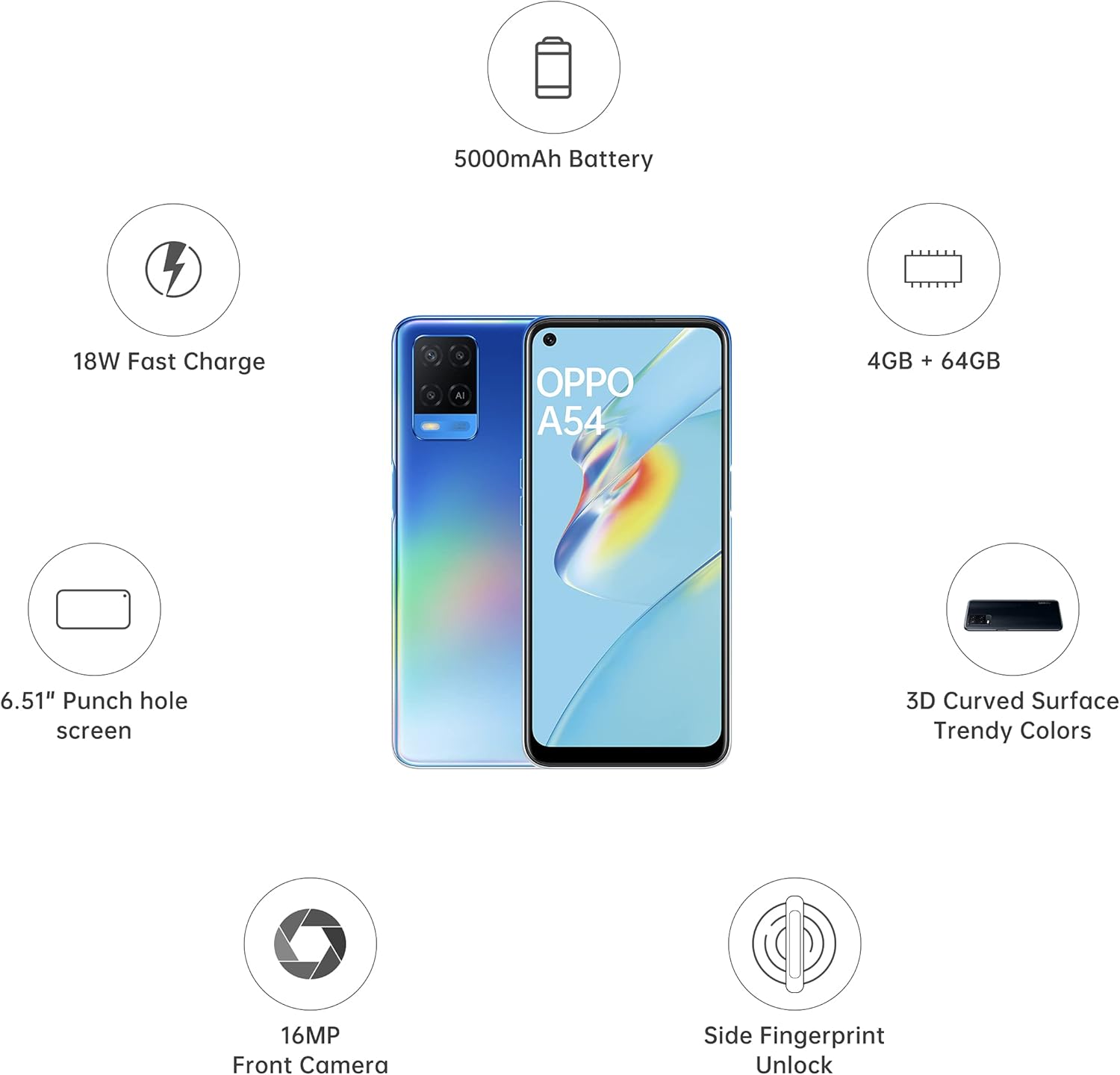
Figure 2.4: Overview of key features including battery, fast charge, memory, display, camera, and fingerprint unlock.
3. Setup
3.1 SIM Card and MicroSD Card Installation
- Locate the SIM card tray on the side of the device.
- Insert the SIM ejector tool into the small hole next to the tray to open it.
- Place your Nano-SIM cards (up to two) and/or a microSDXC card into the designated slots on the tray. Ensure the gold contacts face downwards.
- Carefully reinsert the tray into the phone until it clicks into place.
3.2 Initial Power On and Configuration
- Press and hold the Power button (located on the side) until the OPPO logo appears.
- Follow the on-screen prompts to select your language, region, connect to a Wi-Fi network, and set up your Google account.
- Configure security features such as a PIN, pattern, or fingerprint unlock.
3.3 Network Configuration
Your OPPO A54 CPH2239 supports 4G/LTE networks. After SIM card installation, the device should automatically detect and connect to your mobile network. If not, navigate to Settings > SIM card & mobile data to configure network settings manually.
4. Operating Instructions
4.1 Basic Navigation
- Touchscreen Gestures: Swipe, tap, pinch-to-zoom are standard Android gestures.
- Home Screen: Access apps, widgets, and notifications.
- Notification Panel: Swipe down from the top of the screen to view notifications and quick settings.
- App Drawer: Swipe up from the bottom of the screen to access all installed applications.
4.2 Camera Usage
The OPPO A54 CPH2239 features a 13 MP main camera and a 16 MP front camera.
- Open the Camera application.
- Select your desired mode (Photo, Video, Portrait, Macro, etc.).
- Tap the shutter button to capture an image or start/stop video recording.
- Utilize the macro photography feature for detailed close-up shots.
4.3 Connectivity
- Wi-Fi: Go to Settings > Wi-Fi to connect to available wireless networks.
- Bluetooth: Go to Settings > Bluetooth to pair with other Bluetooth devices like headphones or speakers.
- USB: Connect your device to a computer using a USB cable for data transfer or charging.
4.4 Security Features
- Fingerprint Unlock: The power button integrates a fingerprint sensor. Register your fingerprints in Settings > Fingerprint, Face & Password for quick and secure unlocking.
- Face Unlock: Set up face recognition for an alternative unlocking method.
- PIN/Pattern/Password: Essential for device security.
5. Maintenance
5.1 Battery Care
- Avoid extreme temperatures, as they can degrade battery life.
- Use the original charger and cable for optimal charging performance.
- For long-term storage, charge the battery to around 50% and power off the device.
5.2 Software Updates
Regularly check for software updates to ensure your device has the latest features, security patches, and performance improvements. Go to Settings > Software Update.
5.3 Cleaning Your Device
- Use a soft, lint-free cloth to clean the screen and body.
- Avoid using harsh chemicals or abrasive materials.
- Keep ports free of dust and debris.
6. Troubleshooting
This section addresses common issues you might encounter with your OPPO A54 CPH2239.
| Problem | Solution |
|---|---|
| Device not turning on | Ensure the battery is charged. Connect to a charger for at least 15 minutes, then try powering on again. |
| Apps crashing or freezing | Close and reopen the app. Clear the app's cache (Settings > App management > App list > [App Name] > Storage usage > Clear cache). If the issue persists, restart the phone. |
| Poor battery life | Reduce screen brightness, disable unnecessary background apps, turn off Wi-Fi/Bluetooth when not in use, and check for power-intensive apps in battery settings. |
| Network connectivity issues | Check if airplane mode is off. Restart the device. Verify SIM card is properly inserted. Contact your network provider if the issue persists. |
7. Specifications
Key technical specifications for the OPPO A54 CPH2239:
- Model: CPH2239
- Operating System: Android 10.0
- Processor: Mediatek MT6765 Helio P35 (12nm), Octa-core (4x2.35 GHz Cortex-A53 & 4x1.8 GHz Cortex-A53)
- RAM: 4 GB
- Internal Storage: 64 GB (expandable via microSDXC)
- Display: 6.51 inches IPS LCD, 720 x 1600 pixels resolution, 60 Hz refresh rate
- Rear Camera: 13 MP (wide), 2 MP (macro), 2 MP (depth)
- Front Camera: 16 MP (wide)
- Battery: 5000 mAh Li-Ion (non-removable), 18W Fast Charge compatible
- Connectivity: 4G/LTE, Wi-Fi, Bluetooth, USB
- Dimensions: 16.4 x 7.6 x 0.8 cm
- Weight: 192 g
- SIM: Dual SIM (Nano-SIM)
8. Warranty and Support
For warranty information, please refer to the warranty card included with your product packaging or visit the official OPPO website.
For technical support, software updates, or further assistance, please visit the official OPPO support page or contact their customer service.
OPPO Official Support


