
Karinear 23201
Karinear 12-Inch 2-Burner Electric Radiant Cooktop Instruction Manual
Model: 23201
1. Introduction
Thank you for choosing the Karinear 12-inch 2-burner electric radiant cooktop. This manual provides essential information for the safe and efficient use of your appliance. Please read all instructions carefully before installation and operation, and retain this manual for future reference.

Image 1.1: Karinear 12-inch 2-Burner Electric Radiant Cooktop
2. Important Safety Information
To reduce the risk of fire, electric shock, injury to persons, or damage when using the appliance, follow basic precautions, including the following:
- Electrical Connection: This appliance requires a 220-240V hard-wired electrical connection. Installation must be performed by a qualified electrician in accordance with all local codes and ordinances. Do not use an adapter or extension cord.
- Child Safety Lock: The cooktop is equipped with a child safety lock to prevent accidental operation. Always activate the child lock when the cooktop is not in use, especially if children are present.
- Residual Heat Indicator: The cooktop surface remains hot after use. A residual heat indicator ('H') will illuminate to warn you when the surface is still hot. Do not touch the cooking zones until the indicator light turns off.
- Overheating Protection: The cooktop features an automatic shutdown protection system to prevent overheating.
- Proper Cookware: Use only flat-bottomed cookware appropriate for radiant electric cooktops. Avoid using curved-bottom pans.
- Cleaning: Always ensure the cooktop is cool before cleaning. Do not use abrasive cleaners or sharp objects that could scratch the ceramic glass surface.

Image 2.1: Key Safety Features (Auto Switch Off, Timer, Overheating Protection, Touch Control, Residual Heat Indicator, Child Lock)
3. Product Overview and Features
The Karinear 12-inch electric radiant cooktop is designed for efficient and safe cooking. It features a sleek ceramic glass surface and intuitive touch controls.
3.1. Key Features
- Two high-power radiant burners: 2000W/1000W (expandable) and 1200W.
- 9 power level settings for precise temperature control.
- Sensor touch controls for easy operation.
- Child safety lock.
- Timer function (1-99 minutes).
- Residual heat indicator.
- Automatic shutdown protection.
- Durable and easy-to-clean ceramic glass surface.
3.2. Burner Specifications
- Large Burner: 200mm (7.9 inches) / 2000W (can be reduced to 1000W for smaller cookware).
- Small Burner: 165mm (6.5 inches) / 1200W.

Image 3.1: Burner Dimensions and Power Settings
4. Installation Instructions
This cooktop is designed for drop-in installation and requires a 220-240V hard-wired connection. Professional installation is recommended.
4.1. Pre-Installation Checks
- Ensure the countertop material is heat-resistant.
- Verify that the electrical supply meets the cooktop's requirements (220-240V, 3200W).
- Confirm adequate ventilation space around the cooktop.
4.2. Cutout Dimensions
The recommended cutout dimensions for installation are approximately 10.8 inches (275mm) in width and 19.5 inches (495mm) in depth. The cooktop itself measures 11.4 inches (290mm) by 20.5 inches (520mm) with a height of 1.7 inches (44mm).
4.3. Electrical Wiring
The cooktop comes without a plug and must be hard-wired directly into your home's 220-240V electrical supply. Refer to the wiring diagram below for correct connections. Always turn off the main circuit breaker before beginning any electrical work.

Image 4.1: Cooktop Dimensions and 3-Wire Cable Wiring Diagram

Image 4.2: Built-in Installation Guide with Cutout Measurements
5. Operating Instructions
The cooktop features intuitive touch controls. Familiarize yourself with the control panel before use.
5.1. Basic Controls
- Power On/Off: Touch the power symbol to turn the cooktop on or off.
- Burner Selection: Select the desired cooking zone by touching its corresponding control.
- Power Level Adjustment: Use the '+' and '-' buttons to increase or decrease the power level from 1 to 9.
5.2. Adjusting Heating Range (Expandable Burner)
For the larger burner, you can adjust the heating range to accommodate different cookware sizes. Press the designated button to switch between the inner and outer heating elements.

Image 5.1: Adjusting the Heating Range
5.3. Timer Function
The cooktop features a timer that can be set from 1 to 99 minutes. Once the set time expires, the cooking zone will automatically turn off.

Image 5.2: Timer Function in Use

Image 5.3: Timer and Automatic Shutdown
5.4. Child Safety Lock
To activate the child safety lock, touch and hold the lock button for a few seconds until 'Lo' appears on the display. To deactivate, touch and hold the lock button again until 'Lo' disappears.

Image 5.4: Child Safety Lock Operation
5.5. Residual Heat Indicator
After cooking, the display will show 'H' to indicate that the cooking zone is still hot. This indicator will remain on until the surface has cooled to a safe temperature.

Image 5.5: Residual Heat Warning
6. Cookware Compatibility
The Karinear electric radiant cooktop is compatible with all types of flat-bottomed cookware, including:
- Aluminum pans
- Stainless steel pans
- Ceramic pans
- Glass pots
- Copper pans
- Cast iron frying pans
Note: Avoid using cookware with curved or uneven bottoms, as this can affect heating efficiency and stability.
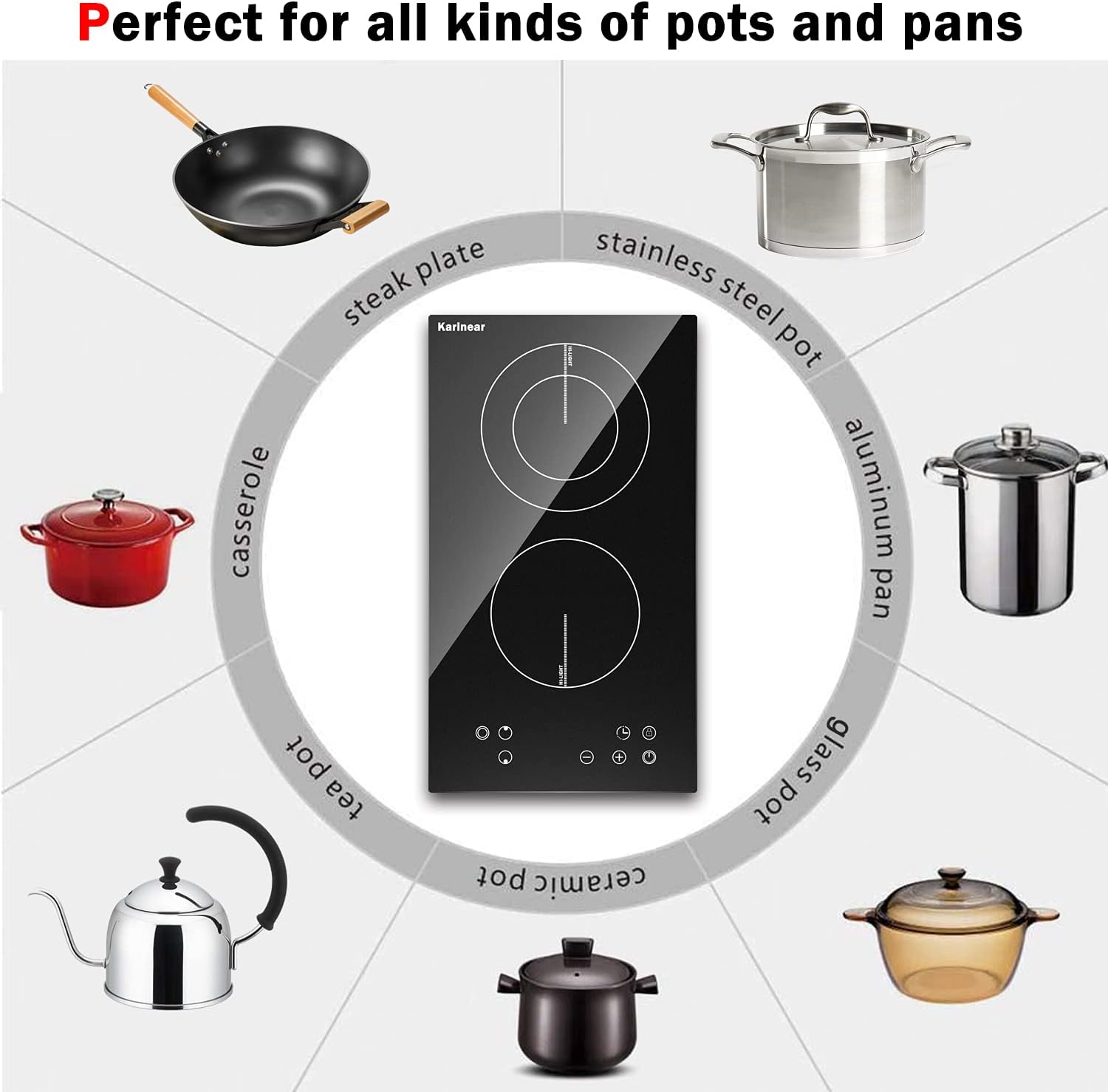
Image 6.1: Compatible Cookware Types

Image 6.2: Cookware Compatibility Examples
7. Cleaning and Maintenance
Regular cleaning and proper maintenance will ensure the longevity and optimal performance of your cooktop.
7.1. Cleaning the Ceramic Glass Surface
- Always ensure the cooktop is completely cool before cleaning.
- For light spills, wipe with a damp cloth and mild detergent.
- For stubborn stains or burnt-on food, use a ceramic cooktop cleaner and a non-abrasive pad or a razor blade scraper designed for glass cooktops.
- Avoid cleaning the surface with a cold, damp towel while it is hot, as this can cause the glass to crack.
- The ceramic glass surface is designed to be fingerprint-proof and scratch-resistant.

Image 7.1: Cleaning the Vitro Ceramic Glass Surface
8. Troubleshooting
If you encounter issues with your cooktop, refer to the following common troubleshooting steps:
| Problem | Possible Cause | Solution |
|---|---|---|
| Cooktop does not turn on | No power supply; Child lock activated | Check circuit breaker; Deactivate child lock by pressing and holding the lock button. |
| Burner not heating | Incorrect power level; Cookware not suitable | Adjust power level; Ensure cookware has a flat bottom and is appropriate for radiant cooktops. |
| Display shows 'H' | Residual heat | This is normal. The surface is still hot. Wait for it to cool down. |
| Cooktop shuts off unexpectedly | Overheating protection activated; Timer expired | Allow cooktop to cool; Check timer settings. |
If the problem persists after attempting these solutions, please contact Karinear customer support for assistance.
9. Specifications
| Feature | Specification |
|---|---|
| Brand | Karinear |
| Model Number | 23201 |
| Installation Type | Drop-In |
| Burner Type | Radiant |
| Number of Heating Elements | 2 |
| Voltage | 220-240 Volts |
| Wattage | 3200 Watts |
| Material Type | Vitroceramic Glass |
| Product Dimensions (L x W x H) | 20.5 x 11.4 x 1.7 inches (520 x 290 x 44 mm) |
| Cutout Dimensions (W x D) | 10.8 x 19.5 inches (275 x 495 mm) |
| Item Weight | 8.9 pounds |
| Special Features | Child Safety Lock, Timer, Residual Heat Indicator |
10. Warranty and Customer Support
Karinear products are manufactured with advanced technology and expertise. All Karinear cooktops come with a 5-year warranty.
If you experience any quality issues or require assistance with your product, please contact Karinear customer support. Our team is available to provide support for full refunds or replacements as per the warranty terms.
For support, please refer to the contact information provided with your purchase or visit the official Karinear website.
Related documents23201


Ask a question about this manual
Ask about setup, troubleshooting, compatibility, parts, safety, or missing instructions. Manuals+ will review the question and use this page’s manual context to help answer it.