1. Introduction
This manual provides detailed instructions for the installation, operation, and maintenance of your Somfy 1870781 RTS 3-Button Wireless Wall Control. This device is designed to independently control up to three Somfy RTS motorized systems, such as gates, garage doors, or lighting equipped with an RTS radio receiver. Please read this manual thoroughly before use to ensure proper function and safety.
2. Product Overview
The Somfy 1870781 is a wireless, waterproof wall control unit featuring three distinct buttons for managing multiple RTS-compatible devices. Its robust design with an IP55 protection rating allows for both indoor and outdoor installation. The unit operates wirelessly, eliminating the need for complex cabling, and is powered by a single 3V CR2430 battery.

Image 1: Front view of the Somfy 1870781 RTS 3-Button Wireless Wall Control.
3. Key Features
- Multi-Device Control: Capable of independently controlling up to three RTS motorized devices, including gates, garage doors, and lighting with an RTS receiver.
- User-Friendly: Each button is dedicated to a specific motorized equipment for straightforward operation.
- Weatherproof Design: Features an IP55 protection rating, making it suitable for both indoor and outdoor environments.
- Wireless Installation: No wiring required, allowing flexible placement anywhere you choose.
- Easy Pairing: Simple synchronization with your chosen RTS motor or receiver using the 'PROG' button and the wall control's keys.
- Battery Powered: Supplied with one 3V CR2430 battery for immediate use.
4. Setup and Installation
4.1 Battery Installation
- Carefully open the back cover of the wall control unit.
- Insert the supplied 3V CR2430 Lithium battery, ensuring correct polarity.
- Close the back cover securely.
4.2 Mounting the Wall Control
Due to its wireless nature, the Somfy 1870781 can be fixed in any desired location, indoors or outdoors. Use appropriate screws and wall plugs for secure mounting on your chosen surface.
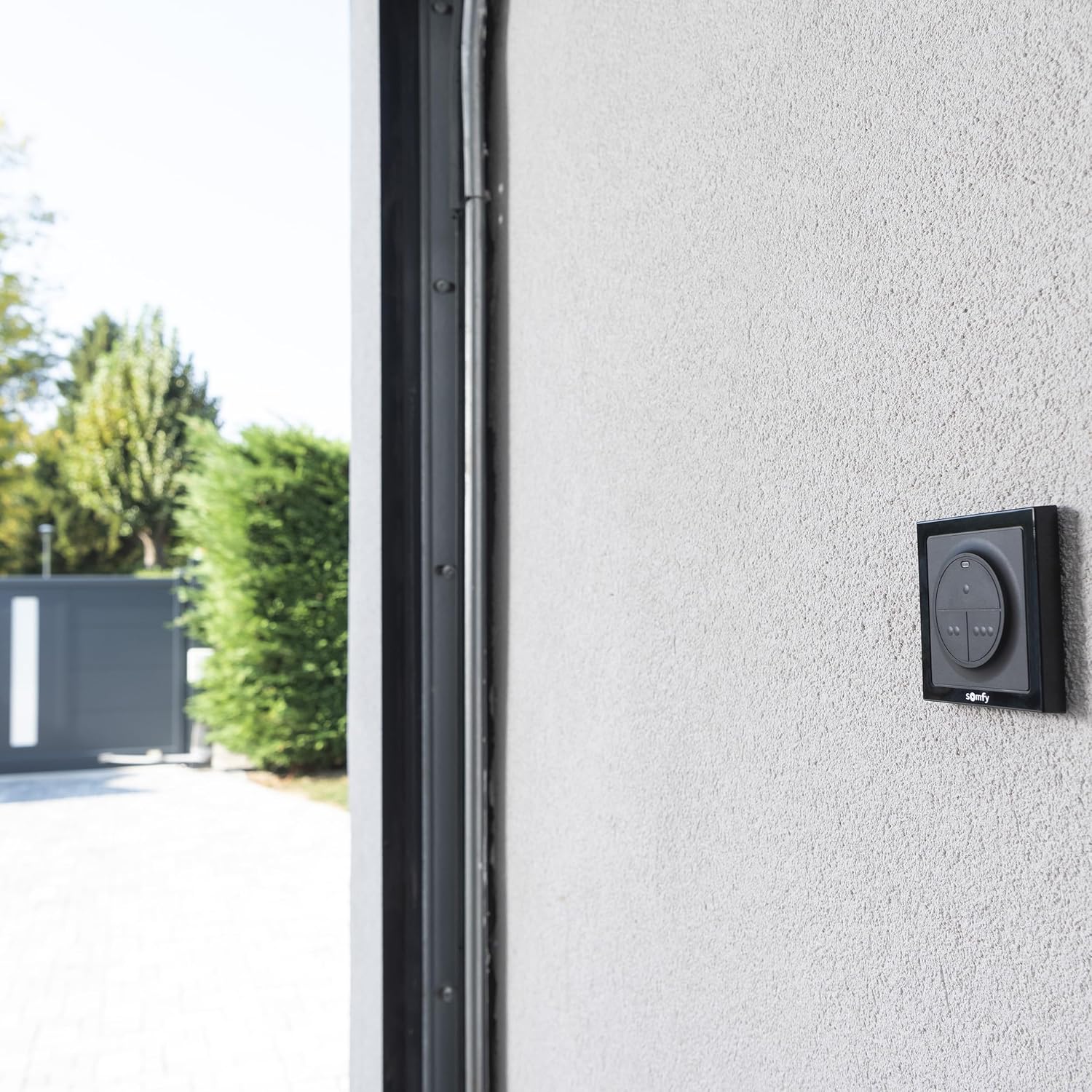
Image 2: The wall control unit installed on an exterior wall, demonstrating its outdoor suitability.
4.3 Pairing with RTS Motorized Devices
To synchronize the wall control with your RTS motor or receiver:
- Locate the 'PROG' button on your RTS motor or radio receiver.
- Press the 'PROG' button on the motor/receiver briefly. The motor/receiver will enter programming mode (refer to your motor/receiver's specific manual for visual confirmation, e.g., a light flash or slight movement).
- Within 10 seconds, press any button on the Somfy 1870781 wall control.
- The motor/receiver will confirm successful pairing (e.g., a second light flash or movement).
- Repeat this process for each of the three buttons if you wish to control three separate devices.

Image 3: Example of a motorized gate system that can be controlled by the Somfy RTS wall control.
5. Operating Instructions
Once paired, operating your motorized devices is simple:
- Each of the three buttons on the wall control corresponds to a specific paired device.
- Press the assigned button once to activate the associated device (e.g., open/close a gate, raise/lower a garage door, turn on/off lights).
- For devices with intermediate positions (like rolling shutters), a second press might stop the movement, and a third press might reverse it. Refer to your specific motor's operating instructions for detailed control sequences.

Image 4: A user interacting with the Somfy RTS wall control.

Image 5: Example of rolling shutters that can be controlled by the Somfy RTS wall control.
6. Maintenance
6.1 Battery Replacement
The Somfy 1870781 wall control is powered by a 3V CR2430 Lithium battery. When the battery level is low, the control's indicator light (if present) may dim or fail to illuminate, or the range of the signal may decrease. To replace the battery:
- Open the back cover of the unit.
- Remove the old CR2430 battery.
- Insert a new 3V CR2430 Lithium battery, observing the correct polarity (+/-).
- Securely close the back cover.
Dispose of used batteries according to local regulations.
6.2 Cleaning
Clean the surface of the wall control with a soft, damp cloth. Do not use abrasive cleaners or solvents, as these can damage the unit's finish or internal components.
7. Troubleshooting
- Device not responding:
- Check if the battery in the wall control needs replacement.
- Ensure the wall control is within the operating range of the RTS receiver.
- Verify that the wall control is correctly paired with the motorized device. If not, repeat the pairing process (Section 4.3).
- Check the power supply to the motorized device.
- Intermittent operation:
- Replace the battery in the wall control.
- Ensure there are no significant obstructions (e.g., thick walls, large metal objects) between the wall control and the receiver that could interfere with the radio signal.
If problems persist after following these steps, please contact Somfy customer support.
8. Specifications
| Specification | Detail |
|---|---|
| Model Number | 1870781 |
| Dimensions (L x W x H) | 10 x 80 x 80 mm |
| Weight | 110 grams |
| Power Source | 1 x 3V CR2430 Lithium battery (included) |
| Connectivity Protocol | RTS (Radio Technology Somfy) 433 MHz |
| Protection Rating | IP55 (Dust protected and resistant to water jets) |
| Color | Black |
9. Warranty and Support
9.1 Manufacturer's Warranty
The Somfy 1870781 RTS 3-Button Wireless Wall Control comes with a 5-year manufacturer's warranty. The availability of spare parts is equivalent to the duration of this commercial warranty.
9.2 Customer Support
For assistance with installation, configuration, or any other product-related inquiries, please visit the official Somfy website at somfy.fr or consult our community forum at forum.somfy.fr. Our customer service department is also available by telephone for direct support.


