
1. Introduction
The NEQUARE S12 Series Cordless Vacuum Cleaner is designed for efficient and versatile cleaning across various surfaces. Equipped with a 175-watt motor and Root Cyclone Technology, it offers powerful suction for dust, debris, and pet hair. Its lightweight and self-standing design, along with a long-lasting battery, make cleaning convenient and hassle-free.
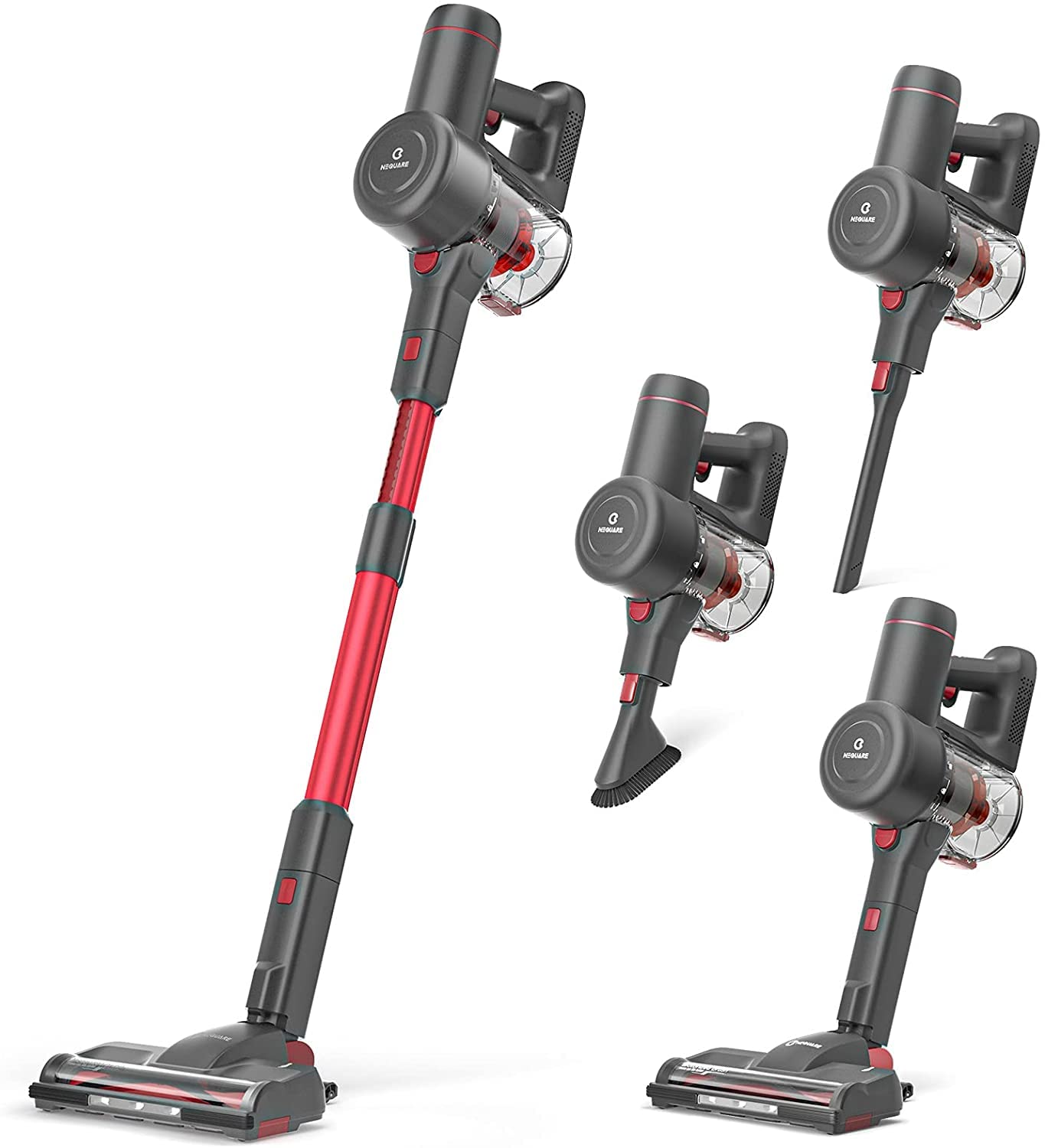
Figure 1: NEQUARE S12 Series Cordless Vacuum Cleaner
2. What's in the Box
Please check the package contents to ensure all items are present:
- Main Unit (Vacuum Body)
- Extension Tube
- Motorized Brush Head with LED lights
- Crevice Tool
- Dusting Brush
- Rechargeable Lithium-Ion Battery
- Power Adapter/Charger
- Wall Mount Bracket with attachment storage
- Extra Filter
- User Manual (this document)
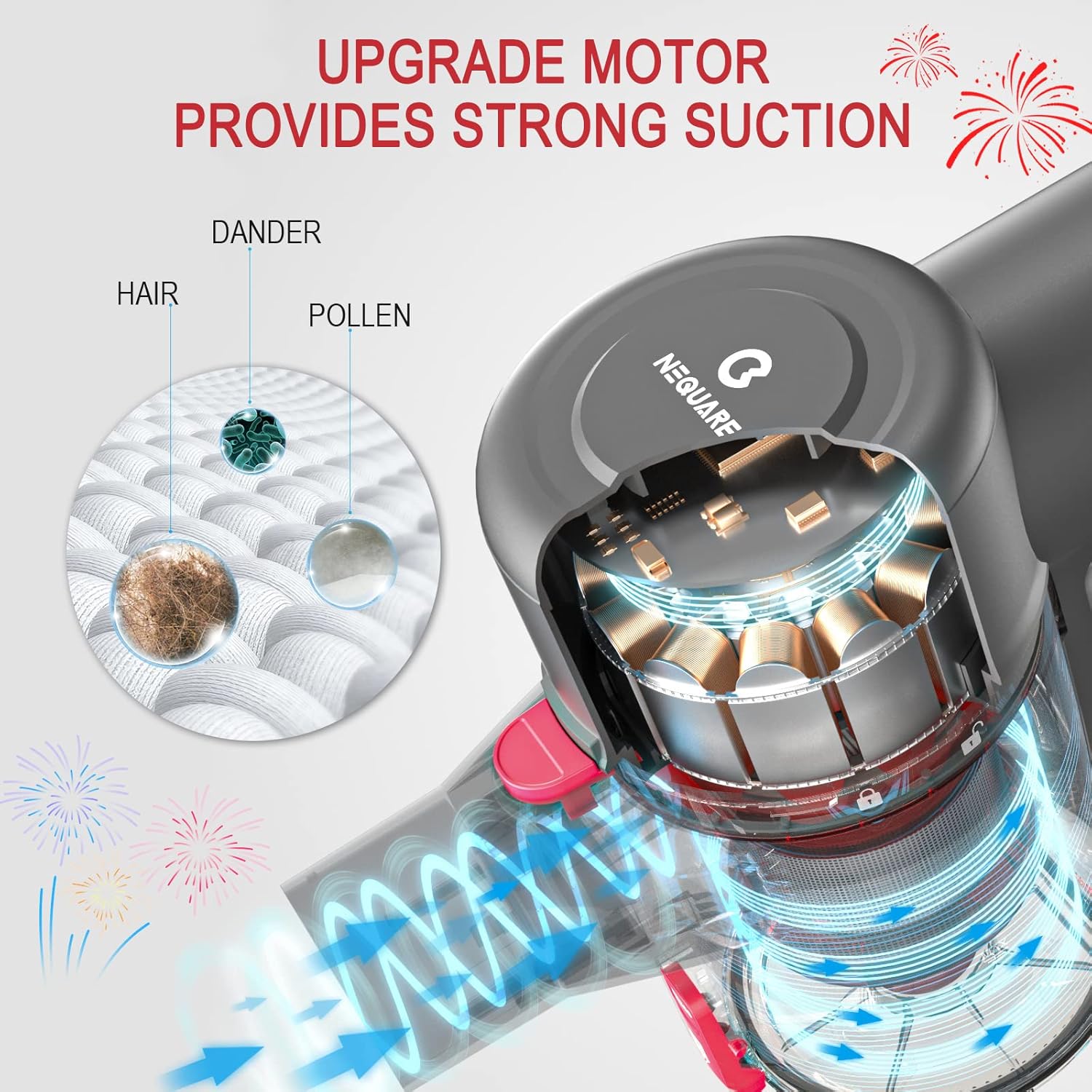
Figure 2: All included components
3. Setup
3.1 Battery Installation and Charging
Before first use, ensure the battery is fully charged. The battery is detachable for convenient charging.
- To install the battery, align it with the slot on the main unit and push until it clicks securely into place.
- To charge, connect the power adapter to the charging port on the battery (either attached to the vacuum or detached) and plug it into a wall outlet. The battery indicator lights will show charging progress.
- A full charge provides approximately 40 minutes of runtime in low mode and 20 minutes in high mode.

Figure 3: Detachable battery for easy charging
3.2 Assembling Attachments
The vacuum cleaner features a modular design for easy assembly and versatility.
- Connect the extension tube to the main unit by aligning the connectors and pushing until it clicks.
- Attach the desired cleaning head (e.g., motorized brush head) to the other end of the extension tube, ensuring it clicks into place.
- For handheld use, attach the crevice tool or dusting brush directly to the main unit.

Figure 4: Attaching different cleaning tools
4. Operating Instructions
4.1 Power On/Off and Mode Selection
To operate the vacuum:
- Pull the trigger on the handle to turn the vacuum on. It will start in standard (low) mode.
- Press the '+' button on the main unit to switch to Max mode for increased suction power. Press '-' to return to standard mode.
- Release the trigger to turn the vacuum off.
4.2 Cleaning Different Surfaces
The motorized brush head is suitable for both hard floors and low-pile carpets. The integrated LED lights illuminate the cleaning path, making dust and debris visible.
- For hard floors, use standard mode. The brush roll can be turned off for gentle cleaning.
- For carpets, use Max mode for deep cleaning and effective pet hair pickup.
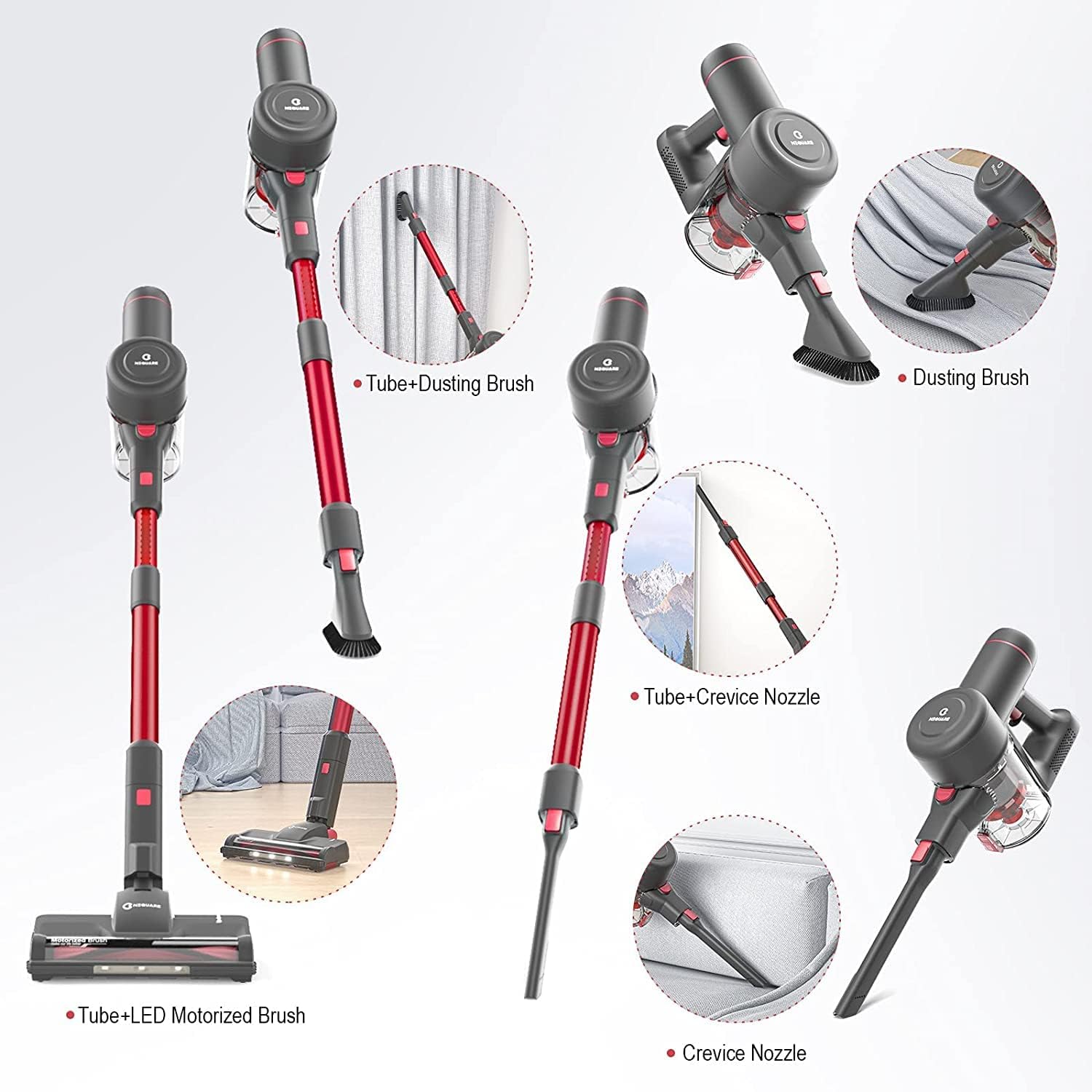
Figure 5: Standard mode for dust, pet hair, etc., and Max mode for pet food, etc.
4.3 Using Specialized Attachments
Utilize the included attachments for targeted cleaning:
- Crevice Tool: Ideal for narrow gaps, corners, and edges (e.g., between sofa cushions, along baseboards).
- Dusting Brush: Perfect for delicate surfaces, curtains, upholstery, and car interiors.

Figure 6: Versatile cleaning with crevice tool and dusting brush
Video 1: Short demonstration of the vacuum's functionality and ease of use.
5. Maintenance
5.1 Emptying the Dustbin
Regularly empty the dustbin to maintain optimal suction power. Do not exceed the 'MAX' fill line.
- Press the release button on the dustbin to detach it from the main unit.
- Open the dustbin lid and empty contents into a trash receptacle.
- Close the lid and reattach the dustbin to the main unit, ensuring it clicks into place.

Figure 7: Detaching and emptying the dustbin
5.2 Cleaning Filters
The vacuum features a high-performance filtration system. Clean filters regularly to prevent loss of suction and ensure efficient operation.
- Remove the dustbin.
- Twist and pull out the filter assembly.
- Tap the filter gently to remove loose dust or rinse it under running water. Ensure it is completely dry before reinserting.
- Replace the filter assembly and reattach the dustbin.

Figure 8: Components of the filtration system
5.3 Cleaning Brush Roll
Periodically check the motorized brush roll for tangled hair or debris. Remove any obstructions to maintain effective cleaning.
- Detach the motorized brush head from the extension tube.
- Use a coin or a flat tool to unlock the brush roll cover.
- Remove the brush roll and carefully cut away any tangled hair or fibers.
- Reinsert the brush roll and secure the cover.
6. Troubleshooting
If you encounter issues with your NEQUARE S12 Series vacuum, please refer to the following common solutions:
| Problem | Solution |
|---|---|
| Not cleaning well / Weak suction |
|
| Stops or doesn't work |
|
| Battery not charging |
|
| Power brush doesn't work |
|

Figure 9: Visual guide for troubleshooting
7. Specifications
| Feature | Detail |
|---|---|
| Brand | NEQUARE |
| Model | S12 Series |
| Special Feature | Lightweight, Self-Standing |
| Wattage | 175W |
| Battery Life | Up to 40 minutes (low mode) |
| Capacity | 0.8 Pounds (Dustbin) / 1.2 Liters (Volume) |
| Vacuum Collection Technology | Cyclonic Technology |
| Product Dimensions | 17.32 x 13.39 x 7.09 inches |
| Item Weight | 4.84 pounds |
| Surface Recommendation | Carpet, Hard Floors |
8. Warranty and Support
NEQUARE is a registered trademark. After the sale date, we offer a 12-month customer service plan. If there is any question, please contact us through the email provided in your purchase documentation.


