
GREE GPA06AK
Gree Portable Air Conditioner GPA06AK User Manual
Model: GPA06AK
Introduction
This manual provides detailed instructions for the safe and efficient operation, installation, and maintenance of your Gree Portable Air Conditioner, model GPA06AK. Please read this manual thoroughly before using the appliance and retain it for future reference.
Safety Information
Always follow basic safety precautions when using electrical appliances to reduce the risk of fire, electric shock, and injury to persons.
- Ensure the power supply matches the voltage specified on the unit's rating label.
- Do not operate the unit with a damaged cord or plug.
- Do not block air inlets or outlets.
- Keep the unit away from flammable materials.
- Always unplug the unit before cleaning or servicing.
- Do not attempt to repair or modify the unit yourself. Contact qualified service personnel.
Package Contents
Verify that all components are present in the package:
- Gree Portable Air Conditioner Unit
- Window Vent Kit
- Remote Control with Batteries
- User Manual
- Warranty Information
Product Features
The Gree GPA06AK Portable Air Conditioner offers versatile climate control for your space.
- Portable Cooling: Provides 10,000 BTU (ASHRAE) / 6,000 BTU (DOE) cooling capacity, suitable for rooms up to 350 sq. ft.
- Multi-functional Modes: Features Cool, Dry (dehumidifier), and Fan modes.
- Dehumidification: Removes up to 2.9 pints of moisture per hour.
- Adjustable Fan Speeds: Three fan speed settings (low, medium, high) for customized airflow.
- User-Friendly Controls: Equipped with an LED digital display, sleep function, and a programmable 24-hour timer.
- Easy Mobility: Designed with EasyRoll caster wheels and an integrated back pocket handle for effortless movement between rooms.
- Washable Filter: Features a removable and washable mesh filter for simple maintenance.

An illustration of the air conditioner with key performance indicators: cooling for areas up to 350 sq. ft., dehumidification capacity of 2.9 pints per hour, and three fan speed settings (low, medium, high).

A close-up of the unit's top control panel, illustrating its advanced features including a sleep function, LED digital display, three fan speeds, and a programmable 24-hour timer.
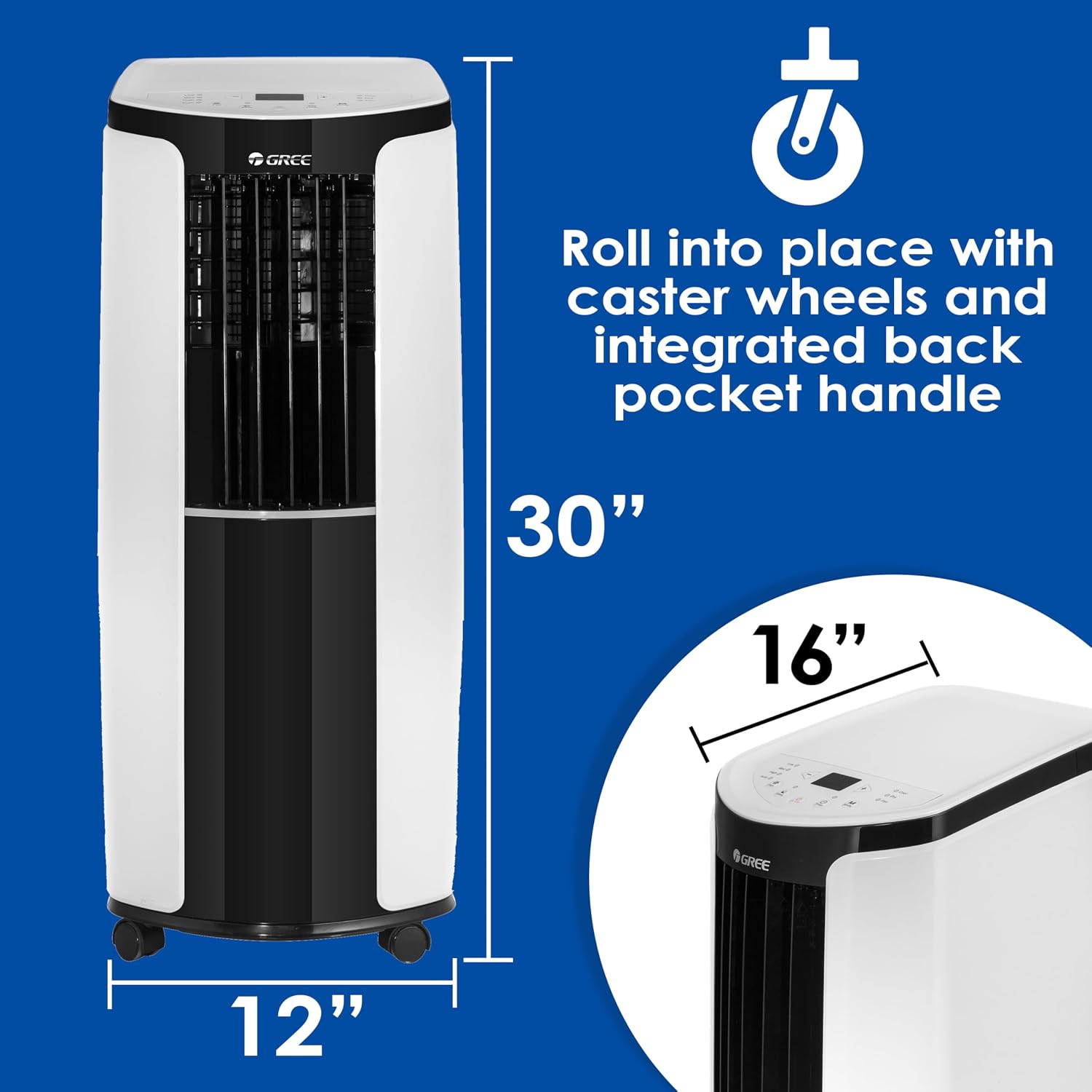
This image provides the physical dimensions of the portable air conditioner, showing its height of 30 inches, width of 12 inches, and depth of 16 inches. It also highlights the EasyRoll caster wheels and integrated back pocket handle for portability.
Setup and Installation
The Gree GPA06AK is designed for easy setup. Follow these steps for quick installation:
- Unpack the Unit: Carefully remove the air conditioner and all accessories from the packaging.
- Position the Unit: Place the unit on a flat, stable surface near a window and a grounded electrical outlet. Ensure there is at least 20 inches of space around the unit for proper airflow.
- Install the Window Vent Kit:
- Extend the window slider kit to fit your window opening.
- Secure the kit in the window frame.
- Attach the exhaust hose to the unit and then to the window kit adapter. Ensure a tight seal to prevent hot air from re-entering the room.
- Connect Power: Plug the power cord into a standard 120V, 60Hz grounded electrical outlet.

This image shows the Gree portable air conditioner in a living space, demonstrating its compact design and how the exhaust hose connects to a window kit for heat expulsion.
Operating Instructions
Your Gree portable air conditioner can be operated using the control panel on the unit or the included remote control.
Control Panel Overview
The LED digital display and buttons on the top of the unit allow you to select modes, adjust temperature, and set timers.

Front view of the Gree portable air conditioner, showcasing its control panel and air vents.
Operating Modes
- Cool Mode: Select this mode for cooling. Adjust the desired temperature using the up/down arrows. The fan speed can also be adjusted.
- Dry Mode (Dehumidifier): This mode reduces humidity in the room. The fan speed is typically fixed in this mode.
- Fan Mode: Circulates air without cooling. Choose from low, medium, or high fan speeds.
Additional Functions
- Timer Function: Program the unit to turn on or off automatically within a 24-hour period.
- Sleep Function: Optimizes cooling for comfortable sleep by gradually increasing the temperature and reducing fan speed.
- Remote Control: Use the remote control for convenient operation from a distance. Ensure batteries are correctly installed.
Maintenance
Regular maintenance ensures optimal performance and extends the lifespan of your air conditioner. Always unplug the unit before performing any maintenance.
Cleaning the Air Filter
The mesh air filter should be cleaned every two weeks, or more frequently depending on usage and air quality.
- Locate the air filter on the back of the unit.
- Gently pull out the filter.
- Wash the filter with warm, soapy water. Rinse thoroughly.
- Allow the filter to air dry completely before reinserting it into the unit. Do not use a dryer or direct sunlight.

A view of the air conditioner's side panel, illustrating the easily accessible and removable mesh filter designed for convenient cleaning and maintenance.

The back of the Gree portable air conditioner, detailing the various vents for air intake and exhaust, and the location of the removable filter for maintenance.
Cleaning the Unit Exterior
Wipe the exterior of the unit with a soft, damp cloth. Do not use harsh chemicals or abrasive cleaners.
Water Drainage
The unit has a self-evaporative system, but in high humidity conditions, the internal water tank may fill. When full, the unit will stop operating and display an error code. Drain the water through the drainage port located at the bottom rear of the unit.
Troubleshooting
Before contacting customer service, refer to the following common issues and solutions:
| Problem | Possible Cause | Solution |
|---|---|---|
| Unit does not turn on | No power, tripped circuit breaker, full water tank. | Check power cord, reset breaker, drain water tank. |
| Insufficient cooling | Dirty air filter, blocked air vents, open windows/doors, room too large. | Clean filter, clear vents, close windows/doors, ensure room size is within specifications. |
| Unit is noisy | Unit not on a level surface, fan obstruction. | Place on a level surface, check for obstructions. |
| Water leakage | Drain plug not properly sealed, unit tilted. | Ensure drain plug is secure, place unit on a level surface. |
Specifications
| Model Number | GPA06AK |
| Brand | GREE |
| Cooling Capacity (ASHRAE) | 10,000 BTU |
| Cooling Capacity (DOE) | 6,000 BTU |
| Recommended Floor Area | Up to 350 sq. ft. |
| Dehumidification Capacity | 2.9 pints/hour |
| Dimensions (L x W x H) | 39.62 x 31.5 x 76.96 cm (15.6 x 12.4 x 30.3 inches) |
| Item Weight | 24.95 kg (55 lbs) |
| Voltage | 120 Volts |
| Wattage | 1250 Watts |
| Noise Level | 51 Decibels |
| Refrigerant | R-32 |
| Installation Type | Window (with included kit) |
| Control Method | Remote Control, Unit Control Panel |
| Color | White/Black |
| UPC | 192487344910 |
| GTIN | 192487344910 |
Warranty and Support
Your Gree Portable Air Conditioner GPA06AK comes with a manufacturer's warranty. Please refer to the included warranty information card for details on coverage and duration.
For technical support, service, or warranty claims, please contact Gree customer service. Contact information can typically be found on the warranty card or the official Gree website.
When contacting support, please have your model number (GPA06AK) and purchase date available.
Related documentsGPA06AK


Ask a question about this manual
Ask about setup, troubleshooting, compatibility, parts, safety, or missing instructions. Manuals+ will review the question and use this page’s manual context to help answer it.