
1. Product Overview
The Kazeila Water Timer is an automatic irrigation device designed for garden hoses, offering precise control over watering schedules. It features multiple programming options, a rain sensor, and a durable, waterproof construction.
Key Features:
- 6 Individual Irrigation Programs: Set up to six distinct watering schedules with customized frequency and duration.
- Wide Range of Run Time and Interval: Watering duration from 1 second to 99 minutes and 99 seconds. Frequency options include specific weekdays or intervals from 1 hour to 9 days.
- Upgraded Rain Auto Sensor: Automatically detects rainfall to pause watering, preventing overwatering. The timer resumes its schedule once the sensor dries.
- Multi-Function Modes: Includes Manual mode for instant watering, Rain Delay mode (manual override), and Child Lock mode to prevent unintended program changes.
- Durable and Waterproof: Constructed with 30% reinforced nylon material, pneumatic sealed components to prevent internal leaks, and an IP65 waterproof rating. Withstands water pressure up to 145 psi / 10 bar.

Figure 1.1: Front view of the Kazeila Water Timer display, highlighting the current time, weekday, program indicators (P1-P6), battery indicator, rain sensor area, child lock, and control buttons.
2. Setup Instructions
2.1 Battery Installation
- Locate the battery compartment on the back of the timer.
- Open the battery compartment cover.
- Insert two (2) 1.5V AA Alkaline batteries, ensuring correct polarity.
- Securely close the battery compartment cover to maintain the IP65 waterproof seal.
Note: Only use 1.5V AA Alkaline batteries. Rechargeable batteries may drain quickly or cause operational issues.
2.2 Connecting the Water Timer
- Ensure the faucet is turned off before installation.
- For 3/4" Hose Faucet: Directly screw the timer's 3/4" internal thread connector onto the faucet. Ensure the 3mm O-ring is properly seated to prevent leaks. The connector features a 360-degree rotating design for easy positioning.
- For 1/2" Hose Faucet: Use the provided 1/2" adapter. First, screw the 1/2" adapter onto the faucet, then attach the timer's 3/4" internal thread connector to the adapter. Ensure the O-ring is in place.
- Connect your garden hose to the 3/4" external thread at the bottom of the timer. You may use a 3/4" NH adaptor or a quick connector as needed.
- Slowly turn on the faucet to check for any leaks. Tighten connections if necessary.

Figure 2.1: Connection diagram illustrating installation on 3/4" and 1/2" hose faucets, including battery placement and hose connection options.
3. Operating Instructions
3.1 Setting Current Time
- Press the 'Programs / Current Time Setup' button (often labeled 'P|Q' or similar) until 'NOW' flashes on the display.
- Use the '+' and '-' buttons to adjust the current hour and minute.
- Press 'OK' to confirm each setting.
- Adjust the current day of the week using '+' and '-' buttons, then press 'OK'.
3.2 Programming Watering Schedules (P1-P6)
The timer allows for up to 6 independent watering programs (P1 through P6). Each program can have its own start time, duration, and frequency.
- Press the 'Programs / Current Time Setup' button repeatedly to cycle through programs P1 to P6. Select the program you wish to set.
- Set Start Time: When 'START TIME' flashes, use '+' and '-' to set the desired watering start hour and minute. Press 'OK' after each adjustment.
- Set Watering Duration: When 'HOW LONG' flashes, use '+' and '-' to set the watering duration (from 1 second to 99 minutes 99 seconds). Press 'OK'.
- Set Watering Frequency:
- By Weekdays: Select specific days (Su, Mo, Tu, We, Th, Fr, Sa) using '+' and '-' to toggle them ON/OFF. Press 'OK' to confirm.
- By Hours/Days: Alternatively, set frequency in hours (1-23 hours) or days (1-9 days). Use '+' and '-' to select the interval. Press 'OK'.
- Repeat for other programs (P2-P6) as needed.

Figure 3.1: Programming interface with indicators for P1-P6, illustrating the process of setting watering schedules.
3.3 Manual Watering
To water immediately without affecting your programmed schedules:
- Press the 'Manual Watering' button (often indicated by a faucet icon).
- Use '+' and '-' to set the desired manual watering duration.
- Press 'OK' to start manual watering.
- To stop manual watering, press the 'Return / Pause' button.
3.4 Rain Sensor Function
The integrated rain sensor automatically detects rainfall. When rain is detected, the timer will pause all active watering programs. Watering will resume automatically once the sensor dries out.
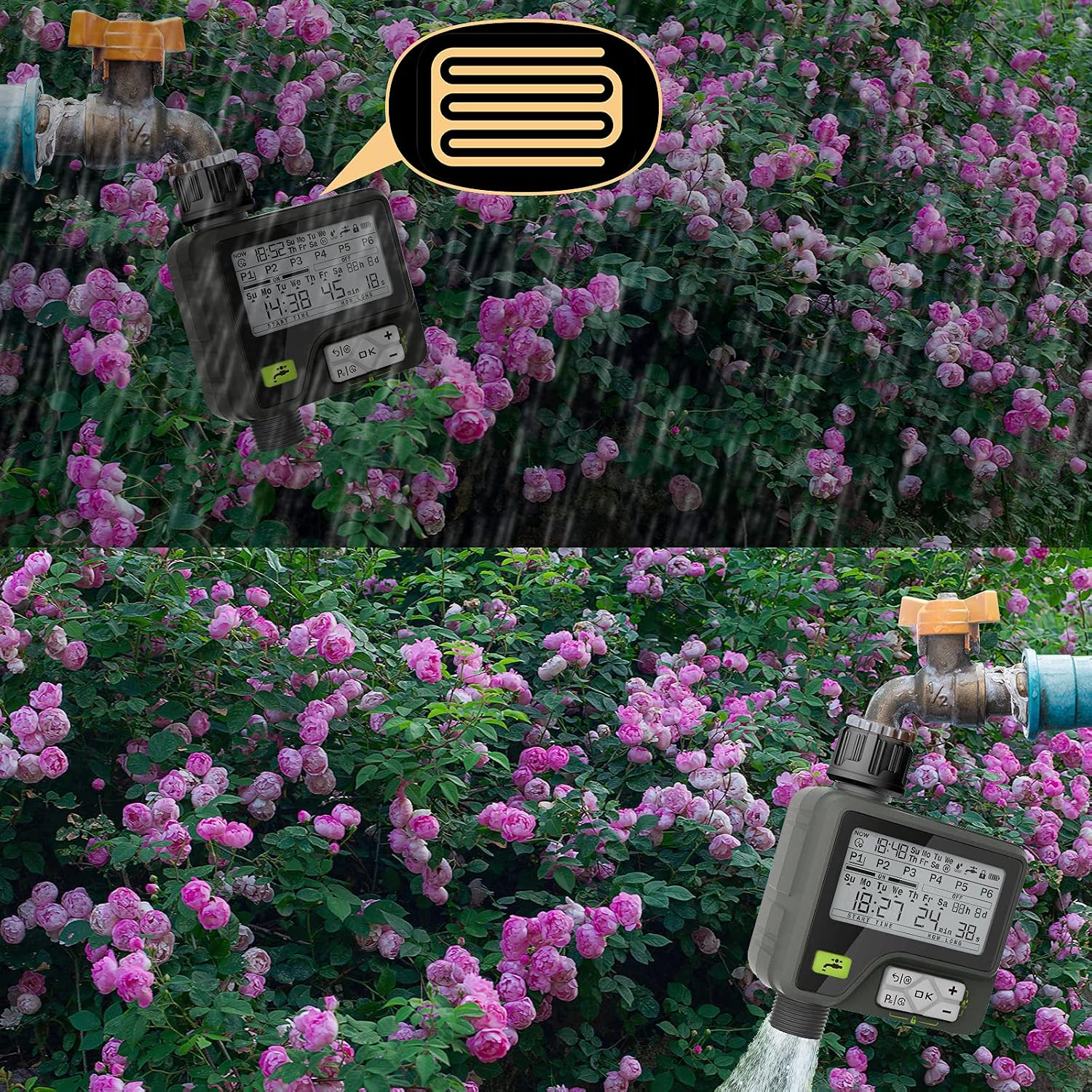
Figure 3.2: The rain sensor feature automatically pauses watering during rainfall.
3.5 Child Lock Mode
To prevent accidental changes to your watering programs:
- Press and hold the 'Child Lock' button (often indicated by a lock icon) for a few seconds until the lock icon appears on the display.
- To unlock, press and hold the 'Child Lock' button again until the lock icon disappears.
4. Maintenance
4.1 Battery Replacement
Replace batteries when the low battery indicator appears on the display or if the timer's functionality becomes erratic. Always use new 1.5V AA Alkaline batteries.
4.2 Cleaning
Periodically check the inlet filter screen for debris and clean it to ensure proper water flow. Wipe the exterior of the timer with a damp cloth. Do not use abrasive cleaners.

Figure 4.1: Inspect and clean the inlet filter screen regularly to prevent blockages.
4.3 Winterization
Before the first frost, disconnect the water timer from the faucet and hose. Remove the batteries. Store the timer indoors in a dry, protected location to prevent damage from freezing temperatures.
5. Troubleshooting
- Timer is leaking:
- Ensure all connections to the faucet and hose are tightened securely.
- Check that the O-ring inside the top connector is properly seated and not damaged. Replace if necessary.
- Verify the battery compartment cover is fully closed and sealed.
- Timer not turning on/display is blank:
- Check battery polarity and ensure batteries are correctly inserted.
- Replace old batteries with new 1.5V AA Alkaline batteries.
- Timer not watering as programmed:
- Verify that the current time and day are set correctly.
- Ensure the specific program (P1-P6) is enabled and has a valid start time, duration, and frequency.
- Check the battery level; low batteries can affect operation.
- If it recently rained, the rain sensor might have paused the program. Watering will resume when the sensor dries.
- Ensure the faucet is fully open.
- Water inside the display:
- This indicates a breach in the waterproof seal. Ensure the battery compartment is sealed correctly.
- If water ingress persists, discontinue use and contact customer support.
6. Specifications
| Brand | Kazeila |
| Model | B08Z7HDVN1 |
| Material | Nylon (30% reinforced) |
| Item Weight | 0.53 Kilograms |
| Number of Programs | 6 |
| Watering Duration | 1 second - 99 minutes 99 seconds |
| Watering Frequency | Weekdays, 1-9 days, 1-23 hours |
| Water Pressure Resistance | Up to 145 psi / 10 bar |
| Waterproof Rating | IP65 |
| Power Source | 2 x 1.5V AA Alkaline batteries (not included) |
7. Warranty and Support
Information regarding product warranty and customer support was not available in the provided product data. Please refer to the product packaging or contact the retailer for details on warranty coverage and support options.