1. Introduction
This manual provides detailed instructions for the safe and efficient operation, setup, and maintenance of your Janome JUNO J3 sewing machine. Please read this manual thoroughly before using the machine to ensure proper function and to prevent damage or injury. Keep this manual in a safe place for future reference.
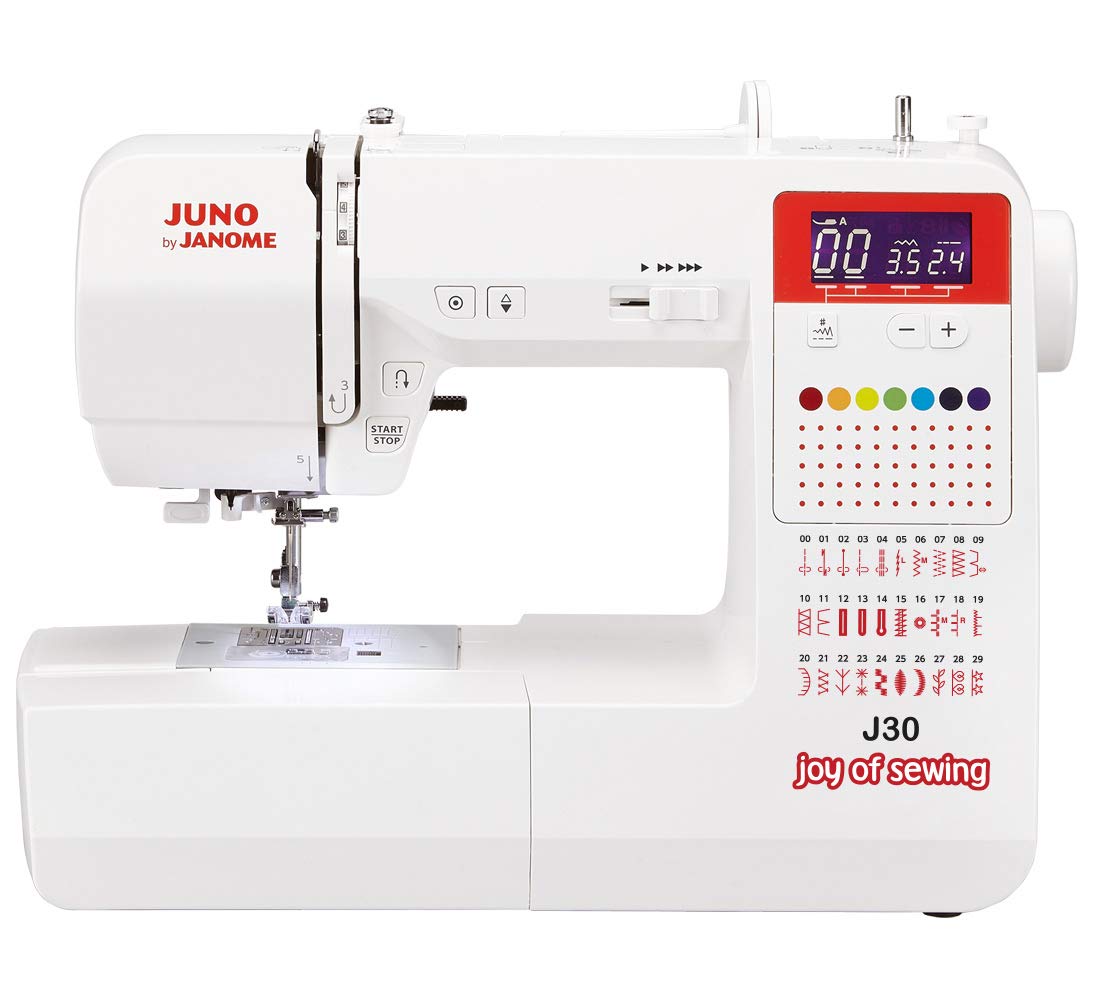
Figure 1: Front view of the Janome JUNO J3 Sewing Machine, showcasing its compact design and control dials.
2. Important Safety Instructions
When using an electrical appliance, basic safety precautions should always be followed, including the following:
- Read all instructions before using this sewing machine.
- Keep fingers away from all moving parts. Special care is required around the sewing machine needle.
- Always use the correct needle plate. The wrong plate can cause the needle to break.
- Do not pull or push fabric while stitching. This may deflect the needle, causing it to break.
- Switch the sewing machine off when making any adjustments in the needle area, such as threading the needle, changing the needle, threading the bobbin, or changing the presser foot.
- Always unplug the sewing machine from the electrical outlet when removing covers, lubricating, or when making any other user servicing adjustments mentioned in this instruction manual.
- Never operate the machine if it has a damaged cord or plug, if it is not working properly, or if it has been dropped or damaged.
- Do not use outdoors.
3. Package Contents
Verify that all items listed below are included in your package:
- Janome JUNO J3 Sewing Machine
- Foot Controller
- Power Cord
- Standard Accessories (e.g., bobbins, needles, seam ripper, screwdriver)
- Instruction Manual
Note: Specific accessories may vary by region. Refer to the packaging for a complete list.
4. Setup
4.1 Unpacking and Placement
- Carefully remove the machine from its packaging.
- Place the machine on a stable, flat surface.
- Ensure adequate lighting and space for comfortable operation.
4.2 Power Connection
- Insert the power cord into the machine's power socket.
- Plug the other end of the power cord into a suitable electrical outlet.
- Connect the foot controller to its designated socket on the machine.
4.3 Winding the Bobbin
- Place a spool of thread on the spool pin.
- Guide the thread through the thread guide and around the bobbin winding tension disc.
- Place an empty bobbin onto the bobbin winder spindle.
- Wind the thread clockwise a few times around the bobbin.
- Push the bobbin winder spindle to the right.
- Press the foot controller to start winding. Stop when the bobbin is full.
- Cut the thread and push the bobbin winder spindle back to the left.
4.4 Inserting the Bobbin
- Open the bobbin cover plate.
- Insert the wound bobbin into the bobbin case, ensuring the thread unwinds in the correct direction (usually counter-clockwise).
- Guide the thread through the tension spring and into the thread guide slot.
- Close the bobbin cover plate.
4.5 Threading the Upper Thread
- Raise the presser foot lifter.
- Place a spool of thread on the spool pin.
- Guide the thread through the upper thread guide.
- Bring the thread down the right channel, up the left channel, and through the take-up lever from right to left.
- Continue guiding the thread down to the needle bar thread guide.
- Thread the needle from front to back.
5. Operating Instructions
5.1 Stitch Selection
Turn the stitch selector dial to choose the desired stitch pattern. Refer to the stitch chart on the machine for available options.
5.2 Stitch Length and Width Adjustment
Adjust the stitch length and width using the corresponding dials. Experiment with different settings on a scrap piece of fabric to achieve the desired result.
5.3 Thread Tension Adjustment
The thread tension dial controls the balance between the upper and bobbin threads. For most general sewing, a setting of "3" to "5" is suitable. Adjust as needed if stitches appear too loose or too tight.
5.4 Starting to Sew
- Place the fabric under the presser foot.
- Lower the presser foot.
- Turn the handwheel towards you to bring the needle down into the fabric, then up again to pull up the bobbin thread.
- Hold both thread tails to the back.
- Gently press the foot controller to start sewing.
5.5 Reverse Sewing
To secure the beginning and end of a seam, press and hold the reverse lever/button while sewing. Release to resume forward stitching.
6. Maintenance
6.1 Cleaning the Machine
- Always unplug the machine before cleaning.
- Remove the needle plate and bobbin case.
- Use a small brush to remove lint and dust from the feed dogs and bobbin area.
- Wipe the exterior of the machine with a soft, dry cloth.
6.2 Changing the Needle
- Turn off and unplug the machine.
- Loosen the needle clamp screw.
- Remove the old needle.
- Insert a new needle with the flat side facing the back of the machine, pushing it up as far as it will go.
- Tighten the needle clamp screw securely.
7. Troubleshooting
| Problem | Possible Cause | Solution |
|---|---|---|
| Machine does not start | Power cord not plugged in; foot controller not connected; main power switch off. | Check power connections; ensure foot controller is securely plugged in; turn on power switch. |
| Skipped stitches | Incorrect needle size/type; bent needle; improper threading; incorrect tension. | Change needle to correct type/size; replace bent needle; re-thread machine correctly; adjust tension. |
| Thread breaking | Improper threading; tension too tight; burr on needle plate; poor quality thread; bent needle. | Re-thread machine; loosen tension; check for burrs; use good quality thread; replace needle. |
| Fabric not feeding | Presser foot not lowered; feed dogs clogged with lint; stitch length set to zero. | Lower presser foot; clean feed dogs; adjust stitch length. |
8. Specifications
| Model Number | JUNO J30 |
| Brand | JANOME |
| Dimensions (L x W x H) | 10 x 5 x 1.27 cm |
| Weight | 2.72 Kilograms |
| Material | Aluminium |
| Color | Black |
| Power Source | Corded Electric |
| Electrical | Yes |
9. Warranty and Support
For warranty information and customer support, please refer to the warranty card included with your product or visit the official Janome website. Keep your purchase receipt as proof of purchase for warranty claims.
For technical assistance or service, contact your authorized Janome dealer or customer service center.


