
1. Introduction
The Minelab GPZ 7000 is an advanced all-terrain gold metal detector designed for serious gold prospecting. Utilizing Zero Voltage Transmission (ZVT) technology, it offers enhanced depth and sensitivity for detecting gold in various ground conditions. This bundle includes essential accessories to support your prospecting activities.
2. Package Contents
Upon unpacking, verify that all components listed below are present. Refer to the image below for a visual representation of the complete bundle.
- Minelab GPZ 7000 All Terrain Gold Metal Detector
- Minelab Pro-Find 35 Pinpointer
- Minelab Carry Bag
- Minelab Finds Pouch
- KOSS UR-30 Headphones
- WM 10 Wireless Module
- Battery and Charger
- Harness and other necessary cables/accessories

Image 2.1: The complete Minelab GPZ 7000 Metal Detector Bundle, including the detector, Pro-Find 35 pinpointer, carry bag, finds pouch, headphones, and wireless module.
3. Setup
3.1 Assembly of the GPZ 7000 Detector
- Attach the Coil: Securely fasten the GPZ 14 Super-D coil to the lower shaft using the provided hardware.
- Assemble the Shaft: Connect the lower, middle, and upper shaft sections. Adjust the length to a comfortable operating position.
- Mount the Control Unit: Attach the control unit to the upper shaft. Ensure all cables are routed correctly and secured to prevent snagging.
- Install the Battery: Insert the Lithium-Ion battery into its compartment on the control unit. Ensure it clicks into place.

Image 3.1: The Minelab GPZ 7000 metal detector fully assembled, ready for use.
3.2 Connecting Wireless Audio
The GPZ 7000 supports wireless audio via the WM 10 Wireless Module and KOSS UR-30 Headphones.
- Charge WM 10: Ensure the WM 10 Wireless Module is charged.
- Pair WM 10: Follow the instructions in the control unit's menu to pair the WM 10 with the detector.
- Connect Headphones: Plug the KOSS UR-30 headphones into the WM 10 module.

Image 3.2: The Minelab WM 10 Wireless Module, which provides wireless audio connectivity.
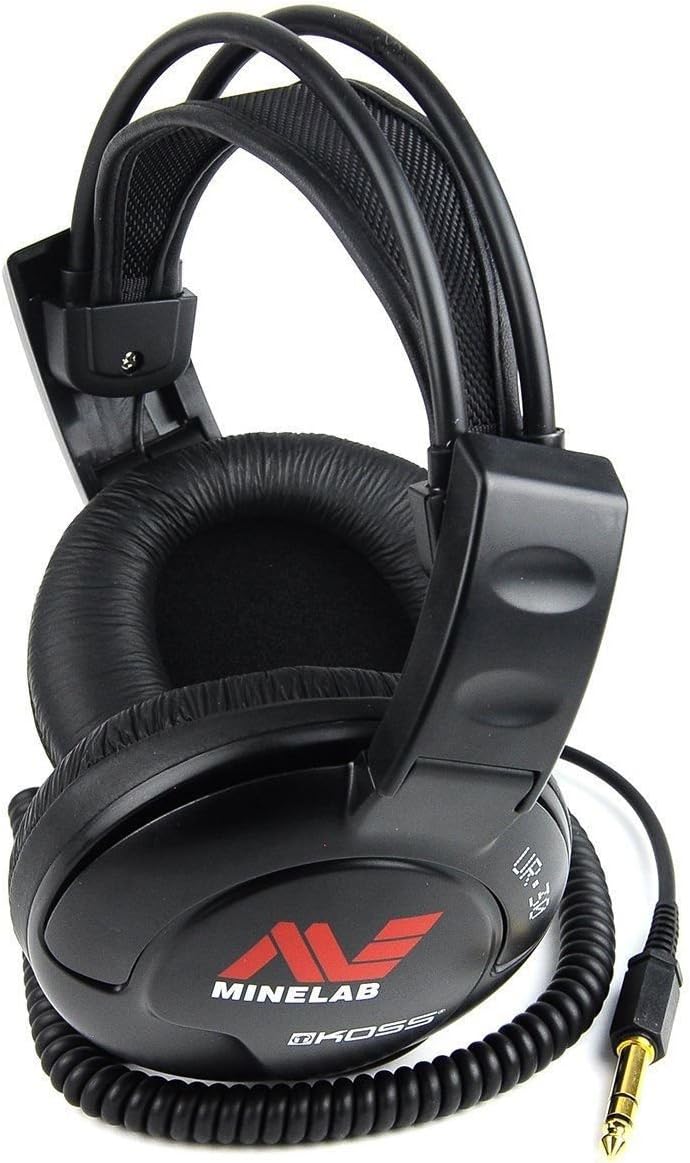
Image 3.3: The KOSS UR-30 Headphones included in the bundle, designed for use with the detector.
4. Operating the GPZ 7000
4.1 Powering On and Basic Controls
Press and hold the power button on the control unit to turn the detector on or off. The control unit features a color LCD display and intuitive buttons for navigation.
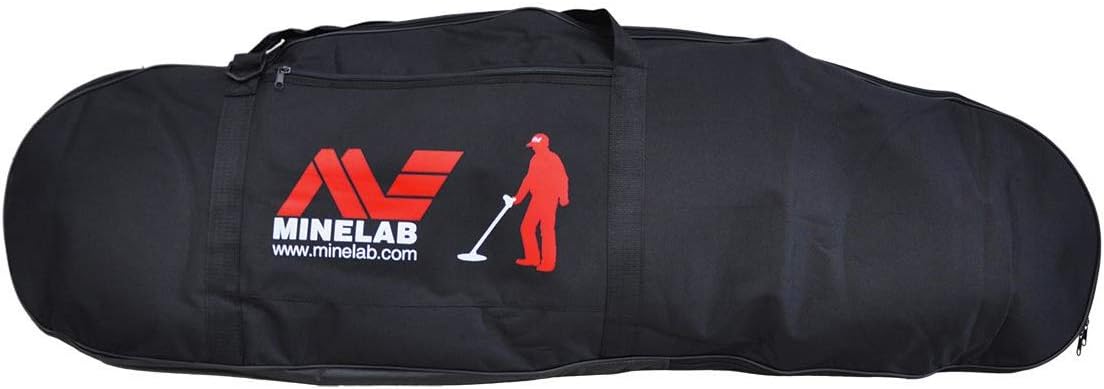
Image 4.1: Close-up of the GPZ 7000 control unit display, showing various detection settings and indicators.

Image 4.2: The GPZ 7000 control unit, highlighting the navigation and function buttons.
4.2 Key Features and Settings
- ZVT Technology: Provides extreme gold depth and maximum sensitivity.
- Ground Balance: The detector features precision ground balance to optimize performance in mineralized ground. Access this setting via the menu.
- Noise Immunity: Utilize the noise cancel function to reduce electromagnetic interference.
- GPS Locating and PC Mapping: The integrated GPS allows for tracking your detecting paths and marking finds, which can then be mapped on a PC.
- Waterproof Coil: The GPZ 14 coil is waterproof up to 3 feet (1 meter), allowing for detection in shallow water.
4.3 Using the Pro-Find 35 Pinpointer
The Minelab Pro-Find 35 pinpointer assists in precisely locating targets once the main detector has identified a general area. It features adjustable sensitivity and ferrous tone identification.
- Power On: Press the power button to activate the pinpointer.
- Scan Area: Sweep the pinpointer over the target area. It will emit an audible and/or vibratory alert when a target is detected.
- Adjust Sensitivity: Use the sensitivity buttons to fine-tune detection for smaller or deeper targets.
5. Maintenance
5.1 Cleaning
- After each use, wipe down the detector, coil, and control unit with a damp cloth to remove dirt and dust.
- Avoid using harsh chemicals or abrasive cleaners.
- Ensure the coil is clean before submerging it in water.
5.2 Battery Care
- Always use the provided Minelab charger for the Lithium-Ion battery.
- Do not expose the battery to extreme temperatures.
- For long-term storage, charge the battery to approximately 50% and store in a cool, dry place.
5.3 Storage
- Store the detector in the Minelab Carry Bag to protect it from damage.
- Keep the detector in a dry, secure location away from direct sunlight and extreme temperatures.
6. Troubleshooting
6.1 Common Issues
- No Power: Check battery charge level and ensure it is correctly installed.
- Erratic Signals: Perform a noise cancel procedure. Ensure the coil cable is not loose or damaged. Check for nearby sources of electromagnetic interference (e.g., power lines, mobile phones).
- Poor Depth/Sensitivity: Re-ground balance the detector. Ensure the correct search mode is selected for the ground conditions.
- No Audio: Check headphone connection to the WM 10 module. Ensure WM 10 is charged and paired with the detector. Verify volume settings.
For more detailed troubleshooting, refer to the comprehensive manual available on the Minelab website or contact customer support.
7. Specifications
| Feature | Specification |
|---|---|
| Brand | MINELAB |
| Model | GPZ 7000 |
| Color | Blue |
| Power Source | Battery Powered (1 Lithium Ion battery included) |
| Material | Metal |
| Item Weight | 18 Pounds |
| Product Dimensions | 34 x 14 x 17 inches |
| Adjustable Length | Yes |
| International Protection Rating | IP54 (Waterproof Coil to 3 ft) |
| Recommended Uses | Gold/Mineral Prospecting |
| UPC | 009068028636 |
8. Warranty and Support
Minelab products are manufactured to high standards and come with a manufacturer's warranty. For specific warranty details, registration, or technical support, please refer to the official Minelab website or contact their customer service department.
You can find more information and support resources by visiting the Minelab Store on Amazon or their official brand website.


