
1. Introduction
This manual provides detailed instructions for the installation, operation, and maintenance of your PowerBass XL-SBCONRF Wireless RF Remote Controller. This controller is designed to provide convenient wireless control over your compatible PowerBass XL-50 Series Soundbar.
Compatibility: This controller is specifically designed for use with PowerBass XL-650, XL-850, and XL-1250 V2 Soundbars only.
2. What's in the Box
- 1x PowerBass XL-SBCONRF Wireless Controller
Please inspect all components for any signs of damage. If any items are missing or damaged, contact your authorized PowerBass dealer immediately.
3. Setup
3.1 Battery Installation
The XL-SBCONRF controller requires batteries for operation. Locate the battery compartment on the back of the controller. Insert the specified batteries, ensuring correct polarity (+/-) as indicated inside the compartment. Close the battery compartment securely.
3.2 Pairing with Your Soundbar
The XL-SBCONRF controller pairs quickly and easily with your compatible PowerBass XL-50 Series Soundbar. Follow these steps:
- Ensure your PowerBass XL-50 Series Soundbar is powered on.
- Press and hold the pairing button on the XL-SBCONRF controller (refer to the diagram below for button location).
- The soundbar will indicate successful pairing, typically with an audible tone or a change in LED indicator status.
- Release the pairing button. Your controller is now ready for use.

4. Operating Instructions
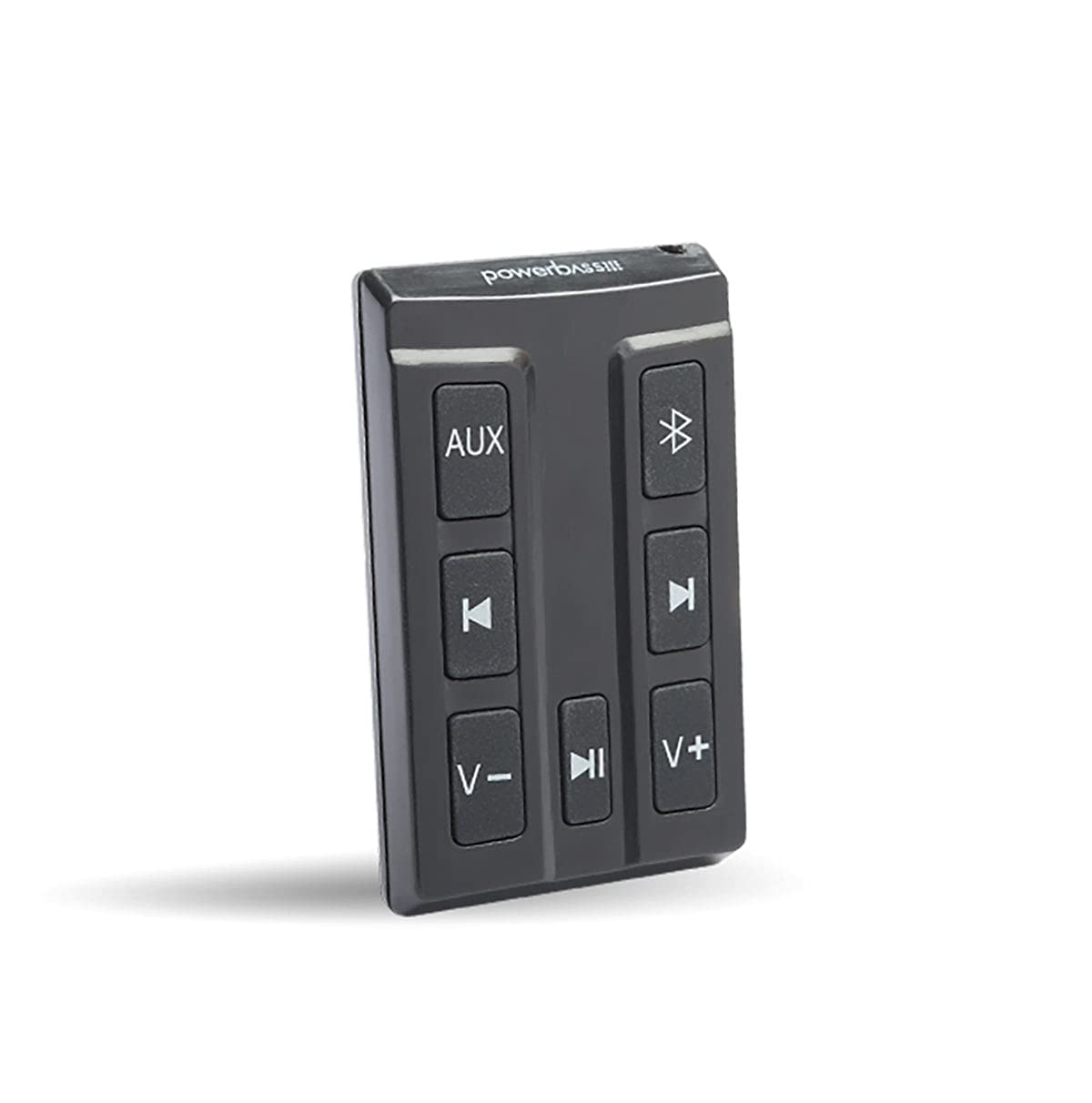
The XL-SBCONRF Wireless Controller provides comprehensive control over your PowerBass XL-50 Series Soundbar. Familiarize yourself with the button functions:
- Source Input: Press this button to cycle through available audio input sources (e.g., AUX, USB, Bluetooth).
- Bluetooth On/Off: Activates or deactivates the Bluetooth connection mode on the soundbar.
- Track Up/Down: Use these buttons to skip to the next or previous track when playing media via Bluetooth or USB.
- Volume Up/Down: Adjusts the overall volume level of the soundbar.
- Play/Pause: Controls media playback (play, pause) when connected via Bluetooth or USB.
5. Maintenance
5.1 Cleaning
To clean the controller, use a soft, dry cloth. Do not use abrasive cleaners, waxes, or solvents. Avoid getting moisture into any openings.
5.2 Battery Replacement
If the controller's response becomes sluggish or it stops functioning, the batteries may need replacement. Replace all batteries with new ones of the same type, ensuring correct polarity. Dispose of old batteries responsibly according to local regulations.
6. Troubleshooting
| Problem | Possible Cause | Solution |
|---|---|---|
| Controller not responding | Dead batteries, controller not paired, out of range. | Replace batteries. Re-pair the controller with the soundbar. Move closer to the soundbar. |
| Intermittent control | Low batteries, interference, obstructions. | Replace batteries. Ensure no strong radio interference sources are nearby. Remove obstructions between controller and soundbar. |
| Cannot pair controller | Soundbar not in pairing mode, incorrect procedure. | Ensure soundbar is powered on and ready for pairing. Follow pairing instructions carefully. |
7. Specifications
- Model Number: XL-SBCONRF
- Product Dimensions: 6 x 1 x 4 inches
- Item Weight: 1.58 ounces
- Manufacturer: PowerBass
- Compatibility: PowerBass XL-650, XL-850, XL-1250 V2 Soundbars
8. Warranty Information
For detailed warranty information regarding your PowerBass XL-SBCONRF Wireless Controller, please refer to the warranty card included with your product or visit the official PowerBass website. Warranty terms and conditions may vary by region and product.
9. Support
If you require further assistance or have questions not covered in this manual, please contact PowerBass customer support or visit the PowerBass website for FAQs and additional resources.
PowerBass Website: www.powerbassusa.com