
1. Introduction
The Meeteasy MVOICE 8010 EX-B is a high-quality conference speaker microphone designed to enhance communication in various meeting environments. It features 360-degree voice pickup, noise reduction, echo cancellation, and supports both USB and Bluetooth connectivity. With its expandable microphones, it is suitable for small to large meeting rooms, accommodating up to 12-16 attendees.
2. What's in the Box
- Microphone Speaker (Main Unit)
- Power Cable
- Warranty Card
- Expandable Microphones (2 units)
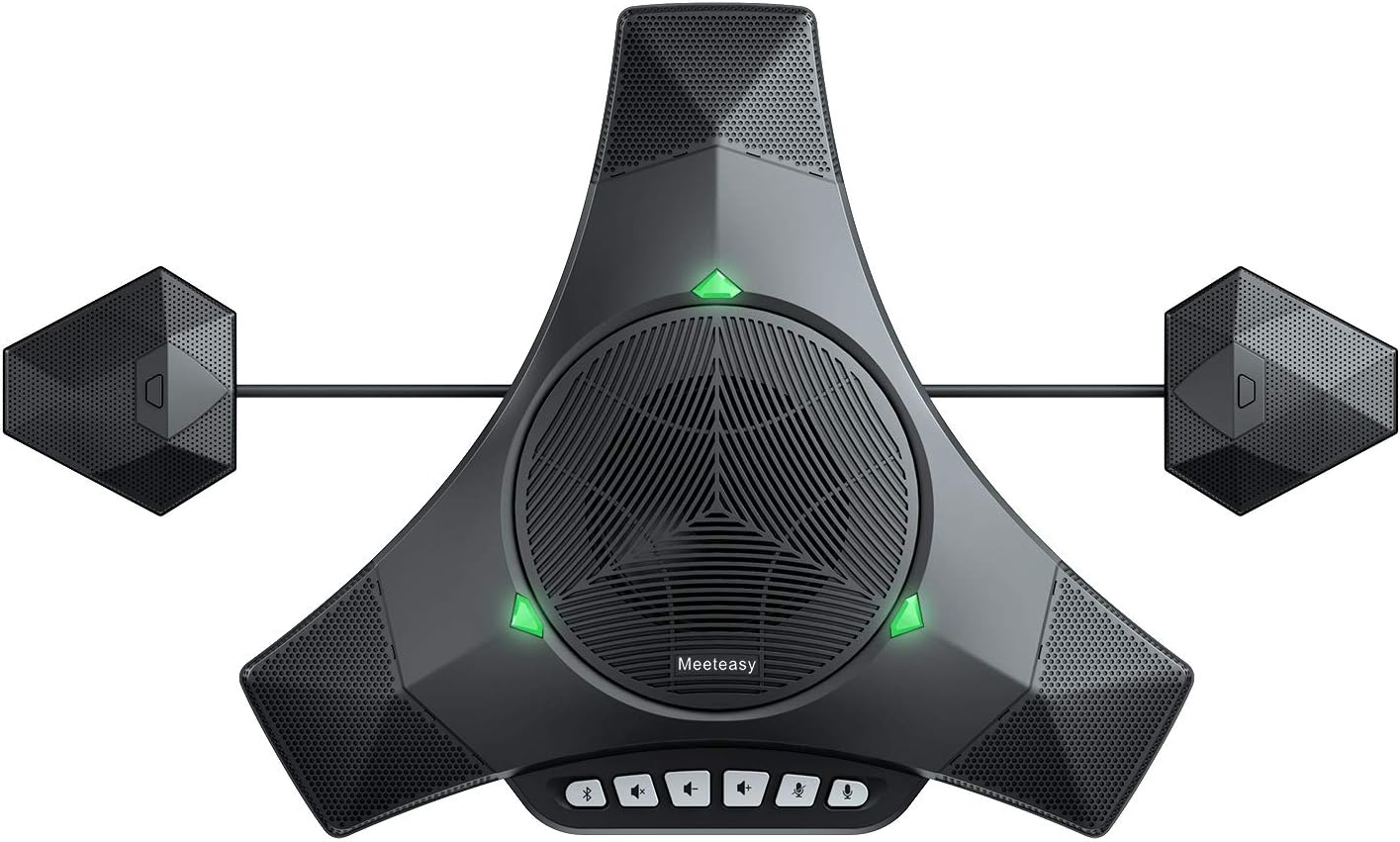
Image: Meeteasy MVOICE 8010 EX-B main unit with two expandable microphones connected, showing the complete setup.
3. Product Features
- Enhanced 360° Voice Pickup: Equipped with 3 omnidirectional microphones, capturing voices from all directions within a 5-meter radius.
- Crystal-Clear Audio Quality: Delivers even sound distribution and supports full-duplex audio for natural conversations.
- Noise and Echo Cancellation: Effectively reduces background noise from common office environments (e.g., air conditioning, keyboard clicks) and eliminates echo for clear communication.
- Easy Setup and Use: Offers plug-and-play connectivity via USB and Bluetooth, requiring no additional drivers or software.
- Broad Compatibility: Compatible with major conferencing platforms such as Zoom, Microsoft Teams, Skype, Slack, and Webex. Supports mobile phones with standard Bluetooth protocols.
- Expandable for Larger Meetings: Daisy Chain technology allows connection of two professional expandable microphones to extend coverage for 12-16 attendees.
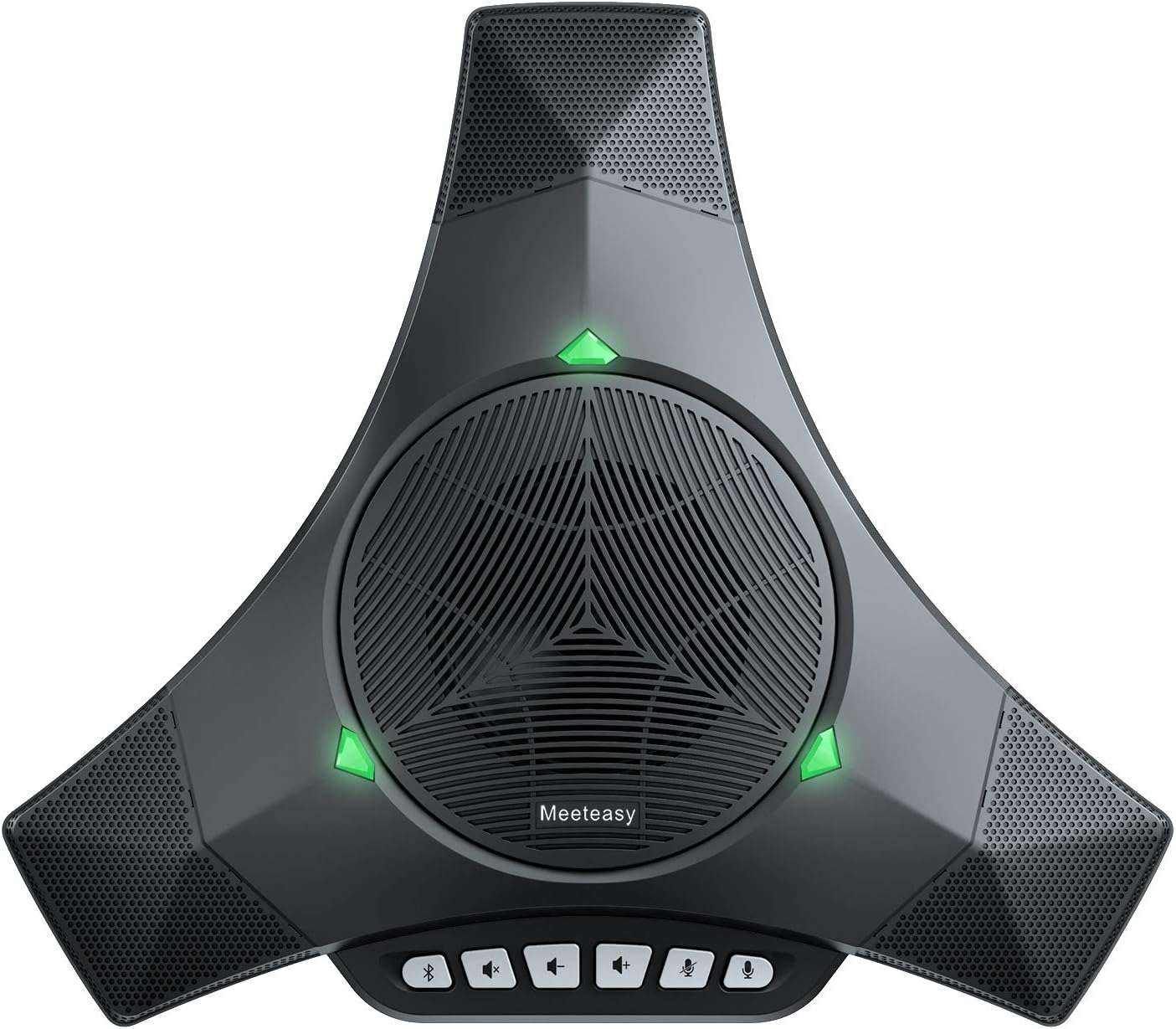
Image: Top view of the Meeteasy MVOICE 8010 EX-B main unit, highlighting its compact design when used without expandable microphones.

Image: Diagram illustrating the sound dispersion and 93 dB speaker volume capability of the MVOICE 8010 EX-B.
4. Setup Guide
4.1. USB Connection
- Connect the provided USB cable to the USB port on the MVOICE 8010 EX-B main unit.
- Plug the other end of the USB cable into an available USB port on your computer (PC or laptop).
- The device will be automatically recognized by your operating system. No driver installation is typically required.
- Select the MVOICE 8010 EX-B as your audio input (microphone) and output (speaker) device in your computer's sound settings and your conferencing software.
4.2. Bluetooth Connection
- Power on the MVOICE 8010 EX-B.
- Activate Bluetooth on your mobile phone or other compatible device.
- Search for available Bluetooth devices and select "MVOICE 8010 EX-B" from the list.
- Once paired, the device will be ready for use as a speakerphone.
4.3. Connecting Expandable Microphones (Daisy Chain)
For larger meeting rooms, connect the two expandable microphones to the main unit using the dedicated ports. This extends the voice pickup range and ensures all participants are heard clearly.

Image: Close-up view of the two expandable microphones, designed to extend the audio pickup range of the main unit.

Image: The MVOICE 8010 EX-B speakerphone with expandable microphones set up on a conference table during a meeting.
5. Operating Instructions
5.1. Basic Controls
The main unit features intuitive buttons for call management and audio control:
- Volume Up/Down: Adjust speaker volume.
- Mute Microphone: Toggle microphone mute on/off.
- Answer/End Call: Manage calls when connected via Bluetooth to a mobile device.
- Bluetooth Button: Initiate Bluetooth pairing mode.
5.2. Software Compatibility
The MVOICE 8010 EX-B is designed for seamless integration with popular video conferencing applications. Ensure the device is selected as the primary audio input and output within your chosen software's settings.

Image: The MVOICE 8010 EX-B speakerphone positioned on a desk next to a computer monitor, demonstrating its use in a personal or small office setup.
6. Maintenance
To ensure the longevity and optimal performance of your MVOICE 8010 EX-B, follow these maintenance guidelines:
- Cleaning: Use a soft, dry cloth to clean the exterior of the device. Avoid using harsh chemicals or abrasive materials.
- Storage: Store the device in a cool, dry place away from direct sunlight and extreme temperatures when not in use.
- Cable Care: Handle cables gently to prevent damage. Avoid sharp bends or excessive pulling.
- Battery Care: The device includes a Lithium Polymer battery. For optimal battery life, avoid fully discharging the battery frequently and store it with a partial charge if not used for extended periods.
7. Troubleshooting
If you encounter issues with your MVOICE 8010 EX-B, refer to the following common solutions:
- No Sound/Microphone Not Working:
- Ensure the device is properly connected via USB or Bluetooth.
- Check your computer's sound settings and conferencing software to confirm the MVOICE 8010 EX-B is selected as the input and output device.
- Verify that the microphone is not muted on the device or in your software.
- Adjust the volume levels on both the device and your computer.
- Bluetooth Pairing Issues:
- Ensure the device is in pairing mode (Bluetooth indicator light flashing).
- Turn off and on Bluetooth on your mobile device.
- Move the device closer to your mobile phone to ensure it's within range.
- Remove the device from your phone's paired devices list and attempt to pair again.
- Echo or Distortion:
- Ensure the speakerphone is placed on a flat, stable surface.
- Reduce the speaker volume if it's too high.
- Avoid placing the speakerphone too close to walls or reflective surfaces.
- Expandable Microphones Not Working:
- Verify that the expandable microphones are securely connected to the main unit's dedicated ports.
8. Specifications
| Feature | Detail |
|---|---|
| Model Number | MVOICE 8010 EX-B |
| Product Dimensions (L x W x H) | 11.22 x 12.83 x 2.56 inches (285 x 326 x 65 mm) |
| Item Weight | 3.74 pounds (1.7 Kilograms) |
| Connectivity | USB, Bluetooth |
| Microphone Pickup Range | Up to 5 meters radius (16 feet) |
| Battery Type | 1 Lithium Polymer battery (included) |
| Material | Plastic |
| Compatible Devices | Smartphone, Laptop, Desktop |
| Manufacturer | MeetEasy |
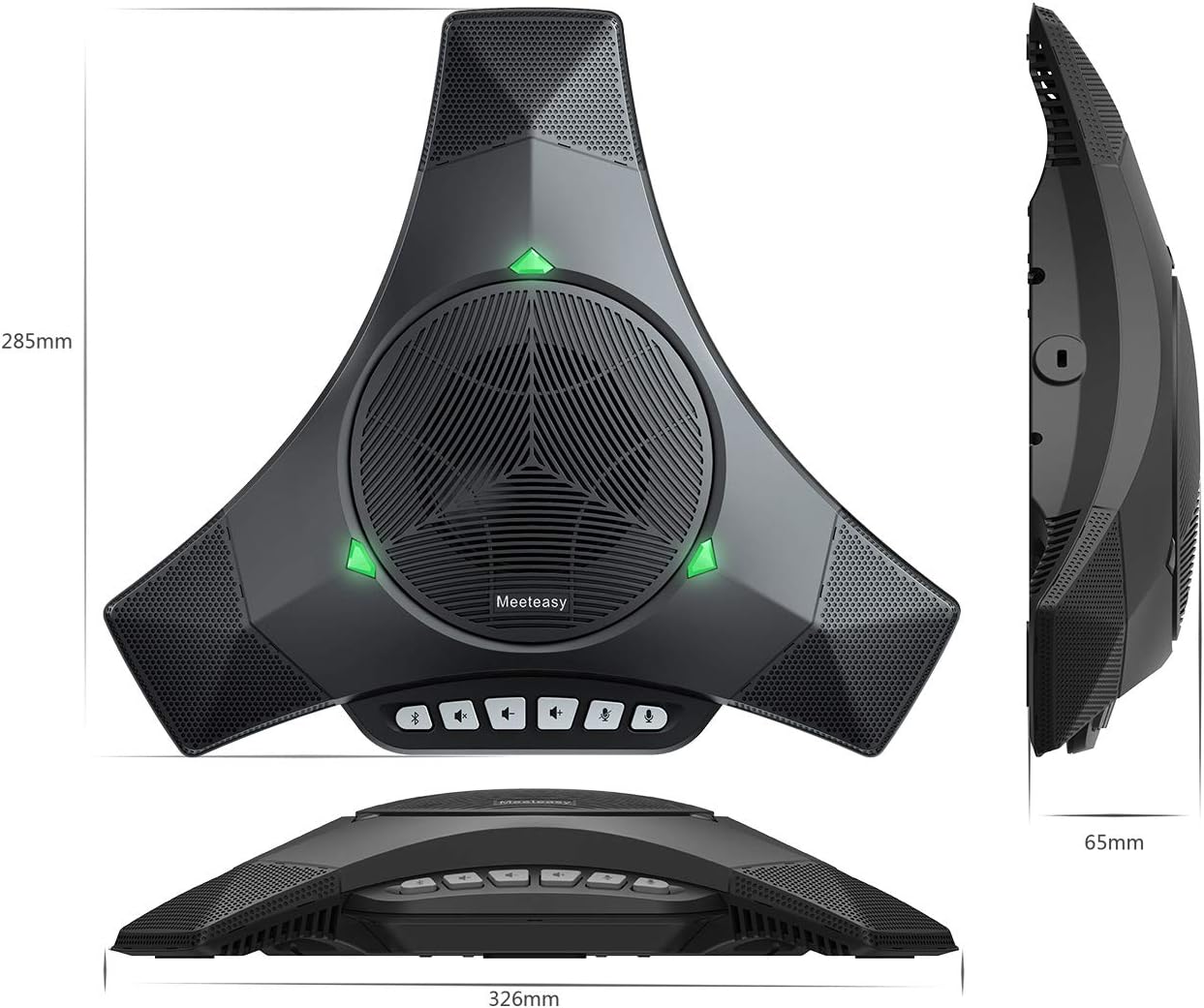
Image: Diagram illustrating the physical dimensions of the MVOICE 8010 EX-B main unit.

Image: Bottom view of the MVOICE 8010 EX-B, displaying the model number and manufacturer details.
9. Warranty and Support
This product is manufactured by MeetEasy. For specific warranty information, please refer to the warranty card included in your product packaging. General return policies typically allow for returns within 30 days of purchase.
For technical support or service inquiries, please contact the manufacturer directly or refer to their official website. The manufacturer, MeetEasy, is a leading audio conferencing product developer and manufacturer.
Manufacturer: MeetEasy
Website: www.meeteasy.com.cn