1. Introduction
This manual provides essential instructions for the safe and efficient operation, installation, and maintenance of your Symphony Duet i-S Personal Table Cooling Fan. Please read this manual thoroughly before using the appliance and retain it for future reference.
2. Product Overview and Features
The Symphony Duet i-S is a compact and portable personal air cooler designed for individual cooling in small spaces. It features a 6-liter water tank, honeycomb cooling pads, and a powerful blower for effective air circulation.
- Coverage Area: Suitable for personal cooling up to 10 square meters.
- High-Efficiency Cooling: Equipped with a Dura pump, high water retention capacity honeycomb pads, and a cool flow dispenser for even water distribution.
- Tank Capacity: 6-liter water tank with a visible water level indicator.
- Powerful Blower: High-speed blower with 4.5m/15ft air speed and a 1300 RPM motor for instant cool air.
- Low Power Consumption: Operates at approximately 55 watts and is inverter compatible.
- Easy-to-Use: Sleek design with an ergonomic touchpad for simple operation.
- Detachable Pedestal: Allows for convenient height adjustment to suit various settings.
- Automatic Rotation: Provides 180-degree horizontal oscillation for surround airflow.

Image 2.1: The Symphony Duet i-S Personal Table Cooling Fan, showcasing its sleek design and air circulation.
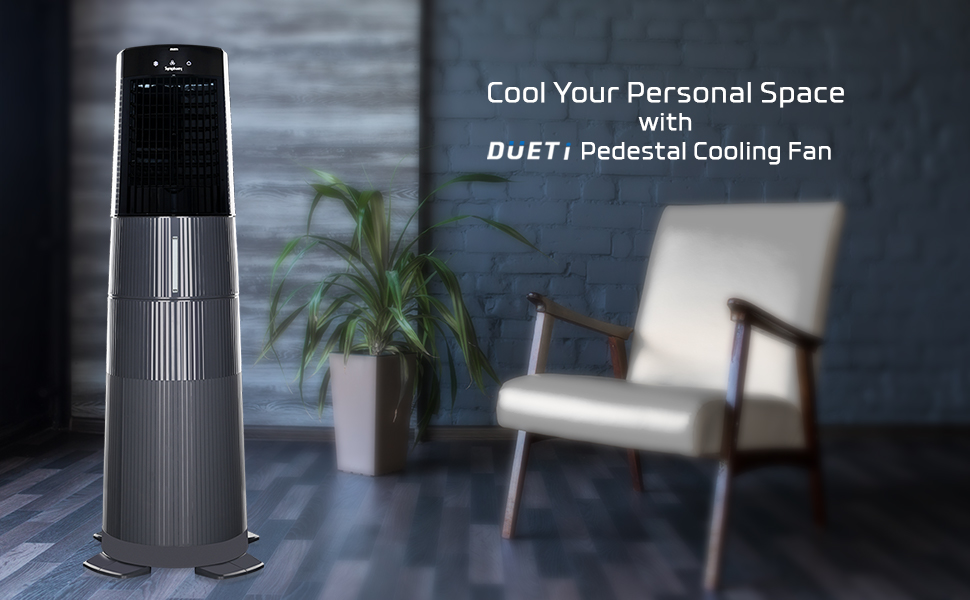
Image 2.2: The Symphony Duet i-S Personal Table Cooling Fan shown with its pedestal, designed to cool personal spaces.
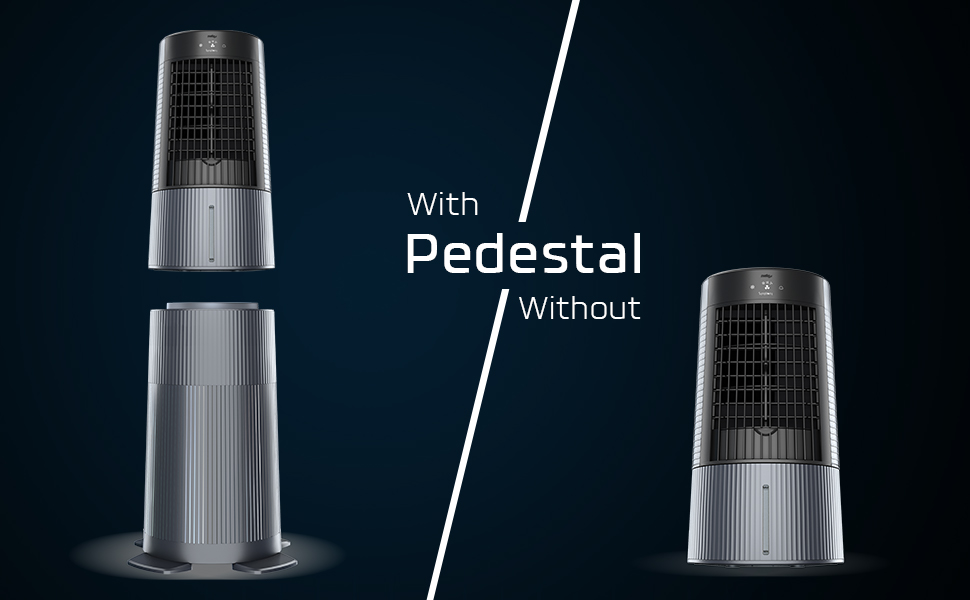
Image 2.3: Comparison of the Symphony Duet i-S with and without its detachable pedestal, illustrating its versatile height options.
3. Safety Instructions
- Always ensure the power supply matches the voltage specified on the appliance.
- Do not operate the cooler with a damaged cord or plug.
- Keep the appliance away from direct sunlight and heat sources.
- Do not immerse the appliance in water or other liquids.
- Ensure the water tank is filled with clean water only. Do not add any chemicals or fragrances.
- Unplug the cooler from the power outlet before cleaning, refilling, or performing any maintenance.
- Keep out of reach of children and pets.
- For effective cooling, ensure proper ventilation in the room by keeping a door or window open.
4. Setup
Follow these steps to set up your Symphony Duet i-S Personal Table Cooling Fan:
- Unpacking: Carefully remove the cooler and all accessories from the packaging. Ensure all components listed in the package inclusion are present.
- Pedestal Assembly (Optional): If using the pedestal, securely attach the main cooler unit to the pedestal base. Refer to the diagram for correct alignment.
- Placement: Place the cooler on a stable, level surface. For optimal performance, position it near an open window or door to allow for cross-ventilation.
- Fill Water Tank: Open the water inlet and fill the 6-liter water tank with clean water. Do not overfill; observe the water level indicator.
- Power Connection: Plug the power cord into a suitable electrical outlet.

Image 4.1: Diagram illustrating the main components of the Symphony Duet i-S, including the water tank and level indicator.

Image 4.2: View of the Symphony Duet i-S highlighting the detachable pedestal and dust pre-filters.
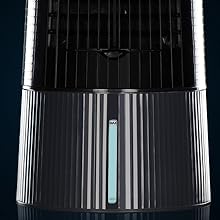
Image 4.3: Close-up of the water level indicator on the Symphony Duet i-S.
5. Operating Instructions
The Symphony Duet i-S features an ergonomic touchpad for easy control.
- Power On/Off: Press the power button on the touchpad to turn the cooler on or off.
- Fan Speed: Select from 3 available fan speeds (Low, Medium, High) using the speed control button.
- Cooling Function: Activate the cooling function to engage the water pump and honeycomb pads for evaporative cooling.
- Oscillation: Press the oscillation button to enable the 180-degree horizontal rotation for wider air distribution.
- Water Level: Monitor the water level indicator. Refill the tank when the water level is low to ensure continuous cooling.

Image 5.1: Close-up of the digital touchpad control panel on the Symphony Duet i-S.
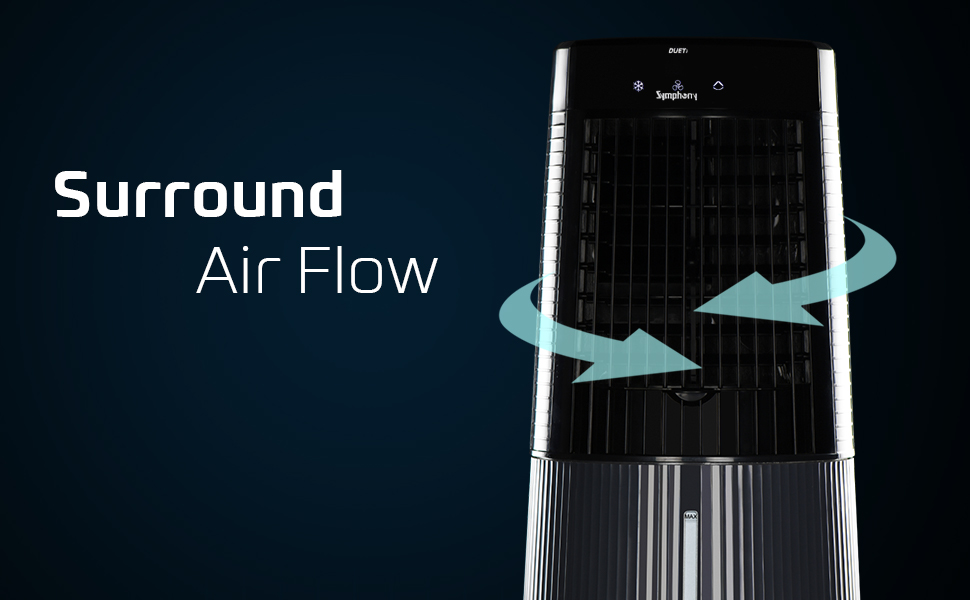
Image 5.2: Illustration of the 180-degree surround air flow feature of the Symphony Duet i-S.
6. Maintenance
Regular maintenance ensures the longevity and optimal performance of your cooler.
- Cleaning the Water Tank: Periodically drain and clean the water tank to prevent algae growth and mineral buildup. Use a soft cloth and mild detergent if necessary, then rinse thoroughly.
- Cleaning Honeycomb Pads: The honeycomb pads should be cleaned regularly. Remove them carefully and rinse under running water. Allow them to dry completely before reinserting.
- Cleaning Dust Pre-Filters: The dust pre-filters can be removed and cleaned with a soft brush or vacuum cleaner to maintain airflow efficiency.
- Exterior Cleaning: Wipe the exterior of the cooler with a soft, damp cloth. Do not use abrasive cleaners or solvents.
- Storage: If storing the cooler for an extended period, ensure the water tank is empty and dry, and all components are clean. Store in a dry, dust-free place.
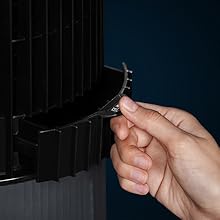
Image 6.1: Demonstrating the removal of the dust filter for cleaning.
7. Troubleshooting
Refer to the table below for common issues and their solutions:
| Problem | Possible Cause | Solution |
|---|---|---|
| Cooler does not turn on | No power supply; Power cord not plugged in; Faulty outlet | Check power connection; Test outlet with another appliance; Contact service center if issue persists |
| No cooling effect | Water tank empty; Pump not working; Honeycomb pads dry | Refill water tank; Check pump operation; Ensure pads are wet |
| Weak airflow | Dust filters clogged; Low fan speed setting | Clean dust filters; Increase fan speed |
| Unusual noise | Low water level; Obstruction in fan; Unit not level | Refill water tank; Check for obstructions; Place on a level surface |
8. Specifications
| Feature | Specification |
|---|---|
| Brand | Symphony |
| Model Name | Duet i-S |
| Mounting Type | Freestanding |
| Colour | Grey |
| Air Flow Capacity | 10 CMPH |
| Controls Type | Button (Touchpad) |
| Reservoir Capacity | 6 Liters |
| Floor Area Coverage | Up to 10 square meters (538 sq ft) |
| Noise Level | 65 dB |
| Number of Speeds | 3 |
| Product Dimensions (D x W x H) | 39D x 39W x 97.5H Centimeters |
| Item Weight | 5 kg 700 g |
| Voltage | 127 Volts |
| Amperage | 0.59 Amps |
| Included Components | 1 Air Cooler, 1 Pedestal |
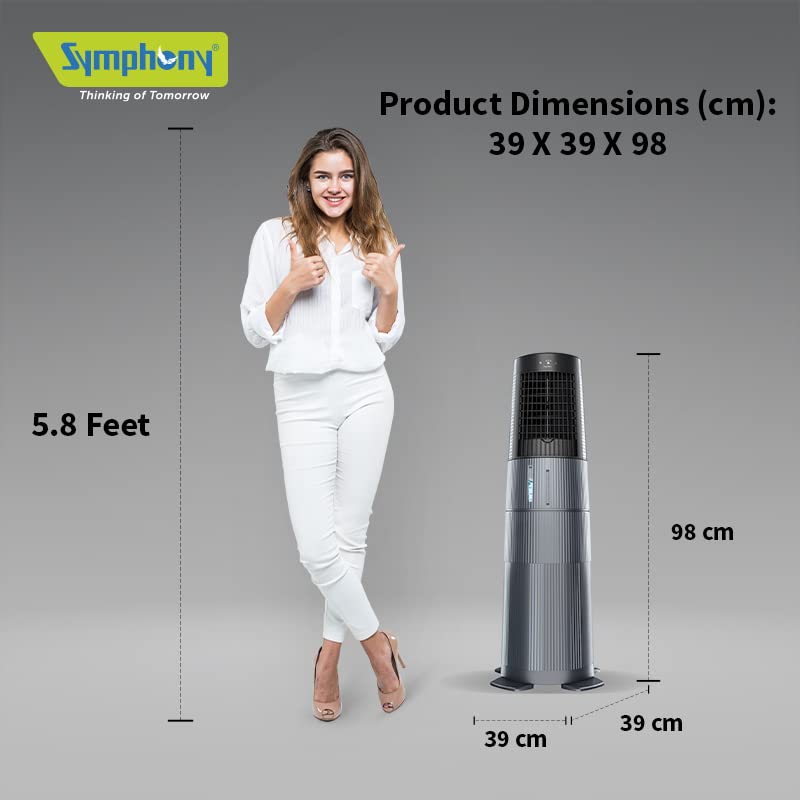
Image 8.1: Product dimensions of the Symphony Duet i-S.
9. Warranty and Support
The Symphony Duet i-S Personal Table Cooling Fan comes with a one-year warranty from the date of purchase, covering manufacturing defects. For warranty claims or technical support, please contact Symphony customer service. Keep your purchase receipt as proof of purchase.
Manufacturer: Symphony Limited, Symphony House, FP12-TP50 Bodakdev, Ahmedabad 380059
Phone: +91 79 6621 1111


