
Introduction
Thank you for choosing the MASINGO Ostinato M7 Karaoke Machine. This portable PA speaker system is designed to provide high-quality audio and entertainment for various occasions. Please read this manual thoroughly before operating the device to ensure proper use and longevity.
What's in the Box
- Ostinato M7 Karaoke Machine
- 2 Wireless Microphones
- USB Cable
- User Manual
- Auxiliary Cable
- TV Cable
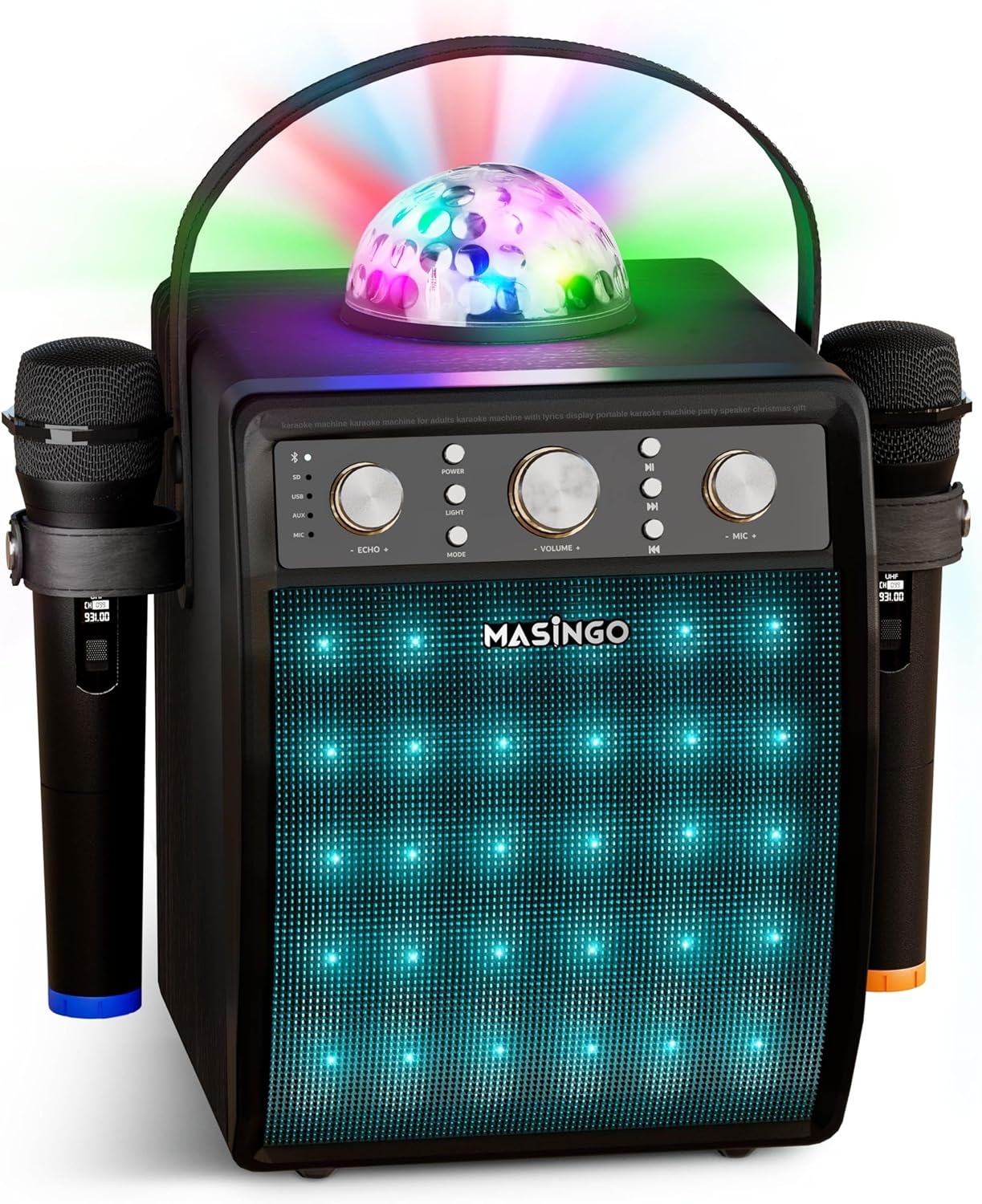
Figure 1: MASINGO Ostinato M7 Karaoke Machine with included accessories.
Setup
1. Charging the Unit
Before first use, fully charge the karaoke machine using the provided USB cable. The unit features a rechargeable battery for portable use.
2. Microphone Setup
The Ostinato M7 comes with two wireless microphones. Each microphone requires 2 AA batteries (not included). Open the battery compartment at the bottom of the microphone and insert the batteries, ensuring correct polarity.

Figure 2: Inserting batteries into the wireless microphone.
To turn on a microphone, slide the power switch. The display on the microphone will show its status and battery life. The microphones will automatically pair with the karaoke machine when powered on.

Figure 3: Wireless microphone display.
When not in use, the microphones can be securely stored in the leather holsters on the sides of the main unit.

Figure 4: Microphone stored in side holster.
Operating Instructions
1. Control Panel Overview
The main control panel is located on the top of the unit, featuring various knobs and buttons for easy operation.

Figure 5: Front control panel.

Figure 6: Control panel functions diagram.
2. Playback Modes
The Ostinato M7 supports multiple playback modes:
- Bluetooth: Pair your smartphone or tablet wirelessly to stream music.
- USB / Micro-SD: Insert a USB drive or Micro-SD card with your favorite songs.
- AUX-in: Connect external devices using the provided AUX cable.
- FM Radio: Tune into FM radio stations.
- RCA (TV Audio): Connect to your TV using the provided RCA cable for lyrics display.

Figure 7: Connecting to a TV for lyrics.
3. Light Features
Enhance your karaoke experience with the built-in disco ball and multicolored LED lights on the front speaker grille. Press the 'LIGHT' button on the control panel to cycle through different light modes or turn them off.
Video 1: Introducing the Ostinato M7 Karaoke Machine. This video demonstrates the key features and light effects of the karaoke machine.
Maintenance
To ensure the longevity and optimal performance of your MASINGO Ostinato M7 Karaoke Machine, follow these maintenance guidelines:
- Cleaning: Wipe the unit with a soft, dry cloth. Do not use abrasive cleaners or solvents.
- Storage: Store the machine in a cool, dry place away from direct sunlight and extreme temperatures.
- Battery Care: If storing for extended periods, ensure the battery is partially charged (around 50%) and recharge every few months to prevent deep discharge.
- Microphone Care: Remove batteries from microphones if they will not be used for a long time to prevent leakage.
Troubleshooting
If you encounter any issues with your MASINGO Ostinato M7, please refer to the following common problems and solutions:
| Problem | Possible Cause | Solution |
|---|---|---|
| No sound from speaker | Volume too low; incorrect mode selected; device not connected properly. | Increase master volume; press MODE button to select correct input; check cable connections or Bluetooth pairing. |
| Microphone not working | Microphone off; low batteries; not paired. | Ensure microphone is switched ON; replace batteries; power cycle microphone and machine to re-pair. |
| Unit not charging | USB cable faulty; power adapter insufficient; unit faulty. | Try a different USB cable and power adapter; contact customer support if issue persists. |
| Disco ball/LED lights not working | Lights turned off; unit off. | Press the LIGHT button to turn on/cycle modes; ensure main unit is powered on. |
If the problem persists after trying these solutions, please contact MASINGO customer support.
Specifications
| Feature | Detail |
|---|---|
| Model Number | Ostinato M7 |
| Output Wattage | 30 Watts |
| Power Source | Battery Powered (1 Lithium Ion battery included) |
| Battery Life | Up to 5 hours (approx.) |
| Connectivity Technology | RCA, Bluetooth, USB, AUX |
| Microphones | 2 Wireless Microphones (UHF) |
| Product Dimensions | 10.63 x 10.24 x 14.69 inches |
| Item Weight | 9.08 pounds |
| Mounting Type | Tabletop |
| Color | Black |
Warranty and Support
Your MASINGO Ostinato M7 Karaoke Machine comes with a 60-day warranty from the date of purchase. Please retain your proof of purchase for warranty claims.
For further assistance, technical support, or warranty inquiries, please refer to the full User Manual PDF available online or contact MASINGO customer support directly.
User Manual (PDF): https://manuals.plus/m/ab93746123c1a4921ebe35d1e406cce36935f2b84bd263bad6393bf7065b19b1


