Introduction
Welcome to the user manual for your SKMEI CF80 Smart Watch. This guide provides essential information for setting up, operating, maintaining, and troubleshooting your device. Please read this manual thoroughly to ensure optimal performance and longevity of your smart watch.
1. Setup
1.1 Package Contents
Verify that all items are present in your package:
- 1 x SKMEI CF80 Smart Watch (Rose Gold with stainless steel strap)
- 1 x Pink leather strap
- 1 x Charging cable
- 1 x User manual
- 1 x Strap adjustment tool

Image: The SKMEI CF80 Smart Watch shown with both the rose gold stainless steel mesh strap and an additional pink leather strap.
1.2 Charging the Device
Before initial use, fully charge your smart watch. Connect the provided charging cable to the charging contacts on the back of the watch and to a USB power source. The watch uses a dedicated charging pad for water resistance.

Image: The SKMEI CF80 Smart Watch connected to its magnetic charging cable.
1.3 App Installation and Bluetooth Pairing
To unlock the full functionality of your SKMEI CF80 Smart Watch, download the companion application on your Android or iOS smartphone. Search for the app name (usually mentioned in the included quick start guide or on the watch screen during initial setup) in your device's app store.
- Install the application on your smartphone.
- Ensure Bluetooth is enabled on your smartphone.
- Open the app and follow the on-screen instructions to pair your smart watch via Bluetooth.
- Confirm the pairing request on both your phone and the watch.
Once paired, the watch will synchronize data with the app, and you can customize settings, watch faces, and view detailed health and activity reports.
2. Operation
The SKMEI CF80 Smart Watch features a full-touch screen for intuitive navigation. Swipe across the screen to access different functions and tap to select.
2.1 Customizing Watch Faces
The watch offers multiple built-in watch faces and allows for custom dials. You can change the watch face directly on the device or through the companion app for more options, including personalized backgrounds.
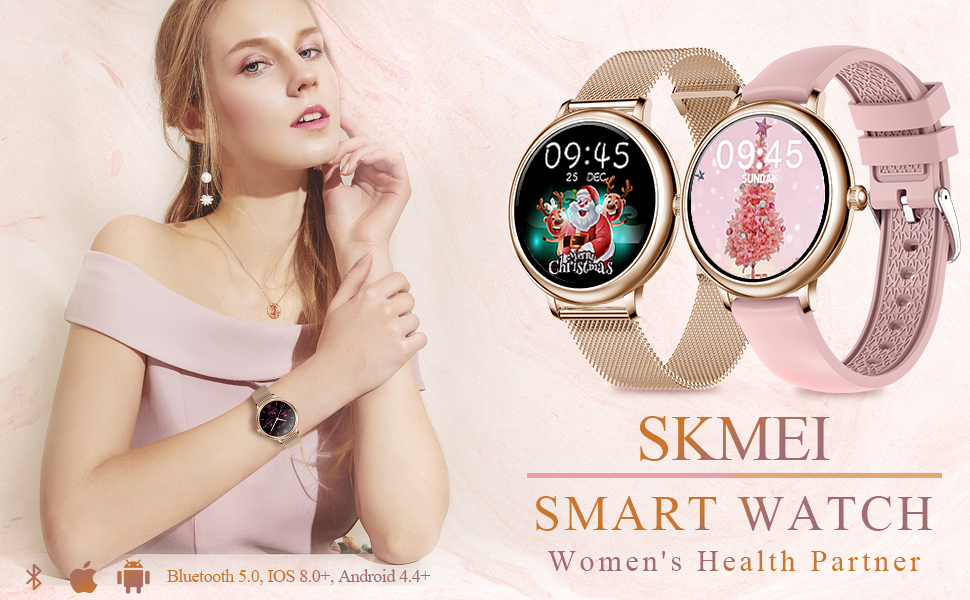
Image: A smartphone screen showing options for customizing watch faces, with examples of different dials on the SKMEI Smart Watch.
2.2 Health Monitoring
The watch provides comprehensive health tracking features:
- Heart Rate Monitoring: Continuous 24/7 heart rate tracking. To view your current heart rate, navigate to the heart rate interface on the watch.
- Blood Pressure Monitoring: Measure your blood pressure by navigating to the blood pressure function. Ensure the watch is snug on your wrist for accurate readings.
- Blood Oxygen Level: Monitor your blood oxygen saturation.
- Sleep Monitoring: Automatically tracks your sleep patterns, including deep sleep, light sleep, and awake times. View detailed reports in the companion app.

Image: The SKMEI Smart Watch displaying a heart rate reading on its screen.
2.3 Activity Tracking
The watch tracks various daily activities and supports multiple sports modes:
- Step Counting: Records your daily steps.
- Calorie Calculation: Estimates calories burned based on your activity.
- Mileage: Tracks distance covered.
- Exercise Modes: Select specific modes for activities like running, cycling, and more to get tailored data.

Image: A woman wearing the SKMEI Smart Watch while engaging in physical activity, demonstrating its activity tracking capabilities.
2.4 Smart Notifications and Reminders
Stay connected with various notifications and reminders:
- Call/SMS Reminder: Receive alerts for incoming calls and text messages. Note: The watch displays notifications but does not support answering calls or responding to messages directly.
- Social Media Notifications: Get alerts from your connected social media accounts.
- Sedentary Reminder: Prompts you to move after periods of inactivity.
- Smart Alarm: Set alarms that vibrate on your wrist.
- Weather Forecast: View current weather information.
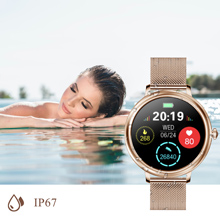
Image: The SKMEI Smart Watch screen showing an incoming message notification.
2.5 Female Physiological Period Management
The watch includes a dedicated feature for tracking and managing female physiological cycles, including menstruation, pregnancy preparation, and ovulation periods. Set up and monitor this feature through the companion app.
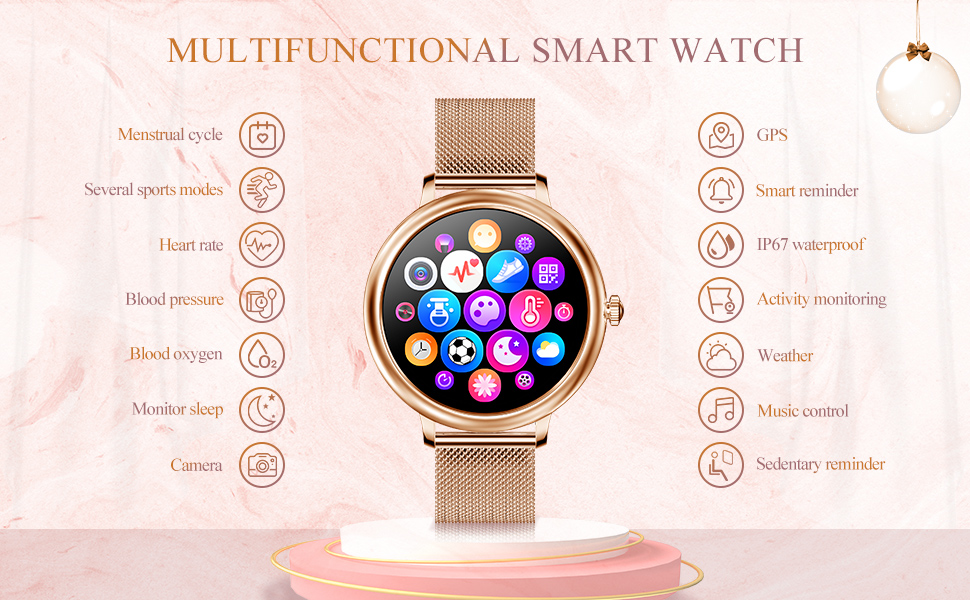
Image: A smartphone screen displaying the "Women Care Function" interface, showing menstrual cycle tracking and reminders, alongside the SKMEI Smart Watch.
2.6 Additional Features
- Remote Camera Control: Use your watch to remotely trigger your smartphone's camera.
- Music Control: Control music playback on your smartphone (play, pause, skip tracks).
- Stopwatch: A built-in stopwatch function.
- Raise Hand to Brighten Screen: The screen automatically illuminates when you raise your wrist.
3. Maintenance
3.1 Cleaning
Regularly clean your smart watch and straps to prevent buildup and maintain appearance. Use a soft, damp cloth to wipe the screen and watch body. For the straps, follow specific cleaning instructions based on the material (e.g., mild soap and water for silicone, dry cloth for metal).
3.2 Water Resistance
The SKMEI CF80 Smart Watch is IP67 waterproof, meaning it is resistant to splashes, rain, and brief immersion in water (up to 1 meter for 30 minutes). It is suitable for daily wear and hand washing. However, it is not recommended for swimming, diving, or exposure to hot water/steam (e.g., showers, saunas) as this can compromise the seals.
Video: Official product video demonstrating key features of the SKMEI Smart Watch, including personalized dials, full-screen touch, health monitoring (heart rate, blood pressure, blood oxygen), multiple sports modes, information reminders, scientific sleep tracking, menstruation reminders, and IP67 waterproofing.
4. Troubleshooting
- Watch not pairing with phone: Ensure Bluetooth is on for both devices. Restart both the watch and phone. Check the companion app for pairing instructions. If the issue persists, try unpairing and re-pairing.
- Inaccurate health readings: Ensure the watch is worn snugly on your wrist, not too loose or too tight. Avoid excessive movement during measurements. Note that smartwatches are not medical devices and readings are for reference only.
- Notifications not appearing: Check your phone's app settings to ensure notification permissions are granted for the companion app. Verify that the watch is connected via Bluetooth.
- Battery life concerns: Adjust screen brightness, reduce notification frequency, and disable continuous heart rate monitoring if not needed to extend battery life. Check battery percentage in the companion app.
- Flashing green light at night: This is typically the optical heart rate sensor. If it disturbs your sleep, you may be able to disable continuous heart rate monitoring or sleep tracking in the app settings, or simply remove the watch at night.
- Features require manual activation: Some health tracking features (e.g., blood pressure, blood oxygen) may require you to manually initiate a measurement on the watch screen. Refer to the specific function's interface for instructions.
5. Specifications
| Feature | Detail |
|---|---|
| Model Name | SKMEI CF80 |
| Brand | SKMEI |
| Screen Size | 1.08 Inches |
| Screen Type | IPS color, Full-touch control |
| Shape | Round |
| Color | Rose Gold |
| Product Dimensions | 1.54 x 1.54 x 0.39 inches |
| Item Weight | 6.2 ounces |
| Operating System | Android, iOS compatible |
| Connectivity | Bluetooth (Wireless Communication Standard) |
| Battery Type | Lithium Ion (1 included) |
| Water Resistance | IP67 |
| Special Features | Female physiological period management, Call/SMS reminder, Exercise record (step counting, mileage, calories), Sleep monitoring, Sedentary reminder, Stopwatch, Raise hand to brighten screen, Dynamic heart rate, Blood pressure, Vibration, Exercise mode, Remote camera, Music control, Smart alarm, Weather forecast, Multi-dial switching. |
6. Warranty & Support
For warranty information and customer support, please refer to the documentation included with your product or contact SKMEI customer service through their official website or the retailer where the product was purchased. Keep your purchase receipt as proof of purchase for warranty claims.


