
Introduction
This manual provides instructions for the assembly, operation, maintenance, and troubleshooting of your SHW Mission 40-Inch Home Office Computer Desk. Please read this manual thoroughly before assembly and use to ensure proper setup and safe operation.
The SHW Mission 40-Inch Home Office Computer Desk is designed to provide a compact and functional workspace. It features a durable powder-coated steel frame and an engineered wood top, suitable for various home office or study environments.
Safety Information
- Always assemble the desk on a soft, clean surface to prevent scratches.
- Ensure all screws and bolts are securely tightened before use. Periodically check and re-tighten as necessary.
- Do not overload the desk. Ensure weight is distributed evenly and does not exceed the desk's structural capacity.
- Keep small parts away from children during assembly.
- Avoid placing hot items directly on the desk surface without protection.
- Do not stand or sit on the desk.
Package Contents
Before beginning assembly, verify that all parts listed below are present and undamaged. If any parts are missing or damaged, please contact customer support.

Image: Desk top and frame components. This image shows the main components of the desk, including the black engineered wood tabletop and the black powder-coated steel frame legs, ready for assembly.
Parts List:
- (A) Tabletop (Engineered Wood)
- (B) Left Leg Frame (Powder-Coated Steel)
- (C) Right Leg Frame (Powder-Coated Steel)
- (D) Crossbar(s) (Powder-Coated Steel)
- (E) Screws, Bolts, Allen Wrench (Hardware Pack)
Setup and Assembly Instructions
Follow these steps carefully to assemble your SHW Mission 40-Inch Home Office Computer Desk. It is recommended to have one person for assembly.
- Step 1: Prepare the Workspace.
Clear a spacious area and lay down a blanket or cardboard to protect the desk components and your floor from scratches during assembly.
- Step 2: Attach Leg Frames to Crossbar(s).
Connect the left (B) and right (C) leg frames to the crossbar(s) (D) using the provided screws and the Allen wrench. Do not fully tighten the screws at this stage.
- Step 3: Secure the Tabletop.
Carefully place the tabletop (A) upside down on your protected surface. Align the assembled leg frame structure with the pre-drilled holes on the underside of the tabletop. Attach the leg frame to the tabletop using the remaining screws. Once all screws are in place, gradually tighten all screws on the entire desk structure until secure.
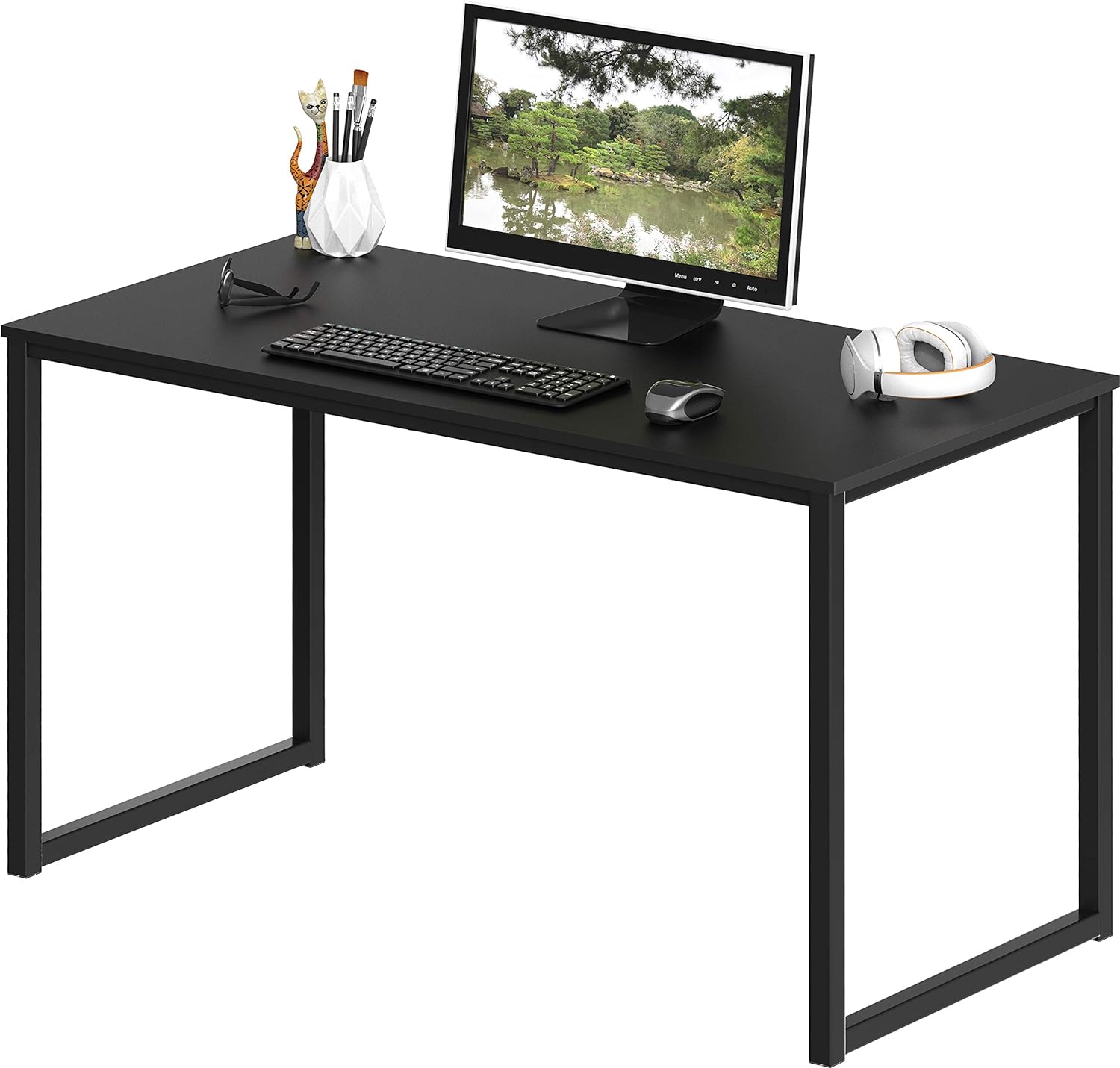
Image: Assembled desk with monitor and accessories. This image displays the fully assembled SHW Mission 40-Inch Home Office Computer Desk, showcasing its black finish and sturdy frame, with a monitor, keyboard, mouse, and headphones placed on top.

Image: Desk in a home office setting. This image shows the desk integrated into a room, featuring a laptop, mug, and decorative items, highlighting its suitability for a compact workspace.
- Step 4: Final Check.
Carefully turn the desk upright. Ensure all connections are tight and the desk is stable before placing any items on it.
Operating and Usage
The SHW Mission 40-Inch Home Office Computer Desk is designed for general office and study use. Its compact size makes it suitable for various environments.
- Place your computer, monitor, keyboard, and other office essentials on the desk surface.
- Utilize the desk for writing, studying, or working on a laptop.
- Ensure even weight distribution to maintain stability.

Image: Desk with office chair and rolling cart. This image illustrates the desk in a functional setup with an office chair and a multi-tier rolling cart for additional storage, demonstrating its utility in a complete workspace.

Image: Desk with monitor and desk organizer. This image shows the desk with a monitor and a wooden desk organizer, providing an example of how to keep the workspace tidy and organized.
Maintenance
- Cleaning: Wipe the desk surface with a soft, damp cloth. Avoid harsh chemicals or abrasive cleaners, which can damage the finish.
- Dusting: Regularly dust the desk with a dry, soft cloth to prevent buildup.
- Hardware Check: Periodically check all screws and bolts to ensure they remain tight. Re-tighten if necessary to maintain stability.
- Avoid Moisture: Do not allow liquids to sit on the desk surface for extended periods. Wipe up spills immediately.
Troubleshooting
| Problem | Possible Cause | Solution |
|---|---|---|
| Desk is wobbly. | Loose screws or uneven floor. | Ensure all assembly screws are fully tightened. If the floor is uneven, use furniture pads or shims under the legs to level the desk. |
| Scratches on surface. | Sharp objects or abrasive cleaning. | Use desk mats or coasters to protect the surface. Avoid dragging items across the desk. |
| Difficulty assembling. | Incorrect part orientation or missing hardware. | Review the assembly instructions carefully. Verify all parts are correctly oriented. Contact customer support if hardware is missing. |
Specifications

Image: Desk dimensions diagram. This image provides a clear visual representation of the desk's dimensions: 19 inches deep, 40 inches wide, and 28 inches high, with arrows indicating each measurement.
| Feature | Detail |
|---|---|
| Model Number | OD-11A-K |
| Product Dimensions | 19"D x 40"W x 28"H |
| Color | Black |
| Style | Modern |
| Base Material | Alloy Steel |
| Top Material Type | Engineered Wood |
| Finish Type | Powder Coated |
| Item Weight | 19 Pounds |
| Required Assembly | Yes |
| Recommended Number of People for Assembly | 1 |
Warranty and Support
This SHW Mission 40-Inch Home Office Computer Desk is covered by a 5-Year Limited Warranty. This warranty covers manufacturing defects under normal use.
For warranty claims, missing parts, or any other product-related inquiries, please contact SHW customer support. Refer to the original purchase documentation or the SHW official website for contact information.
Manufacturer: SHW