1. Introduction
This manual provides essential instructions for the safe and efficient operation, maintenance, and troubleshooting of your Dolphin Wave 100 Robotic Pool Vacuum Cleaner. The Dolphin Wave 100 is designed for commercial pools up to 88 feet in length, offering comprehensive cleaning of the pool floor, walls, and waterline. It features a remote control for manual navigation and a caddy for convenient transport and storage.
Please read this manual thoroughly before using the product to ensure optimal performance and longevity.
2. Safety Information
Always observe the following safety precautions to reduce the risk of injury or damage to the product:
- Ensure the power supply is disconnected from the electrical outlet before performing any maintenance or cleaning tasks.
- Do not operate the cleaner if the power cable is damaged. Contact authorized service personnel for repair.
- Keep children and pets away from the pool area while the cleaner is in operation.
- Only use the power supply provided with the Dolphin Wave 100.
- Do not enter the pool while the cleaner is operating.
- Store the cleaner and power supply in a dry, shaded area when not in use.
- Avoid operating the cleaner in water temperatures outside the recommended range (typically 43-93°F / 6-34°C).
3. Package Contents
Verify that all components are present in the package:
- Dolphin Wave 100 Robotic Pool Cleaner Unit
- Power Supply Unit
- Remote Control
- Caddy for Transport and Storage
- Filter Bags (Fine and Ultra-Fine options)
4. Setup
4.1 Unpacking and Caddy Assembly
Carefully remove all components from the packaging. Assemble the caddy according to the included instructions. The caddy facilitates easy transport and storage of the cleaner and its cable.
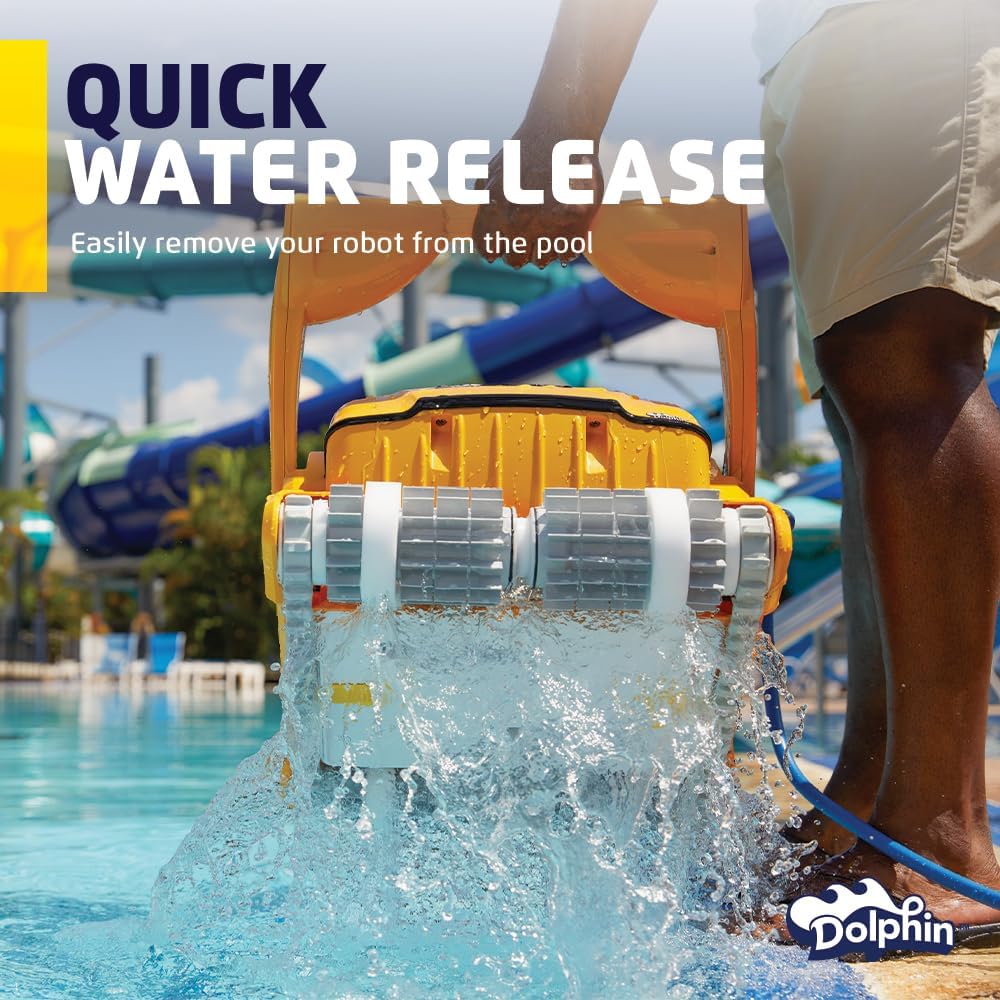
Image: The Dolphin Wave 100 robotic pool cleaner positioned on its multi-purpose caddy, with the blue power cable neatly coiled around the caddy's handle. This setup is ready for transport or storage.
4.2 Connecting the Power Supply
- Place the power supply unit at least 10 feet (3 meters) from the edge of the pool.
- Connect the floating cable from the cleaner to the power supply unit. Ensure the connection is secure.
- Plug the power supply into a grounded electrical outlet.
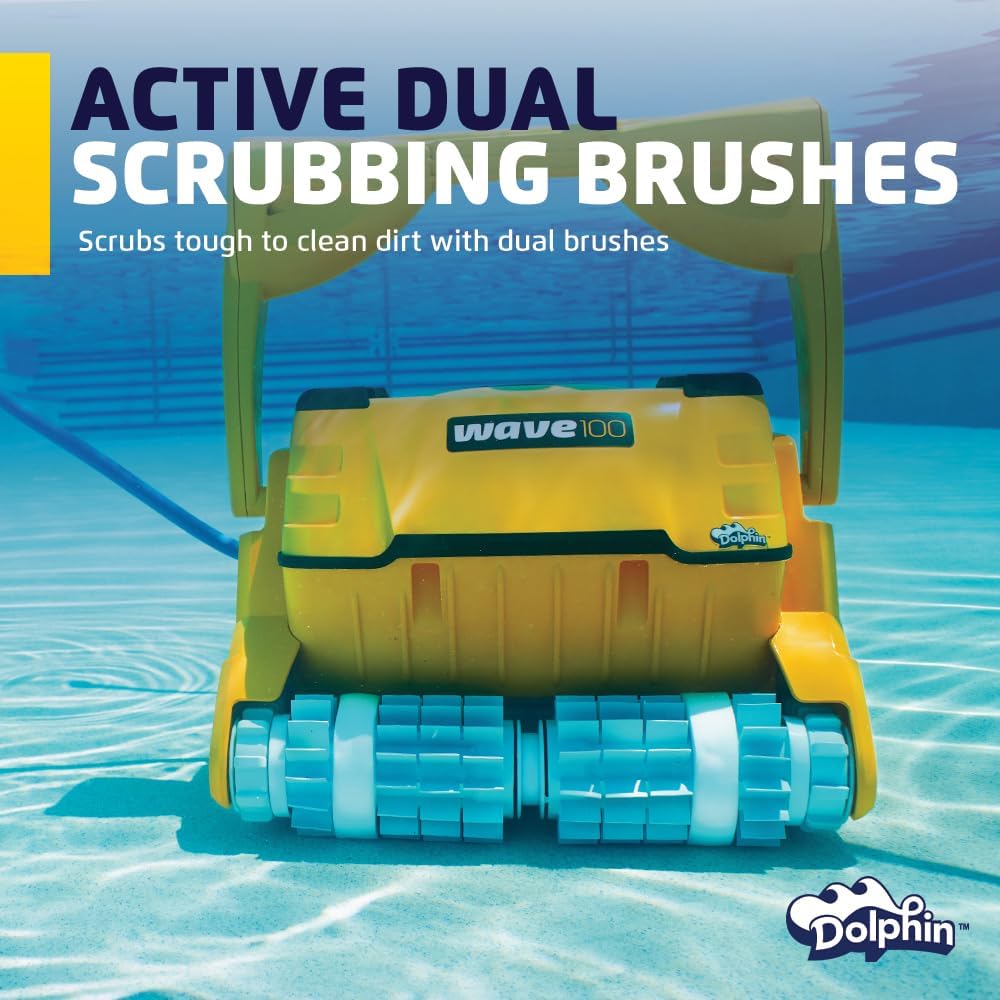
Image: A person's hand pressing a button on the power supply unit for the Dolphin Wave 100, which is positioned next to the pool. The blue power cable is connected to the unit.
4.3 Placing the Cleaner in the Pool
Gently lower the Dolphin Wave 100 into the pool. Allow it to sink to the bottom. Ensure there are no air bubbles trapped inside the cleaner before starting operation.
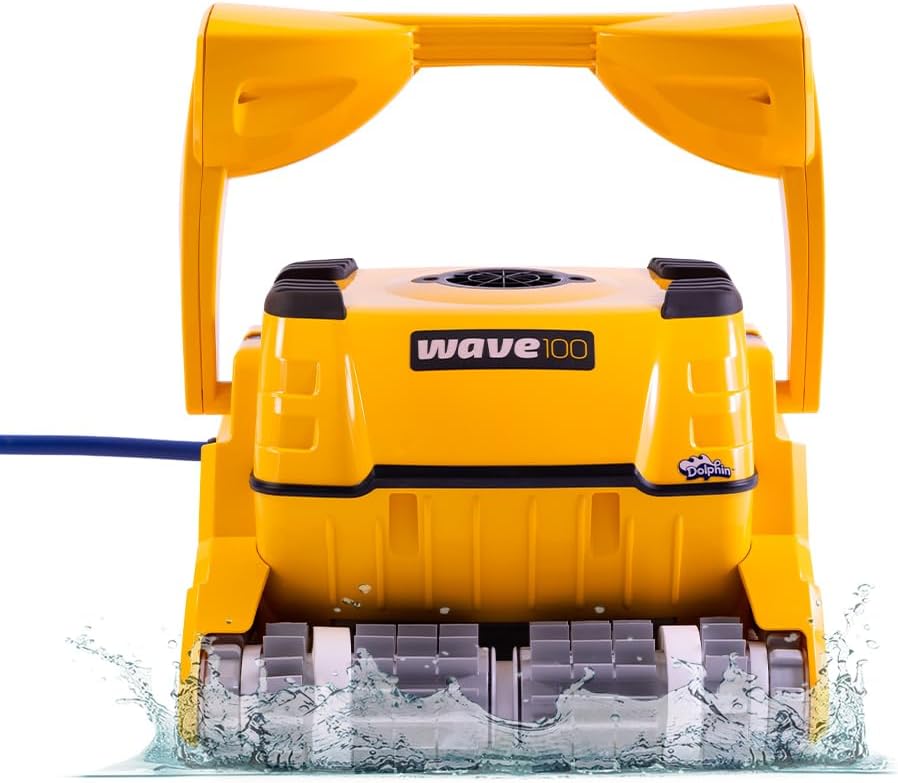
Image: The Dolphin Wave 100 robotic pool cleaner partially submerged in water, showing its yellow body and scrubbing brushes, with water splashing around it.
5. Operating Instructions
5.1 Starting a Cleaning Cycle
Press the ON/OFF button on the power supply unit to begin a cleaning cycle. The cleaner will automatically start its programmed cleaning routine.
5.2 Using the Remote Control
The remote control allows for manual steering and selection of cleaning modes. Refer to the remote control's specific instructions for detailed usage.
5.3 Cleaning Modes
The Dolphin Wave 100 offers various cleaning modes to suit different needs:
- Quick Clean: For rapid cleaning when time is limited.
- Standard Clean: A balanced cleaning cycle for regular maintenance.
- Enhanced Clean: A thorough cleaning cycle, ideal for heavily soiled pools, with cleaning times up to eight hours.
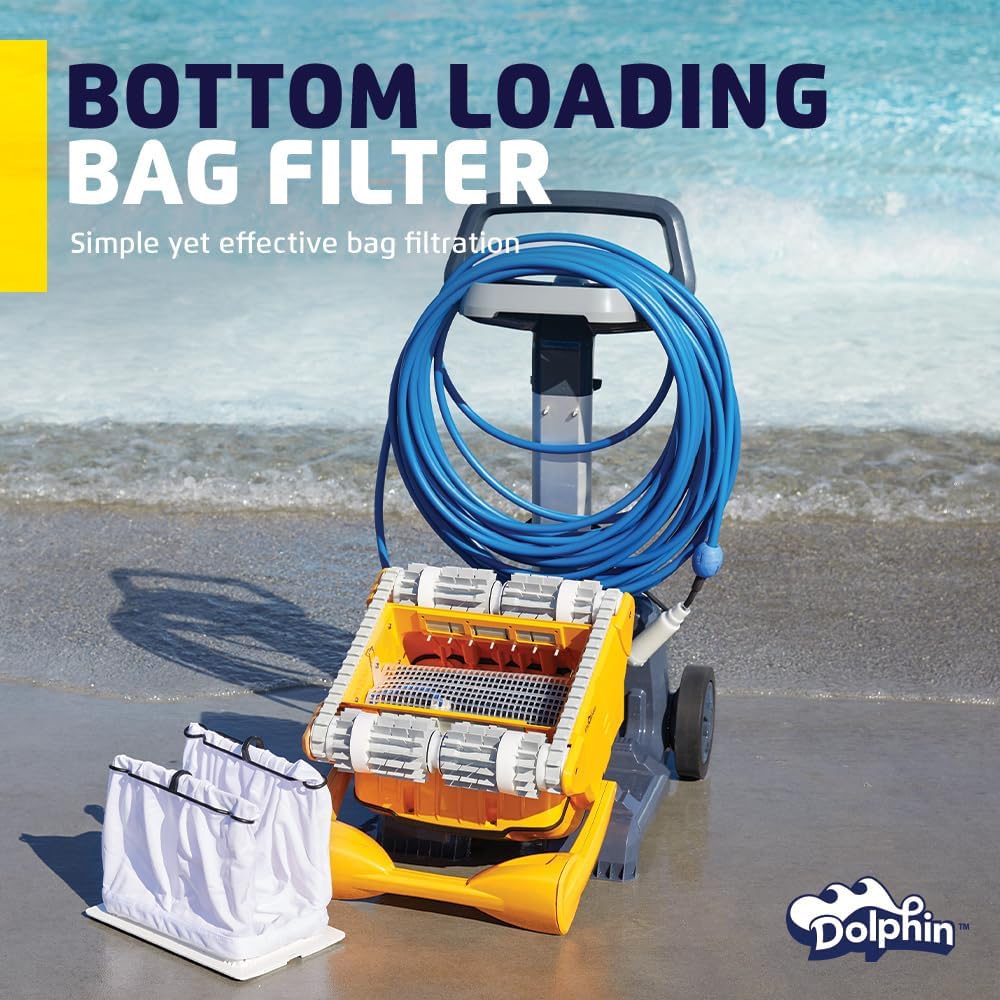
Image: The power supply unit for the Dolphin Wave 100, highlighting the buttons for selecting different cleaning modes such as Quick, Standard, and Enhanced.
5.4 Wall Climbing and Waterline Scrubbing
The Wave 100 is equipped with Smart Navigation and active dual scrubbing brushes, allowing it to climb pool walls and effectively scrub the waterline for a comprehensive clean.

Image: The Dolphin Wave 100 robotic pool cleaner actively climbing a tiled pool wall, demonstrating its wall-climbing capability.
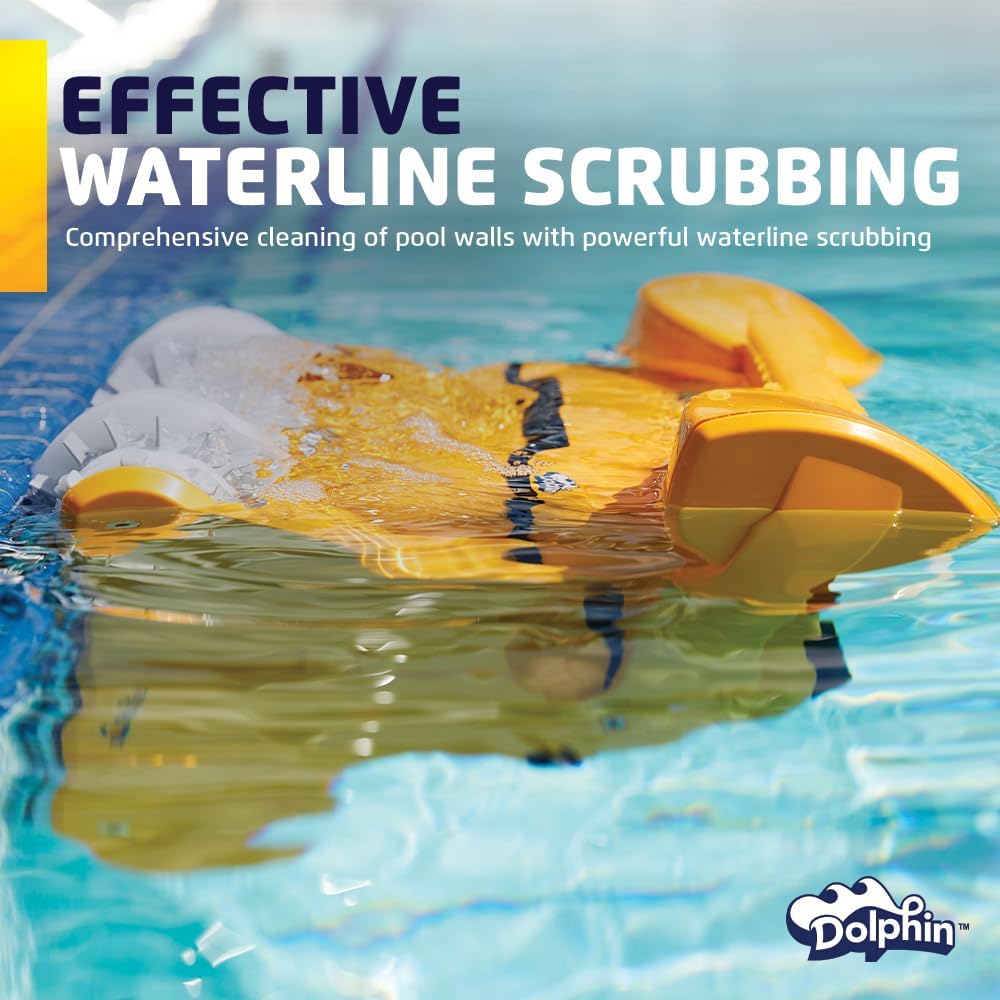
Image: The Dolphin Wave 100 robotic pool cleaner positioned at the waterline, performing effective scrubbing to clean the pool's edge.

Image: A close-up view of the Dolphin Wave 100's active dual scrubbing brushes, designed to effectively clean pool surfaces.
6. Maintenance
Regular maintenance ensures the longevity and optimal performance of your Dolphin Wave 100.
6.1 Filter Cleaning
The Wave 100 features bottom-load filter access. The full filter indicator will signal when cleaning is required. Interchangeable fine and ultra-fine filter options are available to capture various debris sizes.
- Disconnect the power supply before cleaning.
- Access the filter compartment from the bottom of the cleaner.
- Remove the filter bags/cartridges.
- Rinse the filter bags thoroughly with a hose until all debris is removed.
- Reinsert the clean filter bags/cartridges and secure the compartment.
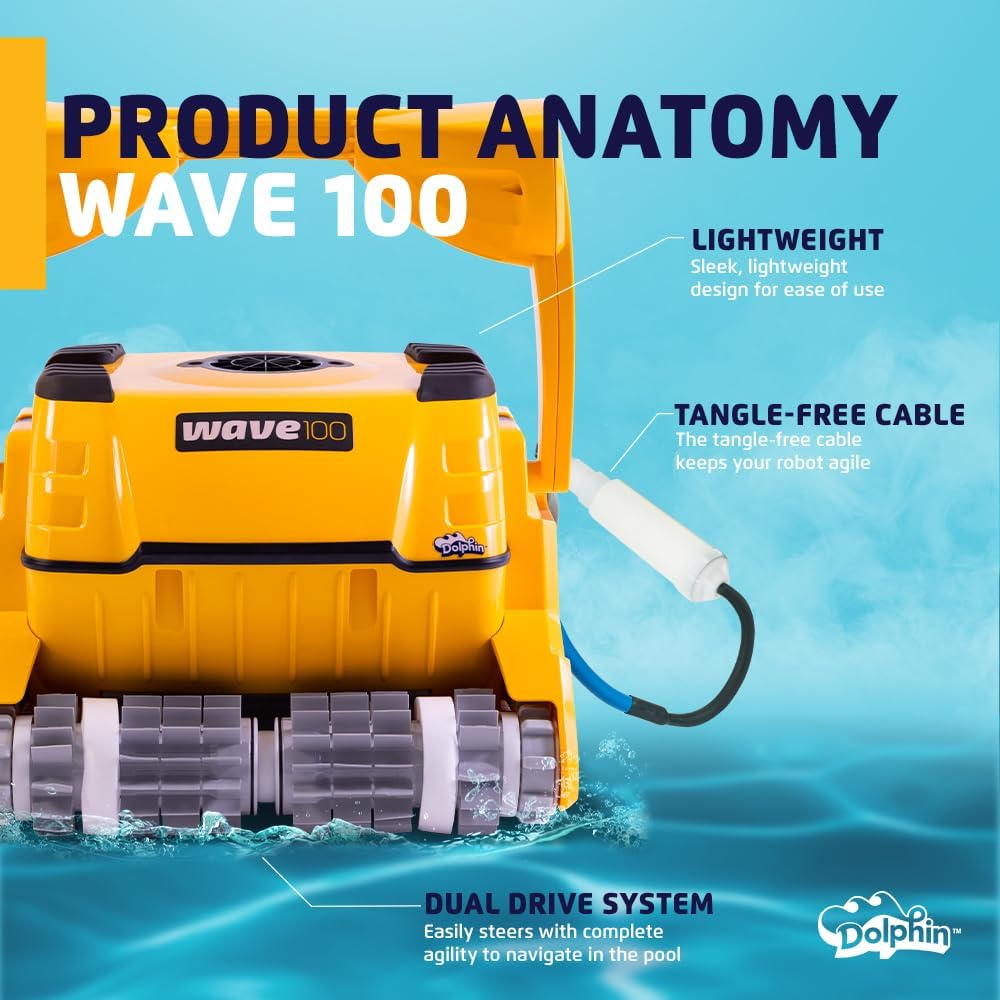
Image: The Dolphin Wave 100 robotic pool cleaner with its bottom-loading filter compartment open, showing the removable filter bags for easy cleaning.
6.2 Quick Water Release
When removing the cleaner from the pool, the quick water release feature allows water to drain rapidly, making the unit lighter and easier to lift.
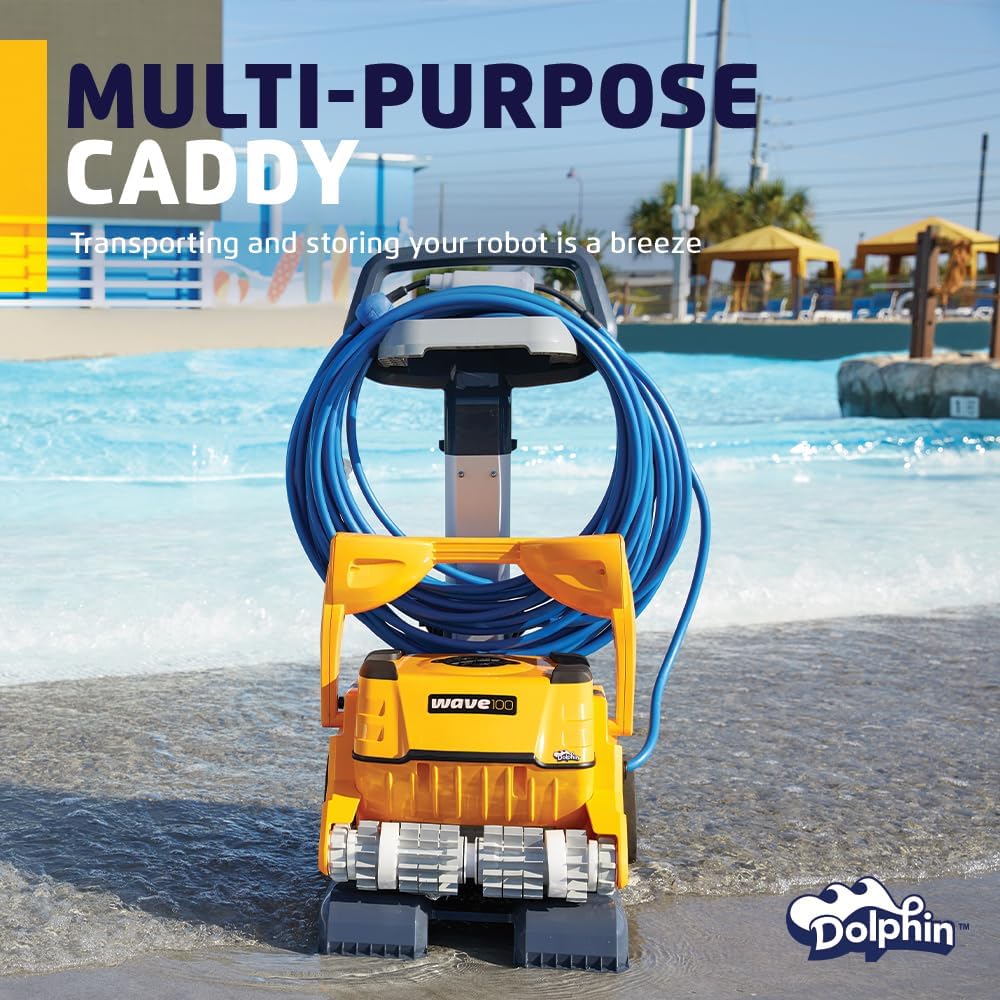
Image: A person lifting the Dolphin Wave 100 robotic pool cleaner out of the water, demonstrating the quick water release as water streams out from the bottom of the unit.
6.3 General Product Care
- Regularly clean the filter.
- Rinse debris off the robot after each use.
- Periodically check for any damage to the cleaner or cable.
- Store the unit in a dry, shaded place when not in use.
7. Troubleshooting
If you encounter issues with your Dolphin Wave 100, refer to the following common problems and solutions:
| Problem | Possible Cause | Solution |
|---|---|---|
| Cleaner does not start or stops during operation. | Power supply disconnected, filter clogged, or internal fault. | Check power connections. Clean the filter bags. If the problem persists, contact customer support. |
| Poor cleaning performance or missed areas. | Clogged filter, worn brushes, or incorrect cleaning mode. | Clean filter bags. Inspect brushes for wear and replace if necessary. Select an appropriate cleaning mode (e.g., Enhanced). |
| Cleaner does not climb walls or scrub waterline effectively. | Worn brushes, excessive algae, or water chemistry issues. | Inspect and replace brushes if worn. Balance pool chemistry. Manually scrub heavy algae before cleaner use. |
| Remote control not responding. | Remote batteries low, obstruction, or communication issue. | Replace remote batteries. Ensure clear line of sight to the cleaner. Restart the power supply unit. |
| Debris re-enters pool when removing cleaner. | Filter bags not fully sealed or cleaner lifted too quickly. | Ensure filter bags are correctly installed and sealed. Lift the cleaner slowly and allow water to drain completely using the quick water release feature. |
8. Specifications
| Feature | Detail |
|---|---|
| Model Name | Wave 100 |
| Brand | Dolphin |
| Manufacturer | Maytronics |
| Item Model Number | 9999096X-USW |
| UPC | 850015249600 |
| Product Dimensions (L x W x H) | 23.74 x 19.29 x 19.09 inches (60.3 x 49 x 48.5 cm) |
| Item Weight | 23.7 pounds (10.75 kg) |
| Power Source | AC |
| Control Method | Remote |
| Special Feature | Self Propelled, Wall Climbing |
| Material | Plastic |
| Installation Type | Standalone |
| Efficiency | High |
9. Warranty and Support
9.1 Warranty Information
The Dolphin Wave 100 comes with a Standard or Full warranty. For specific terms and conditions, please refer to the warranty documentation included with your product or contact Maytronics customer service.
Note: Wear parts such as brushes may not be covered under standard warranty terms. Consult your warranty documentation for details.
9.2 Customer Support
For technical assistance, parts, or warranty claims, please contact Maytronics customer support. You may also find additional resources and a detailed user manual in PDF format on the official Dolphin website or through your authorized dealer.
For further assistance, please refer to the official Dolphin Wave 100 User Manual (PDF).





