
1. Introduction
This manual provides detailed instructions for the safe and effective use of your BAOFENG BF-88ST Walkie Talkies. Please read this manual thoroughly before operating the device to ensure optimal performance and longevity. The BF-88ST is a license-free FRS radio designed for reliable two-way communication over short to medium distances.

Image: The BAOFENG BF-88ST Walkie Talkie 4-pack, including radios, charging bases, and earpieces.
2. Product Overview
2.1 Components

Image: Labeled diagram of the BF-88ST radio, highlighting its various components.
- Antenna: Integrated for stable signal transmission and reception.
- Channel Knob: Used to select one of the 16 pre-programmed FRS channels.
- Power/Volume Knob: Turns the radio on/off and adjusts the speaker volume.
- Indicator Light: Displays status (e.g., transmitting, receiving, charging).
- PTT Switch (Push-to-Talk): Activates transmission when pressed.
- Mic Jack / Programming Port: For connecting earpieces or programming cables.
- MONI / Alarm Button: Used for monitoring channels or activating an alarm function.
- LED Button: Activates the built-in flashlight.
- Speaker: Outputs received audio.
- Microphone: Captures your voice for transmission.
2.2 Key Features
- License-Free Operation: Ready to use out of the box with 16 pre-programmed FRS channels.
- Upgraded Design: Features a larger charger chip, stronger integrated antenna, and improved battery contacts for enhanced performance and safety.
- Extended Range: Offers up to 3 miles talking range in optimal conditions.
- Fast USB Charging: Fully charges in approximately 3 hours via USB, supporting various charging methods.
- Hands-Free VOX Function: Allows voice-activated transmission when using compatible earpieces.
- Additional Functions: Includes monitoring, scan, Time-Out Timer (TOT), and an LED flashlight.
- CHIRP Support: Compatible with CHIRP software for advanced programming (requires separate cable).
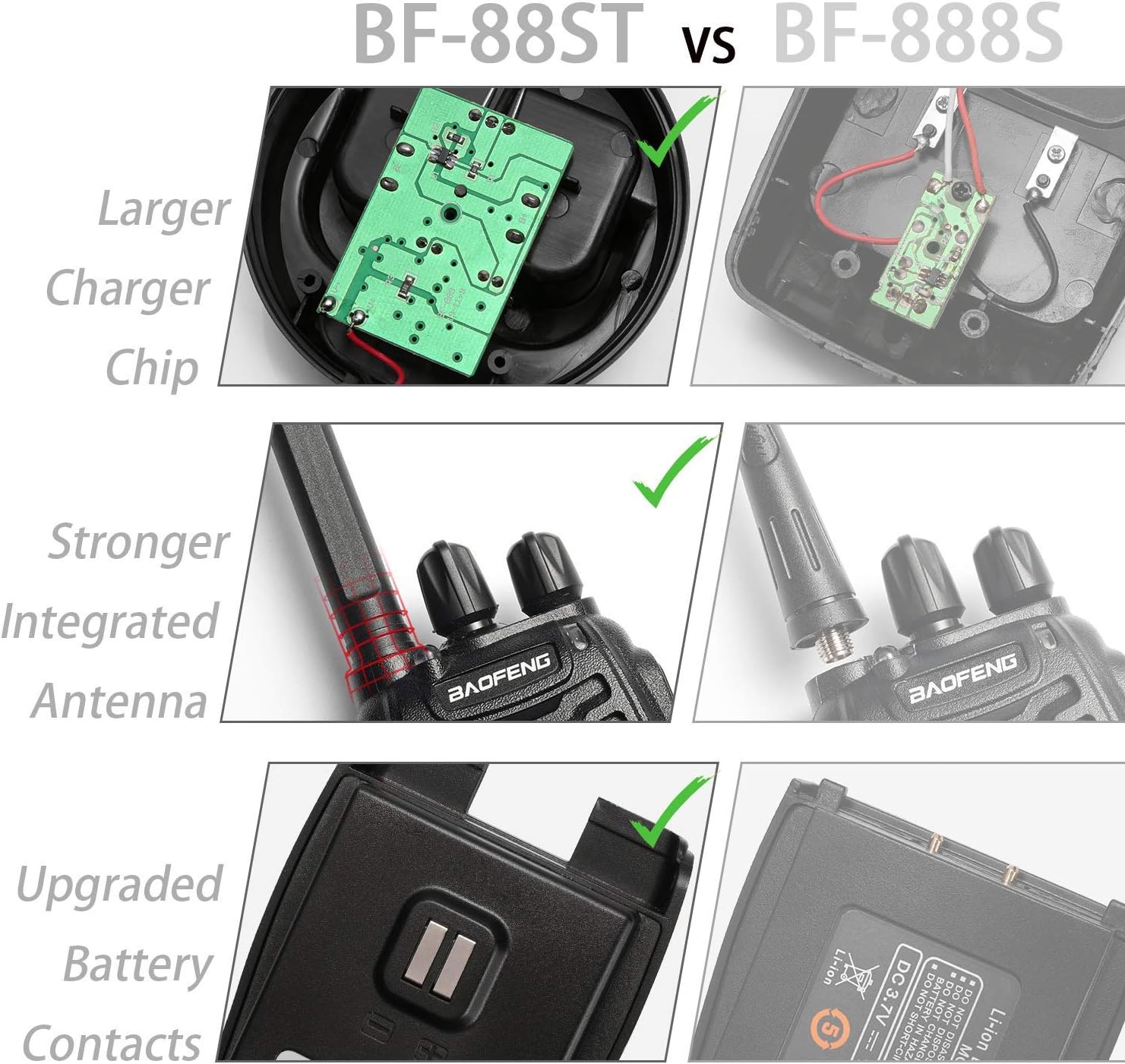
Image: Visual comparison highlighting the upgraded charger chip, stronger integrated antenna, and improved battery contacts of the BF-88ST.
3. Setup
3.1 Battery Installation
- Ensure the radio is powered off.
- Align the battery pack with the grooves on the back of the radio.
- Slide the battery pack upwards until it clicks securely into place.
- To remove, press the battery release latch (if present) and slide the battery downwards.
3.2 Charging the Battery
The BF-88ST radios come with individual USB desktop charging bases. Ensure the radio is properly seated in the charging base for effective charging.

Image: Demonstrates versatile USB charging options for the BF-88ST, including desktop, computer, and car charging.
- Connect the USB cable from the charging base to a compatible USB power source (e.g., wall adapter, computer USB port, power bank, car charger).
- Place the walkie talkie into the charging base. Ensure the battery contacts align.
- The indicator light on the radio or charging base will typically show red during charging and turn green when fully charged.
- A full charge takes approximately 3 hours.
4. Operating Instructions
4.1 Basic Operation

Image: Illustrates the simple 'Turn it on, Push to talk' operation of the BF-88ST.
- Power On/Off and Volume Adjustment: Rotate the Power/Volume knob clockwise to turn the radio on and increase volume. Rotate counter-clockwise to decrease volume and turn off.
- Channel Selection: Rotate the Channel knob to select one of the 16 available FRS channels. Ensure all radios in your group are on the same channel for communication.
- Transmitting (Talking): Press and hold the PTT (Push-to-Talk) switch on the side of the radio. Speak clearly into the microphone. Release the PTT switch to listen.
- Receiving (Listening): When not transmitting, the radio is in receive mode. The indicator light will typically flash green when a signal is received.
4.2 Advanced Functions
- VOX Function (Voice Operated Exchange): Allows hands-free transmission. When VOX is enabled and an earpiece with microphone is connected, the radio will transmit automatically when it detects your voice. Refer to the full manual or programming software for VOX sensitivity adjustment.
- LED Flashlight: Press the LED button on the side of the radio to turn the built-in flashlight on or off.
- Monitor Function: Press the MONI button to temporarily disable squelch and listen to weak signals on the current channel.
- Scan Function: The radio can be programmed to scan through active channels. This feature is typically enabled or configured via programming software.
- Time-Out Timer (TOT): A safety feature that limits the duration of a single transmission to prevent accidental continuous transmission and conserve battery.
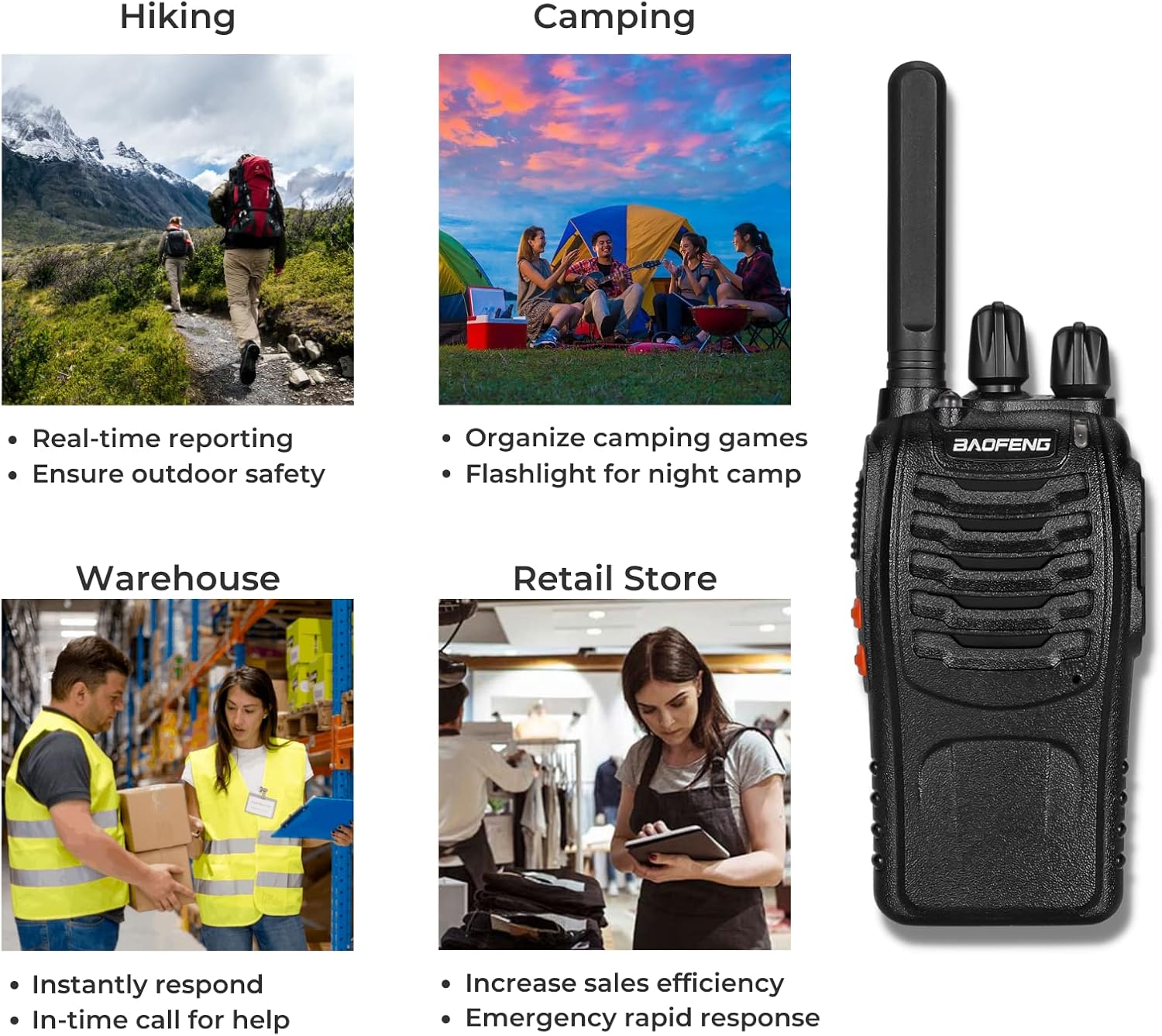
Image: Examples of practical applications for the BF-88ST, including outdoor activities and professional environments.
Video: Official product overview of the BAOFENG BF-88ST Walkie Talkies, demonstrating key features and uses.
5. Maintenance
- Cleaning: Use a soft, damp cloth to clean the radio's exterior. Do not use harsh chemicals or abrasive cleaners.
- Battery Care: To maximize battery life, avoid overcharging or completely draining the battery. Store batteries in a cool, dry place.
- Antenna: The BF-88ST features a non-removable integrated antenna. Do not attempt to remove or replace it, as this can damage the radio and affect performance.
- Storage: When storing the radio for extended periods, remove the battery pack and store it separately.
6. Troubleshooting
| Problem | Possible Cause | Solution |
|---|---|---|
| No power | Battery low or not installed correctly. | Charge the battery or re-install it securely. |
| Cannot transmit or receive | Incorrect channel selected; out of range; battery low. | Ensure all radios are on the same channel. Move closer to other radios. Charge battery. |
| Sound is weak or distorted | Volume too low; interference; radio too far. | Adjust volume. Move away from sources of interference. Move closer to other radios. |
| Short communication range | Obstructions (buildings, terrain); environmental factors. | Move to an open area. Range is affected by line-of-sight. |
7. Specifications
| Feature | Detail |
|---|---|
| Model Number | BF-88ST |
| Item Weight | 2.4 pounds (for the pack) |
| Product Dimensions | 2.36 x 1.3 x 4.53 inches |
| Batteries | 4 Lithium Ion batteries required (included) |
| Display Type | No Display |
| Number of Channels | 16 FRS Channels |
| Special Feature | Portable, VOX, Flashlight |
| Frequency Range | FRS Frequency only |
| Talking Range Maximum | 3 Miles (approximate, depends on terrain) |
| Voltage | 3.7 Volts |
| Water Resistance Level | Not Water Resistant |
| Manufacturer | BAOFENG |
| Color | Black |
8. Warranty and Support
For warranty information, technical support, or service inquiries regarding your BAOFENG BF-88ST Walkie Talkies, please contact BAOFENG customer service directly. You can often find contact details on the product packaging, the official BAOFENG website, or through the retailer where the product was purchased.
Visit the official BAOFENG store for more information and support: BAOFENG Store on Amazon