
1. Introduction
This manual provides essential information for the safe and effective use of your POPULO 20V Max 4Ah Lithium Ion Battery Pack, model PPLBP-2040. This battery pack is designed exclusively for use with POPULO 20V tools and chargers. Please read this manual thoroughly before initial use and retain it for future reference.

Image 1.1: The POPULO 20V Max 4Ah Lithium Ion Battery Pack, showing its robust design and LED power indicators.
Important Note: This battery pack is only compatible with POPULO brand 20V tools and chargers. Verify compatibility before attempting to use with other brands or voltage systems.
2. Safety Information
To prevent serious injury, fire, or electric shock, always observe the following safety precautions when using or handling the battery pack:
- Compatibility: Only use this battery pack with POPULO 20V tools and chargers. Using incompatible accessories can lead to malfunction or damage.
- Protection Features: The battery pack is equipped with over-charging, over-discharging, overload, temperature, low-voltage, and over-voltage protection systems. Do not attempt to bypass these safety features.
- Avoid Damage: Do not drop, puncture, or disassemble the battery pack. Avoid exposing it to impact or vibration beyond normal use.
- Temperature Control: Do not store or use the battery pack in extreme temperatures (above 50°C / 122°F or below -10°C / 14°F). Avoid direct sunlight and heat sources.
- Moisture: Do not expose the battery pack to water or moisture. If the battery becomes wet, do not use it.
- Short Circuit: Do not short-circuit the battery terminals. Keep the terminals clear of metal objects.
- Disposal: Dispose of used battery packs responsibly according to local regulations. Do not dispose of in fire.
- Children: Keep battery packs out of reach of children.
3. Setup and Charging
3.1 Initial Charge
Before first use, fully charge the battery pack. This ensures optimal performance and extends battery life.
3.2 Charging Procedure
- Ensure you are using a compatible POPULO 20V battery charger.
- Connect the charger to a standard power outlet.
- Slide the battery pack onto the charger until it clicks into place.
- The charger's indicator lights will show the charging status. Refer to your charger's manual for specific light patterns.
- Once fully charged, remove the battery pack from the charger. Do not leave the battery on the charger indefinitely after it is fully charged.
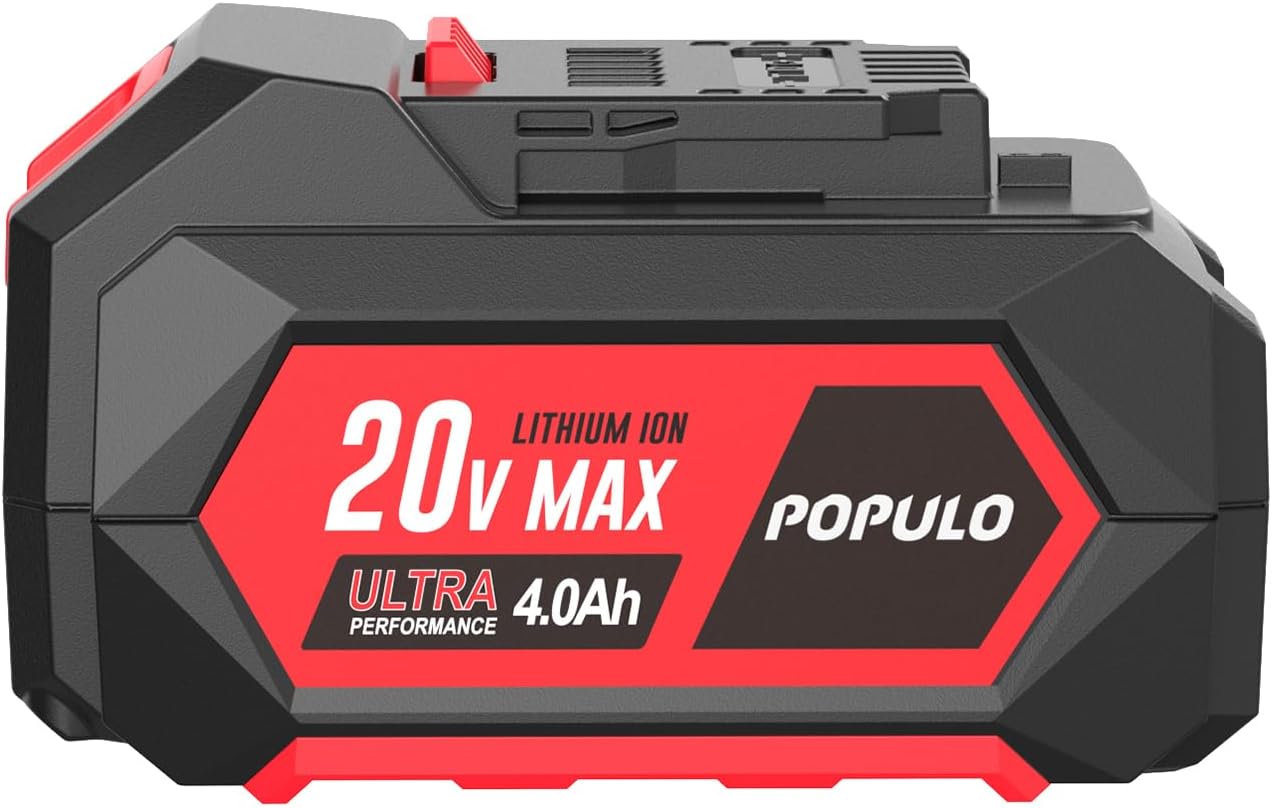
Image 3.1: Side view of the battery pack, illustrating the connection points for charging and tool attachment.
4. Operating Instructions
4.1 Attaching the Battery to a Tool
- Ensure the tool is switched off before attaching or removing the battery.
- Align the battery pack with the battery port on the POPULO 20V tool.
- Slide the battery pack firmly into the tool until it clicks securely into place. Do not force the battery.
4.2 Removing the Battery from a Tool
- Ensure the tool is switched off.
- Press and hold the battery release button(s) on the tool or battery pack.
- Slide the battery pack out of the tool.
4.3 Checking Battery Charge Level
The battery pack features LED indicators to display the current charge level. Press the button next to the LEDs to activate the display:
- Three Green LEDs: Full charge (approximately 75-100%)
- Two Green LEDs: Medium charge (approximately 25-75%)
- One Green LED: Low charge (approximately 0-25%). Recharge soon.
- No LEDs: Battery is fully discharged or faulty.

Image 4.1: The battery pack's LED indicators, which provide a visual representation of the remaining charge.
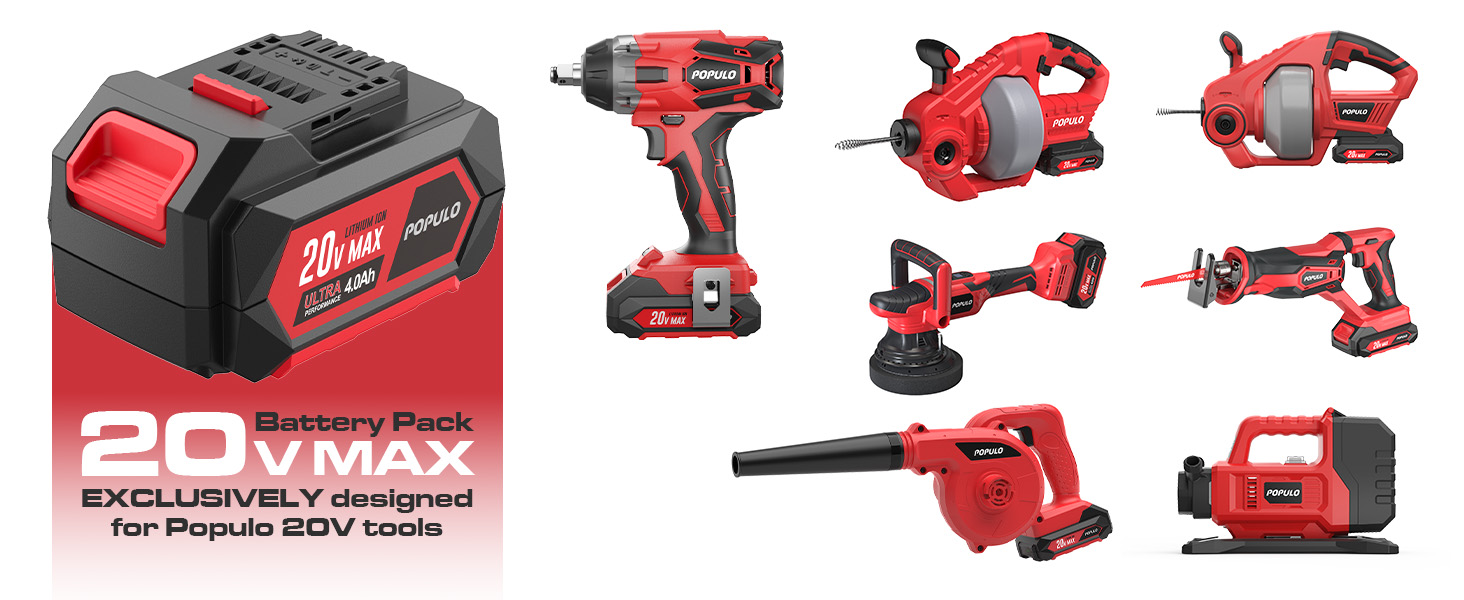
Image 4.2: The POPULO 20V Max 4Ah battery pack shown alongside several compatible POPULO 20V power tools, such as a drain snake, leaf blower, and impact driver.
5. Maintenance and Storage
5.1 General Maintenance
- Keep the battery pack clean and dry. Wipe with a soft, damp cloth if necessary. Do not use solvents or harsh chemicals.
- Regularly inspect the battery terminals for dirt or corrosion. Clean with a dry cloth if needed.
- Do not attempt to open the battery casing. There are no user-serviceable parts inside.
5.2 Storage
- Store the battery pack in a cool, dry place, away from direct sunlight, heat sources, and moisture.
- For long-term storage, it is recommended to store the battery pack with a partial charge (around 50%). Fully charged or fully discharged batteries can degrade faster during prolonged storage.
- Recharge the battery every 3-6 months during long-term storage to prevent deep discharge.
5.3 Environmental Responsibility
The POPULO 20V Max 4Ah Lithium Ion Battery Pack is designed to be environmentally friendly. All lithium-ion batteries in this pack comply with standard requirements of CE/GS/UN38.3. Please recycle the battery pack at an authorized recycling facility when it reaches the end of its life.
6. Troubleshooting
If you encounter issues with your battery pack, refer to the following common problems and solutions:
| Problem | Possible Cause | Solution |
|---|---|---|
| Battery does not charge. | Charger not plugged in; faulty charger; battery too hot/cold; faulty battery. | Ensure charger is properly connected. Allow battery to reach room temperature. Try another compatible charger if available. If problem persists, contact support. |
| Battery shows charge (LEDs light up) but tool does not operate or displays error codes (e.g., E2, E8). | Battery not fully seated; tool malfunction; battery protection activated; incompatible tool. | Ensure battery is securely clicked into the tool. Remove and re-insert the battery. Check if the tool is a POPULO 20V model. Allow battery to cool down if it was recently under heavy load. If the issue persists, try the battery with another compatible POPULO 20V tool to isolate the problem. |
| Reduced runtime. | Battery not fully charged; battery aging; extreme operating conditions. | Ensure battery is fully charged before use. Battery capacity naturally decreases over time. Avoid operating in very cold conditions. |
If you experience a problem not listed here or the suggested solutions do not resolve the issue, please contact POPULO customer support.
7. Specifications
| Feature | Detail |
|---|---|
| Model Number | PPLBP-2040 |
| Brand | POPULO |
| Battery Type | Lithium Ion |
| Voltage | 20V Max |
| Capacity | 4.0Ah (4000 Milliamp Hours) |
| Item Weight | 1.48 pounds (approximately 0.67 kg) |
| Package Dimensions | 4.76 x 3.15 x 2.8 inches (approximately 12.09 x 8.00 x 7.11 cm) |
| Compatibility | Exclusively with POPULO 20V tools and chargers |
8. Warranty Information
POPULO products are manufactured to high-quality standards. For specific warranty terms and conditions applicable to your POPULO 20V Max 4Ah Lithium Ion Battery Pack, please refer to the warranty card included with your purchase or visit the official POPULO website. Typically, warranty coverage addresses defects in materials and workmanship under normal use.
9. Customer Support
If you have any questions, require technical assistance, or need to report a problem with your POPULO 20V Max 4Ah Lithium Ion Battery Pack, please contact POPULO customer support through the following channels:
- Official Website: Visit the POPULO official website for FAQs, support resources, and contact forms.
- Email Support: Refer to your product packaging or the official website for the customer service email address.
- Phone Support: Check the official website for available phone support numbers and operating hours.
When contacting support, please have your product model number (PPLBP-2040) and purchase date available.