Introduction
This manual provides detailed instructions for the setup, operation, and maintenance of your DTKID Digital Kids Watch, Model DTKID-DIGITAL-001. This watch is designed for children aged 3 and above, featuring time, date, week display, alarm, stopwatch, 12/24-hour format, and a 7-color backlight. Please read this manual thoroughly to ensure proper use and to maximize the watch's functionality.
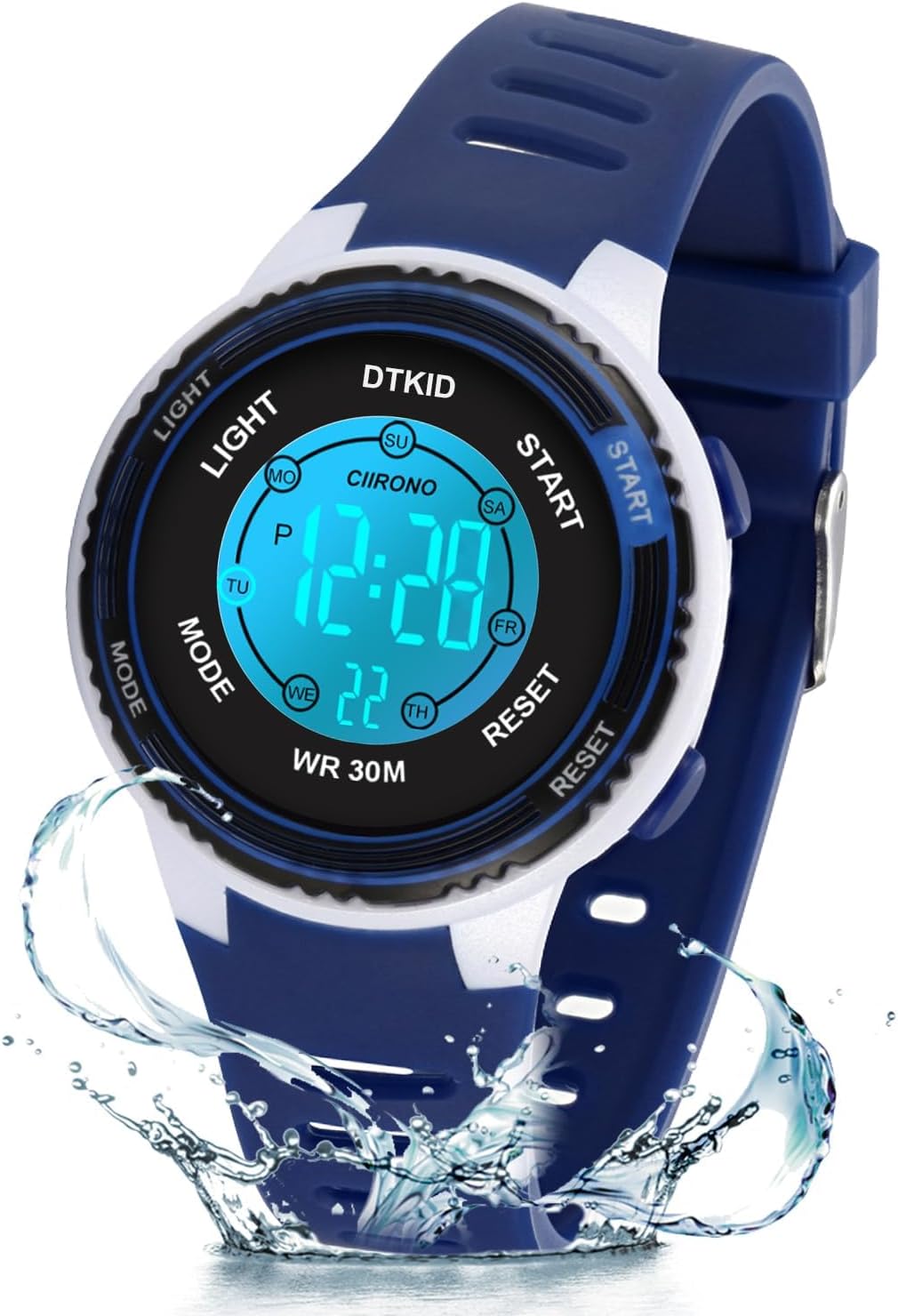
Image: The DTKID Digital Kids Watch, dark blue, with water splash effect, highlighting its water-resistant feature.
Product Overview
Familiarize yourself with the watch's buttons and display elements.

Image: Labeled diagram of the watch indicating the 'Light', 'Mode', 'Start', and 'Reset' buttons, along with display segments for hours, minutes, and seconds.
- LIGHT Button: Activates the backlight and changes its color.
- MODE Button: Cycles through different modes (Time, Alarm, Stopwatch).
- START Button: Used to adjust values during setting or to start/stop the stopwatch.
- RESET Button: Used to select items for adjustment during setting or to reset the stopwatch.
Setup Instructions
Setting Time and Date
- From the normal time display, press the MODE button three times to enter Time Setting Mode. The seconds will begin to flash.
- Press the RESET button to cycle through the settings: Seconds → Hour → Minute → Month → Date → Day of Week.
- While the desired value is flashing, press the START button to adjust the value. Hold START to advance quickly.
- To switch between 12-hour and 24-hour format, adjust the hour. The 'A' (AM) or 'P' (PM) indicator will appear for 12-hour format.
- Once all settings are correct, press the MODE button to return to the normal time display.
Operating Instructions
Using the Backlight
The watch features a 7-color LED backlight.
- Press the LIGHT button briefly to illuminate the display.
- To change the backlight color, press and hold the LIGHT button for approximately 3 seconds. The color will cycle through the available options (dark blue, green, red, light blue, yellow, purple, pink). Release the button when your desired color is displayed.

Image: Illustration showing how to change the watch's backlight color by holding the LIGHT button, displaying the seven available colors.
Setting and Using the Alarm
- From the normal time display, press the MODE button once to enter Alarm Mode. The alarm time will be displayed.
- Press the RESET button to select the hour or minute for adjustment. The selected value will flash.
- Press the START button to adjust the flashing hour or minute.
- To activate or deactivate the alarm, press the START button while in Alarm Mode (without any value flashing). An alarm icon will appear on the display when activated.
- Press the MODE button to exit Alarm Mode.
Using the Stopwatch
- From the normal time display, press the MODE button twice to enter Stopwatch Mode. The display will show "00:00:00".
- Press the START button to begin timing.
- Press the START button again to pause timing.
- Press the RESET button while paused to reset the stopwatch to "00:00:00".
- Press the MODE button to exit Stopwatch Mode.
Activating/Deactivating Hourly Chime
The hourly chime feature causes the watch to beep at the top of every hour.
- From the normal time display, press the RESET and MODE buttons simultaneously.
- A small icon (often a bell or speaker symbol) will appear or disappear on the display, indicating whether the hourly chime is activated or deactivated.
Maintenance
Water Resistance (30M / 3 ATM)
Your DTKID Digital Kids Watch is water-resistant up to 30 meters (3 ATM). This means it is suitable for daily use, such as:
- Rainy days
- Hand washing
- Face washing
- Showering (avoid hot water)
- Sweating
Important Note: To maintain water resistance, DO NOT press any buttons while the watch is submerged in water. Avoid using the watch in extreme cold or high-temperature environments, or under high pressure, as this can compromise the seals.

Image: Visual guide to the 30M water resistance, showing suitability for sweat, hand washing, and showering.
Cleaning
Wipe the watch regularly with a soft, damp cloth to remove dirt and grime. Avoid using harsh chemicals or abrasive materials, which can damage the watch's finish or acrylic dial.
Battery Replacement
The watch uses one Lithium Metal battery (included). When the display becomes dim or functions become erratic, the battery may need replacement. Due to the small screws and delicate internal components, it is recommended to have the battery replaced by a qualified watch technician to avoid damaging the water resistance seal or internal mechanisms.
Troubleshooting
| Problem | Solution |
|---|---|
| Watch beeps every hour. | The hourly chime is activated. To deactivate, press the RESET and MODE buttons simultaneously from the normal time display. |
| Incorrect time or date displayed. | Enter Time Setting Mode (press MODE three times) and adjust the time and date as described in the "Setting Time and Date" section. |
| Display is dim or blank. | The battery may be low or depleted. Consider professional battery replacement. |
| Buttons are unresponsive. | Ensure the watch is not wet or submerged in water. If the issue persists, a reset may be required (consult professional service if no external reset option is apparent). |
Specifications
- Model: DTKID-DIGITAL-001
- Functions: Time, Date, Week, Alarm, Stopwatch, 12/24H, 7-Color Backlight, Hourly Chime
- Water Resistance: 30M (3 ATM)
- Movement: Japanese Digital Movement
- Dial Material: Acrylic
- Case Back/Buckle Material: Stainless Steel
- Strap Material: Resin
- Product Dimensions: 3.54 x 3.54 x 2.36 inches (packaging)
- Product Weight: 1.02 ounces (29g)
- Case Thickness: 1.6 cm / 0.63 inches
- Case Diameter: 3.7 cm / 1.46 inches
- Wrist Fit Range: Minimum 16 cm (6.3 inches) to Maximum 21.5 cm (8.46 inches)
- Battery: 1 Lithium Metal battery (included)
- Recommended Age: 3 years and above

Image: Detailed dimensions of the watch, including case thickness, diameter, and strap length for wrist fit.
Warranty and Support
For any questions, concerns, or support regarding your DTKID Digital Kids Watch, please refer to your purchase documentation or contact the retailer. For direct inquiries, you may visit the official DTKID store on Amazon: DTKID Amazon Store.


