Introduction
This manual provides essential instructions for the safe and efficient use of your Samsung 15W AC Power Adapter, model EP-TA200. This adapter is designed to provide reliable power to compatible devices, supporting both 5V and 9V output for optimal charging performance.
Safety Information
Please read and follow these safety guidelines to prevent injury or damage to your device and the adapter:
- Use only with compatible devices. Refer to your device's manual for charging specifications.
- Do not expose the adapter to water, moisture, or extreme temperatures.
- Avoid dropping or subjecting the adapter to severe impact.
- Do not attempt to disassemble, modify, or repair the adapter. Contact authorized service personnel for assistance.
- Ensure the power outlet is easily accessible and unplug the adapter during lightning storms or when unused for extended periods.
- Keep out of reach of children.
Package Contents
Verify that the following item is included in your package:
- Samsung 15W AC Power Adapter (EP-TA200)
Note: A charging cable is typically sold separately and is not included with this power adapter.
Setup
- Inspect the Adapter: Before use, visually inspect the power adapter for any signs of damage.
- Connect Charging Cable: Insert the USB-A end of your compatible charging cable (not included) into the USB port on the Samsung EP-TA200 power adapter.
- Plug into Wall Outlet: Insert the adapter's prongs into a standard AC wall outlet (100-240V, 50-60Hz).
- Connect to Device: Connect the other end of the charging cable to your compatible device (e.g., smartphone, tablet).
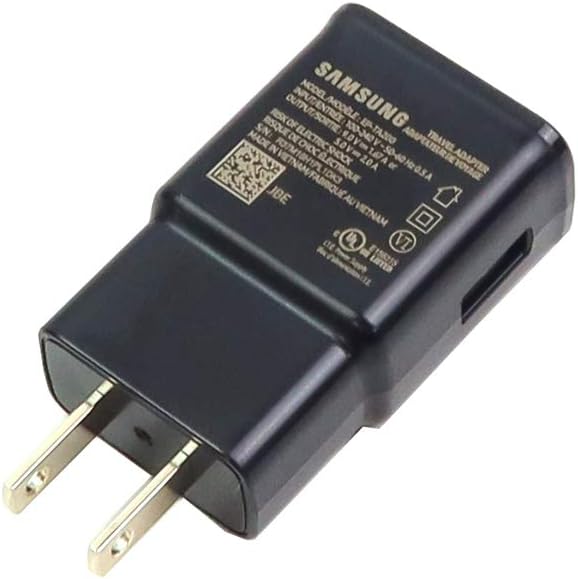
Image 1: Front view of the Samsung EP-TA200 AC Power Adapter, highlighting the USB port and printed specifications.
Operating Instructions
Once connected, the adapter will begin charging your device. The EP-TA200 supports Adaptive Fast Charging for compatible Samsung devices, providing 5V at 2A or 9V at 1.67A output, depending on the device's charging requirements.
- Charging Indication: Your device's screen or LED indicator will show that it is charging.
- Fast Charging: For devices that support Adaptive Fast Charging, the adapter will automatically deliver higher power for quicker charging times.
- Disconnecting: To stop charging, first disconnect the cable from your device, then unplug the adapter from the wall outlet.
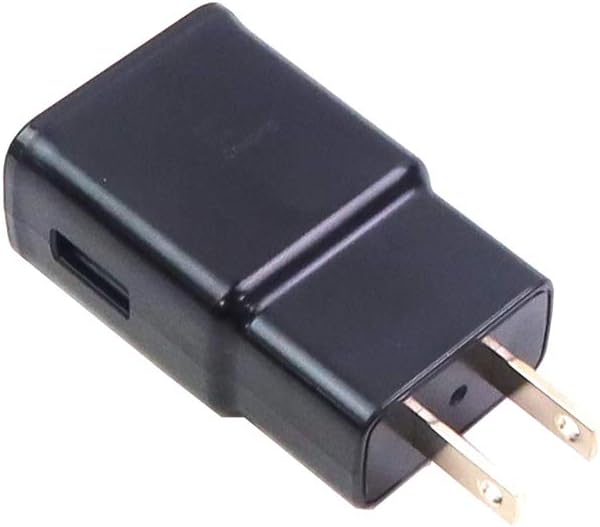
Image 2: Side view of the Samsung EP-TA200 AC Power Adapter, illustrating its compact form factor.
Maintenance
- Cleaning: Disconnect the adapter from the power outlet before cleaning. Use a soft, dry cloth to wipe the surface. Do not use liquid cleaners or aerosols.
- Storage: Store the adapter in a cool, dry place away from direct sunlight and extreme temperatures.
- Cable Care: Avoid bending or twisting the charging cable excessively, as this can damage the internal wires.
Troubleshooting
| Problem | Possible Solution |
|---|---|
| Device is not charging. |
|
| Charging is slow. |
|
| Adapter feels warm during use. | It is normal for power adapters to become warm during operation, especially during fast charging. If the adapter becomes excessively hot or emits smoke/odor, immediately unplug it and discontinue use. |
Specifications
| Model Number | EP-TA200 |
| Brand | Samsung |
| Input Voltage | 100-240V ~ 50-60Hz 0.5A |
| Output Voltage/Amperage | 5V / 2A or 9V / 1.67A (15W Max) |
| Total USB Ports | 1 (USB-A) |
| Color | Black |
| Product Dimensions | 2.72 x 1.57 x 0.94 inches |
| Item Weight | 1.44 ounces |
| Compatible Devices | Tablets, Smartphones (e.g., Samsung S10) |
Warranty and Support
For warranty information and technical support, please refer to the official Samsung website or contact Samsung customer service. Keep your purchase receipt as proof of purchase for warranty claims.
You can find more information and support resources on the Samsung Official Website.


