
Introduction
This manual provides detailed instructions for the safe and effective use of your NIDAGE 5FT Wireless Endoscope and its accompanying EVA waterproof case. The endoscope features a 5.5mm diameter camera, 1080P HD resolution, and is designed for various inspection tasks including automotive, industrial, and home appliance maintenance. Please read this manual thoroughly before operation and retain it for future reference.
Package Contents
Upon opening the package, please verify that all items listed below are present and in good condition:
- NIDAGE Wireless Endoscope (5FT cable with 5.5mm camera)
- WiFi Transmitter Box
- EVA Waterproof Carrying Case
- USB Charging Cable
- User Manual (this document)
- Accessory Kit (hooks, magnet, side mirror)

Image: The NIDAGE Wireless Endoscope kit, including the endoscope camera, WiFi transmitter, and the EVA carrying case.
Product Overview
The NIDAGE Wireless Endoscope system consists of a flexible camera probe connected to a WiFi transmitter unit, all housed within a protective EVA case. The camera features a small diameter for accessing confined spaces and adjustable LED lights for illumination.
Key Features:
- 5.5mm Camera Diameter: Allows access into narrow openings.
- 1080P HD Resolution: Provides clear images and videos.
- Adjustable LED Lights: For optimal visibility in dark environments.
- Wireless Connectivity: Connects to smartphones/tablets via Wi-Fi.
- EVA Carrying Case: Durable, waterproof, crush-resistant, anti-shock, scratch-proof, and dust-resistant for protection and portability.

Image: Diagram illustrating the 5.5mm camera head and the option to unscrew the protective cap for pipes smaller than 5.6mm.

Image: Visual representation of the endoscope's upgraded chip, highlighting 30 frames per second, 1080P HD resolution, and 200% faster performance.
Setup Instructions
- Charge the WiFi Transmitter: Connect the USB charging cable to the WiFi transmitter and a 5V/1A USB power adapter (not included). The indicator light will show charging status. Ensure it is fully charged before first use.
- Download the App: Search for the recommended application (e.g., "WiFi View" or similar, refer to the quick start guide included in the package for the exact app name) on your smartphone's App Store (iOS) or Google Play Store (Android) and install it.
- Connect the Endoscope: Plug the endoscope camera cable into the designated port on the WiFi transmitter.
- Power On: Press and hold the power button on the WiFi transmitter until the indicator light turns on.
- Connect to WiFi: On your smartphone or tablet, go to Wi-Fi settings and connect to the network named "NIDAGE_XXXX" (the exact name will be on the transmitter or quick start guide). The password is usually "12345678".
- Open the App: Launch the installed application. The camera feed should now be visible on your device screen.
Operating Instructions
- Adjust LED Brightness: Use the dimmer wheel or button on the WiFi transmitter (or within the app, if available) to adjust the brightness of the LED lights on the camera head for optimal illumination.
- Navigate the Camera: Carefully insert the camera probe into the area you wish to inspect. The flexible cable allows for maneuvering around obstacles.
- Capture Images/Videos:
- Still Images: Tap the camera icon within the app to take a snapshot.
- Record Video: Tap the video camera icon to start recording. Tap again to stop.
- Resolution Settings: The app may offer options to change the video/image resolution (e.g., 1920x1080, 1280x720, 640x480). Adjust as needed for your inspection requirements.
- Using Accessories: Attach the hook, magnet, or side mirror to the camera head as required for retrieving objects or viewing at a 90-degree angle.

Image: Examples of the endoscope's versatile applications, including inspecting pipelines, car engines, air conditioning units, walls, and home appliances.
Maintenance
- Cleaning the Camera Lens: After each use, gently wipe the camera lens with a soft, dry cloth. For stubborn dirt, use a slightly damp cloth and then dry thoroughly. Do not use abrasive cleaners or solvents.
- Cleaning the Case: The EVA case can be wiped clean with a damp cloth. Ensure it is dry before storing the endoscope.
- Storage: Store the endoscope and all accessories in the provided EVA carrying case in a cool, dry place, away from direct sunlight and extreme temperatures.
- Battery Care: To prolong battery life, charge the WiFi transmitter regularly, even if not in frequent use. Avoid fully discharging the battery for extended periods.
Video: Demonstration of the NIDAGE EVA carrying case, showing its features and how the endoscope components fit inside for organized storage and protection.

Image: Detailed dimensions of the EVA carrying case, measuring 9.84 inches in length, 5.5 inches in width, and 2.56 inches in height.

Image: A comparison showing the endoscope components unorganized ('Before') and neatly stored within the EVA carrying case ('After').
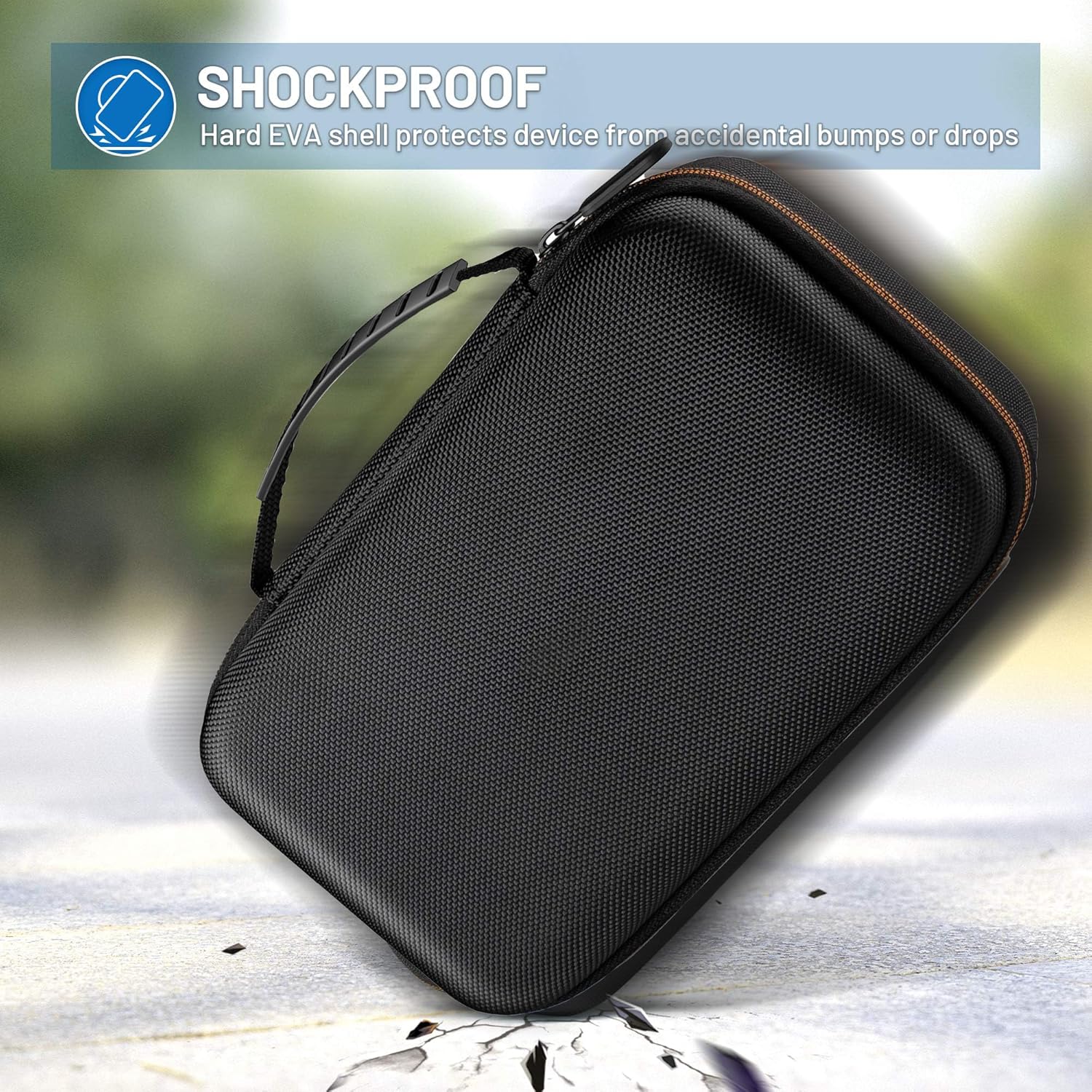
Image: Visual emphasizing the shockproof nature of the hard EVA shell, designed to protect the device from accidental bumps or drops.
Troubleshooting
| Problem | Possible Cause | Solution |
|---|---|---|
| No image on screen / App not connecting |
|
|
| Image is blurry or dark |
|
|
| WiFi connection drops frequently |
|
|
Specifications
| Feature | Detail |
|---|---|
| Brand | NIDAGE |
| Model | B08Y8SXW9B |
| Camera Diameter | 5.5mm |
| Cable Length | 5FT (approximately 1.5 meters) |
| Resolution | 1080P (1920x1080), 720P (1280x720), 480P (640x480) |
| Frame Rate | 30 fps |
| Water Resistance Level | Waterproof (for camera probe) |
| Supported File Format | AVI (video), MJPEG (image) |
| Exposure Control Type | Automatic |
| Case Material | EVA (Waterproof, crush-resistant, anti-shock, scratch-proof, dust-resistant) |
Warranty and Support
For warranty information or technical support, please refer to the contact details provided on the product packaging or the official NIDAGE website. Keep your purchase receipt as proof of purchase for warranty claims.
For further assistance, you may also visit the NIDAGE Store on Amazon.


