Introduction
This manual provides detailed instructions for the CHONCHOW 102J Gaming Keyboard Mouse Set. It covers setup, operation, maintenance, and troubleshooting to ensure optimal performance and longevity of your device. This set includes an 88-key gaming keyboard with LED backlighting and a gaming mouse with adjustable DPI and breathing backlight.
Package Contents
- CHONCHOW 102J Gaming Keyboard
- CHONCHOW Gaming Mouse
- User Manual (this document)
Setup
The CHONCHOW 102J Gaming Keyboard Mouse Set is designed for plug-and-play functionality. No additional drivers are typically required for basic operation.
- Connect the Keyboard: Locate an available USB port on your computer or gaming console. Insert the USB connector of the keyboard into the USB port.

Image: The CHONCHOW 102J Gaming Keyboard, illustrating its compact 88-key layout and USB wired connection.
- Connect the Mouse: Locate another available USB port. Insert the USB connector of the mouse into the USB port.
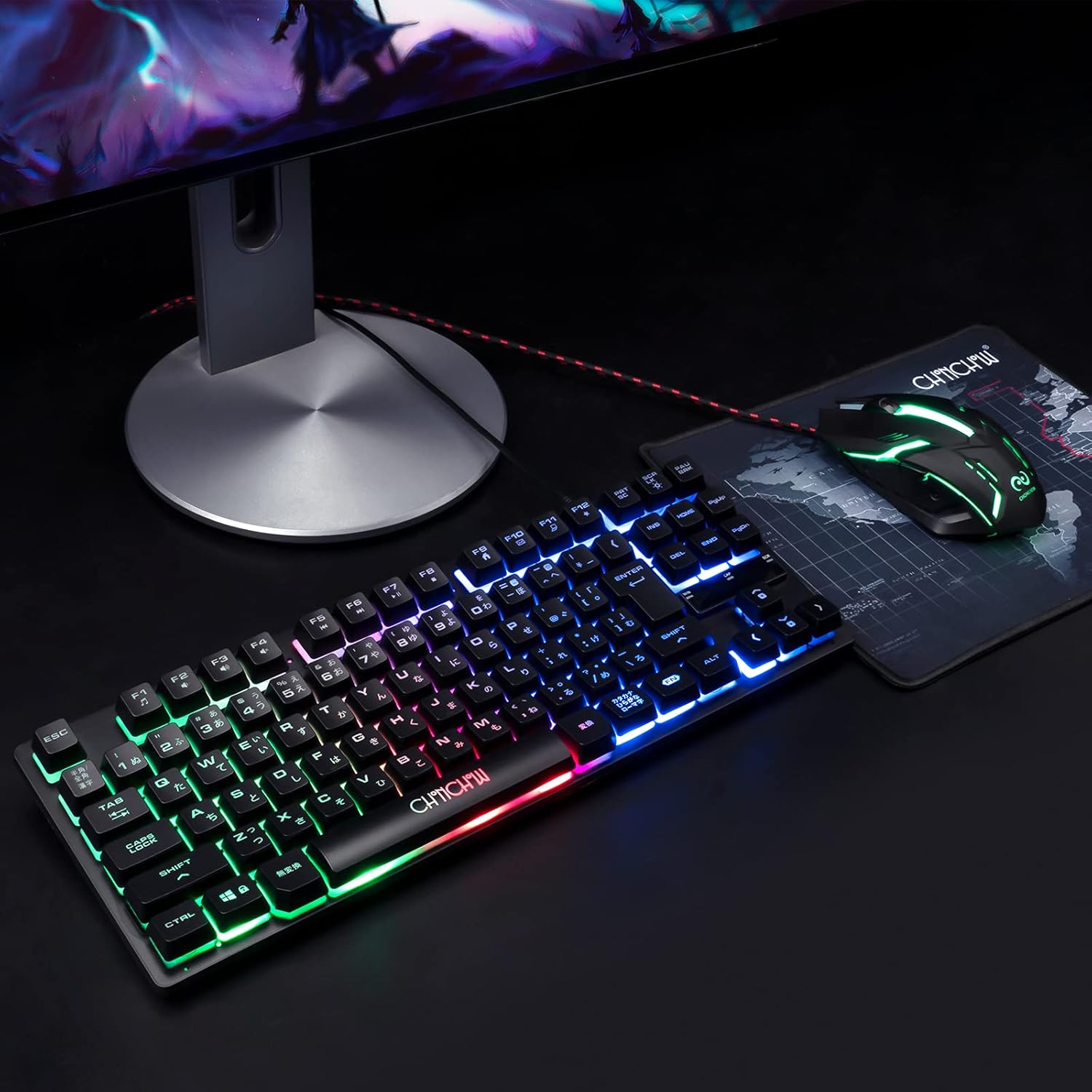
Image: The CHONCHOW Gaming Mouse positioned next to the keyboard, both connected and ready for use.
- System Recognition: Your operating system should automatically detect and install the necessary drivers. This process may take a few moments.
For Nintendo Switch, a converter and adapter are required (sold separately). For PS5 and PS4, direct plug-in is supported.
Operating the Keyboard
Backlight Control
The keyboard features a 7-color LED backlight with breathing mode and adjustable brightness.
- FN + ↑ (Up Arrow): Increase backlight brightness.
- FN + ↓ (Down Arrow): Decrease backlight brightness.
- FN + ☼ (Sun/Star icon): Toggle backlight mode ON/OFF.
- FN + PAUBRK (Pause Break): Activate breathing backlight mode.
- FN + "ho" key / "hai" key: Adjust the speed of the breathing mode.

Image: Various backlight patterns and brightness levels demonstrated on the keyboard, along with key combinations for control.
Anti-Collision and Multimedia Keys
- 19-Key Anti-Collision: Allows multiple keys to be pressed simultaneously without ghosting, ensuring accurate input during gaming.
- 12 Multimedia Keys: Access functions like email, volume control, and media playback directly.
Ergonomic Design
The keyboard features a stepped keycap design and a durable ABS material construction with double molding injection technology for long-lasting key legends.
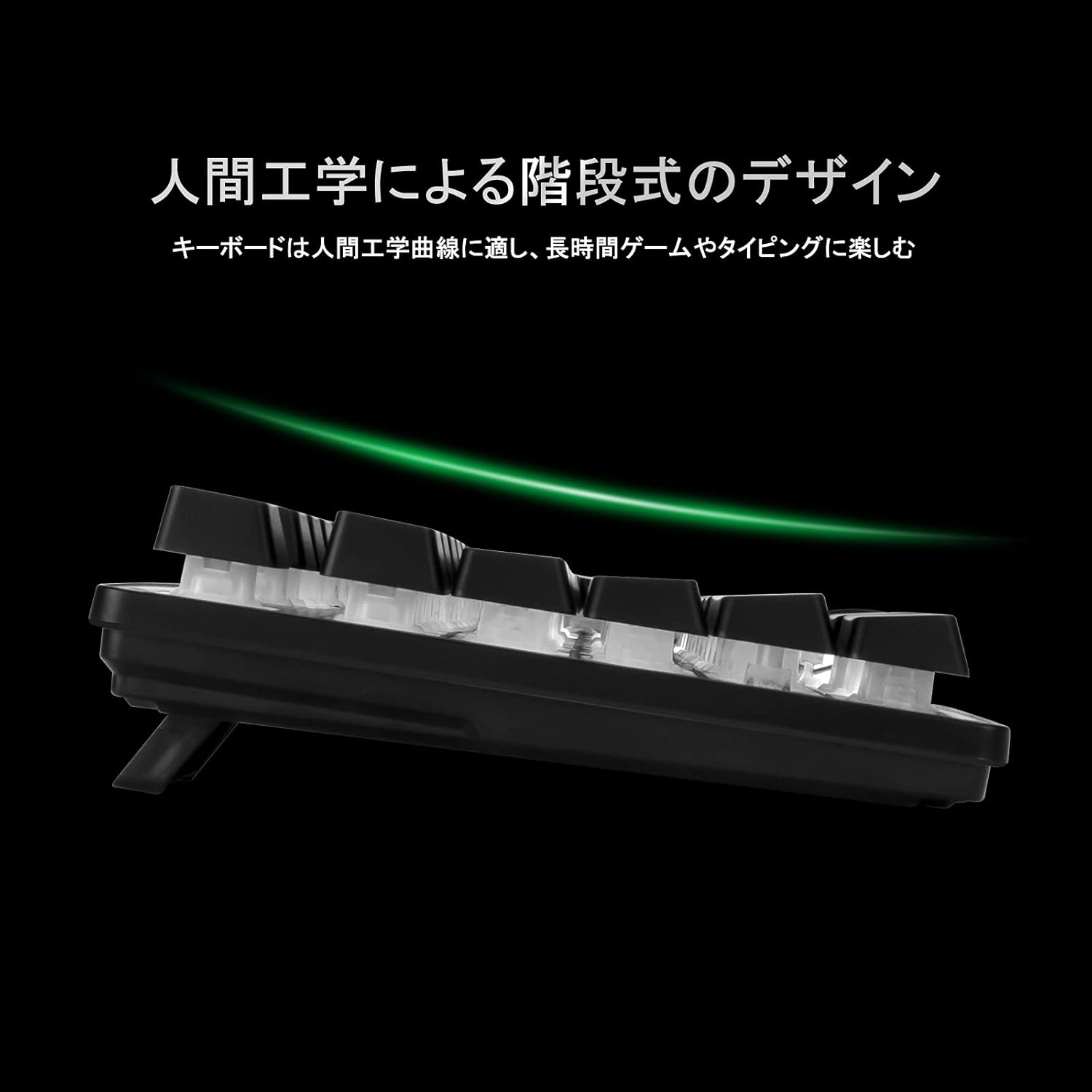
Image: Side profile of the keyboard highlighting its ergonomic, stepped keycap design for comfortable typing.
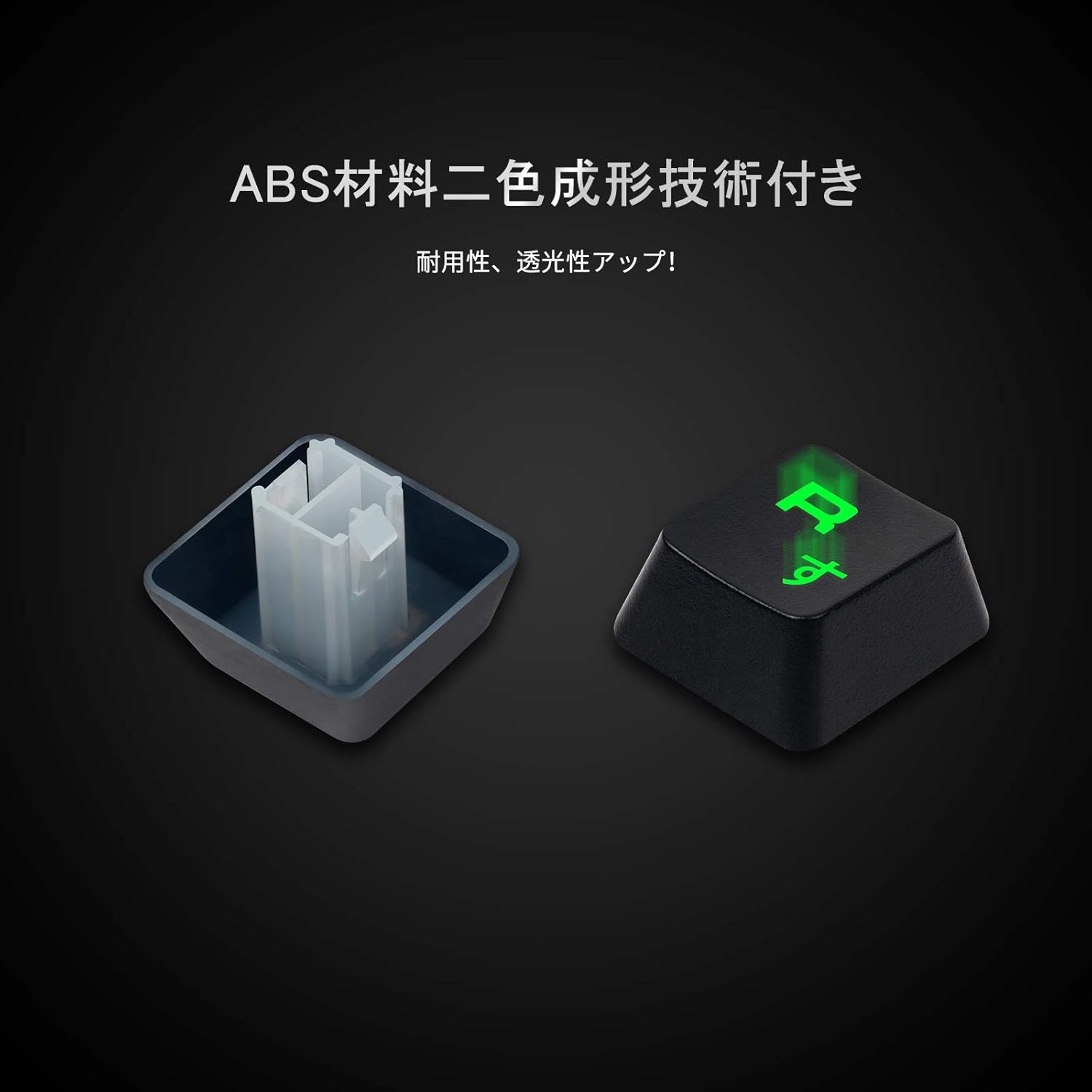
Image: A close-up of a keycap, demonstrating the ABS material and double molding injection technology for durability and clear legends.
Operating the Mouse
The gaming mouse is equipped with 6 buttons and adjustable DPI settings for precise control.
- Buttons: Left Click, Right Click, Wheel Click, DPI Cycle, Forward Button, Backword Button.
- DPI Adjustment: Cycle through 4 DPI levels: 800, 1600, 2400, 3200. Press the DPI button to switch between sensitivities.
- 7-Color Breathing Backlight: The mouse features a dynamic 7-color LED backlight.

Image: The CHONCHOW Gaming Mouse, highlighting its 6 programmable buttons, 4 DPI levels, and 7-color breathing backlight.
Maintenance
Proper maintenance ensures the longevity and performance of your CHONCHOW Gaming Keyboard Mouse Set.
- Cleaning: Use a soft, dry cloth to wipe down the surfaces of the keyboard and mouse. For stubborn dirt, a slightly damp cloth with mild soap can be used, ensuring no liquid enters the device.
- Dust Removal: Use compressed air to remove dust and debris from between the keycaps and mouse buttons.
- Avoid Liquids: Do not immerse the devices in water or expose them to excessive moisture.
- Storage: Store the set in a cool, dry place away from direct sunlight and extreme temperatures when not in use.
Troubleshooting
If you encounter issues with your CHONCHOW Gaming Keyboard Mouse Set, refer to the following common solutions:
- Device Not Responding:
- Ensure the USB cables are securely plugged into the computer or console.
- Try connecting the devices to a different USB port.
- Restart your computer or console.
- Test the devices on another computer to rule out system-specific issues.
- Backlight Not Working (Keyboard):
- Press FN + ☼ to ensure the backlight is turned ON.
- Adjust brightness using FN + ↑ or FN + ↓.
- Mouse Cursor Jumps or is Erratic:
- Clean the optical sensor on the bottom of the mouse.
- Ensure you are using the mouse on a clean, non-reflective surface or a mouse pad.
- Adjust the DPI settings using the DPI button on the mouse.
Specifications
| Feature | Detail |
|---|---|
| Brand | CHONCHOW |
| Model | 102 |
| Keyboard Type | 88-Key Gaming Keyboard (Japanese Layout) |
| Keyboard Anti-Collision | 19-Key Anti-Collision |
| Keyboard Backlight | 7-Color LED (Breathing Mode, 3 Brightness Levels) |
| Keyboard Durability | 50 million keypresses |
| Mouse Buttons | 6 Buttons (Left, Right, Wheel, DPI Cycle, Forward, Backward) |
| Mouse DPI Levels | 800, 1600, 2400, 3200 |
| Mouse Backlight | 7-Color Breathing LED |
| Mouse Durability | 10 million clicks |
| Connectivity | USB Wired |
| Cable Length | 1.5 m (Mouse) |
| Operating System Compatibility | Windows 10/8/7/XP, Windows VISTA, Mac OS |
| Console Compatibility | PS5, PS4, Nintendo Switch (with adapter) |
| Product Dimensions | 35.5 x 13 x 2.8 cm (Keyboard) |
| Item Weight | 760 g (Keyboard) |
Warranty and Support
CHONCHOW provides a 12-month free warranty from the date of purchase for this product. If you experience any issues or require technical assistance, please contact CHONCHOW customer support through your retailer or the official CHONCHOW website for further assistance.
Please retain your proof of purchase for warranty claims.


